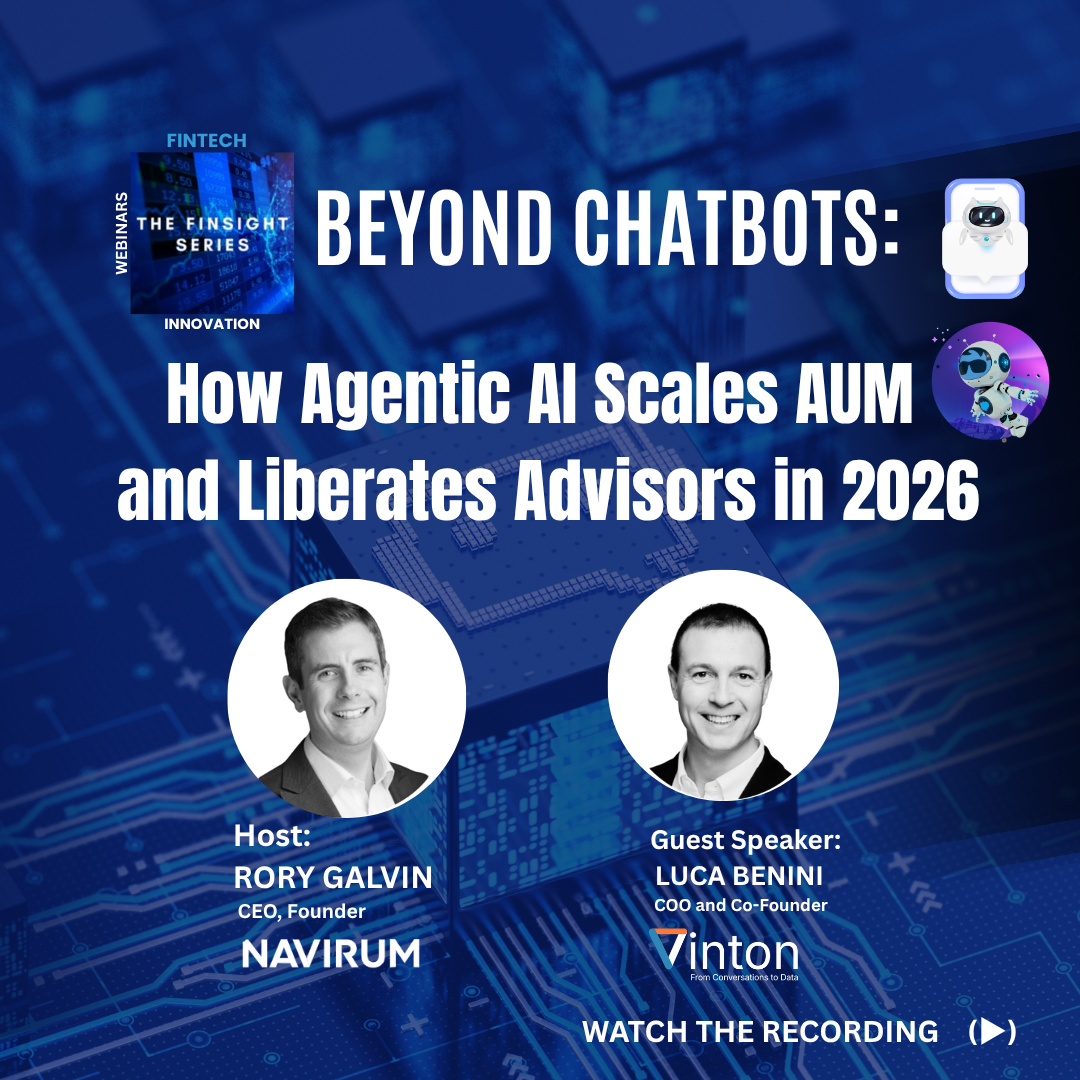
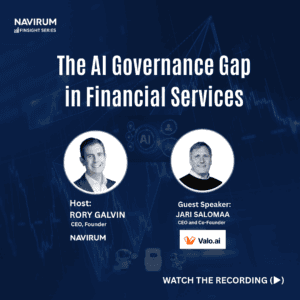
Beyond Chatbots: How Agentic AI scales AUM and Liberates Advisors in 2026 – What does this FinSight Series webinar talks about?
This on-demand webinar explains how wealth and asset management firms are using agentic AI to move beyond chatbots and pilots into production-grade automation. It focuses on real-world applications across onboarding, client servicing, compliance, and reporting, showing up to 90% reduction in manual processes. The session includes a live demo and practical frameworks for scaling assets under management (AUM) without increasing headcount.
What is Agentic AI in Financial Services?
Agentic AI refers to autonomous AI systems that can execute multi-step workflows across enterprise systems without constant human prompting.
In wealth and asset management, agentic AI is used to:
Automate onboarding workflows
Handle client servicing tasks
Support compliance and audit processes
Generate and distribute reporting outputs
Unlike chatbots or copilots, Agentic AI performs end-to-end operational execution, not just assistance.
Why Wealth Management Firms Are Moving Beyond Chatbots
Most financial institutions are still stuck in:
Chatbots for client interaction
Copilots for internal productivity
AI pilots that never reach production
These approaches fail because they do not:
Integrate across workflows
Automate full processes
Deliver measurable operational ROI
Leading firms are now shifting to agentic AI systems embedded in core operations.
Proven Impact of Agentic AI (Real Outcomes)
Firms implementing agentic AI in wealth management are achieving:
Up to 90% reduction in manual operational work
Faster client response times
Improved compliance consistency
Scalable operations without hiring additional staff
More audit-ready and standardized workflows
What This Webinar Covers (On-Demand)
This session provides practical, real-world insights into AI transformation in financial services.
You will learn:
Why 2026 is the inflection point for agentic AI adoption
How wealth managers are deploying AI agents in production
Real-world Salesforce + AI use cases in financial services
How to transition from AI pilots to enterprise-scale systems
Live demonstration of autonomous AI agents in action
Key operational and governance considerations
What You Will Get
After accessing this webinar, you will receive:
Full on-demand recording
Key insights and frameworks
Practical AI implementation examples
Guidance for scaling AI in financial services
Access to future sessions
Key Insight
The financial services industry is shifting from AI experimentation to autonomous execution systems.
The firms that succeed will be those that operationalize agentic AI across core workflows, not those stuck in chatbot and pilot-stage implementations. Operationalizing it safely starts with the governance foundation for agentic AI.
📥 Access the Webinar
Watch the full on-demand session to see how leading firms are scaling AUM with agentic AI.
Access recording below:
Frequently Asked Questions
What is agentic AI in wealth management?
Agentic AI refers to autonomous systems that execute workflows such as onboarding, servicing, compliance, and reporting without manual intervention.
How is agentic AI different from chatbots?
Chatbots respond to queries. Agentic AI executes complete business processes across systems.
What is the business impact of agentic AI?
Typical outcomes include up to 90% reduction in manual work, faster turnaround times, and scalable operations without hiring.
Is this relevant for Salesforce users?
Yes. Many implementations integrate directly with Salesforce to automate CRM-driven workflows.
🏦 About Navirum
Navirum helps financial institutions implement Salesforce-based AI and agentic automation systems that move beyond experimentation into production-scale execution. Orbit’s managed services are built for exactly that ongoing execution layer.
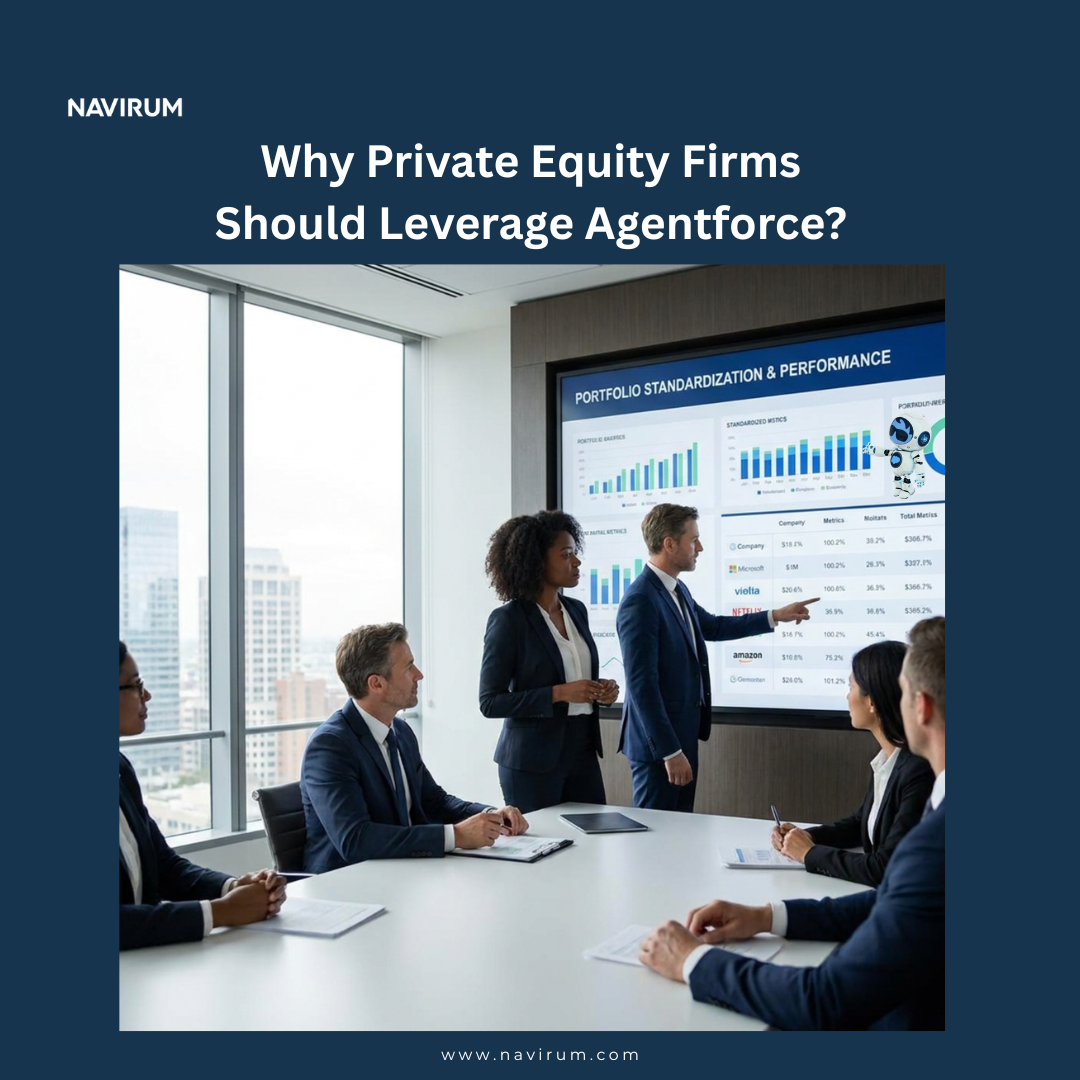
Why Private Equity Firms Should Leverage Agentforce?
Discover how Agentforce can drive operational efficiency, boost revenue, and enhance customer experience for private equity firms and their portfolio companies. Learn key benefits, real-world use cases, and NAVIRUM recommendations for maximizing ROI with Salesforce automation.
Agentforce is a Salesforce-native automation platform that helps private equity firms and their portfolio companies streamline workflows, reduce operational costs, and improve data accuracy. This guide explains how PE professionals can evaluate its value across portfolio companies, track measurable KPIs, and assess adoption impact. It highlights EBITDA growth levers, scalability, and customer experience improvements, provides real-world use cases, discusses risks and market positioning, and shares our recommendations for maximizing ROI through strategic implementation and expert Salesforce consulting.
Unlocking Operational Alpha Across Portfolio Companies
Private equity firms are under increasing pressure to deliver returns not just through financial engineering, but through operational excellence. As holding periods evolve and competition intensifies, firms are turning to technology as a lever to accelerate value creation and differentiate their portfolios.
Agentforce represents a new category of enablement—one that allows firms to standardize, scale, and optimize operations across multiple portfolio companies. Rather than treating each asset as a silo, PE firms can implement a unified approach to automation and data, unlocking efficiencies that compound across the portfolio.
This guide explores how Agentforce fits into a modern PE value creation strategy:
What Agentforce is and why it matters for private equity
The operational challenges it solves across portfolio companies
Key value drivers for PE firms
Measurable KPIs and performance indicators
Market positioning and competitive landscape
Risks and mitigation strategies
Key questions PE firms should ask before investing
Why Salesforce consulting expertise is critical
What Is Agentforce?
Agentforce is more than a workflow tool, it’s an operational backbone for organizations looking to scale efficiently within the Salesforce ecosystem. By centralizing automation, data, and process orchestration, it allows companies to move faster while maintaining control and consistency.
For private equity firms, this is particularly important. Portfolio companies often operate with fragmented systems and inconsistent processes, making it difficult to drive unified performance improvements. Agentforce provides a standardized layer that enables firms to deploy best practices at scale while maintaining flexibility at the company level.
For private equity firms, the key differentiator is standardization across portfolio companies. Rather than each company building fragmented systems, Agentforce provides a unified approach to automation, data, and reporting.
This allows PE firms to:
Deploy consistent operating models
Improve cross-portfolio visibility
Accelerate digital transformation across assets
Why Portfolio Companies Need Agentforce
Operational inefficiencies are one of the most common barriers to value creation in portfolio companies. While growth strategies may be sound, execution often breaks down due to manual processes, lack of integration, and limited visibility into performance.
These inefficiencies are not just operational issues—they directly impact EBITDA, scalability, and exit readiness. Without a structured approach to automation and data management, companies struggle to scale efficiently or respond to market demands.
Many portfolio companies struggle with the same operational inefficiencies:
Manual, time-consuming processes
Disconnected systems and siloed data
Limited reporting visibility
Inconsistent customer experience
Agentforce addresses these issues by:
Automating repetitive workflows
Standardizing processes across teams
Integrating Salesforce with other systems
Enabling scalable, low-code automation
For PE firms, this translates into faster operational improvements and more predictable performance across investments.
Key Value Drivers for Private Equity Firms
Private equity firms evaluate every initiative through the lens of value creation. Technology investments must demonstrate clear, measurable impact on financial performance, not just incremental improvements in efficiency.
Agentforce stands out because it directly influences key drivers of enterprise value—revenue growth, cost optimization, and scalability. These are the same levers PE firms use to improve EBITDA and maximize exit multiples.
Private equity firms evaluate technology based on its ability to drive measurable financial outcomes. Agentforce delivers value across multiple dimensions:
1. EBITDA Growth Through Productivity Gains
Productivity is one of the most immediate levers for improving financial performance. When teams spend less time on administrative work, they can focus on higher-value activities that directly contribute to revenue.
Agentforce enables this shift by automating routine tasks and streamlining workflows, allowing organizations to operate more efficiently without increasing headcount.
Faster sales cycles
Increased deal throughput
Reduced operational bottlenecks
2. Cost Reduction and Margin Expansion
Cost control is critical in driving profitability, especially in competitive or margin-sensitive industries. Manual processes, duplicated work, and inefficient approvals often create hidden costs that accumulate over time.
By introducing automation and standardization, Agentforce helps eliminate these inefficiencies, resulting in leaner and more predictable operations.
Reducing manual intervention
Automating approvals and workflows
Minimizing errors and rework
3. Standardization Across the Portfolio
One of the biggest challenges in private equity is managing a diverse set of portfolio companies with varying levels of maturity and operational discipline. Without standardization, it becomes difficult to replicate success or scale improvements.
Agentforce allows firms to implement consistent processes and frameworks, enabling a more unified and strategic approach to portfolio management.
Deploy repeatable playbooks
Standardize workflows and reporting
Scale best practices across assets
4. Real-Time Data and Visibility
Timely and accurate data is essential for effective decision-making at both the company and fund level. However, many portfolio companies lack the infrastructure needed to deliver reliable insights.
Agentforce ensures that data flows seamlessly across systems, enabling real-time reporting and improved transparency.
Data consistency across systems
Real-time dashboards and reporting
Improved performance visibility
5. Exit Readiness and Valuation Uplift
Exit readiness is a key priority for any private equity firm. Buyers are increasingly looking for companies with modern systems, clean data, and scalable operations.
By implementing Agentforce, portfolio companies can position themselves as well-run, efficient, and future-ready organizations.
Scalable and standardized systems
Clean, reliable data
Efficient, automated processes
Strategic KPIs Private Equity Firms Should Track
To effectively evaluate the success of Agentforce, private equity firms need to move beyond qualitative benefits and focus on measurable outcomes. Clear KPIs provide visibility into whether automation is delivering real value.
Tracking the right metrics also enables firms to benchmark performance across portfolio companies and identify opportunities for further optimization.
To evaluate Agentforce adoption, PE firms should focus on measurable performance indicators:
Metric Category
What to Track
Why It Matters
Productivity
Tasks automated per employee
Indicates operational efficiency
Cycle Time
Sales or approval cycle duration
Reflects process optimization
Cost Efficiency
Operational cost reduction
Impacts EBITDA directly
Data Quality
Error rates and data consistency
Ensures reliable reporting
Adoption
Active user rates
Measures platform utilization
Revenue Impact
Revenue per employee
Signals scalability
Market Positioning and Competitive Landscape
The automation and workflow orchestration space is evolving rapidly, with increasing demand for platforms that can deliver both flexibility and scalability. Private equity firms need to understand where Agentforce fits within this broader landscape.
Its positioning is particularly compelling because it aligns with macro trends such as digital transformation, low-code adoption, and the need for integrated systems.
Agentforce sits at the intersection of several high-growth technology categories:
Low-code automation
Workflow orchestration
Salesforce-native platforms
Alignment with Digital Transformation Trends
Private equity firms are increasingly prioritizing digital transformation as a core component of their value creation strategies. Platforms like Agentforce enable faster implementation and quicker realization of benefits.
Faster deployment cycles
Reduced reliance on engineering resources
Scalable process improvements
Salesforce Ecosystem Advantage
Integration is often one of the biggest challenges in technology adoption. Agentforce’s native connection to Salesforce significantly reduces this friction.
Seamless data integration
Lower implementation risk
Faster time to value
Competitive Landscape
Understanding the competitive environment is key to assessing long-term viability and differentiation.
RPA tools
Custom-built solutions
Other low-code platforms
Risks and Mitigation Strategies
While the benefits of Agentforce are substantial, successful implementation requires careful planning and execution. Private equity firms must consider potential risks to ensure expected outcomes are achieved.
A proactive approach to risk management can significantly improve the likelihood of success and maximize return on investment.
1. Inconsistent Adoption Across Portfolio Companies
Not all companies may adopt the platform effectively.
Mitigation: Implement centralized governance and standardized rollout strategies.
2. Change Management Challenges
Teams may resist new workflows.
Mitigation: Invest in training, leadership alignment, and clear ROI communication.
3. Over-Reliance on Salesforce Ecosystem
Dependency on a single ecosystem can introduce strategic risk.
Mitigation: Ensure alignment with long-term Salesforce strategy and maintain flexibility where needed.
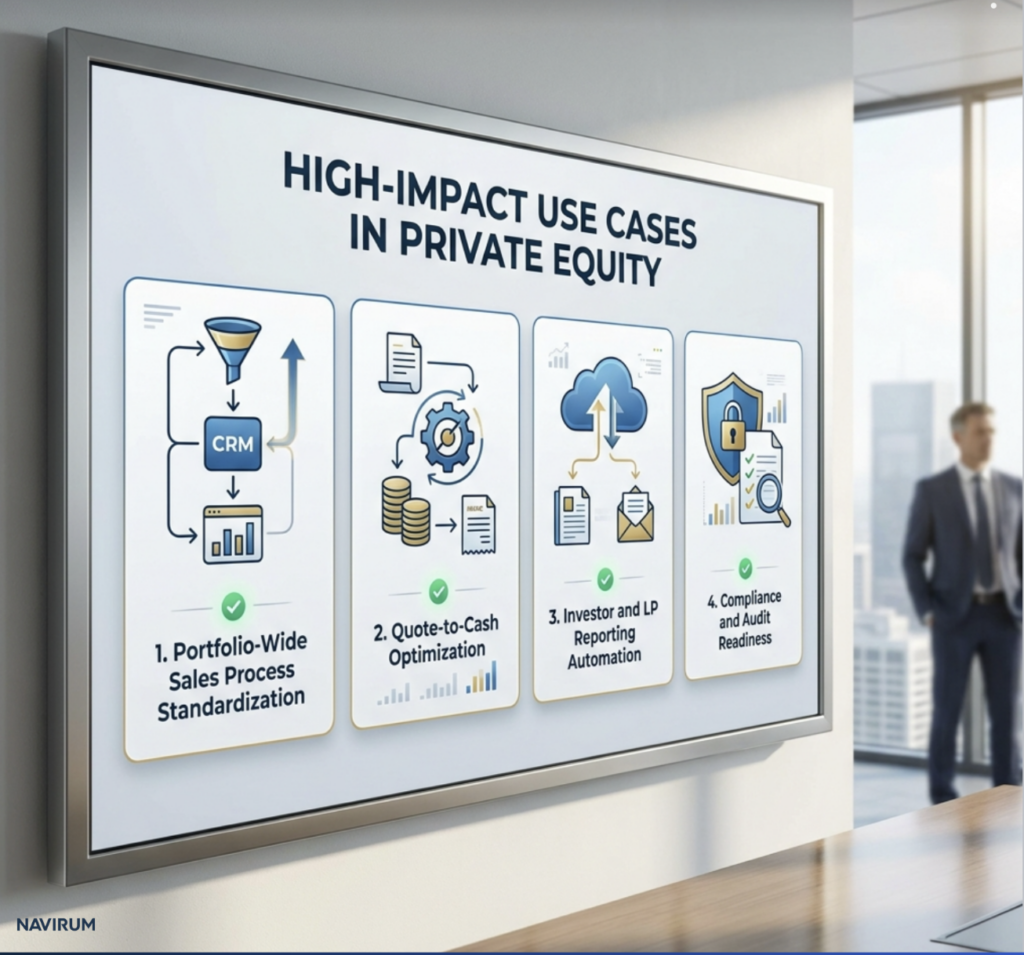
High-Impact Use Cases in Private Equity
Use cases are critical for translating strategy into execution. They help private equity firms understand how Agentforce can be applied in real-world scenarios to drive measurable outcomes.
These examples highlight how automation can directly impact performance across key operational areas.
Use Case 1: Portfolio-Wide Sales Process Standardization
Agentforce can unify lead management, deal tracking, and reporting across companies, improving pipeline visibility and forecasting accuracy.
Use Case 2: Quote-to-Cash Optimization
Automating approvals, contracts, and invoicing reduces delays and improves cash flow predictability.
Use Case 3: Investor and LP Reporting Automation
Streamlining reporting processes enables faster, more accurate communication with stakeholders.
Use Case 4: Compliance and Audit Readiness
Automated audit trails reduce risk and simplify due diligence during exit.
What Private Equity Firms Should Ask Before Investing
Evaluating an Agentforce initiative requires more than understanding the technology—it requires assessing how it will be implemented and measured.
Asking the right questions ensures that the investment is aligned with value creation goals and not just a technology upgrade.
Before backing an Agentforce initiative, PE professionals should ask:
What operational inefficiencies are being targeted?
What baseline metrics exist today?
How will success be measured post-implementation?
Is there a standardized rollout plan across the portfolio?
How quickly can value be realized?
Who owns adoption and optimization?
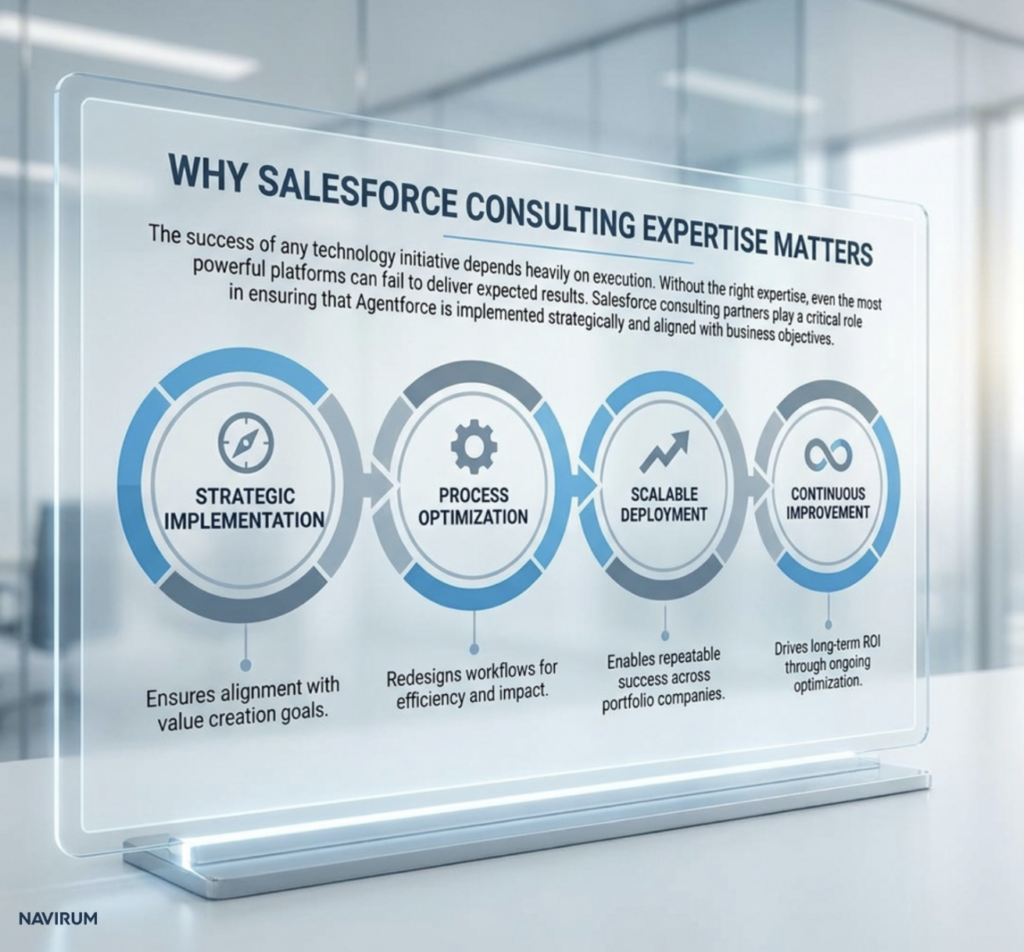
Why Salesforce Consulting Expertise Matters
The success of any technology initiative depends heavily on execution. Without the right expertise, even the most powerful platforms can fail to deliver expected results.
Salesforce consulting partners play a critical role in ensuring that Agentforce is implemented strategically and aligned with business objectives.
Strategic Implementation . Ensures alignment with value creation goals.
Process Optimization. Redesigns workflows for efficiency and impact.
Scalable Deployment. Enables repeatable success across portfolio companies.
Continuous Improvement. Drives long-term ROI through ongoing optimization.
Final Thoughts: A Scalable Value Creation Lever
Private equity firms that successfully leverage technology gain a significant competitive advantage. Agentforce represents an opportunity to move beyond fragmented improvements and toward a scalable, repeatable model for operational excellence.
By standardizing processes, improving data visibility, and automating workflows, firms can unlock value across their entire portfolio—not just individual companies.
When deployed effectively, Agentforce enables:
Faster growth
Lower costs
Better data visibility
Stronger exit positioning
NAVIRUM Recommendations for Private Equity Decision-Makers
Maximizing the value of Agentforce in a private equity portfolio is not just about implementing technology—it’s about using automation as a strategic lever for value creation, risk reduction, and scalable growth. The most successful firms embed it directly into their investment thesis and operating model.
Based on Navirum’s experience with Salesforce and complex operations, here’s how PE firms can ensure Agentforce delivers measurable results across their portfolio:
1. Embed Agentforce Into Your Value Creation Plan
Automation should be tied directly to financial objectives: revenue growth, cost optimization, and EBITDA expansion. Integrate Agentforce initiatives into each portfolio company’s 100-day plan to accelerate impact and make operational improvements measurable from the start.
2. Standardize Operations Across Portfolio Companies
Agentforce allows you to roll out consistent processes, reporting, and governance frameworks across multiple companies. Standardization reduces variability, improves predictability, and enables quicker, repeatable operational improvements—ultimately creating portfolio-wide efficiencies and transparency.
3. Focus on High-Impact Use Cases First
Target initiatives that drive tangible financial outcomes, such as deal-to-cash workflows, sales process automation, and customer onboarding. Early wins build momentum, demonstrate measurable ROI, and reduce implementation risk.
4. Define and Track Portfolio-Level KPIs
Establish metrics that matter to PE decision-makers: productivity, operational cost savings, revenue per employee, and adoption rates. Consistent KPIs across portfolio companies allow leadership to monitor impact, benchmark performance, and identify opportunities for additional value creation.
5. Prioritize Adoption and Change Management
Even the best technology fails without adoption. Structured change management—training, executive sponsorship, and clear ROI communication—is essential to ensure teams embrace automation and it drives measurable results.
6. De-Risk Execution With Expert Partners
Execution risk is one of the top threats to value creation. Partnering with experienced Salesforce consultants ensures Agentforce is deployed efficiently, integrated with existing systems, and aligned with strategic goals—reducing time-to-value and protecting ROI.
7. Build Scalability and Exit Readiness Into Day One
Automation should not only improve current operations but also prepare companies for exit. Scalable workflows, reliable reporting, and clean data increase buyer confidence and can contribute to higher valuation multiples.
8. Commit to Continuous Improvement
Value creation doesn’t stop after go-live. Regularly review workflows, adoption metrics, and KPIs to identify new opportunities for efficiency, scalability, and revenue growth. This ensures Agentforce continues to compound value throughout the hold period.
Bottom Line: For private equity decision-makers, Agentforce is more than an operational tool—it’s a portfolio-wide value creation engine. When implemented strategically, it drives faster growth, lower costs, better data visibility, and stronger exit positioning, all while reducing execution risk and increasing predictability.
Private Equity & Portfolio Value Creation
Accelerate Portfolio Growth with Agentic AI
Discover how Agentforce can streamline deal flow analysis, optimize portfolio operations, and reduce manual overhead across your investment lifecycle.
FAQ: Salesforce & Agentforce for Private Equity Professionals
<strong class="schema-faq-question">How can Agentforce be incorporated into a private equity value creation plan?</strong>
Agentforce should be positioned as an operational lever within the value creation plan (VCP), specifically targeting efficiency, scalability, and data visibility. Rather than treating it as a standalone IT initiative, PE firms should align its deployment with EBITDA improvement goals—such as reducing SG&A costs, accelerating revenue cycles, and improving customer retention. When embedded early (during onboarding or within the first 100 days), it can create compounding value throughout the hold period.
<strong class="schema-faq-question">What role does Agentforce play in standardizing operations across portfolio companies?</strong>
Agentforce enables PE firms to implement repeatable operating models by standardizing workflows, reporting structures, and data governance across portfolio companies. This reduces variability in execution and allows firms to scale best practices more efficiently. Over time, this standardization creates a more cohesive portfolio, making it easier to benchmark performance and implement cross-company initiatives.
<strong class="schema-faq-question">How should private equity firms measure ROI from Agentforce beyond cost savings?</strong>
While cost reduction is a clear benefit, ROI should also be measured through revenue acceleration, improved conversion rates, and enhanced customer lifetime value. Additional indicators include reduced cycle times, increased productivity per employee, and improved data accuracy. PE firms should also assess qualitative improvements such as decision-making speed and management visibility, which contribute to long-term enterprise value.
<strong class="schema-faq-question">Can Agentforce accelerate exit timelines or improve valuation multiples?</strong>
Yes. Companies with automated workflows, strong data governance, and scalable systems are more attractive to buyers. Agentforce enhances operational maturity, which can reduce perceived risk during due diligence. This often translates into stronger buyer confidence, faster exit processes, and in some cases, higher valuation multiples due to improved scalability and transparency.
<strong class="schema-faq-question">How does Agentforce impact due diligence and audit readiness?</strong>
Agentforce creates structured, traceable workflows and maintains detailed audit trails within Salesforce. This improves transparency and simplifies the due diligence process by ensuring that key operational and financial data is accurate, accessible, and consistent. For PE firms, this reduces the time and friction typically associated with exit preparation and regulatory reviews.
<strong class="schema-faq-question">What types of portfolio companies benefit most from Agentforce implementation?<br></strong>
Portfolio companies with complex workflows, high transaction volumes, or fragmented systems benefit the most. This includes businesses in financial services, SaaS, healthcare, and B2B services. Companies that rely heavily on Salesforce or have significant customer interaction points are particularly well-positioned to realize rapid ROI.
<strong class="schema-faq-question">What are the biggest risks of deploying Agentforce across a portfolio, and how can they be mitigated?</strong>
The primary risks include inconsistent adoption, lack of alignment with business objectives, and insufficient change management. These can be mitigated by establishing centralized governance, defining clear KPIs, and ensuring executive sponsorship at both the fund and portfolio company level. Partnering with experienced Salesforce consultants also reduces implementation risk and accelerates time to value.
<strong class="schema-faq-question">How can private equity firms ensure consistent adoption across multiple portfolio companies?<br></strong>
Consistency requires a structured rollout strategy, including standardized playbooks, training programs, and performance tracking. PE firms should also designate internal champions within each portfolio company and monitor adoption metrics closely. Aligning incentives with usage and outcomes can further drive engagement and ensure long-term success.
<strong class="schema-faq-question">How does Agentforce support data-driven decision-making at the fund level?</strong>
By centralizing and standardizing data across portfolio companies, Agentforce enables real-time reporting and improved visibility into operational performance. This allows PE firms to make faster, more informed decisions, identify underperforming assets, and uncover opportunities for improvement. Enhanced data accuracy also increases confidence in forecasting and strategic planning.
<strong class="schema-faq-question">What is the role of Salesforce consulting partners in maximizing Agentforce ROI?</strong>
Salesforce consulting partners play a critical role in translating strategy into execution. They help design scalable architectures, optimize workflows, and ensure alignment with business objectives. Beyond implementation, they provide ongoing support, performance monitoring, and continuous improvement strategies—ensuring that Agentforce delivers sustained value throughout the investment lifecycle. See how that ongoing support model works in practice.
Online Resources — Knowledge & Insights | Navirum
Knowledge & Insights
Online Resources
Explore strategic guides for private equity firms leveraging Salesforce FSC, AI-driven deal sourcing, fundraising features, and portfolio monitoring.
Whether you are getting to know our team, evaluating our Salesforce and AI offerings, or ready to discuss your firm's growth goals, we are here to guide your journey.
About Navirum
Discover our story, mission, and the experienced financial technology specialists guiding your digital transformation.
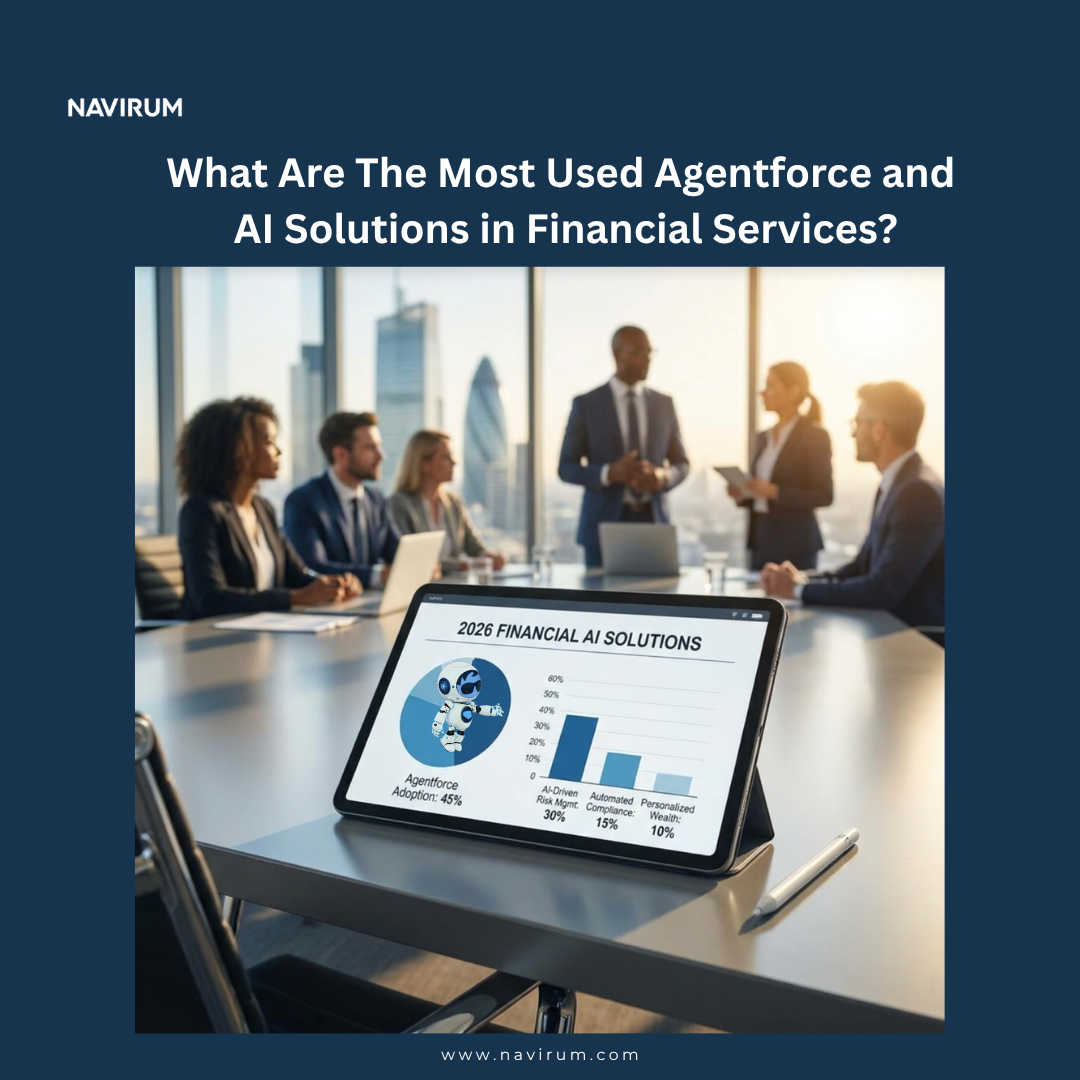
What Are Most Used Agentforce And AI Solutions in Financial Services in 2026?
This article explores the most used Agentforce and AI solutions shaping financial services in 2026, including Agentforce use cases, AppExchange integrations, and practical recommendations for advisors and wealth managers.
Agentforce and AI Solutions in Financial Services
Salesforce Agentforce is an AI agent platform from Salesforce that enables financial institutions to deploy autonomous AI agents that can execute workflows like onboarding, servicing, and compliance.
More broadly, AI solutions in financial services encompass predictive analytics, generative AI, and automation tools that help firms improve efficiency, manage risk, and deliver more personalized client experiences.
In today’s financial services landscape, artificial intelligence (AI) is no longer a futuristic option — it’s a core part of competitive strategy. From automating routine processes to surfacing predictive insights, AI solutions help banks, insurers, and wealth managers deliver superior experiences, reduce operational costs, and reinforce compliance. A leading example of this shift is Salesforce Agentforce, which powers autonomous AI agents capable of executing tasks directly within Salesforce workflows.
1) AI-Powered Autonomous Agents with Salesforce Agentforce
Capabilities & Value: Agentforce agents are autonomous, proactive AI applications that execute tasks like meeting follow-ups, customer outreach, and portfolio monitoring without human intervention. They can connect CRM data, apply business logic, and trigger workflows automatically, helping advisors save time and reduce errors.
Capabilities & Value: Predictive AI models forecast client risk, portfolio volatility, and market exposure. This allows advisors and risk teams to act proactively rather than reactively.
Use Cases & Examples:
Credit scoring: Integrate alternative client data to improve loan and investment suitability assessments.
Portfolio stress testing: Simulate market shocks or client life events to guide personalized recommendations.
Risk alerts: AI flags high-risk scenarios, supporting compliance and advisory decisions.
3) AI-Driven Fraud Detection and Transaction Monitoring
Capabilities & Value: AI monitors transactions across accounts in real-time, identifying unusual patterns and reducing false positives. This protects both clients and the firm while ensuring regulatory compliance.
Use Cases & Examples:
Real-time detection of suspicious account activity.
Automated alerts for unusual transfers or credit events.
Adaptive models that learn emerging fraud patterns over time.
Capabilities & Value: AI analyzes transactions, interactions, and engagement signals to create personalized client strategies, offers, and communications.
Use Cases & Examples:
Delivering tailored loan or investment product recommendations.
AI-generated next-best-action alerts for advisors.
Providing automated insights for client reviews and portfolio updates.
Capabilities & Value: AI-driven data unification consolidates client data across multiple systems, creating a 360° client view for better advisory decisions.
Use Cases & Examples:
Advisor dashboards with holistic portfolio insights.
Cross-system alerts for risk, churn, or engagement opportunities.
Automated, actionable insights from unified data streams.
Capabilities & Value: AI transforms FP&A with predictive scenario modeling, variance reporting, and real-time forecasting, helping advisors and executives plan confidently.
Use Cases & Examples:
Portfolio performance simulations under different market conditions.
Real-time forecasting updates as new data arrives.
AI-generated client reports and planning recommendations.
Navirum Recommendations for Wealth Managers & Financial Advisors
Start with high-impact AI use cases like client engagement automation, advisor productivity, and compliance monitoring before expanding to predictive or generative AI.
Invest in unified, high-quality data to ensure reliable AI insights and autonomous agent actions.
Leverage AppExchange and AgentExchange solutions to accelerate adoption and reduce implementation risk.
Embed governance and explainable AI controls to maintain compliance and advisor confidence.
Plan for change management and adoption, training staff to interpret AI insights and integrate them into client conversations.
FAQ
What is Salesforce Agentforce?
Agentforce is Salesforce’s autonomous AI agent platform that executes tasks, triggers workflows, and delivers insights directly within CRM systems.
How can AI improve client engagement for advisors?
AI monitors engagement, predicts client needs, and recommends next-best actions, enabling proactive conversations and personalized service.
What’s the biggest risk in adopting AI?
Poor data quality or unintegrated systems can lead to inaccurate predictions and ineffective workflows.
How do autonomous agents differ from chatbots?
Chatbots interact conversationally with clients, while autonomous agents execute actions automatically, such as updating portfolios, generating reports, or triggering workflows.
When should firms scale AI across the organization?
Once high-value use cases are proven, data is reliable, and governance processes are in place, AI can scale across advisors, operations, and compliance teams.
Strategic AI Deployment
Explore Agentforce and AI Solutions for Your Firm
Discover how Agentforce can enhance productivity, improve client experiences, and scale operations across your organization.
Client Summary Agent is an AI co-pilot designed for Salesforce FSC, proven to cut client meeting preparation time by over 80%.
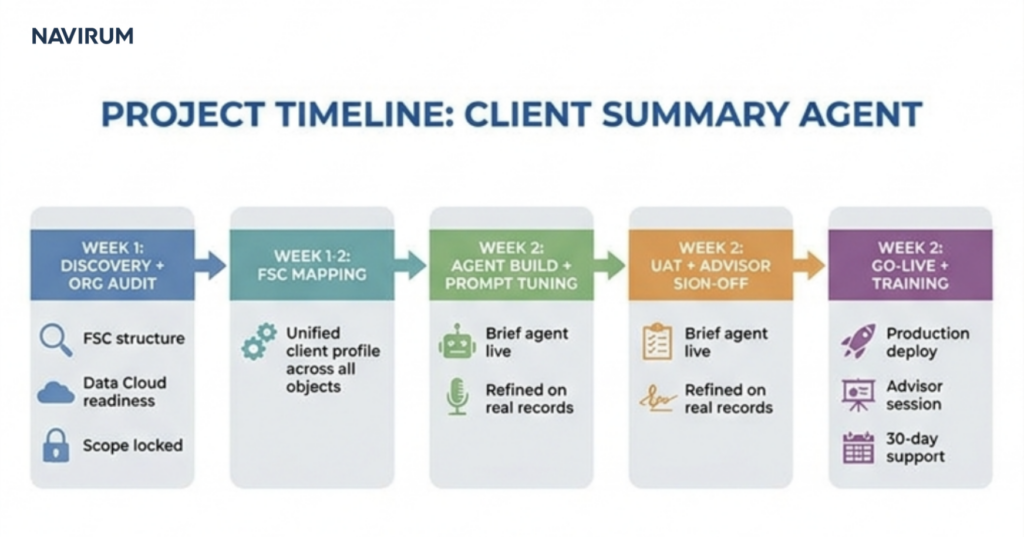
The Navirum Agentforce Quickstart activates existing Salesforce FSC AI capabilities in a two-week, fixed-scope sprint to deliver the Client Summary Agent, which acts as a strategic co-pilot for wealth managers.cy gain in your sandbox environment. This agent replaces the 45 minutes of manual client meeting prep with a 5-minute review, proving an 80%+ efficiency gain in your sandbox environment.
Activate the AI capability already in your Salesforce FSC license, deploy your first working agent in two weeks, and prove a measurable time-saving of 80% or more.
In wealth management and banking, relationship managers and advisors spend 60–70% of their time on administrative work rather than client engagement. Your advisors likely spend 45 minutes preparing for every client meeting—digging through systems, reviewing interactions, and manually summarizing account histories.
Most FSC Enterprise and Unlimited clients already have Salesforce Foundations—including Agent Builder and basic Data Cloud—active on their license, but haven’t turned it on. The challenge is often complexity and knowing how to configure it for immediate business value. We eliminate that risk. With the Navirum Agentforce Quickstart, we activate what you already own and deliver a risk-controlled AI agent directly in your sandbox to prove the value.
⚡ The “80%+ Gain” Promise
We don’t just implement software; we prove a dramatic, measurable gain in efficiency. Our fixed-scope, fixed-price Quickstart is designed to take a high-effort task and shrink it.
Before: 45 minutes of manual meeting preparation pulling information from various systems.
After: A 3-5 minutes advisor review using Agentforce Client Summary Agent.
🤖 Meet Your First AI Assistant: The Client Summary Agent
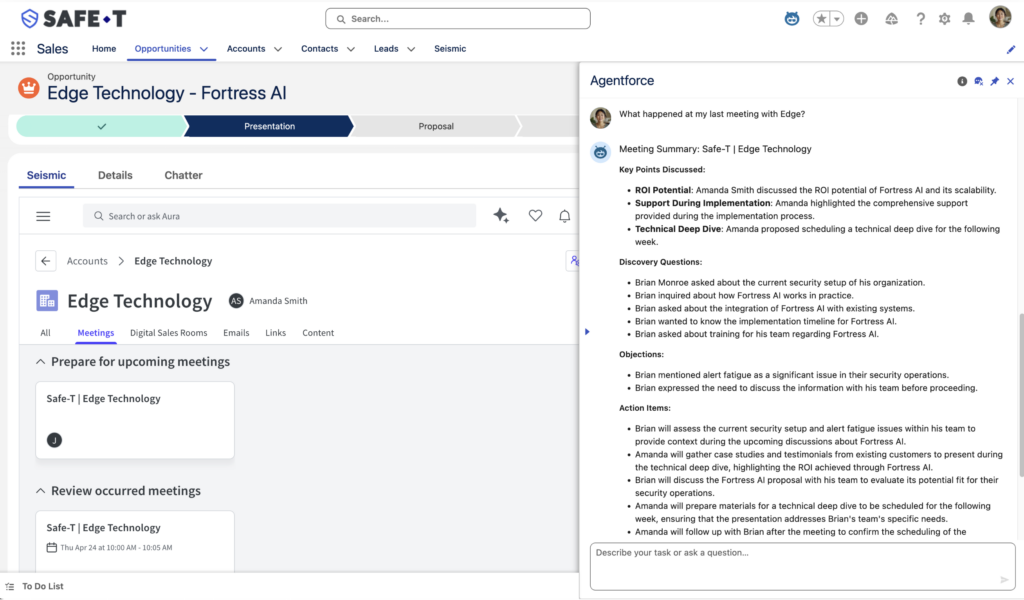
Built specifically for wealth management, the Client Summary Agent leverages Salesforce FSC and Data Cloud to reason over household relationships, holdings, recent interactions, and total AUM (including held-away assets).
Instead of just listing data, it acts as a strategic co-pilot:
Operates with strict guardrails, ensuring no outbound client messaging happens without advisor sign-off.
Identifies “Wallet Share” gaps to highlight growth opportunities.
Surfaces life events and drafts personalized talking points.
Suggests the next best action and tailored opening questions for your upcoming client meeting.
Client Summary Agent Demo
Watch how our AI agent transforms complex financial data into strategic meeting briefs in seconds, powered by Salesforce Data Cloud.
🛠️ What’s Included in the 2-Week Sprint
Our Quickstart is a streamlined, two-week engagement requiring minimal executive time (just two decision touchpoints) and clearly defined engagement from your Operations/IT team.
Week 1: Activate and Design
Health Check & Activation: We assess your org’s Foundations readiness and activate Data Cloud streams against core FSC objects (Account, Contact, Household, Financial Account).
90-Minute Workshop: We define your specific baseline, success metrics, and confirm the business problem.
Drafting: Agent topics, instructions, and action libraries are mapped out in Agent Builder.
Week 2: Build and Prove Value
Sandbox Deployment: The agent is built and deployed in your Salesforce sandbox (a risk-controlled environment, separate from production).
End-to-End Testing: We test the agent against anonymized client data to ensure quality and compliance.
Demonstrating the Gain: We capture the exact before/after timings to prove our target ≥80% time reduction.
Autonomous Meeting Preparation
Agentforce Client Summary Agent
Transform manual advisor research into a 3-minute review. Discover how autonomous meeting briefs can enhance productivity and scale your firm.
What specific Salesforce licenses are required for this Quickstart?
This Quickstart is designed for clients with Salesforce FSC Enterprise or Unlimited editions, as they typically include Salesforce Foundations, Agent Builder, and basic Data Cloud capabilities
Is the 80%+ time saving a guarantee?
It is our “80%+ Gain” Promise, and we prove the measurable time reduction during the 2-week sprint. We capture the exact before/after timings using your anonymized client data to demonstrate a target gain of 80% or more
What is the “fixed-scope” of this Quickstart?
The scope is fixed to activating your existing licenses, configuring the Client Summary Agent for the single use case of client meeting preparation, and proving the 80% time saving in a sandbox environment.
Does the Client Summary Agent require new data sources outside of Salesforce?
No, the Quickstart focuses on activating Data Cloud streams against your core FSC objects, such as Account, Contact, Household, and Financial Account, to reason over existing data, including held-away assets.
What kind of time commitment is required from our team during the two weeks?
We require minimal executive time (just two decision touchpoints). However, we will require clear engagement from your operations/IT team, especially for the 90-Minute Workshop in Week 1 to define specific metrics and the business problem.
Why do we need Navirum if we already own the necessary Salesforce licenses?
While most clients own the licenses, the challenge is often knowing how to configure the foundations for immediate business value. Navirum specializes in the Agentforce Quickstart process to rapidly activate, configure, and prove measurable value in just two weeks, eliminating the risk and complexity of starting from scratch.
How does the agent ensure client data remains private and secure?
The Quickstart involves deploying the agent only in your Salesforce sandbox (a risk-controlled environment), and all testing is performed against anonymized client data to ensure compliance. The agent also operates with strict guardrails, ensuring no outbound client messaging happens without advisor sign-off
Can we customize the agent to focus on specific talking points or actions unique to our firm?
Yes. The 90-Minute Workshop in Week 1 is specifically where we define your success metrics and map out the agent topics, instructions, and action libraries in Agent Builder to meet your firm’s specific needs.
What happens after the 2-week Quickstart is complete?
You will have a fully functional and proven Client Summary Agent in your sandbox environment. We will provide a demonstration of the quantified gain and outline the next steps for a full production rollout or expanding to other AI use cases. It is the same ongoing-value model behind Orbit’s managed services.
Which financial professionals is the Client Summary Agent designed for?
It is built specifically for relationship managers and advisors in wealth management and banking.
Ready to Unlock the AI You Already Own?
Stop waiting. Start proving AI value in your sandbox within two weeks with a fixed scope, fixed price, and a fixed outcome.
Discover how leading wealth management practices partnered with Navirum to implement Financial Services Cloud, streamline advisor operations, and accelerate growth.
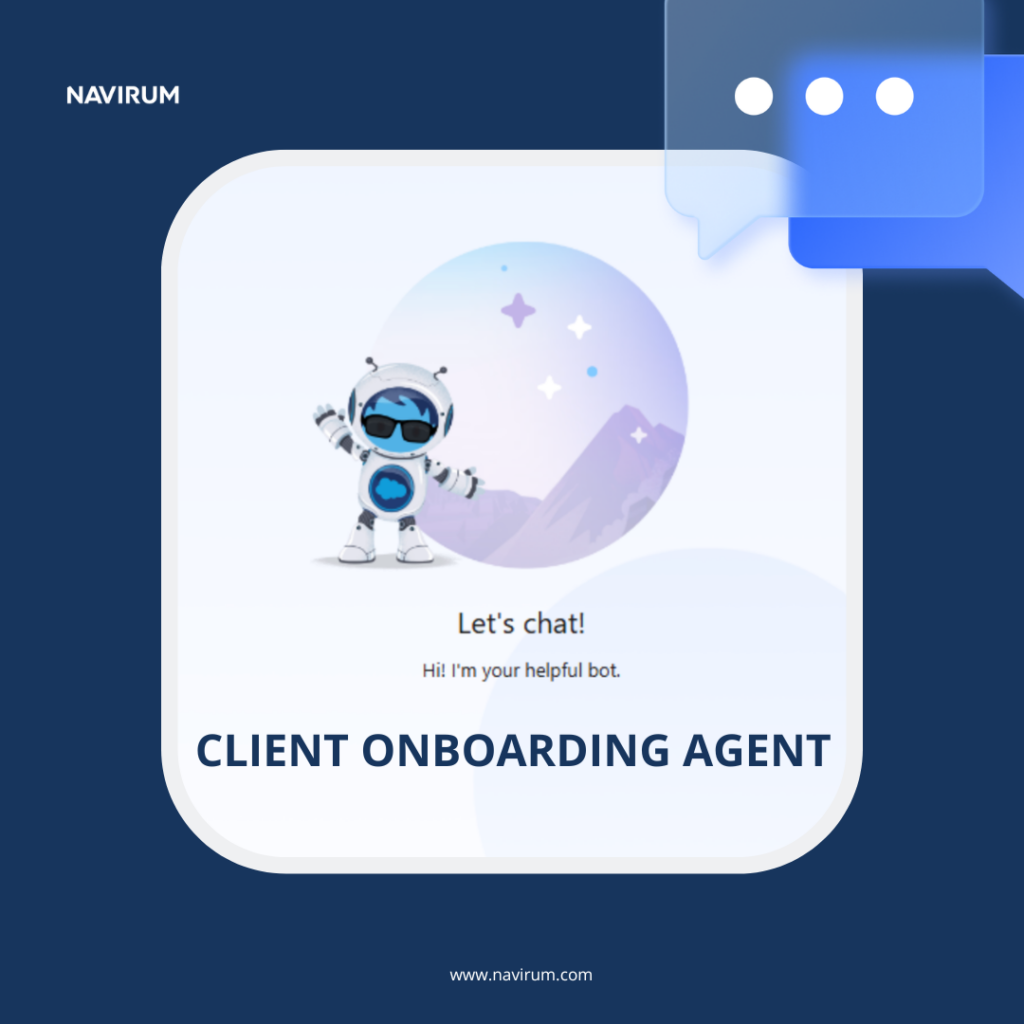
What is Agentforce Client Account Onboarding Agent?
Agentforce Client Onboarding Agent is Navirum’s AI-driven onboarding solution built on Salesforce Agentforce, designed to help you reach 80% reduction in manual coordination effort.
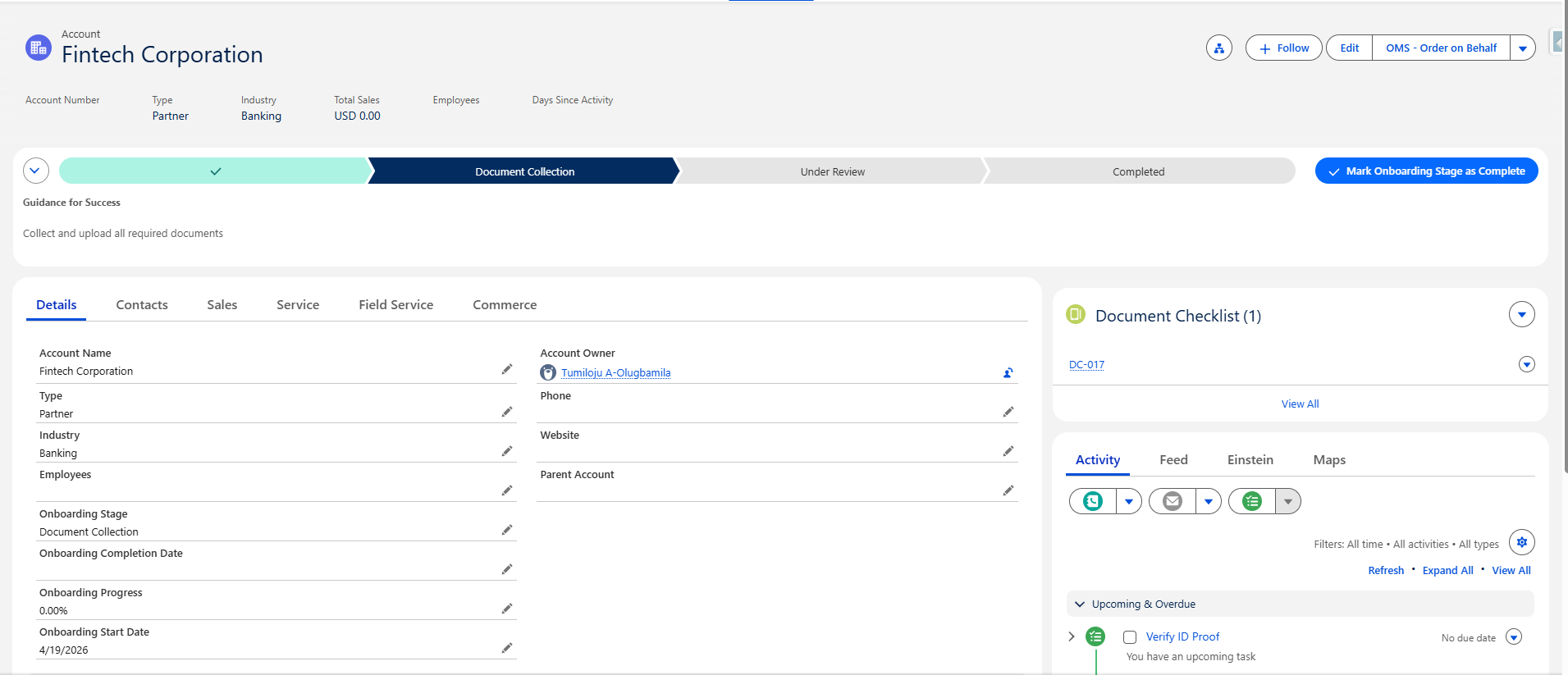
It standardizes and automates client onboarding directly from the Account record, helping financial institutions reduce risk, improve efficiency, and deliver a consistent, compliant client experience. The agent orchestrates onboarding steps, documentation, and follow‑up tasks within Salesforce, providing a single source of truth for front‑office, operations, and compliance teams.
Why It Matters For Financial Services?
In most wealth management firms, account onboarding still takes 7–14 business days on average, with more complex structures (trusts, HNW clients, or cross-border accounts) extending to 10–20+ days. Unfortunately it is often a slow, manual process that frustrates both staff and new clients.
Client onboarding typically takes 10–14 days to complete, resulting in a staggering 30%+ client drop-off rate.
Delays are typically caused by:
Manual KYC/AML and compliance reviews
Fragmented document collection and follow-ups
Multiple internal handoffs between advisors, operations, and compliance teams
Incomplete or missing client information
Disconnected systems across CRM, custodians, and identity verification tools
The result is a slow, resource-intensive process that impacts both client experience and time-to-revenue.This lack of technology and reliance on fragmented systems leads to massive inefficiencies.
Meet Your AI Assistant: The Client Account Onboarding Agent
Agentforce Client Onboarding Agent addresses these challenges by:
Enforcing a standardized onboarding journey for every client
Structuring KYC and documentation checks via a Document Checklist
Reducing manual hand‑offs and emails with auto‑created Tasks
Our custom Agentforce agent blends sales and service skills to orchestrate the full end-to-end client intake process. The agent continuously monitors the workflow in real-time, automatically prompting clients for missing documents and assigning compliance tasks, surfacing only the 10% of cases that require human intervention.
Client Account Onboarding Agent Demo
Watch our demo to see how the Salesforce Agentforce Client Account Onboarding Agent streamlines onboarding end-to-end—reducing manual work, accelerating approvals, and delivering a seamless client experience.
Before vs After: AI-Powered Onboarding
See how Agentforce transforms the most critical stage of the client lifecycle.
Stage
Traditional Onboarding
Client Account Onboarding Agent
Time to onboard
7–14+ days
2–4 days
Manual effort
High (coordination-heavy)
Reduced by 85%+
Client follow-ups
Advisor-driven
AI-automated smart nudges
Document handling
Manual tracking & validation
Automated extraction & routing
Visibility
Fragmented systems
Real-time unified dashboard
Client drop-off
20–30%+
< 10%
Key Benefits For Financial Firms
KYC & Documentation Control
Capture and track required documents (e.g., ID proof, address verification) using a structured Document Checklist linked to the Account.
Regulatory & Audit Readiness
Maintain a clear record of onboarding steps, documentation status, and verification tasks – all within Salesforce.
Operational Efficiency
Auto‑create Tasks for onboarding and operations teams, reducing manual data entry and follow‑ups.
Consistent Onboarding Journey
Apply the same process across wealth, lending, and corporate clients, tailored by segment if required.
Salesforce- and Agentforce-native
Built on Salesforce standard objects and Agentforce Flow Automation Agents – no additional infrastructure or external system required.
Stop chasing paperwork and start building relationships.
With Navirum’s Agentforce Account Onboarding Agent, you can completely transform your intake workflow, achieving an 85%+ reduction in manual coordination effort.
With Client Onboarding Agent, onboarding time plummets to just 2–4 days, and client abandonment drops to under 10%.
Key Capabilities
Automated Workflow Orchestration
The agent collects client info, opens accounts, routes documents for e-sign (like DocuSign), schedules introductions, and triggers welcome journeys.
Smart Nudges
Automatically generates and sends welcome emails, onboarding checklists, and missing-information nudges to keep the process moving.
Unified Data View
Powered by Salesforce Data Cloud, the agent has a live, unified view of where each client is across multiple Salesforce objects (Individual, Household, Financial Account).
Seamless Integrations
Connects directly with your Core CRM, custodian APIs, e-sign platforms, email, calendar, and identity vendors.
Enterprise-Grade Trust & Compliance
Navirum builds AI you can trust. Our onboarding agent embeds your compliance policies directly into the journey:
Human-in-the-Loop
The AI does the heavy lifting, but an advisor must always approve the final account opening package before submission. There is no outbound client messaging without advisor sign-off.
Strict Guardrails
Built with PII masking in prompts, zero-retention LLM calls, and a full audit log for every action taken. The same discipline applies to everything Orbit’s managed services maintain after go-live. Your data remains secure and private throughout the entire process.
Regulator-Ready
Captures logged consent and provides hallucination checks, significantly reducing the risk of reputational damage or regulatory penalties.
Unlock quicker time to revenue and turn low-value prospects into high-value clients with a competitive digital onboarding experience.
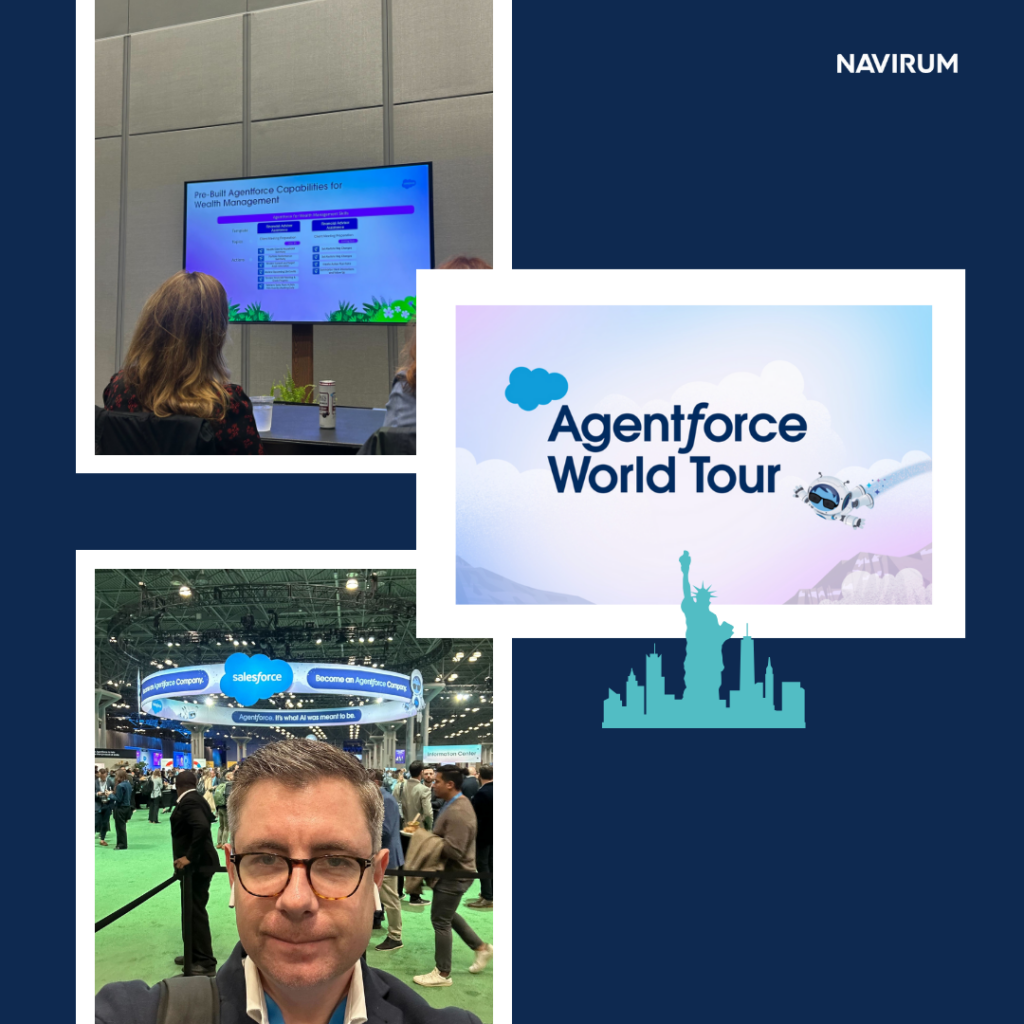
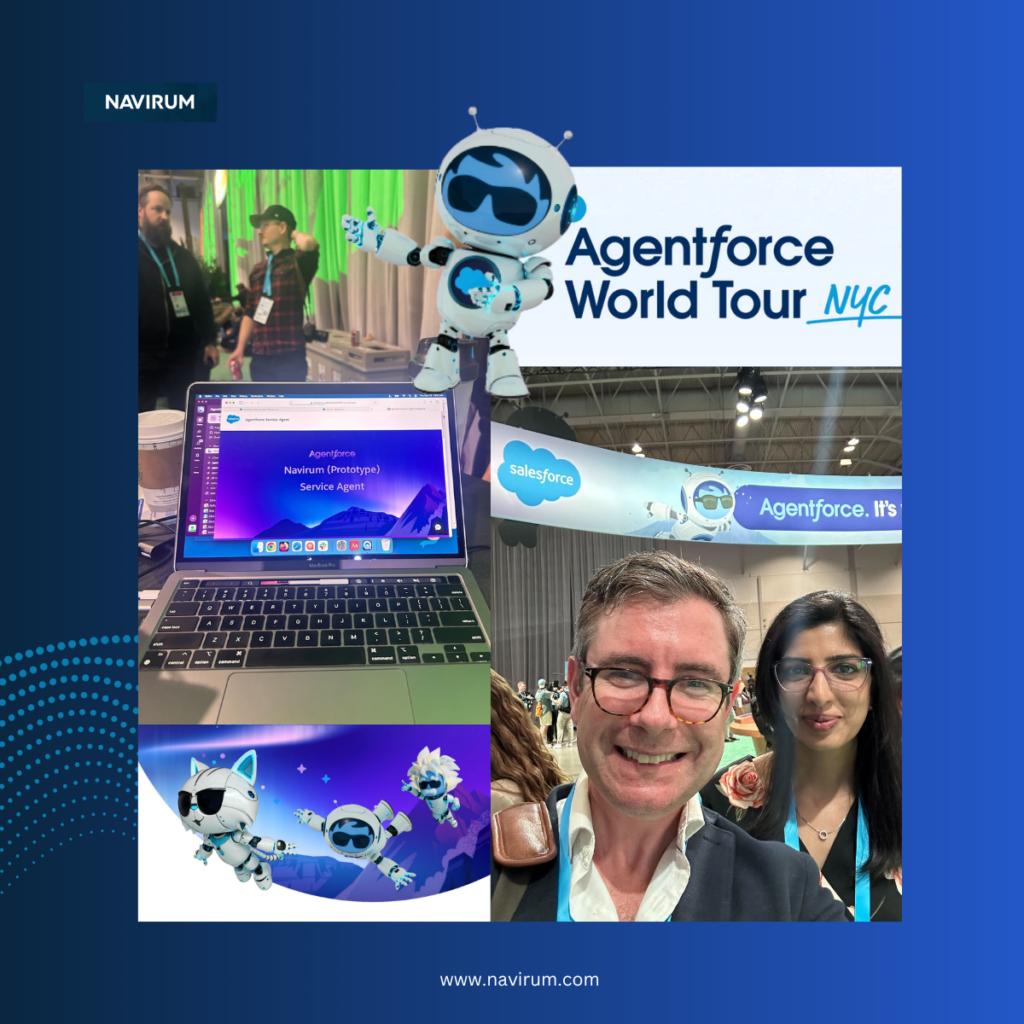
At Navirum, we don’t just follow trends—we go where innovation is happening. That’s why our team is heading to the Agentforce World TourNYC, one of the most important gatherings in the Salesforce and AI ecosystem today.
Events like this aren’t just showcases—they’re where the future of financial services, automation, and AI-powered operations takes shape in real time.
Beyond the Hype: What We’re Watching
AI is everywhere, but most wealth managers are still thinking about it like it’s 2022—stuck with chatbots and pilots that never scaled. Our focus is different: we look for what’s proven, scalable, and impactful.
At Agentforce World Tour, we’ll be digging into:
How AI agents are reducing operational costs by up to 90%
Integrating Salesforce and AI for measurable results
Lessons learned from firms successfully scaling autonomous agents
Because for our clients, insight without action isn’t enough.
Our Navirum team—bringing the latest AI insights directly from Agentforce World Tour to help clients succeed.
Exploring emerging AI solutions at last year’s Agentforce World Tour in New York, seeing what works in practice, not just on paper.
Analyzing AI agents and real-world use cases—turning conference insights into actionable strategies for our clients.
From Event Insights to Practical Guidance
Last year, we saw firsthand how firms were experimenting with AI—but few were moving beyond pilots. This year, the conversation is shifting toward execution.
Ready to Turn Agentforce & AI into Real Results?
Don’t let disconnected systems and underutilized AI hold you back. Build a scalable, high-impact Salesforce environment designed for growth.
“After last year’s event, we helped a wealth management client automate document processing for compliance, reducing their manual workload by 60% in the first quarter.”
We bring these insights back to our clients—helping them turn what’s possible into what’s practical. That’s why we’re hosting a webinar to share our perspective with financial leaders like you.
Live Webinar
Beyond Chatbots: Scaling AUM with Agentic AI
April 24, 2026
11:00–11:45 AM EST
LinkedIn Live
What we’ll cover:
01
<strong class="text-white block">The 2026 Inflection Point</strong> Why Agentic AI is moving from experiment to industry standard.
02
<strong class="text-white block">Real-World Case Studies</strong> Measurable results from firms deploying autonomous agents at scale.
03
<strong class="text-white block">Live Demo: Agents in Action</strong> Onboarding and compliance handled autonomously.
04
<strong class="text-white block">Interactive Q&A</strong> Solve your AI implementation hurdles with our expert panel.
Why attend:
Reduce manual operational processes by up to 90%
Scale AUM without adding headcount
Learn practical insights from firms actually doing it
Events like Agentforce World Tour give us direct access to the technology, use cases, and industry leaders driving real results. The webinar extends this insight into your hands—practical, actionable, and grounded in real-world experience.
“One of our clients cut their client onboarding process by 70% using AI agents—an outcome inspired by insights we first discovered at the event.”
Because staying ahead isn’t about following every new AI tool—it’s about knowing what works and how to apply it in your business.
Let’s Turn Insight into Action
If you’re exploring how AI and Salesforce can help reduce cost, improve efficiency, and scale AUM, this webinar is designed to give you clarity—not theory.
Reserve your spot today and see how agentic AI is transforming wealth management.
Ready to scale AUM with autonomous AI agents?
Don’t let manual processes and siloed data limit your growth. See how Agentic AI can streamline operations and accelerate results for your firm.
Planning a Fidelity–Salesforce integration? Use this checklist to ensure your project is aligned with business objectives, security requirements, and long-term scalability. A structured approach will help reduce implementation risks, accelerate user adoption, and maximize return on investment.
Interactive Integration Flow Map
Hover over or tap on any database node or the API pathway to see how data synchronizes between platforms.
Explore the Integration Architecture
Click on any of the interactive nodes above to explore the technical systems and key data streams managed across this integration.
1. Define Business Objectives
2. Assess Your Current Environment
3. Plan Your Data Strategy
4. Determine Integration Scope
Ensure the following data and processes are included where applicable:
Client & Household Data
Account & Portfolio Data
L'accueil du client
Service Operations
5. Select the Right Integration Architecture
6. Data Quality & Governance
7. Security & Compliance
8. Build Intelligent Automation
9. Executive Reporting & Dashboards
10. Testing & Validation
11. Deployment Planning
12. User Adoption & Training
13. Measure Success After Go-Live
Track key performance indicators such as:
Take the Checklist with You
Get a clean, print-ready PDF of the Fidelity–Salesforce Integration Checklist. Perfect for sharing with your operations, compliance, and IT development teams during planning meetings.
Lavinia PicuGet Your Fidelity – Salesforce Integration Checklist!
AgentExchange AI Agents & Actions for Financial Services: A Guide For Financial Advisors
Salesforce AgentExchange offers AI agents like FinDoc, InvestorFlow, and Certinia to help financial advisors automate tasks, improve client engagement, and proactively manage portfolio risk.
Salesforce’s AgentExchange provides pre-built AI agents and actions designed to help financial services organizations automate workflows, improve operational efficiency, and deliver more personalized client experiences. For financial advisors, these tools can transform day-to-day operations, reduce administrative burden, and enable data-driven, client-centric advice.
Below, we highlight the 10 AI agents and actions relevant to financial advisors, explaining how they can streamline workflows, improve client engagement, and enhance portfolio management.
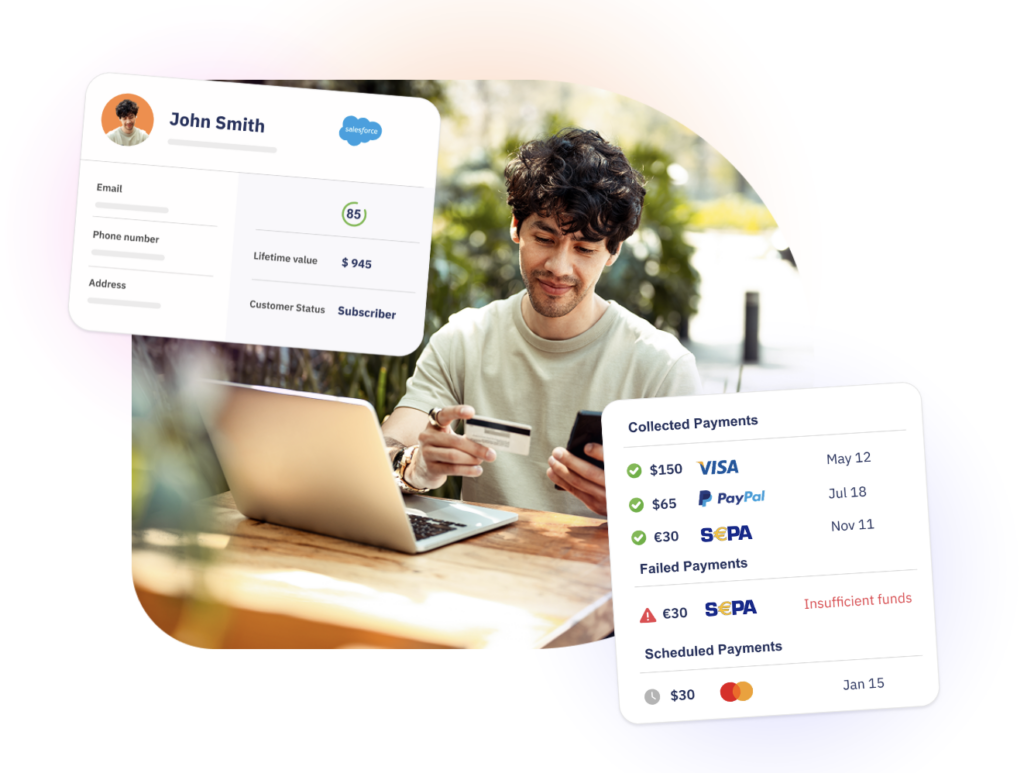
FinDock agents integrate payment systems directly with Salesforce CRM, streamlining financial operations and reducing manual data entry.
Advisor Benefits:
By automating payment capture, reconciliation, and reporting, these agents allow advisors to focus on strategic financial planning rather than administrative tasks.
faster response times for customer support
consistent reduction in costs and manual overhead
smarter decision-making powered by data-driven insights
focus on high-value tasks that drive growth
Financial Services Use Cases:
Ideal for processing client payments, automating invoicing, and producing audit-ready reports. Wealth management teams benefit from real-time transaction visibility, ensuring portfolio recommendations are based on accurate, current financial data.
2. InvestorFlow
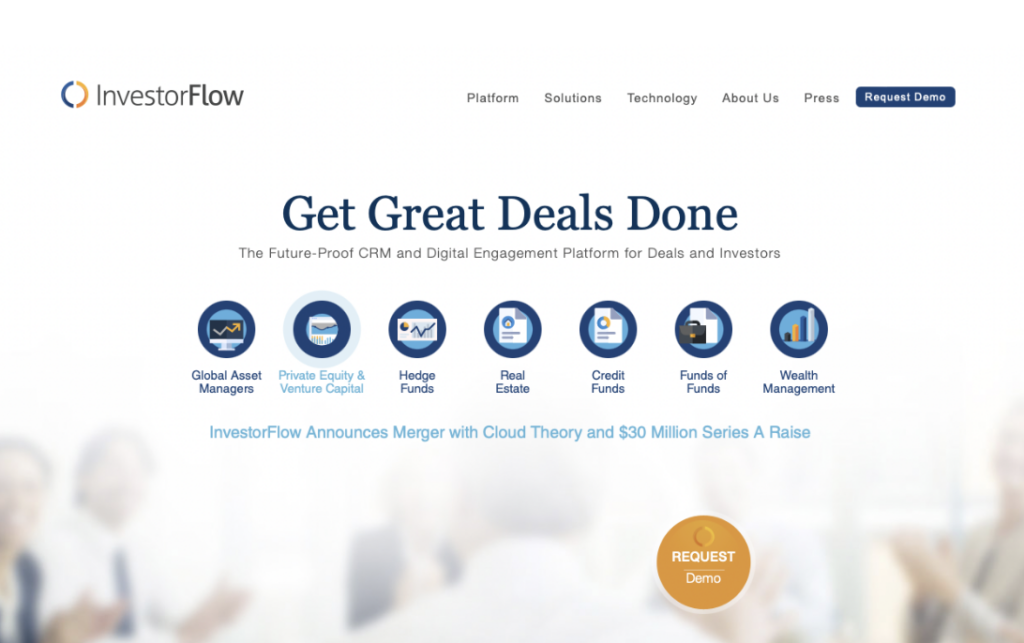
InvestorFlow agents aggregate and analyze financial datasets, helping advisors identify high-value prospects and prioritize opportunities.
Advisor Benefits:
These agents improve deal origination and pipeline management, allowing advisors to focus on clients who require the most attention.
Speeds up opportunity identification.
Helps analysts focus on high‑value targets.
Integrates insights with Salesforce records.
Financial Services Use Cases:
Simplifies prospect targeting and opportunity aggregation for financial deals. Perfect for targeting potential investors, prioritizing portfolio clients, and identifying opportunities in capital markets for proactive outreach.
OpenText automates document management, reducing storage costs and errors, for better efficiency and management agents extract structured insights from unstructured documents, such as PDFs, contracts, and statements, feeding them into Salesforce workflows.
Advisor Benefits:
Advisors save time on manual data entry while ensuring compliance. Data quality is improved, and regulatory reporting is streamlined.
Reduces manual data entry from documents.
Improves compliance data accuracy.
Enables better document search and automation.
Financial Services Use Cases:
Used for contract extraction, KYC updates, and regulatory submissions. Compliance and legal teams can rely on these agents to minimize errors and maintain audit readiness.
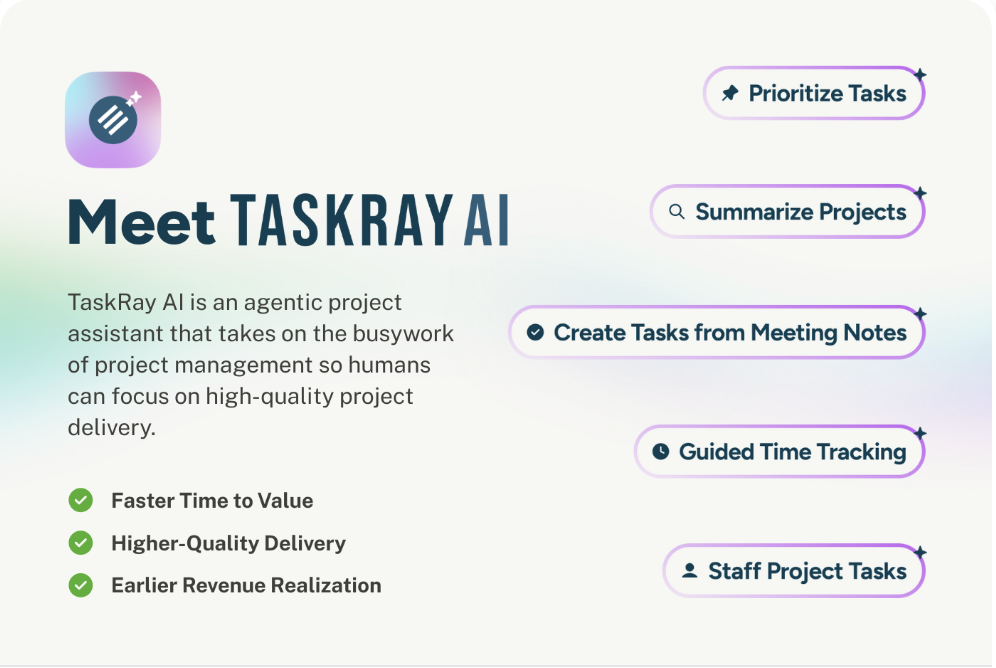
TaskRay streamlines project management and task workflows with an AI assistant, improving team productivity and organization.
Agents that enable AI-driven project management and workflow orchestration directly within Salesforce, helping teams plan, execute, and monitor complex initiatives with greater efficiency and visibility.
By combining structured project tracking with intelligent automation, TaskRay AI enhances how teams manage timelines, tasks, and dependencies across client engagements.
Advisor Benefits:
Improves visibility into project progress and resource allocation.
Automates task creation, assignment, and follow-ups.
Enhances collaboration across teams within Salesforce.
Financial Services Use Cases:
Managing client onboarding and account opening workflows.
Coordinating multi-step compliance and KYC processes.
Overseeing implementation of financial products or advisory services.
This agent integrates DocuSign e‑signature and document workflows directly into Salesforce. It automates the creation, sending, and status tracking of signed agreements without leaving the platform
Advisor Benefits:
Simplifies document workflows, accelerates agreement execution, and ensures all documentation is audit-ready.
Financial Services Use Cases:
Executing loan agreements, onboarding documents, NDAs, and compliance forms. Advisors and operations teams can close client actions faster with reduced risk of errors.
Automating loan agreement execution.
Managing account opening documents for new clients.
Digitizing compliance forms and consent signatures.
SalesWings integrates customer intent data to enhance prospect engagement and sales performance. It brings behavioral and intent data into Salesforce to help teams engage with leads or accounts showing high engagement signals.
Advisor Benefits:
Improves lead conversion and ensures advisors spend time on high-value, actionable prospects.
Prioritizes leads based on real engagement signals.
Enhances CRM with intent insights. Improves conversion focus for sales teams.
Financial Services Use Cases:
Lead scoring for wealth management, re-engagement campaigns, and prioritizing outreach for high-potential investment clients.
Identifying interested prospects for wealth products.
Triggering outreach based on digital engagement behavior.
Scoring leads for referral or cross‑sell campaigns.
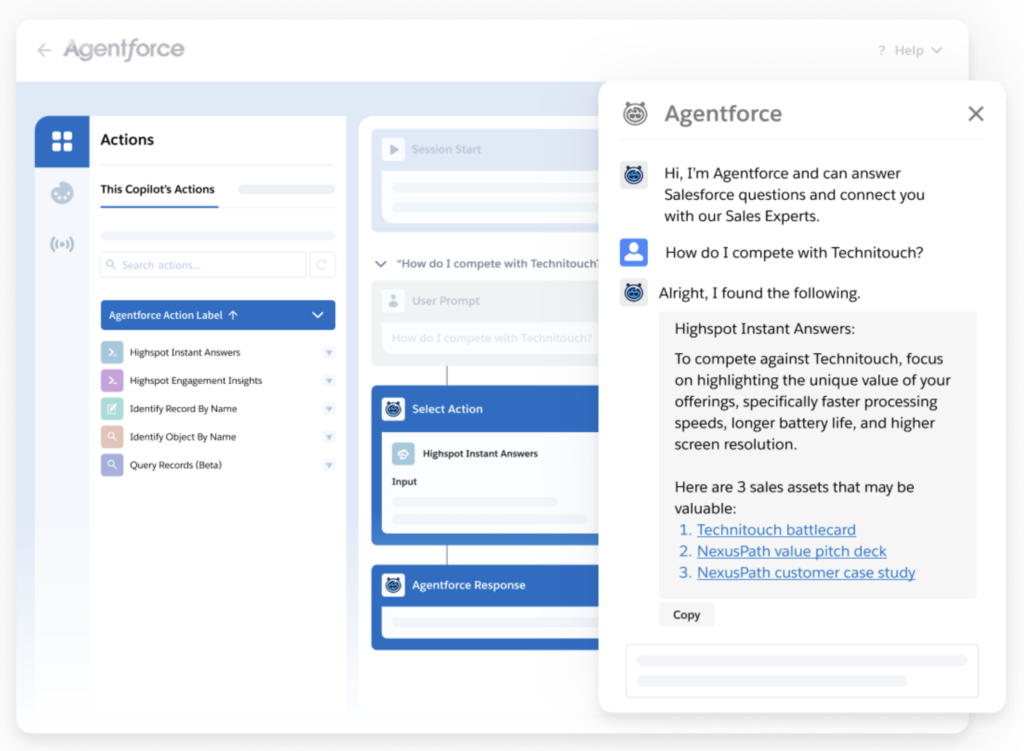
Seismic agents deliver personalized sales and marketing content based on client stage and preferences. They recommend assets or messaging dynamically within Salesforce.
Advisor Benefits:
Enables highly tailored communications, improving client engagement and trust, while saving time on manual content curation.
Financial Services Use Cases:
Personalized investment recommendations, targeted marketing campaigns, and dynamic client-facing content for relationship managers.
AI-powered agent that recommends the most relevant sales and client materials directly within Salesforce, helping advisors quickly access the right content for each interaction.
Advisor Benefits:
Reduces time spent searching for approved materials.
Quickly find and deliver compliant, relevant content to clients.
Improves communication efficiency and client engagement.
Financial Services Use Cases:
Presenting investment products or portfolio recommendations.
Sharing compliance-approved disclosures or client education materials.
Providing timely documents during client meetings or onboarding workflows.
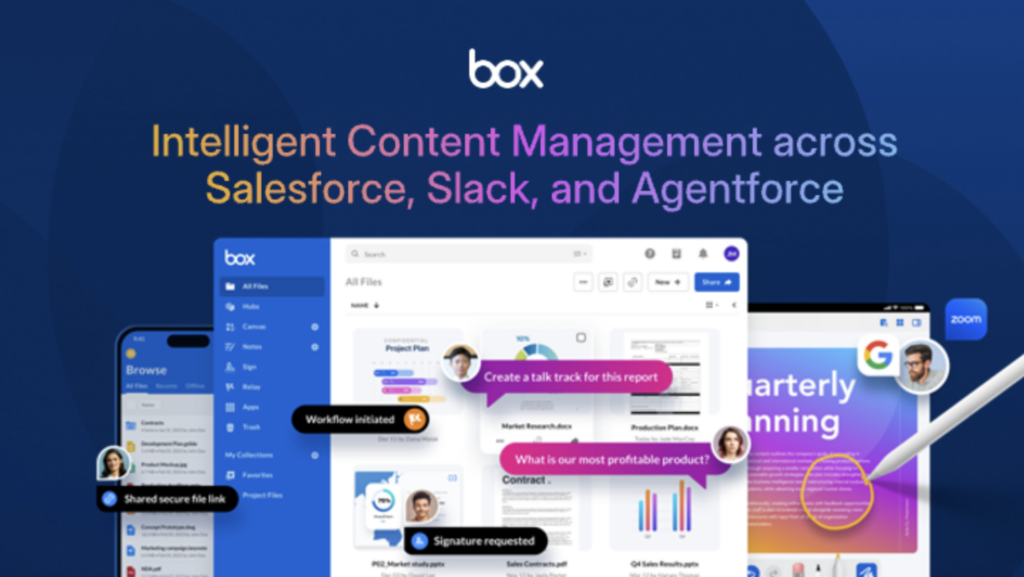
An AI-powered agent that extracts insights and metadata from unstructured content stored in Box, making documents and files searchable and actionable within Salesforce workflows.
Advisor Benefits:
Supports workflow automation and improves team productivity.
Quickly access client documents and historical files without manual searching.
Turns unstructured content into structured, actionable data.
Financial Services Use Cases:
Reviewing client contracts, statements, and regulatory filings.
Supporting KYC and compliance audits by surfacing key information.
Managing historical financial records for account reviews and advisory reporting.
Extracts insights from unstructured content stored in Box
Improves access to client documents; supports workflow automation.
Client document analysis, compliance audits, historical record review.
These agents and actions are partner‑built solutions available via Salesforce’s AgentExchange marketplace, designed to help organizations deploy AI automation and workflows in context with Salesforce data and processes.
Navirum Recommendations for Financial Advisors
To get the most value from Salesforce AgentExchange:
Start with high-impact agents: Focus on automation tools like FinDoc, InvestorFlow, and TaskRay to reduce admin workload.
Layer personalization and insights: Add Seismic and SalesWings to improve client engagement and relationship management.
Prioritize risk and compliance: Use Certinia and OpenText agents to proactively monitor client accounts and meet regulatory obligations.
Iterate and optimize: Gather advisor feedback to refine workflows and dashboard visibility, ensuring the platform supports day-to-day decision-making.
By leveraging AgentExchange effectively, financial advisors can streamline operations, enhance client experiences, and free up time to focus on high-value advisory work.
AgentExchange is a marketplace within Salesforce that provides pre-built AI agents, actions, and components designed to accelerate the deployment of Agentforce solutions. It allows organizations to quickly integrate trusted third-party capabilities into their Salesforce environment.
How are agents different from actions in Agentforce?
Agents are end-to-end AI-powered workflows that can perform complex tasks autonomously, while actions are individual capabilities (e.g., sending a document, extracting data) that agents use to complete those tasks. In financial services, agents often combine multiple actions to automate processes like onboarding or compliance.
How can financial services firms benefit from AgentExchange?
Financial institutions can use AgentExchange to automate manual processes, improve data accuracy, enhance client engagement, and ensure compliance. Common benefits include faster onboarding, streamlined document processing, and more personalized client interactions.
Are AgentExchange solutions secure and compliant for financial services?
Yes — solutions listed on AgentExchange are vetted by Salesforce and designed to operate within Salesforce’s secure infrastructure. Many partners also build capabilities aligned with financial services requirements such as data privacy, auditability, and regulatory compliance.
Can AgentExchange agents be customized for specific business needs?
Absolutely. Organizations can customize agents by combining different actions, integrating additional data sources, and configuring workflows to match specific financial services processes such as lending, wealth management, or insurance operations.
How do AgentExchange agents integrate with existing Salesforce implementations?
AgentExchange components are designed to work natively within Salesforce, making integration seamless. They can leverage existing CRM data, workflows, and automation tools without requiring extensive redevelopment.
What are some common use cases for Agentforce in financial services?
Common use cases include client onboarding, KYC and compliance automation, document processing, payment workflows, advisor scheduling, and client engagement optimization. Keeping those workflows healthy after launch is exactly what Orbit’s managed services are for.
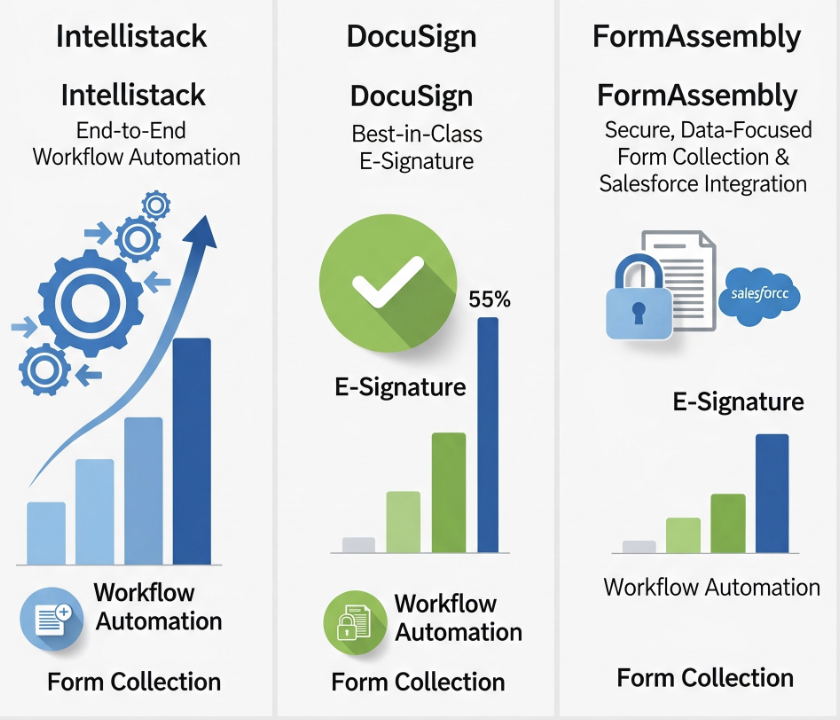
Intellistack vs DocuSign vs FormAssembly: A Comparative Guide for Wealth Managers
Wealth managers and financial services firms rely on digital tools to streamline client onboarding, document management, and compliance workflows. With multiple options in the market, selecting the right platform can be challenging, especially when considering integration with Salesforce, data security, and client experience.
Three platforms commonly used by financial services firms areIntellistack (formerly Formstack), DocuSign, and FormAssembly. Each brings unique capabilities to the table, and all are partners of Navirum, allowing firms to implement solutions with confidence in alignment with Salesforce ecosystems.
This guide provides a clear comparison of these digital tools for wealth managers, showing their strengths, use cases, and customer insights to help them make informed decisions.
Intellistack is a comprehensive workflow automation platform that combines forms, document generation, e-signatures, and workflow orchestration in one solution. Its evolution from Formstack reflects a focus on AI-assisted automation and seamless Salesforce integration, making it well-suited for mid-market and enterprise organizations.
Intellistack allows firms to manage the full lifecycle of a document—from data collection to execution—within a single system.
Best Suited For
Intellistack is ideal for firms looking for an end-to-end workflow solution. Common use cases include:
Client onboarding and account opening
Compliance and KYC workflows
Multi-step forms and document automation
It is particularly effective when organizations want to reduce manual processes and connect data capture, workflow, and signature in a unified experience.
Customer Insight
Organizations using Intellistack appreciate its ability to centralize workflows and reduce reliance on multiple tools. Users note that its AI-driven automation and Salesforce connectivity help streamline complex processes. Some firms mention that setup can require initial guidance, but the payoff is a consolidated, efficient workflow.
DocuSign is a globally recognized leader in e-signatures and agreement management, offering secure and legally binding digital signature capabilities. Its focus is primarily on the execution phase of documents, ensuring compliance, security, and speed.
DocuSign integrates with a wide range of systems, including Salesforce, to facilitate a smooth client experience while maintaining regulatory adherence.
Best Suited For
DocuSign is ideal for organizations focused on secure, high-volume document signing. Typical use cases for wealth managers include:
Investment agreements and advisory contracts
Client consent forms and disclosure documents
Rapid, compliant execution of documents across multiple clients
DocuSign shines in environments where signature efficiency and legal compliance are the top priorities.
Customer Insight
Customers value DocuSign’s familiarity and trust, which reduces client friction during the signing process. While it does not offer full workflow automation like Intellistack, it is often deployed alongside other tools to complete the end-to-end process efficiently.
FormAssembly is a secure, data-focused platform for forms and data collection. Known for its robust Salesforce integration, FormAssembly enables firms to capture structured client data while maintaining high standards for compliance and data governance.
It is widely used by financial institutions, healthcare organizations, and educational institutions where secure, controlled data capture is essential.
Best Suited For
FormAssembly works best for firms that prioritize data integrity and complex form logic. Common use cases in wealth management include:
Client intake and onboarding forms
Risk profiling questionnaires
Multi-step forms with Salesforce integration
It allows firms to collect and manage structured data while ensuring compliance and security.
Customer Insight
Clients appreciate FormAssembly’s flexibility and customization options, particularly when complex forms or Salesforce workflows are required. While the platform may require technical expertise for advanced configurations, its capabilities in data capture and integration make it highly valuable for firms with sophisticated onboarding or reporting needs.
Firms needing robust data capture and Salesforce integration
How to Choose the Right Tool: Intellistack vs. DocuSign vs. FormAssembly
Technology Selection Framework
How to Choose the Right Tool: Intellistack vs. DocuSign vs. FormAssembly
The right choice depends on your firm’s priorities, workflow complexity, and technology strategy. Evaluate each platform’s core strengths below.
Consolidated Solution
End-to-End Workflow & Automation
If your goal is to unify client onboarding, form capture, document generation, and signature into one seamless process, Intellistack provides a consolidated solution.
All-in-One Onboarding Engine
Unified Forms + DocGen + eSign
Streamlined Wealth Management Flows
Industry Standard
Signature & Compliance Optimization
If the primary focus is fast, secure, and legally compliant document execution, DocuSign offers proven reliability and widespread client familiarity.
Proven Security & Compliance
Widespread Client Familiarity
Rapid eSignature Execution
Deep Data Capture
Complex Data Capture & Integration
If capturing structured client data with detailed form logic is critical, FormAssembly excels with its secure forms and strong integration capabilities.
Advanced Conditional Form Logic
Bi-Directional Salesforce Sync
Enterprise Security & Compliance
Strategic Considerations for Financial Services Firms
All three platforms are Navirum partners, which means they can be implemented with guidance from consultants experienced in financial services and Salesforce ecosystems.
Firms may find value in combining tools: for example, FormAssembly for complex forms, Intellistack for workflow orchestration, and DocuSign for signatures.
Evaluate based on client experience, internal workflow efficiency, regulatory requirements, and integration needs rather than only on features.
Takeaway
Intellistack, DocuSign, and FormAssembly each bring valuable capabilities to wealth management operations. Rather than thinking in terms of “better or worse,” firms should consider which platform aligns best with their business priorities.C
By understanding the differences—and opportunities—across workflow automation, document execution, and secure data capture, wealth managers can make informed technology decisions that improve efficiency, compliance, and client satisfaction. Ongoing platform support is what keeps those gains from fading after launch.
Ready to streamline your advisory workflows and maximize efficiency?
Explore how these digital tools can unify your Salesforce processes, automate tasks, and empower your team to focus on client growth. Request a demo today and see the difference in action.
Ready to transform your client onboarding into a competitive advantage?
Don’t let manual paperwork and disconnected data silos limit your growth. Build a seamless, automated firm today.
At Navirum, our people are at the center of everything we do.
The knowledge, creativity, and experience our team brings to every engagement allow us to deliver meaningful outcomes for our clients. From strategic guidance to complex Salesforce implementations and AI-powered innovation, our experts turn ideas into solutions that create lasting business value.
Whether you are getting to know our team, evaluating our Salesforce and AI offerings, or ready to discuss your firm's growth goals, we are here to guide your journey.
About Navirum
Discover our story, mission, and the experienced financial technology specialists guiding your digital transformation.
Subscribe to the Navirum Newsletter | Financial Services Tech Insights
Financial Tech Insights
Sign Up for the Navirum Newsletter
Get the latest perspectives on Salesforce Financial Services Cloud, Agentforce AI, data strategy, and compliance frameworks delivered directly to your inbox.
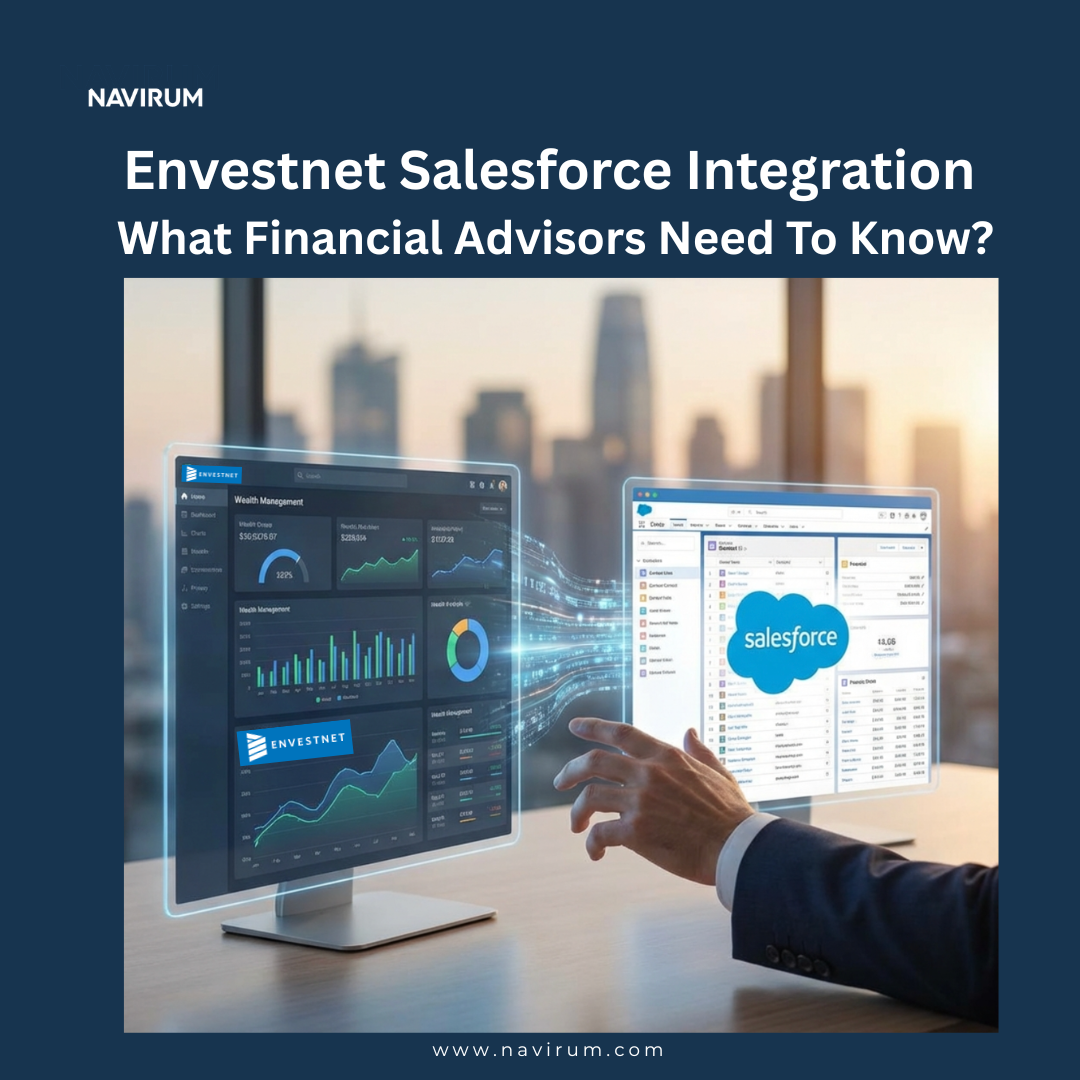
Integrating Envestnet with Salesforce isn’t just a technology upgrade. It’s a strategic move for wealth management firms and financial advisors looking to streamline workflows, improve client insights, and deliver personalized advice more efficiently.
A successful Envestnet–Salesforce integration reduces time spent on administrative tasks, ensures reliable client data, and creates a centralized advisor workspace where dashboards, accounts, and insights all live in one place.
Here’s a brief guide for financial advisors and wealth management teams on how to get the most from this integration.
1. A Single, Trusted Client Record
The integration starts with a simple principle: every client should have one central record in Salesforce. By linking Envestnet accounts to the Salesforce Person Account, you get a complete view of each client’s individual accounts and total household assets, without manual calculations or switching between systems.
This means answers to questions like “What are my client’s total investable assets?” or “Which accounts need attention today?” are instantly visible, giving you more time for strategic advice rather than data hunting.
2. The Right Information at the Right Time
Not all Envestnet data is needed daily, and clutter can reduce efficiency. Integration allows financial advisors to structure data for maximum usability:
Operational Layer (Advisor-Facing): Key balances, account status, liquidity alerts, everything you need for daily client conversations. Fast, simple, and mobile-ready.
Analytical Layer (Management & Risk): Deep-dive insights like performance trends, asset allocation, and risk metrics. Available on dashboards or embedded views for when you need to analyze portfolios.
Supervisory & Compliance Layer: Data required for audits, KYC, and suitability reviews, ensuring your advice meets regulatory standards without cluttering your view.
By layering the information, advisors access exactly what they need when they need it, improving workflow efficiency and client responsiveness.
Confidence in your data is non-negotiable. The integration shows where numbers come from and when they were last updated, so you never have to second-guess your insights. For example:
Metrics like AUM are consistent across Salesforce, Envestnet, and reports
Metadata such as “Last refreshed from Envestnet: 09:15 EST” ensures you know the data is current
You can rely on these numbers in client meetings, performance reviews, and compliance checks
A solid data strategy turns Salesforce into your single source of truth, freeing you to focus on client relationships instead of reconciling spreadsheets or switching platforms.
4. A Workspace Built Around Advisor Workflow
Your client record should be the single place where all critical information is front and center. A core Envestnet component should sit prominently on the Person Account page, ideally in a highly visible spot, think top left, right under the client’s basic info.
Why it matters for you:
Instant insights: Open a client record, and the data you need (balances, allocations, goals) is right there.
Seamless workflow: Salesforce feels like the natural workspace for advice, not a patchwork of disconnected tools.
No more context switching: You don’t have to “just log into Envestnet” and risk losing focus or missing key details.
Small UI choices like this can dramatically improve adoption, making your day-to-day work faster, easier, and more prod
5. Reliable Data Equals Better Client Outcomes
Complete and accurate client data directly impacts investment strategy and service quality. With a properly configured Envestnet–Salesforce integration:
All accounts and transactions are reflected accurately
Data gaps are identified and resolved promptly
Dashboards represent true client portfolios
Advisors can focus on providing actionable recommendations, proactive planning, and risk management, enhancing client satisfaction.
6. Dashboards That Drive Advisor Action
Sometimes, certain accounts, transactions, or time periods may not appear correctly in Salesforce. These gaps can quickly erode your confidence in the system. To prevent that:
Work through a prioritized list of missing or inconsistent data rather than tackling issues randomly.
Compare Envestnet records with what appears in Salesforce to spot discrepancies early.
Document patterns of impact (e.g., certain account types or custodians) so fixes can be targeted and permanent.
By proactively addressing these gaps, you avoid frustration and keep Salesforce your trusted client-facing workspace.
7. Less Admin, More Client Time
Integrating Envestnet and Salesforce reduces repetitive administrative tasks:
Eliminates the need to switch between systems
Reduces manual data reconciliation
Speeds report generation
This frees advisors to focus on strategic planning, personalized recommendations, and strengthening client relationships.
8. Measuring ROI from Envestnet–Salesforce Integration
Measuring the return on integration is essential for justifying investment and guiding future decisions. However, ROI in this context is not always straightforward.
Some benefits, such as time savings, can be quantified relatively easily. Others, such as improved client satisfaction or stronger relationships, are more difficult to measure but equally important.
To get a complete picture, firms should combine quantitative and qualitative metrics. This might include tracking advisor productivity alongside client feedback and retention rates.
It is also important to take a long-term view. While some benefits are immediate, others, such as increased AUM or improved client loyalty, may take time to fully materialize.
To maintain executive investment, tie the integration to business-level KPIs that leadership cares about. Track:
Improved time-to-detect for supervisory exceptions.
Reductions in advisor preparation time per client review.
Increases in Salesforce adoption (e.g., fewer “swivel chair” logins between systems).
AUM growth, client acquisition rates, and operational efficiency.
9. Preparing for the Future: AI and Automation
A unified Envestnet–Salesforce ecosystem enables advisors to leverage AI and automation:
AI-driven insights predict client needs and recommend actions
Routine workflows are automated for efficiency
Advisors can focus on high-value, strategic decisions
Integration lays the foundation for advanced wealth management technology, helping firms stay competitive and forward-looking.
Navirum Recommendations
To maximize the value of an Envestnet–Salesforce integration, firms should draw on a proven track record and:
Design the experience around advisors: Place the most important client data front and center to drive adoption and efficiency.
Invest in data quality: Resolve gaps early and ensure consistent, accurate account information.
Iterate continuously: Use advisor feedback to refine dashboards, workflows, and visibility.
Partner with experienced integration specialists: Ensure system reliability, scalability, and future-ready capabilities, including AI and automation.
Following these steps ensures the integration becomes a true advisor productivity and client engagement tool, not just a backend system.
Your Envestnet–Salesforce Integration Questions, Answered
Wondering about data accuracy, dashboards, ROI, compliance, or where AI fits? The questions advisors ask most, answered in one place.
View all 10 questions
How does integration improve household-level insights?
It consolidates all client accounts into Salesforce, providing a complete view of household assets and enabling more proactive financial planning.
What ensures data accuracy between Envestnet and Salesforce?
Strong data governance, scheduled syncs, exception reporting, and continuous monitoring keep advisor data consistent and reliable. We apply the same discipline to governing AI access to Envestnet data.
How should dashboards balance operational efficiency and compliance?
Layered dashboards provide operational insights for daily decisions, analytical metrics for portfolio management, and compliance overlays for audit purposes.
What are the most common integration challenges?
Account mapping, sync delays, and data inconsistencies; mitigated through careful planning, testing, and collaboration with Envestnet.
How can ROI be quantified?
Measure advisor time saved, Salesforce adoption, AUM growth, client retention, and operational efficiency to evaluate the integration’s impact.
How should advisors prioritize Envestnet data in Salesforce?
Focus on actionable metrics like balances, alerts, and goal progress; deeper or compliance-heavy data can be layered for optional access.
How does integration support compliance monitoring?
Embed compliance alerts within workflows to ensure advisors are informed in context without disrupting daily operations.
How should firms approach workspace improvements?
Start with a minimum viable layout, collect advisor feedback, iterate dashboards and field placements, and optimize performance over time.
How does integration support scalability?
A centralized, accurate system reduces admin burden and allows advisors to manage larger client bases without sacrificing service quality. Ongoing platform support is what keeps that service quality consistent over time.