Fidelity Integration for Salesforce: An In-Depth Guide for Financial Services Firms
This article explores how integrating Fidelity with Salesforce transforms wealth management operations. Learn best practices, technical approaches, ROI measurement, and expert recommendations from Navirum to streamline onboarding, improve compliance, and boost advisor productivity.
Why Integrate Fidelity with Salesforce?
In today’s wealth and asset management landscape, advisors and operations teams cannot afford fragmented systems. Client expectations for speed, transparency, and personalization are higher than ever—while regulatory and compliance pressures continue to intensify. Integrating Fidelity Investments with Salesforce creates a unified ecosystem that connects custodial data, advisor workflows, compliance processes, and client engagement in one intelligent platform — the foundation of effective Fidelity wealth management integration for growing firms.
This in-depth guide explains what Fidelity–Salesforce integration really means, why it matters, how it works technically and operationally, and best practices for financial services firms looking to modernize their tech stack.
For most RIAs, broker-dealers, and wealth management firms, Fidelity and Salesforce already play central roles in daily operations. However, without a seamless integration between the two, teams are often forced to operate across disconnected systems, which limits efficiency and increases risk.
Without proper integration, firms commonly face:
- Manual data entry between systems
- Inconsistent client records
- Delays in account updates
- Limited reporting visibility
- Increased compliance risk
A strategic integration eliminates data silos and transforms Salesforce into a true operational command center, while Fidelity remains the authoritative source for custodial data.
What Does Fidelity–Salesforce Integration Include?
Integration is not simply about syncing balances or importing spreadsheets. A well-designed solution connects core custodial data with business workflows, ensuring that advisors and operations teams can act on information—not just view it.

1. Client & Household Data Synchronization
Accurate client and household data is the foundation of every advisory relationship. Ensuring that this information flows consistently between systems prevents discrepancies that can impact service and compliance.
- Account registrations
- Household structures
- Beneficiaries
- Contact details
- Account status updates
This ensures advisors always work with accurate custodial data directly inside Salesforce.
2. Account & Holdings Data Integration
Advisors rely on up-to-date financial data to deliver timely, relevant advice. Bringing holdings and transaction data into Salesforce turns the CRM into a proactive advisory tool rather than a static database, powered by reliable Fidelity data sync with Salesforce.
- Account balances
- Positions and holdings
- Transaction history
- Cash movements
- Performance metrics
With this data integrated, firms can build dynamic dashboards, automate alerts, and trigger client engagement workflows.
3. Digital Onboarding & Account Opening
Onboarding is often the most operationally intensive stage of the client lifecycle. Integrating workflows between Salesforce and Fidelity reduces friction, shortens time-to-funding, and improves the client experience.
- New account applications
- Document collection
- E-signature workflows
- Compliance review
- Submission to Fidelity
When Salesforce acts as the workflow engine, onboarding becomes structured, trackable, and scalable.
4. Service & Case Management
Service excellence depends on visibility and accountability. By centralizing service requests and custodial interactions in Salesforce, firms create a transparent and auditable service model.
- Track service requests
- Monitor custodial transfers
- Manage ACATs
- Automate follow-ups
- Maintain audit trails
This is critical for maintaining high client satisfaction and regulatory defensibility.

5 Proven Ways to End RIA Data Chaos for Good
How To Eliminate Data Chaos with FormAssembly and Salesforce FSC for Compliant Growth?
Integration Methods: How It Works Technically
The technical architecture behind integration determines performance, scalability, and security. Choosing the right approach requires balancing current needs with long-term growth plans.
1. API-Based Integration
API-driven integrations provide the most flexibility and scalability for modern firms. They enable secure, structured communication between systems in near real time, which is why most modern Fidelity API Salesforce projects favor this approach.
- Near real-time data sync
- Greater flexibility
- Scalable architecture
- Reduced manual intervention
This approach is often ideal for firms planning to expand or adopt advanced automation.
2. Middleware Integration
Middleware platforms act as orchestration layers between systems. They are especially useful when firms operate within complex ecosystems involving multiple custodians and portfolio management platforms.
- Orchestrate complex workflows
- Connect multiple systems simultaneously
- Transform data formats
- Implement error-handling protocols
This model supports enterprise-grade scalability and resilience.
3. Batch & File-Based Integration
Some firms continue to use scheduled data feeds or file transfers as an integration method. While this approach can work in stable environments, it lacks the agility required for firms seeking real-time insight.
- Nightly data feeds
- SFTP file transfers
- CSV-based imports
Although functional, batch integrations often introduce reconciliation delays and limit proactive service capabilities.
Key Business Benefits
A properly executed Fidelity–Salesforce integration delivers measurable operational and strategic value. Beyond efficiency, it creates a platform for growth, insight, and improved client engagement.

1. A True 360° Client View
Client relationships are complex and multi-dimensional. Integration consolidates custodial, relationship, and service data into a single interface, empowering advisors with comprehensive insight.
- Total assets
- Account types
- Recent transactions
- Service cases
- Household relationships
This eliminates swivel-chair workflows and enhances advisor confidence.
2. Improved Compliance & Audit Readiness
Regulatory scrutiny continues to intensify across financial services. Integrated systems provide structured documentation and transparent activity tracking that supports audit readiness.
- Automated documentation
- Workflow approvals
- Activity tracking
- Timestamped client communications
This significantly reduces operational and regulatory risk.
3. Operational Efficiency & Cost Reduction
Manual processes increase both cost and error rates. Integration reduces redundant tasks and allows operations teams to focus on higher-value initiatives.
- Reduced back-office workload
- Fewer reconciliation errors
- Accelerated onboarding
- Improved data accuracy
Over time, these efficiencies produce measurable ROI.
4. Better Advisor Productivity
Advisors perform best when systems support, rather than slow down, their work. Integrated dashboards and alerts transform data into actionable intelligence.
- Automated client alerts
- Trigger-based outreach
- Service routing
- Opportunity identification
This directly contributes to stronger client relationships and revenue growth.
Common Integration Challenges
While the benefits are substantial, integration projects require thoughtful planning and execution. Understanding common obstacles helps firms mitigate risk early in the process.

Data Mapping Complexity
Custodial and CRM data structures rarely align perfectly. Proper object modeling and transformation logic are essential to prevent inconsistencies.
Security & Compliance Concerns
Financial data must be protected through encryption, role-based access controls, and governance frameworks. Security should be embedded in the architecture from day one. The same discipline applies to governing AI access to Fidelity data once AI agents are added to the workflow.
Change Management
Even the most sophisticated integration will fail without user adoption. Clear communication, stakeholder alignment, and structured training are critical.
Scalability
Firms must design integrations that accommodate acquisitions, new custodians, and expanding advisor teams without requiring constant rework.
Not sure if your Fidelity data model is ready for Salesforce?
Request a quick readiness review — we’ll flag data-mapping gaps, security considerations, and quick wins before you scope a project.
Best Practices for Fidelity–Salesforce Integration
A structured approach ensures that integration supports long-term strategy rather than creating technical debt. These best practices help align technology with business goals.
1. Start with a Clear Data Strategy
Define data ownership, synchronization frequency, and workflow triggers before development begins. Governance prevents downstream complications.
2. Design Around Business Processes—Not Just Technology
Integration should mirror real advisor and operations workflows. When technology reflects actual business processes, adoption and ROI increase significantly.
3. Prioritize Automation
Automation transforms static custodial data into meaningful action. Alerts, reminders, and triggered communications drive proactive client engagement.
4. Build Executive-Level Reporting
Leadership requires visibility into AUM, advisor productivity, and service metrics. Integrated dashboards provide real-time performance insight that supports strategic decision-making.
Use Cases by Firm Type
Different firm structures require tailored integration strategies. Aligning architecture with business model ensures maximum impact.

Independent RIAs
For growing RIAs, integration centralizes household data and reduces administrative overhead. This enables lean teams to scale without adding unnecessary operational complexity.
Broker-Dealers
Broker-dealers benefit from standardized workflows and multi-advisor oversight. Integration supports consistent compliance monitoring across teams.
Enterprise Wealth Managers
Large enterprises require scalable, multi-custodian orchestration. Advanced analytics and segmentation become possible when data flows seamlessly across systems.
Measuring ROI from Integration
A Fidelity–Salesforce integration should never be evaluated as a purely technical upgrade. It is a strategic investment that impacts revenue growth, operational efficiency, compliance posture, and client experience. A well-scoped Fidelity portfolio integration should treat ROI measurement as core to the business case, not an afterthought. To accurately measure return on investment (ROI), firms must define baseline metrics before implementation and track performance consistently after go-live.
Below are the core areas where ROI becomes measurable and meaningful.
1. Reduction in Onboarding Time
Client onboarding is one of the most resource-intensive processes in wealth management. By automating data flow between Fidelity Investments and Salesforce, firms eliminate manual rekeying, reduce documentation errors, and streamline compliance reviews.
Many firms see onboarding timelines decrease by 25–50%, which accelerates time-to-funding and revenue recognition. Faster onboarding also improves client satisfaction during the critical first impression phase.
2. Decrease in Manual Processing Hours
Operations teams often spend hours reconciling data, updating CRM records, and cross-checking custodial information. Integration reduces or eliminates these repetitive tasks, freeing staff to focus on higher-value activities such as proactive client service and exception management.
Firms can calculate ROI by measuring:
- Hours saved per week
- Reduction in data-entry errors
- Lower overtime costs
- Increased operational capacity without hiring
Over time, these efficiency gains compound into significant cost savings.
3. Improved Advisor Productivity & Revenue Growth
When advisors have real-time access to custodial data within Salesforce, they spend less time navigating systems and more time engaging clients. Automated alerts, balance changes, and life-event triggers create natural opportunities for outreach.
Key measurable impacts include:
- Increased client touchpoints
- Higher cross-sell and upsell rates
- Improved asset retention
- Faster response times to client requests
Even a modest increase in assets under management (AUM) per advisor can dramatically outweigh integration costs.
4. Compliance Risk Reduction
Compliance penalties, remediation costs, and reputational damage can be expensive. Integrated systems reduce risk by ensuring workflows are standardized, documentation is centralized, and audit trails are automatically maintained.
ROI in this area can be measured through:
- Reduction in compliance exceptions
- Fewer manual audit findings
- Decreased time spent preparing for regulatory reviews
- Improved supervisory oversight
While harder to quantify than operational savings, risk mitigation provides long-term financial protection.

5. Enhanced Data Accuracy & Reporting
Data inconsistencies often lead to reporting inaccuracies, strategic blind spots, and inefficient decision-making. Integration ensures that leadership dashboards reflect real custodial data rather than outdated or manually updated figures.
Executives can track ROI by measuring:
- Reporting time reduction
- Improved forecasting accuracy
- Better pipeline visibility
- Real-time AUM and revenue dashboards
Better data leads to better decisions—and better decisions drive growth.
6. Enhanced Data Accuracy & Reportingics
Client satisfaction is increasingly tied to responsiveness and transparency. When service requests, transfers, and account updates are tracked within Salesforce, firms can resolve issues faster and communicate more effectively.
Measurable improvements may include:
- Higher CSAT or NPS scores
- Faster case resolution times
- Reduced client complaints
- Increased retention rates
Retaining even a small percentage of high-value clients can justify the investment alone.
7. Scalability Without Linear Cost Growth
One of the most powerful ROI drivers is scalability. As firms grow—whether organically or through acquisition—integrated systems allow them to add advisors and clients without proportionally increasing operational headcount.
This means:
- Higher revenue per operations employee
- Standardized processes across teams
- Faster integration of acquired books of business
Over time, this operational leverage becomes a strategic advantage.
Establishing a Clear ROI Framework
To maximize measurable impact, firms should:
- Define baseline metrics before implementation
- Set 6-, 12-, and 24-month performance targets
- Track both quantitative (cost savings, revenue growth) and qualitative (advisor satisfaction, client experience) improvements
- Conduct post-implementation reviews to identify optimization opportunities
When approached strategically, integration between Fidelity and Salesforce often delivers positive ROI within 12–24 months—while continuing to generate value for years beyond initial deployment.
Future-Proofing: AI & Intelligent Workflows
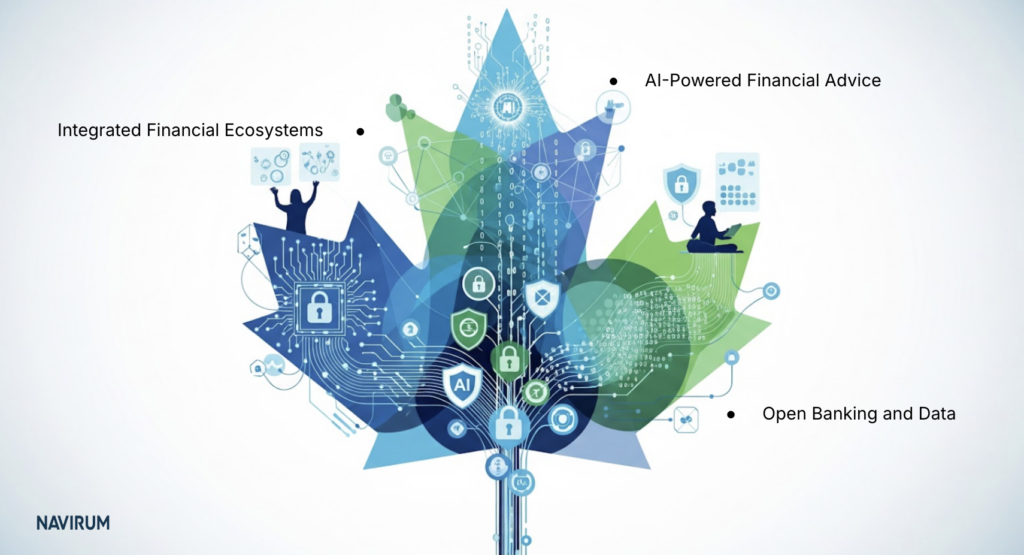
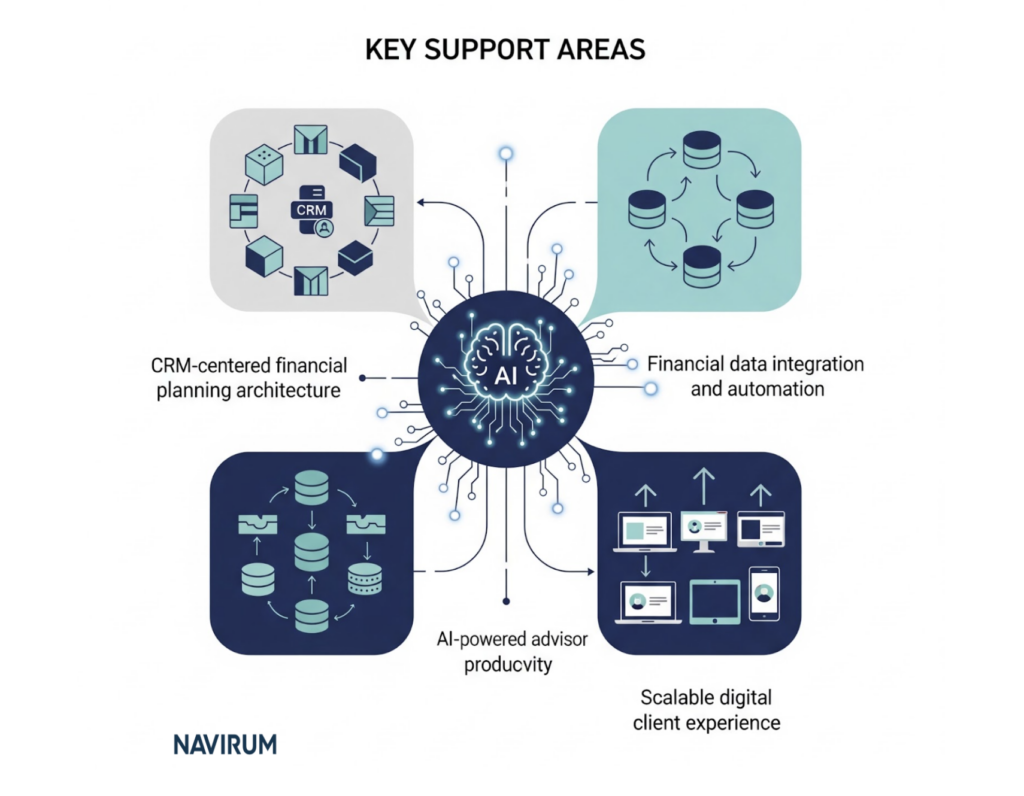
Integration lays the groundwork for intelligent automation and predictive analytics. Once custodial data lives inside Salesforce, firms can leverage AI to enhance decision-making.
Potential use cases include:
- Predicting client churn
- Identifying cross-sell opportunities
- Automating portfolio review reminders
- Generating AI-driven client summaries
This transforms Salesforce from a system of record into a system of intelligence.
Why Work with a Specialized Salesforce Consulting Partner?
Custodial integrations require deep financial services expertise. Technical skill alone is not enough—industry knowledge and compliance awareness are equally critical.
A specialized partner ensures the architecture is scalable, secure, and aligned with long-term growth objectives.
💬 Want Navirum’s take on your specific Fidelity setup? Book a quick consultation ↓
See how Fidelity data flows into Salesforce for your firm
Get a short walkthrough of client, account, and holdings data syncing in real time — tailored to your setup, not a generic demo.
Navirum Recommendations
At Navirum, we do not approach a Fidelity–Salesforce integration as a simple technical connector between Fidelity Investments and Salesforce. We approach it as a business transformation initiative that impacts advisor productivity, compliance oversight, operations efficiency, and long-term scalability. As a Salesforce consulting firm specialized exclusively in financial services, we understand that custodial integrations must align with regulatory realities, advisor workflows, and growth objectives—not just data architecture.
Below is the framework we recommend based on our experience working with wealth managers, RIAs, and financial institutions.

1. Start with Process, Not Technology
Many firms make the mistake of beginning with APIs and field mappings. We begin with discovery workshops that map your current-state advisor, operations, and compliance workflows.
This includes:
- Client onboarding journey mapping
- Service request lifecycle analysis
- Compliance approval checkpoints
- Reporting and supervisory requirements
By identifying inefficiencies and risk exposure before building the integration, we ensure Salesforce becomes an operational command center—not just a data repository.
2. Design a Scalable Data Architecture
Custodial data structures rarely align perfectly with CRM object models. Our team designs a normalized data architecture inside Salesforce that supports:
- Household-level relationship modeling
- Multi-account hierarchies
- Beneficiary and trust structures
- Historical transaction tracking
- Multi-custodian expansion readiness
We architect with the future in mind—whether that means acquisitions, adding custodians, or expanding advisor teams. Scalability is built in from day one.
3. Prioritize Security & Compliance by Design
Financial services integrations demand enterprise-grade security. Navirum embeds compliance controls directly into the solution through:
- Role-based access control frameworks
- Field-level security modeling
- Approval process automation
- Full audit trail configuration
- Secure API authentication and encryption standards
We work closely with compliance and supervisory stakeholders to ensure the solution meets internal policies and regulatory expectations.
4. Build Intelligent Automation Layers
Integration alone does not create competitive advantage—automation does. We design Salesforce workflows that convert custodial data into actionable triggers, including:
- Balance change alerts
- Inactivity monitoring
- Review scheduling automation
- Service-level agreement (SLA) tracking
- Automated task routing
This ensures your advisors and operations teams operate proactively rather than reactively.
5. Deliver Executive Visibility & KPI Dashboards
Leadership teams require real-time insight into firm performance. We configure executive dashboards that provide:
- Assets under management (AUM) by advisor and segment
- Revenue tracking and forecasting
- Onboarding pipeline visibility
- Service case metrics
- Compliance oversight dashboards
This transforms Salesforce into a strategic intelligence platform—not just an operational tool.
6. Implement in Phases to Accelerate Time-to-Value
Rather than attempting a “big bang” deployment, we typically recommend phased implementation:
Phase 1: Core account and balance integration
Phase 2: Onboarding and workflow automation
Phase 3: Advanced reporting and AI-driven enhancements
This approach minimizes disruption, accelerates ROI, and allows for iterative optimization.
7. Drive Adoption Through Structured Change Management
Even the most sophisticated integration will fail without user adoption. Navirum provides:
- Role-based training programs
- Executive alignment sessions
- Post-launch optimization reviews
- Continuous improvement roadmaps
We measure adoption metrics and gather user feedback to ensure the platform evolves alongside your business.
Why Navirum as Your Integration Partner?
Our specialization in financial services gives us a unique perspective that generalist Salesforce consultancies often lack. We understand: backed by a track record across custodial integrations.
- Custodial data structures
- RIA and broker-dealer compliance workflows
- Advisor compensation models
- Regulatory documentation requirements
- Multi-custodian operating environments
Because we focus on financial services, we design solutions that reflect real-world advisory operations—not generic CRM best practices.

- Custodial data structures
- RIA and broker-dealer compliance workflows
- Advisor compensation models
- Regulatory documentation requirements
- Multi-custodian operating environments
The Outcome: More Than Integration
When executed properly, a Fidelity–Salesforce integration should deliver:
- Increased advisor capacity
- Reduced operational overhead
- Strengthened compliance posture
- Improved client satisfaction
- A scalable foundation for growth
At Navirum, our goal is not simply to connect systems—it is to help you build a modern, intelligent wealth management platform that supports sustainable expansion and long-term competitive advantage.
Final Thoughts
Integrating Fidelity with Salesforce is a foundational step toward operational excellence and scalable growth. When executed strategically, it enhances advisor productivity, strengthens compliance posture, and elevates the client experience.
For financial services firms seeking to modernize their technology ecosystem, a well-designed integration transforms custodial data into strategic intelligence—creating a true competitive advantage.
Considering a Fidelity + Salesforce integration? Let’s map your requirements.
Book a working session with Navirum’s financial-services integration team — we’ll walk through your current Fidelity setup and identify the fastest path to a unified Salesforce workflow.
Salesforce Ridge Partner · 5.0 CSAT on AppExchange · Financial Services Specialists
Frequently Asked Questions (FAQ)
To address common concerns in more depth, here are expanded answers to the most frequently asked questions about integrating Fidelity Investments with Salesforce.
1. Can Salesforce directly connect to Fidelity?
Yes, Salesforce can connect to Fidelity through secure APIs or via middleware platforms, depending on your firm’s technical architecture and integration strategy. API-based integrations allow structured, secure data exchange between systems and are typically the preferred approach for firms seeking scalability and automation. The exact configuration depends on your data requirements, compliance standards, and whether you are integrating additional custodians or platforms.
2. Is real-time syncing possible?
In most modern implementations, near real-time syncing is achievable using API-driven integrations. This allows account balances, holdings, transactions, and status updates to flow into Salesforce quickly, enabling advisors to act on current data. However, the frequency of updates can be configured based on business needs, performance considerations, and compliance policies.
3. How secure is the integration?
Security is a foundational component of any custodial integration. Properly implemented integrations use encryption in transit and at rest, secure authentication protocols (such as OAuth), and strict role-based access controls within Salesforce. Additionally, audit logging and monitoring tools ensure that data access and changes are fully traceable for compliance purposes.
4. Does integration replace Fidelity’s platform?
No, integration does not replace Fidelity’s custodial platform. Fidelity remains the system of record for assets, transactions, and account administration, while Salesforce serves as the relationship and workflow management layer. The goal is to enhance operational visibility and advisor productivity—not to duplicate custodial functionality.
5. How long does implementation take?
Implementation timelines typically range from three to six months, depending on scope, customization requirements, and data complexity. Firms with multiple custodians, legacy systems, or advanced workflow automation may require additional time for architecture design and testing. A phased rollout approach can accelerate time-to-value while minimizing operational disruption.
6. Can we integrate multiple custodians?
Yes, Salesforce can support multi-custodian integration when designed with a scalable architecture. Middleware solutions or well-structured API frameworks can orchestrate data flows from multiple custodians into a unified data model within Salesforce. This is particularly valuable for enterprises or broker-dealers managing diverse advisory teams and asset platforms.
7. What Salesforce products are typically used?
Most firms leverage Sales Cloud and Service Cloud as core components of their integration, often combined with industry-specific capabilities from Financial Services Cloud. These products enable relationship modeling, case management, automation, and advanced reporting. The final configuration depends on your firm’s size, regulatory complexity, and service model.
8. Will this reduce compliance risk?
Yes, a properly designed integration can significantly reduce compliance risk by centralizing documentation, approvals, and communication records. Automated workflows ensure required steps are completed before account submissions or changes are finalized. In addition, comprehensive audit trails provide defensibility during regulatory reviews or internal audits.
9. Can we automate account reviews?
Absolutely. Once custodial data is integrated into Salesforce, firms can configure automated triggers based on time intervals, balance thresholds, life events, or portfolio changes. These triggers can create tasks, notify advisors, or initiate review workflows—ensuring consistent client engagement and reducing reliance on manual reminders.
10. Is this suitable for small RIAs?
Yes, integration is often especially valuable for small and mid-sized RIAs looking to scale efficiently. By reducing manual administrative work and centralizing client data, smaller firms can operate with the sophistication of larger enterprises. A properly scoped implementation ensures the solution aligns with both budget and growth objectives. That scoping conversation does not stop at go-live — see how firms build long-term value after implementation.
11. What service-level agreements (SLAs) apply to a Fidelity-Salesforce integration?
SLA terms depend on the components involved: Fidelity sets its own uptime and support commitments for its APIs and platform, Salesforce publishes its own for Financial Services Cloud, and your implementation partner should define response-time and support commitments for the integration layer itself, including custom workflows, error handling, and monitoring. When scoping a project, ask your integration partner to document response times for critical failures, such as a failed money movement sync, separately from general support requests, since these typically warrant different commitments.
See how Fidelity data flows into Salesforce for your firm
Get a short walkthrough of client, account, and holdings data syncing in real time — tailored to your setup, not a generic demo.