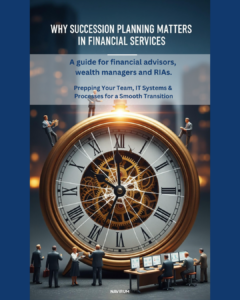
Succession planning for financial advisors and RIAs is critical to protecting client relationships, preserving enterprise value, and ensuring long-term business continuity. Our free ebook, “30 Succession Planning Tips for Advisors, RIAs & Wealth Managers,” delivers actionable guidance on building a structured succession strategy, improving advisory firm valuation, strengthening continuity planning, and aligning CRM and operational systems for a smooth ownership transition. Designed for wealth management firms and growth-focused RIAs, this resource helps leadership teams move from informal planning to a documented, valuation-ready succession roadmap.
Guide to Succession Planning for Financial Advisors, RIAs & Wealth Managers
Succession planning for financial advisors is one of the most important — and most delayed — strategic decisions facing RIAs and wealth management firms today.
Whether you’re planning for retirement, preparing for internal succession, exploring external sale options, or building a long-term continuity plan, a structured RIA succession strategy protects your clients, strengthens firm valuation, and ensures business continuity.
Our free ebook, “30 Succession Planning Tips for Advisors, RIAs & Wealth Managers,” provides practical, actionable guidance to help you design and execute a succession plan that aligns with your growth strategy.
Why Succession Planning Is Critical for RIAs and Wealth Management Firms
In today’s competitive advisory landscape:
Aging advisor demographics are accelerating transition timelines
Clients expect continuity and stability
Firm valuations depend heavily on operational maturity and CRM data quality
Buyers demand structured processes and documented succession plans
Regulators expect formal continuity planning
Without a defined succession strategy, advisory firms risk revenue disruption, client attrition, and reduced enterprise value.
A proactive wealth management succession plan gives you control over timing, valuation, and legacy.
What You’ll Learn in This Succession Planning Guide
This ebook delivers 30 focused insights covering:
Strategic Succession Planning
When to start succession planning for financial advisors
Internal vs. external succession options
Equity structuring and phased transitions
Preparing your firm for acquisition
RIA Continuity & Risk Management
Business continuity planning best practices
Protecting client relationships during advisor transitions
Communication strategies for succession events
Advisory Firm Valuation & Growth
How succession planning impacts firm valuation
Operational maturity and scalability
Building transferable enterprise value
Technology & CRM Readiness
Why clean, structured CRM data increases valuation
How Salesforce and modern systems support transition planning
Creating a centralized client data strategy
Each tip is designed to help advisors and RIA leadership teams move from informal planning to a documented, executable succession roadmap.
Who Should Download This Succession Planning Ebook?
This guide is ideal for:
Financial advisors within 5–10 years of retirement
RIAs exploring internal buyouts or external acquisition
Multi-advisor wealth management firms
Firms modernizing operations and CRM infrastructure
Executive teams focused on long-term enterprise value
If you are thinking about advisory firm continuity, ownership transition, or growth through acquisition, this resource was built for you.
Navirum Recommendation:
At Navirum, we specialize in digital transformation and Salesforce strategy for financial services firms. Through our work with RIAs, wealth managers, and financial institutions, we’ve seen how succession planning directly impacts:
CRM architecture
Data governance
Client lifecycle visibility
Operational scalability
Firm valuation during M&A
Too often, succession planning discussions happen without considering technology readiness. A strong CRM foundation — particularly within Salesforce Financial Services Cloud — can significantly enhance transferability, reporting clarity, and buyer confidence.
This ebook bridges strategy and execution by combining business planning principles with operational best practices.
Secure Your Legacy. Strengthen Your Firm’s Future.
Effective succession planning for financial advisors is about more than retirement — it’s about building a durable, transferable enterprise.
The earlier you start, the more strategic options you create.
Download the Free Ebook: 30 Succession Planning Tips for Advisors, RIAs & Wealth Managers
Take the first step toward a structured, scalable, and valuation-ready succession strategy today.
The Definitive Guide to Succession Planning for Financial Advisors, RIAs & Wealth Managers
Protect Your Firm’s Legacy and Ensure Business Continuity
The future of your financial advisory firm or Registered Investment Advisor (RIA) is not guaranteed; it must be planned. In an industry defined by trust and long-term client relationships, the transition of leadership—whether due to retirement, partnership changes, or strategic acquisition—is the single most critical event that determines your firm’s enduring value.
Don’t let succession planning be a one-time, reactive event. This guide written by Navirum’s consultants offers a proactive, strategic approach. Our comprehensive ebook, “30 Succession Planning Tips for Advisors, RIAs & Wealth Managers,” provides the actionable framework your firm needs to navigate these complex transitions with confidence. This guide is built to protect your client relationships, secure your Assets Under Management (AUM), and ensure seamless operational continuity.
At Navirum, we work closely with advisors, RIAs, and wealth managers every day. We’ve seen how challenging succession planning can be—from protecting client relationships to ensuring a smooth transition for teams. This ebook was created to share practical, actionable tips based on our experience helping firms like yours plan for the future, preserve their legacy, and unlock opportunities for growth.
Inside, you’ll find strategies to:
Plan a smooth transition for your clients and team
Protect your firm’s legacy and value
Avoid common succession planning pitfalls
Identify opportunities for growth during succession
We hope this guide helps you confidently plan for the future of your firm.
Here’s a glimpse into our FREE ebook, your complete guide to succession planning for advisors, RIAs, and wealth managers. Inside, you’ll find carefully curated strategies, real-world tips, and actionable insights designed to help you navigate every step of the succession process—from protecting your client relationships to ensuring a smooth transition for your team. These excerpts give you a taste of what’s inside, but to explore all 30 expert tips and gain the full roadmap for securing your firm’s future, be sure to download the complete ebook today.
Chapter 1: Team Preparation for a Seamless Transition
A successful succession plan starts and ends with your people. Preparation builds resilience, reduces confusion during the transition phase, and safeguards client confidence. You can’t transfer a business built on personal relationships without meticulously preparing your team.Tip #1: Assign a Dedicated Succession Planning Lead
Why it Matters: Succession planning is a “living strategy,” not a checklist item to be sidelined by daily client demands. Without a central owner, accountability evaporates. McKinsey research indicates that firms with clearly defined leadership roles during strategic transitions are demonstrably more resilient. This role is the hub for momentum and oversight.
How to Implement: The lead, often a Chief Operating Officer (COO), senior advisor, or rising next-gen leader, must have cross-functional visibility and the authority to coordinate between departments.
Key Responsibilities: Managing timelines, facilitating stakeholder alignment (Compliance, HR, Client Service), tracking internal successors, and ensuring all key policies are documented and accessible.
Pro Tip: Reinforce the role’s importance by tying a portion of the lead’s compensation or Key Performance Indicators (KPIs) directly to the progress of the succession plan.
Tip #4: Develop a Leadership Shadowing Program
Why it Matters: Succession is a transfer of confidence as much as a transfer of credentials. Technical knowledge is necessary, but the soft skills of high-level decision-making—negotiating, crisis management, and empathetic client interaction—can only be absorbed through direct exposure. This high-impact, low-cost method prepares the next generation by letting them absorb the demeanor of great leadership.
How to Implement: Design a structured 3–6 month mentorship.
Focus on High-Value Interactions: Schedule observation time during strategic client meetings, internal planning sessions, and difficult conversations.
Phase Engagement: Start with passive observation, then gradually move the junior advisor to contributing input and leading smaller parts of the agenda.
Reassure Clients: Inform clients about the shadowing, framing it as part of your firm’s commitment to long-term service and continuity.
Chapter 2: Client Relationship Continuity in Succession Planning
Your client base is your core asset. The way you manage communication and continuity during a transition directly impacts client retention and protects your Assets Under Management (AUM)
Tip #7: Cross-Train a Secondary Advisor Early
Why it Matters: Trust doesn’t happen overnight. Clients are significantly more likely to stay with your firm if they already know and trust the incoming advisor. Co-advising at least 12–24 months before a planned transition is highlighted by Investopedia as a best practice for smoothing transitions, especially for High-Net-Worth (HNW) and multi-generational accounts.
How to Implement: Integrate the successor into the relationship, not just the client file.
Phased Approach: Introduce the secondary advisor in meetings (Months 0–6), share responsibilities for follow-ups and prep (Months 6–12), and gradually shift the lead role (Months 12–24).
Focus on Fit: Select a successor whose personality and communication style aligns well with the specific client segment they will inherit.
Encourage Informal Touchpoints: Trust builds through casual interactions. Encourage the successor to handle small touchpoints like birthday calls or personal check-ins.
Tip #11: Schedule Overlapping Client Reviews
Why it Matters: For high-net-worth clients who expect highly personalized service, joint meetings with both the outgoing and incoming advisors are essential. The Kitces Report emphasizes that these dual-attendance meetings allow the successor to absorb relationship nuances and investment history firsthand, building client confidence in the partnership and ensuring a shared understanding of the client’s long-term goals.
How to Implement: Conduct 1-2 joint reviews per client, ideally 6–12 months out from the transition date.
Coordinated Agenda: The outgoing advisor provides context and relationship history, while the incoming advisor focuses on future strategy and goals.
Active Engagement: The incoming advisor should ask thoughtful, probing questions to demonstrate their engagement and quickly build a personal connection.
Demonstrate Unity: Seeing the advisors work in partnership reassures the client that the change is a collaborative evolution, not a disruptive handoff.
Chapter 3: IT & CRM Systems for Succession Planning in Wealth Management
Your digital infrastructure is the unsung hero of operational continuity. Inadequate system preparation can create compliance gaps, cause operational downtime, and lead to client friction. Your CRM for Succession is the foundation.Tip #13: Centralize Client Data in a Cloud-Based CRM
Why it Matters: Client data is your lifeblood, encompassing not just portfolio holdings, but every note, preference, and compliance document. When this data is scattered across email inboxes, local drives, or personal spreadsheets, your firm is exposed to significant risk during an advisor exit. Forbes identifies a cloud-based CRM as a foundational investment for succession scalability. It ensures a single source of truth accessible anytime, anywhere, by authorized personnel.
How to Implement:
Migrate and Audit: Implement a clear data migration plan, including a thorough audit to clean and consolidate outdated or duplicated files.
Ensure Adoption: Train all advisors and support staff on consistent, high-quality data entry, enforcing the CRM as the primary hub for all client interactions.
Benefits: Real-time updates, security features, and compliance-ready audit trails are critical for regulatory reviews during personnel shifts.
Tip #15: Set Tiered Access Permissions for Sensitive Client Data
Why it Matters: Data security and compliance are paramount, especially during the onboarding of new team members or successors. Role-Based Access Controls (RBAC) are a FINRA best practice for preventing insider threats and limiting data exposure. Not every team member requires—or should have—full access to all client data. Properly tiered permissions safeguard sensitive, confidential client information and maintain client trust.
How to Implement:
Define Roles: Clearly define tiered roles (e.g., Advisor, Support Staff, Compliance, Operations) and map their minimum necessary access levels to client files, historical data, and privileged documents.
Audit Logs: Ensure your CRM and document management system maintains detailed audit logs of who accessed what and when, which is critical for compliance reporting.
Review: Access levels must be reviewed and adjusted immediately when roles change, ensuring former employees or those in transitioning roles are appropriately restricted.
Your Future is Calling. Are You Ready?
Succession planning is the ultimate expression of long-term strategic vision. It is how you ensure that the firm you built not only survives but thrives for generations to come. This e-book compiles the most essential steps—from team development and soft skill transfer to IT system resilience—into a single, easy-to-follow guide.
The 2026 Roadmap: Building the Agentic Financial Enterprise
If 2025 was the year the financial sector explored the “vision” of AI, 2026 will be the year of operational reality. The shift is no longer about deploying chatbots to deflect queries; it is about architecting an Agentic Enterprise where digital workers operate alongside humans to drive revenue, ensure compliance, and deepen client loyalty.
Drawing on insights from the Navirum ecosystem, here are four pillars for Canadian firms to navigate 2026 successfully.
1. The Foundation: Data 360 and “Intelligent Context”
The era of fragmented data is over. As highlighted in our analysis of the Agentforce World Tour, the engine of the future is Data 360 (formerly Data Cloud). For 2026, the priority is activation, not just storage.
Context is King: AI agents cannot function on hallucinations. They require “Intelligent Context”—the ability to ingest unstructured data (PDFs, product manuals, trust deeds) and map it to structured CRM data.
Zero Copy Architecture: You no longer need to move data to use it. The roadmap involves connecting Snowflake or Databricks directly to Salesforce, allowing agents to access a “Golden Record” of the client without creating security risks.
2. The Workforce: Deploying the “Hybrid” Team
In 2026, firms will continue to move from “human-only” workflows to hybrid teams where agents handle the heavy lifting.
Wealth Management: Advisors will utilize Prep Agents to synthesize hours of research into 360-degree meeting briefings instantly. Nurturing Agents will manage “middle-of-the-pack” leads, engaging in two-way conversations until a prospect is ready to buy.
Marketing: The boundary between sales and marketing will blur. Agents will not just blast emails; they will craft personalized responses based on client intent and behavioral data, effectively nurturing leads 24/7.
A major theme for 2026 is shifting compliance from a reactive “cleanup” function to a proactive design feature.
Deterministic AI: Financial firms cannot afford probabilistic guesses. Tools like Agentforce Script allow you to hard-code strict rules into agents, ensuring they follow regulatory processes exactly.
Process Compliance Navigator: As seen in the Dreamforce event in October, this innovation maps regulations directly to workflows. Instead of auditing for errors after the fact, the system prevents non-compliant actions in real-time.
4. The Growth Engine: Loyalty and Ecosystems
Growth in 2026 will come from breaking down silos between organizations.
Clean Rooms: Using Data 360 Clean Rooms, financial firms can securely partner with other brands (e.g., an airline or accounting firm) to identify shared high-value customers without ever exposing PII. This unlocks precise co-marketing opportunities previously impossible due to privacy concerns.
Total Cost Reporting (CRM3): In Canada, new transparency regulations are an opportunity, not a burden. By using Salesforce FSC to centralize fee and performance data, advisors can proactively demonstrate value, turning a regulatory hurdle into a trust-building conversation.
Conclusion
The roadmap for 2026 is clear: Unify your data, agentify your workflows, and automate your compliance. The technology is no longer theoretical—it is ready to be implemented.
References & Further Reading
For a deeper dive into these concepts, please refer to our original analysis:
Disclaimer: This article draws on information provided by Navirum regarding Salesforce capabilities and industry trends. Readers should verify specific regulatory requirements regarding CRM3 and TCR independently.
The Agentforce World Tour in New York highlights how Salesforce Data 360 and Agentforce are transforming marketing from campaigns into real-time, personalized conversations. Data 360 enables marketers to activate structured and unstructured data, bridging context gaps, while Clean Rooms allow secure, privacy-compliant collaboration with partners to create high-value audience segments.
AI-powered Agents act as lead nurturers, handling personalized interactions, automating follow-ups, and ensuring no opportunity is overlooked—turning traditional funnels into dynamic, automated dialogues. For wealth managers and financial institutions, integrating these tools with Salesforce Financial Services Cloud enables intelligent, hyper-personalized client engagement, driving loyalty, operational efficiency, and data-driven growth.
How Data 360 and Agents are Rewriting the Marketing Playbook
In our recent analysis, we explored how Salesforce Marketing Cloud and Agentforce are converging to redefine customer loyalty. The Agentforce World Tour in New York has provided us with a tactical playbook to elaborate upon the overarching strategy.
The headline from NYC isn’t just about “better bots”—it’s about a fundamental shift in how customer data is activated. With the introduction of Data 360 (the evolution of Data Cloud) and live examples from Salesforce customers, we now have a clearer picture of how marketers can move from “campaigns” to “conversations.”
Here is your update on what Agentforce means for the future of marketing, based on the latest reveals from New York.
1. Data 360: The New Engine for Marketing Cloud
The biggest branding shift in New York was the evolution of Data Cloud into Data 360. While the core “Zero Copy” architecture remains—allowing you to access data in Snowflake or Databricks without moving it—the focus has shifted aggressively toward activation.
For marketers, this solves the “context gap.” As Salesforce’s Paul Cordasco noted, “If you don’t provide the right data, the prompts aren’t going to get you there”. AI needs trusted data to ground its queries so responses are appropriate and free of hallucinations.
Why this matters for CX: You can now bring in unstructured data—like product manuals or PDFs—using Intelligent Context. This means your marketing and service agents can “read” complex documents (preserving charts and tables) to answer detailed customer questions instantly, ensuring your brand voice is consistent and accurate.
2. The Loyalty Game-Changer: Data 360 Clean Rooms
In our previous article, we discussed loyalty ecosystems. The New York event showcased the ultimate tool for this: Data 360 Clean Rooms.
Imagine a wealth manager wanting to partner with an accounting firm to target high-value customers. Historically, sharing lists was a privacy nightmare. With Clean Rooms, these brands can now collaborate in a secure “vault” where data is encrypted and Personal Identifiable Information (PII) is never shared.
The process involves both parties agreeing on data segments for exchange, followed by the system querying to find the overlapping audience. The outcome is a highly precise, jointly branded audience segment ready for immediate marketing activation, ensuring optimized spending by targeting only relevant travelers.
For Navirum clients looking to expand loyalty partnerships, this feature allows you to unlock second-party data insights without risk.
Perhaps the most striking example of “Agentic Marketing” came from PepsiCo. They are using Agentforce not just for support, but to ensure “no lead is left behind”.
In a typical B2B scenario, sales teams ignore smaller leads to focus on big accounts. PepsiCo is flipping this by having AI agents handle the initial nurturing.
Beyond Templates: These agents aren’t just sending canned emails. They are crafting personalized messages based on the prospect’s intent, business size, and region.
Two-Way Conversations: The agent engages in a back-and-forth conversation. It only hands off to a human seller when the lead is qualified and ready to book a meeting, complete with a prepared briefing for the sales rep.
This blurs the line between Marketing Cloud and Sales Cloud, turning the “funnel” into an active, automated dialogue.
Furthermore, a great example of hyper-personalization across channels came from Williams-Sonoma. If a customer buys a Dutch oven, their agent, “Olive” remembers this and later recommends recipes tailored for that specific pot. Agentforce Voice ensures agents retain complete customer history and context. This capability facilitates a smooth transition to a human designer when addressing more complex inquiries.
The Takeaway
The Agentforce World Tour in NYC confirmed that the tools to build a “Customer Company” are ready today.
Unify your data with Data 360.
Collaborate securely with partners using Clean Rooms.
Automate the conversation with Agents that act as an extension of your marketing team.
Want to activate Data 360 in your marketing strategy? Contact Navirum today.
The Navirum Advantage: Powering the Agentic Financial Enterprise
Since 2018, Navirum has been delivering outstanding customer satisfaction, resulting in repeat business and accelerated success for our clients.
At Navirum, we specialize in helping wealth managers and banks activate their data and modernize client engagement. Our founders bring deep experience from investment firms and Salesforce’s Financial Services team to help you navigate the shift to the Agentic Enterprise. On every project, we engage our:
Strategic Consulting – Align Salesforce to your business goals, compliance needs, and Data 360 activation strategies to drive client loyalty.
Technical Implementation – Deep expertise in FSC, Marketing Cloud, and Agentforce setup, ensuring your AI agents are grounded in trusted data and integrated with banking admin systems.
Managed Services – Continuous optimization and adoption support to ensure your agents perform effectively and your data remains actionable.
Contact us for an initial consultation to explore the ways Navirum can help your organization reach new heights with the combined power of Data 360, Agentforce, and Salesforce Financial Services Cloud.
Most firms only implement Salesforce once, which means most firms have no reference point for what normal ownership actually looks like a year or two later. This page collects the questions we hear most often from financial services clients who are living with Salesforce Financial Services Cloud day to day, not evaluating it for the first time. If you already know you want an ongoing partner and want to see what Orbit’s managed services actually include, start there. Otherwise, read on.
System Health & Maintenance
Is it normal for a Salesforce org to develop problems over time, even if nobody did anything wrong?
Yes. Every Salesforce org accumulates complexity as your business changes: new products, new regulations, new integrations, staff turnover, three major platform releases a year. None of that is a sign of a bad implementation. It’s the normal lifecycle of any system that’s actually being used. The problem isn’t that issues appear, it’s that most firms don’t have anyone dedicated to catching them before they compound. That’s the gap Orbit’s ongoing care model is built to close.
Is it normal for every seasonal Salesforce release to require security or configuration updates on our end?
Yes, and it’s one of the most overlooked maintenance costs of owning Salesforce. Salesforce ships three major releases a year plus continuous security patches, and each one can change default behavior, deprecate features, or require a configuration review to stay compliant. Orbit monitors every release cycle and Agentforce rollout on your behalf, so changes get reviewed and applied deliberately instead of discovered after something breaks.
Is it normal for automations to start breaking about a year after go-live?
Yes. This is one of the most common patterns we see. Automations are usually built to match the business as it existed at go-live, and a year of new products, new team members, and process changes is enough to expose edge cases nobody tested for originally. Orbit’s release readiness and ongoing monitoring catch this drift before it turns into a client-facing problem.
How much technical debt is normal to accumulate in the first 12-18 months?
Some is unavoidable. Every implementation makes reasonable trade-offs under a deadline that need revisiting later. What’s not normal is technical debt nobody’s tracking. A healthy org has a running list of “we did this quickly, here’s why, here’s when we should revisit it.” Orbit’s Institutional Memory value lever exists specifically to keep that list alive instead of letting it live in one person’s head.
Is it normal to not fully understand why past customizations were built the way they were?
Very normal, especially after any staff turnover, and it’s one of the most expensive problems in Salesforce ownership, because teams end up afraid to touch configurations they don’t understand. Orbit’s Orbit Portal captures the design rationale behind decisions as they’re made, so “why is it built this way” has a documented answer instead of becoming institutional folklore.
How do we know if our Salesforce org has gotten “too customized”?
A reasonable rule of thumb: if a routine change now requires a specialist to investigate side effects before anyone will approve it, or if new hires need weeks just to understand how your org differs from standard Salesforce, that’s over-customization. It’s rarely something that happened all at once, it accumulates. A Bilan de santé de Salesforce is the fastest way to get an honest answer, and it’s the first thing Orbit does with a new client.
Platform Optimization
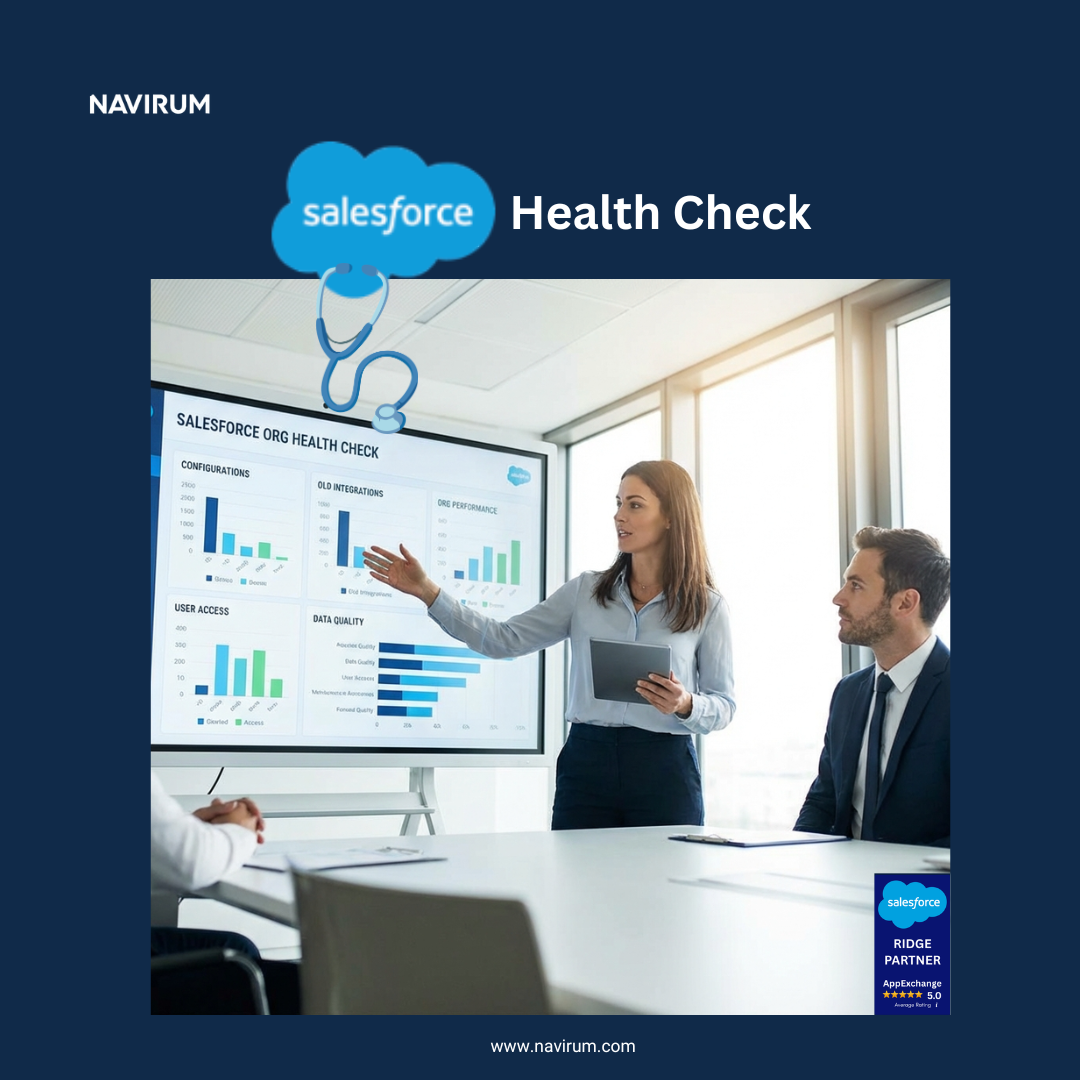
Is Your Salesforce Org Quietly Costing You Time and Money?
Hidden technical debt, sluggish page load times, and low user adoption can silently drain your bottom line. Book a comprehensive Salesforce Health Check to identify critical system inefficiencies and unlock immediate, actionable paths to peak performance.
Is it normal for users to complain about Salesforce, or is that a sign something’s actually broken?
Some grumbling is normal. Any system asks people to change how they work. But persistent complaints, especially about slow performance, confusing screens, or “having to do it twice,” are usually a signal that the system has drifted from how the team actually operates day to day. Orbit treats sustained user complaints as a diagnostic signal, not background noise, and includes adoption coaching as part of ongoing support rather than a one-time training event.
Why do our advisors keep reverting to spreadsheets even though we have Salesforce?
It’s almost always a sign that Salesforce isn’t matching how advisors actually work, not that advisors are resistant to change. When a field, a workflow, or a report doesn’t reflect reality, people quietly route around it, and spreadsheets are the path of least resistance. Orbit treats this as an adoption and configuration signal worth investigating, not a training problem to lecture your way out of.
Is it normal for user adoption to decline after the first few months post-launch?
Yes, and it tends to happen right when initial training momentum fades and the system stops getting active attention. Adoption isn’t a one-time achievement at go-live, it’s something that needs to be maintained the same way the platform itself does. Orbit builds ongoing adoption coaching into every tier rather than treating it as a separate, optional service.
Cost, Contracts & Vendor Relationships
Is it normal for our Salesforce account executive to change every few months?
Unfortunately, yes. AE turnover at Salesforce is common, and it’s one of the quieter frustrations of being a Salesforce customer, since your commercial relationship keeps resetting even when your technical needs don’t. Orbit exists specifically to be the constant on your side of that relationship: a dedicated Account Manager and an Orbit Portal that preserves your project history, decisions, and context regardless of who you’re talking to at Salesforce.
Is it normal to see unexpectedly high Salesforce data storage bills?
It’s extremely common, and almost always fixable. Data storage costs creep up as attachments, activity history, and old records accumulate without anyone actively managing retention. Most firms don’t realize how much they’re paying until the bill jumps. Navirum has helped clients cut Salesforce storage costs by up to 90% through archiving and AWS-based storage strategies; Orbit builds that kind of review into ongoing maintenance instead of waiting for a surprise invoice to trigger it.
Is it normal to feel uneasy heading into a Salesforce contract renewal?
Yes, and it’s one of the most common anxieties clients bring to us. Renewal negotiations are opaque by design, and most firms only go through one every year or two, so there’s rarely a clear reference point for what’s actually realistic to ask for. This is somewhere Orbit adds value beyond day-to-day admin work: our team includes former Salesforce employees who’ve been on the inside of thousands of these conversations, and we give clients direct input on what’s normal, what’s negotiable, and where the real leverage is before you’re in the room, on top of the usage reporting and no-lock-in commercial model that make the case in the first place.
AI Tools & Governance
Is it normal for advisors and staff to want to connect other tools, including AI assistants like ChatGPT or Claude, to Salesforce?
Yes, and it’s becoming more common by the month. AI does not solve a messy data problem, it makes the mess faster, and that is exactly what happens when individual advisors or staff connect outside AI tools to client data on their own initiative. AI assistants and LLM-based tools have made it easier than ever for an individual advisor or staff member to connect outside systems to client data, often with good intentions and zero visibility for IT or compliance. This is an AI risk governance question, not a technology question, and it isn’t a yes-or-no answer; it depends on the role, the data involved, and your regulatory obligations, and it needs to be governed deliberately rather than decided case by case in the moment. Every financial services firm needs a clear, role-based IT and AI usage policy that spells out what’s permitted, and creating and maintaining that policy, both general IT governance and AI-specific guidelines, is part of Orbit’s ongoing service, not a one-time document that goes stale.
The Big Picture
Is it normal to feel like we’ve outgrown our original implementation?
Extremely common, and usually a good sign. It means your business has grown. Most implementations are scoped for the firm as it existed at the time, and a firm that’s added products, headcount, or lines of business will eventually need its Salesforce environment to catch up. Orbit’s roadmap development is built for exactly this: revisiting the platform as the business changes instead of treating go-live as the finish line.
What does healthy, ongoing Salesforce maintenance actually look like?
In practice: someone monitoring each seasonal release before it hits your org, a documented reason behind every customization, response times you can count on when something breaks, adoption that’s actively supported rather than assumed, and a clear view of what you’re paying for and why. Most firms only find out what “healthy” looks like by comparing it to what they’ve been living with, which is exactly why the Orbit Support Plans are built around these specific commitments.
How do we know if we need more support than we currently have?
If any of the questions above sound familiar, that’s usually the signal. Not a single dramatic failure, but a slow accumulation of small workarounds, unanswered questions, and things nobody’s quite sure are normal. That’s exactly the gap Orbit was built to close, and it’s worth reading more before deciding anything.
Not sure if you need more support than you have?
Tell us where things stand and an Orbit Account Manager will walk you through what a fit actually looks like. No pressure, no generic pitch.
Salesforce Managed Services for Financial Services Firms: How to Create Long Term Value After Go Live
Go-live is just the beginning. Whether you are optimizing Financial Services Cloud, Wealth Management, Banking, or Insurance systems, our cross-cloud expertise ensures your platform scales seamlessly. Focus on your core business goals—we handle Salesforce.
Stay in the loop:Subscribe to the Navirum newsletter for insights like this one as they publish, or if you want executive-level perspective on where IT strategy for financial services is heading, join the FinSight Series for regular sessions with industry leaders.
Orbit Enterprise Managed Services Salesforce offers specialized support for medium to large companies using Salesforce.
It provides a multidisciplinary team covering various Salesforce clouds and integration technologies, streamlining project delivery.
Orbit ensures flexible, high-availability support, even during peak periods and downtime, keeping projects on track.
The pricing model adapts to the enterprise’s operating rhythm, aligning costs with value rather than volume.
Orbit emphasizes continuous skills development, certifications, and multilingual support for diverse global organizations.
Discover Orbit Enterprise Managed Services
High-Performance Salesforce Support for Medium to Large Companies
Medium and enterprise organizations operate Salesforce at a different scale, multiple clouds, multiple teams, complex integrations, compliance requirements, high user volume, and constant delivery pressure. Orbit, Navirum’s enterprise managed services platform, is designed specifically for companies that need a highly specialized, deeply experienced, always-available Salesforce partner. It is the enterprise tier of Navirum’s AI and Salesforce managed services.
Orbit gives enterprises the ability to tap into a multidisciplinary team of Salesforce experts, covering the full stack: Sales Cloud, Service Cloud, Financial Services Cloud, Experience Cloud, Marketing Cloud, MuleSoft, OmniStudio, Tableau, Data Cloud, and the expanding Agentforce AI ecosystem. Our team brings expertise across hundreds of AppExchange tools and modern integration technologies, including Microsoft, Google, AWS, Vinton, FormAssembly, DocuSign, and financial systems like LPL, Schwab, Fidelity, MoneyGuidePro, Addepar, eMoney, and more. This breadth is rare, and it reduces the need for multiple vendors, accelerates delivery, and ensures architectural consistency end-to-end.
Discover Orbit FAQManaged Services
Get clear answers on SLAs, sprint pacing, onboarding timelines, and our Salesforce support model.
For enterprises with ongoing project demands, Orbit provides three critical advantages: project delivery acceleration, team augmentation, and flexible, high-availability support. Our consultants can join existing workstreams to increase velocity, lead complex implementations, or provide niche expertise your internal team may not have. This is especially valuable during peak periods, product launches, compliance cycles, integrations, seasonal workloads, and quarter-end pushes.
Orbit is designed around enterprise operational realities. Our team works flexibly across multiple time zones, including evenings, early mornings, and extended hours when required. We can also staff work over weekends, public holidays, and bank holidays, enabling continuous delivery even when internal teams are unavailable. This is particularly valuable during North American downtime such as Christmas, New Year’s, or August vacation periods. With proper planning, Orbit keeps mission-critical projects on track while your staff rests.
Our pricing model is structured for enterprises: fair during quiet periods, scalable during spikes, and always aligned to value, not volume. You are not locked into rigid headcount or unused retainers. Instead, Orbit adapts to your operating rhythm, supporting heavy periods of innovation, lighter periods of maintenance, and everything in between.
The Orbit team invests heavily in ongoing skills development. Our consultants pursue continuous Salesforce certifications, AI training, and platform specialization aligned with Salesforce’s seasonal releases. This ensures that enterprises benefit from a team that remains ahead of platform changes, security updates, and emerging best practices. In a rapidly evolving Salesforce ecosystem, this alone can materially reduce risk and technical debt.
Orbit also brings a multinational, multilingual advantage. Our team speaks English, French, Spanish, and additional languages, supporting global or distributed organizations with diverse staff and customer bases. Every team member is a trained engineer, computer scientist, business analyst, or project manager, combining technical depth with strong delivery discipline. Beyond financial services, our expertise includes healthcare, technology, government, manufacturing, and nonprofit, industries where reliability, security, and compliance matter deeply.
For enterprises, Orbit is more than a managed service. It is a high-performance extension of your Salesforce capability, flexible, specialized, globally aware, and built for continuous delivery in complex environments. Whether you need to stabilize operations, accelerate transformation, or simply keep your Salesforce ecosystem moving during high-demand periods, Orbit delivers the expertise, availability, and consistency your team can depend on.
Explore All Orbit Support TiersPlan Comparison
For the full breakdown of what Enterprise and every other Orbit tier includes, see the Orbit Managed Services page.
Book Your FREE Salesforce Health Check Now!Complimentary
Uncover security risks, license inefficiencies, technical debt, and immediate workflow bottlenecks. Use this free Salesforce Health Check to see how your platform can become a greater engine for business value.
The theme of the NYC event was clear: moving from “visionary demos” to “practical reality” For wealth management firms and financial institutions grappling with the “overwhelming sea of AI options”, Salesforce demonstrated that the Agentic Enterprise is not a future state—it is happening now.
Here is what the Navirum community needs to know about the latest updates from New York, and how they apply to the wealth management mega-trends we are seeing in the market.
1. The End of “Black Box” AI: Predictability and Compliance
One of the most significant barriers to AI adoption in Canadian and US financial sectors is the fear of the “hallucinating” bot. Financial services require deterministic outcomes, not probabilistic guesses.
At the NYC event, Salesforce tackled this head-on with the introduction of Agentforce Script and the Process Compliance Navigator.
Agentforce Script: This allows firms to configure deterministic rules directly into the agent. Instead of relying solely on an LLM to “figure it out,” you can code specific guardrails. This ensures that when an agent interacts with a client, it follows business processes to the letter of the law.
Process Compliance Navigator: This innovation maps regulations directly to the workflows they impact. The goal is to “flip the script” from reactive risk assurance (cleaning up spills) to proactive risk avoidance (preventing spills entirely).
Auditability: As mentioned by different experts at the event, regulators want a “glass box,” not a black box. The new tools provide audit trails for agent actions, allowing firms to prove compliance with detailed records of every transaction.
For wealth firms, this answers the critical question: How can we automate without compromising our regulatory standing?
2. Real-World Success: The Hybrid Workforce
We have previously written aboutuse cases for the agentic firm, such as client onboarding and meeting prep. The NYC event showcased live examples of this “hybrid workforce” in action.
Baxter Credit Union (BCU) shared how they deployed “Frida,” a financial freedom agent. Unlike legacy chatbots that hit dead ends with complex questions, Frida uses contextual knowledge to answer member questions about nuances like Power of Attorney requirements.
The Result: BCU saw a 10-15% improvement in human escalation rates (meaning the bot solved the issue without human help).
Lead Nurturing: BCU is also building agents to handle the “middle of the pack” leads that loan officers don’t have time to call. The agent nurtures the lead via email and text, and only loops in the human officer when the client is ready to book a meeting.
CMG Financial highlighted how agents are reducing the “manufacturing cost” of loans. Their goal isn’t to replace Loan Officers, but to make them “omnipresent” by automating rote tasks so they can focus on high-value advisory work.
3. Data is the Fuel: The “Data 360” Advantage
A recurring theme in our analysis ofSalesforce FSC for Canadian firms is the importance of unified data. In NYC, Salesforce doubled down on this with Agentforce 360 and the integration of Informatica.
Agents are only as good as the data they can access. The new Intelligent Context capabilities allow agents to ingest unstructured data—like PDF product manuals or regulatory documents—without losing the meaning of charts, tables, and headers.
For a wealth firm, this means an agent could theoretically read a complex PDF of a new investment product and accurately answer advisor questions about it immediately, without manual data entry. With the Informatica partnership, Salesforce is ensuring that this data is governed, traced, and trusted.
4. Accelerating Deployment with “Agentforce Vibes”
Speed to market is critical. Salesforce introduced Agentforce Vibes, a tool that allows developers and admins to conversationally build prototypes in minutes.
Instead of writing code from scratch, teams can upload a Product Requirements Document (PRD), and the agent helps generate the necessary code, metadata, and dashboards grounded in the firm’s actual schema.
This significantly lowers the barrier to entry for firms looking to test AI concepts before a full rollout.
The Agentforce World Tour in New York confirmed the rapid pace of industry change. As Matthew McConaughey’s voice suggests, the central question has evolved from speculating on “What if?” to determining “How soon?”
However, the event also reinforced that data maturity and governance are prerequisites for success. As Salesforce noted, legacy technology and fragmented data are merely “fodder” for this new agentic capability.
For our clients, the path forward involves three steps:
Unify Your Data: Leverage Data Cloud (Data 360) to ensure your agents have a “Golden Record” of the client.
Define Your Guardrails: Use Agentforce Script to ensure your agents stay within compliance boundaries.
Start Small, Scale Fast: Like BCU, which started with 5% of interactions and grew to 50%, pick a high-impact use case (like lead nurturing or meeting prep) and iterate.
The Agentic Enterprise is open for business. Are you ready to build?
Ready to explore how Agentforce can transform your firm? Contact Navirum today.
The Navirum Advantage: Expertise that achieves results
Since 2018, Navirum has been delivering outstanding customer satisfaction, resulting in repeat business and accelerated success for our clients.
At Navirum, we specialize in implementing and optimizing Salesforce FSC for wealth managers and banks. Our founders bring deep experience from investment firms, and Salesforce’s Financial Services team. On every project, we engage our:
Strategic Consulting – Align Salesforce to your business goals, compliance needs, and client engagement strategy.
Technical Implementation – Expertise in FSC setup, AI, automation, and integrations with banking admin systems.
Managed Services – Continuous optimization and adoption support to maximize your Salesforce ROI.
Contact us for an initial consultation to explore the ways Navirum can help your organization reach new heights, with the combined power of Salesforce Financial Services Cloud and Agentforce.
Beyond Go-Live: The Compounding Value of a Full-Lifecycle Salesforce Partnership
Introduction: The Real Salesforce Journey Begins After Launch
There is a common misconception that a Salesforce implementation project concludes the moment the system goes “live.” The project plan is complete, and the core objective is met. In reality, this is only the beginning. The real journey, and the real test of your investment’s value, starts the day after launch.
Without continuous, strategic oversight, even the best-architected Salesforce platforms begin to diminish in value. They accumulate technical debt as business needs evolve. Critical institutional knowledge is lost as internal staff, consultants, and even Salesforce account executives change over time. This is precisely why many organizations eventually see their powerful CRM platform as a cost center rather than a strategic value creator.
Navirum Orbit introduces a fundamental shift. It is not a conventional support service; it is the essential governance layer that de-risks a multi-million dollar Salesforce investment. It is a comprehensive partnership that spans the entire Salesforce lifecycle, from the first day of an implementation to the platform’s long-term evolution, guaranteeing its compounding return year after year.
The Problem with Post-Project Support
The traditional support model involves a handover: the implementation team that designed and built the system departs, and a new support team takes over. This transition is a critical point of failure where invaluable context is permanently lost. This instability is compounded by the constant turnover of internal staff, contractors, or even your Salesforce AEs.
This loss of “institutional memory” creates inefficiency and risk. The new team, lacking the original context, must spend time and money re-discovering what the initial team already knew. Key information that disappears during this handover includes:
The “why” behind specific design decisions and architectural choices
The complete project history, including past constraints and trade-offs
The rationale for how and why specific systems were integrated
What is a FREE Salesforce Health Check? Why do I need one?Diagnostic Guide
Uncover architectural vulnerabilities, technical debt, and licensing inefficiencies across your Salesforce instance.
The Navirum Orbit philosophy is built to prevent this loss of knowledge by embedding support from the very beginning of any engagement. This high-touch model, which includes a dedicated Account Manager and direct Slack access, is structured into two distinct but connected phases:
Orbit Project Assist: Support is integrated during the implementation lifecycle, ensuring every decision and detail is captured from day one.
Orbit Post Go-Live: The same foundational support continues seamlessly after the project launch, focusing on continuous optimization and growth.
This approach creates a single, persistent “system of record” for your entire Salesforce journey. The central hub is the Orbit Portal, which does more than just store files. It creates a persistent, searchable memory and a clean, structured communication layer. It captures all files, design rationales, and communication, ensuring that no matter who joins or leaves the project, the institutional memory of your Salesforce environment remains intact and accessible.
Streamlining Projects and Eliminating Ambiguity with Orbit Project Assist
During the active project phase, the Orbit Portal enforces the discipline necessary for enterprise-grade project delivery. In complex projects, ambiguity is the enemy of progress, and email kills velocity. The Orbit Portal replaces the inefficiency of email threads by acting as the “single source of truth.”
By centralizing all communication for stakeholders across leadership, IT, and compliance, the portal eliminates the primary points of project failure. This disciplined model shortens feedback loops, creates clear accountability, and measurably accelerates project delivery timelines. It ensures everyone sees the same information at the same time, driving the project forward with clarity and purpose.
Navirum Orbit: AI and Salesforce Managed Services FAQsOrbit Q&A
Answers to common questions about SLA tiers, scope coverage, AI governance, and onboarding.
From Maintenance to Momentum: Driving Value After Go-Live
After launch, Orbit Post Go-Live transforms Salesforce from a maintenance burden into a dynamic, strategic asset. For any firm serious about leveraging the full power of the Salesforce platform, this is not a helpful addition, it is an essential capability, achieved through three key pillars.
Proactive Platform Evolution
Salesforce is not static. It evolves relentlessly, with three major releases per year and constant innovation in AI. Orbit is your strategic vanguard, proactively navigating this release cycle to shield your platform from instability while arming you with its latest innovations. This is the foundation for your AI roadmap. Most organizations cannot adopt AI because their data and automations are messy. Orbit’s proactive governance is the necessary groundwork to prepare your firm for the future of Salesforce and successfully adopt game-changing tools like Agentforce, the largest platform shift since Salesforce launched.
Strategic Growth with a Value Roadmap
An Orbit partnership moves beyond simple break-fix support to strategic growth. We work with you to develop a “Salesforce Value Roadmap,” a strategic blueprint that aligns every platform enhancement with your most important business goals. Whether the objective is to increase sales, improve productivity, or reduce customer acquisition costs, this roadmap ensures that every dollar invested in Salesforce delivers a measurable return.
Cost-Effective, On-Demand Expertise
Hiring an experienced, full-time Salesforce Administrator can cost upwards of $100,000 per year in salary alone, a significant expense for a resource that may not be fully utilized. Orbit provides a more flexible and cost-effective alternative. With our fractional model, you gain access to an entire multi-cloud team of certified experts for as little as 10 hours a month. With plans starting from as little as one month, you pay only for what you need, turning a fixed overhead cost into a variable, high-impact investment.
Book Your FREE Salesforce Health Check Now!Complimentary
Uncover security risks, license inefficiencies, technical debt, and immediate workflow bottlenecks. Use this free Salesforce Health Check to see how your platform can become a greater engine for business value.
A modern Salesforce instance does not operate in a silo; it is the central hub of a wider technological ecosystem. This is especially true for financial services firms that rely on a network of specialized applications to run their business.
Navirum Orbit provides comprehensive support not just for Salesforce itself, but for the entire connected ecosystem of AppExchange and partner applications. Our broad integration expertise ensures that all your apps, APIs, and data flows work together seamlessly. We have deep experience and partnerships with key platforms including DocuSign, TaskRay, AWS, Conga, Box, NDEX, and Croesus, ensuring your entire technology stack operates as a single, integrated engine.
The Compounding Power of a Long-Term Relationship
The ultimate value of the Orbit partnership is that it compounds over time. This “Relationship Capital” is the foundation of our most successful client engagements. In fact, Navirum’s longest-serving clients are Orbit clients, with some partnerships lasting for more than half a decade.
This enduring relationship is comparable to the one you have with a trusted professional, like a family doctor or lawyer, who knows your history and context. With every project and release cycle, our understanding of your business deepens. We know your data models, compliance needs, and workflows. This continuity is the key to making better decisions, moving faster, and creating lasting value that outlives any single project.
Conclusion: Your Constant in a Changing Environment
People will come and go inside your company. Your Salesforce Account Executive will inevitably be replaced. Leadership will rotate. But the one constant that carries forward the institutional memory of your Salesforce program is Orbit. Amid constant change, we provide the stable, knowledgeable, and continuous partnership required to maximize the long-term value of your platform, ensuring it remains a powerful engine for growth.
ORBIT TIERS & FAQ
See what that ongoing partnership actually includes, tiers, pricing, and a full FAQ, on the Orbit Managed Services page.
Book Your FREE Salesforce Health Check Now!
Book a free Salesforce Health Check to see how your platform can become a greater engine for business value.Complimentary
Redtail vs. Salesforce: Discover Why Growing Wealth Management Firms Are Making the Switch
The 15 Most Researched Questions Advisors Ask Our Consultants— Answered in One Place
As wealth management firms evolve, build multi-advisor teams, adopt more sophisticated planning tools, and face increasing compliance pressure, one question comes up more and more:
“Have we outgrown Redtail — and is it time to move to Salesforce?”
This is one of the most researched topics in the advisor technology space, especially among RIAs, broker-dealers, and hybrid firms that are scaling. In this in-depth blog post, we break down the top 15 questions firms ask when comparing Redtail to Salesforce, why so many teams are reassessing their CRM, and what the transition really looks like.
As a Salesforce consulting partner specialized in financial services, we’ve helped dozens of firms migrate from Redtail to Salesforce. The patterns are clear — and the insights below will help you determine whether staying on Redtail or upgrading to Salesforce is best for your organization’s future.
1. Redtail’s Limitations vs. Salesforce’s Capabilities
Redtail is a great entry-level CRM for small firms and solo advisors, but it was never designed to support complex operational models, multi-advisor teams, compliance workflows, or enterprise-grade integrations.
The most common limitations firms cite include:
Workflows are basic and rigid
Reporting capabilities are minimal
Integrations often require manual workarounds
The system is contact-based, not household-based
The data model does not scale well as teams grow
Salesforce, in contrast, offers:
Configurable, multi-step workflows
Dynamic dashboards and advanced reporting
Deep native integrations with Orion, eMoney, MoneyGuide, DocuSign, custodial platforms, and more
A robust, flexible data model tailored for wealth management
Enterprise-grade automation through Flow, AI, and custom logic
One sentiment we hear consistently: “Redtail worked when we were small. Salesforce is what we need to grow.”
Conclusion: Is It Time to Move From Redtail to Salesforce?
If your firm is growing, adding complexity, or preparing for digital modernization, Salesforce provides capabilities Redtail simply cannot match.
To summarize:
If your firm is small and simple → Redtail is fine
If your firm is scaling → Salesforce becomes essential
Our team specializes in helping wealth management firms migrate from Redtail to Salesforce with zero data loss, and building customized advisor experiences that improve productivity, compliance, and client service.
Navirum Orbit transforms Salesforce into a value-creating engine instead of a maintenance burden.
The complexity of managing Salesforce includes accumulating technical debt and integration challenges.
Orbit offers proactive support, ensuring continuity and enabling efficient communication via the MyOrbit Portal.
The program provides tangible ROI through eight key value levers, including lower cost of ownership and relationship capital.
Flexible plans cater to companies of various sizes and needs, making sure they maximize their Salesforce investment.
How Can Navirum Orbit Help You Get More Value From Salesforce?
The Salesforce Paradox – Introducing Navirum Orbit: Beyond Support, A Strategic Salesforce Partnership
Salesforce is the world’s leading CRM platform, essential for financial services companies to streamline their business processes. When executed properly, it supercharges profits, improves cash flow, and boosts team morale. However, there’s a common paradox: without the right expertise, Salesforce’s vast capabilities and complexity can lead to high maintenance costs, underutilized features, and communication breakdowns, turning a powerful asset into a cost center.
This is the challenge Navirum Orbit, our Salesforce managed services program, was designed to solve. It’s a strategic partnership that ensures you maximize the return on your investment, month after month. But let’s be clear: Orbit isn’t support. Orbit is continuity. It’s the framework for transforming Salesforce from a technical platform into a true value-creating engine for your business.
Discover Orbit Managed Services | Navirum
Orbit Managed Services
01 Orbit Enterprise Managed Services
We help scaling financial firms elevate their internal technology frameworks past simple helpdesk support, structuring Salesforce to function as a unified business development asset.
#1 Why Managing Salesforce is More Complex Than You Think
In a mature Salesforce organization, complexity accumulates quietly, then bites hard. Years of custom objects, flows, and quick fixes build technical debt, making even small changes risky. Most internal teams simply can’t stay ahead while delivering day-to-day work. The key challenges include:
Accumulating Technical Debt: Years of custom objects, flows, validation rules, and fixes create a tangled web of dependencies, making even minor enhancements risky and difficult to manage.
Multi-Cloud and AppExchange Complexity: Most firms operate across multiple clouds, Sales Cloud, Service Cloud, Financial Services Cloud, and Marketing Cloud, and use various AppExchange packages. This requires a team with diverse skills spanning configuration, data, security, and AI.
Integration Challenges: Reliably connecting Salesforce with middle- and back-office systems like portfolio management (PMS), accounting, and compliance tools multiplies complexity. Data must flow correctly and remain trustworthy across the entire customer lifecycle.
The Pace of Innovation: Salesforce pushes three major releases every year and is now rolling out Agentforce, the largest platform shift since Salesforce launched. This forces every team to constantly adapt and rethink their strategy to avoid falling behind.
Regulatory and Compliance Demands: Financial services and healthcare firms must operate within tight regulatory guardrails where a misstep can have serious consequences.
#2 What is Navirum Orbit? Your Complete Salesforce Enablement Program
Navirum Orbit is not a traditional support service. It’s a complete Salesforce enablement program and your dedicated “Salesforce Concierge.” It delivers continuity by moving beyond reactive fixes to provide a proactive, strategic partnership that ensures your Salesforce ecosystem scales with your business.
Orbit combines managed services, strategic roadmap development, and on-demand consulting into a single, integrated program. Every client receives a dedicated Account Manager and direct access to our team of experts via Slack, ensuring clear, responsive communication and accountability for outcomes.
#3 A Look Inside the Orbit Engine
The MyOrbit Portal: A Single Source of Truth
Ambiguity is the enemy of progress. Scattered email threads and lost files kill project velocity. The MyOrbit Portal, the central desk for your Salesforce Concierge, solves this by providing a single source of truth for all project communication. It centralizes every file, design decision, meeting note, and historical change into a clean, searchable, and persistent record.
Here’s how the engine behind the portal delivers unmatched efficiency:
Log In and Raise a Ticket: A user logs into the secure portal to submit any request through a simple, intuitive interface, from an “issue with Sprint 1 testing” to “how do I schedule a discovery call?”
Instant Notification and Triage: The moment a ticket is raised, it is wired directly into Navirum’s operating system. It flows straight from the portal into our internal Slack and Salesforce channels, where automation instantly routes it to the correct team member already familiar with your organization. No queues. No lag. Work starts immediately.
Collaborate and Track: Clients can track the real-time status of their tickets, receive updates, and collaborate directly with the Navirum team inside the portal. This creates complete transparency and shortens the feedback loop, leading to faster resolutions.
Full Lifecycle Support: From Day One and Beyond
Unlike support models that only engage after a project goes live, Orbit is embedded from the very beginning. This ensures continuous, knowledgeable support throughout the entire lifecycle.
Orbit Project Assist: Provides support during an active implementation.
Orbit Post Go-Live: Delivers ongoing support after the project is complete.
This approach creates true continuity. Because Orbit is there from day one, future projects build on a known foundation rather than rediscovering history every time. It establishes a persistent, searchable “institutional memory” of your Salesforce environment, saving time and eliminating redundant work.
Explore All Orbit Support TiersPlan Comparison
For the full breakdown of what Enterprise and every other Orbit tier includes, see the Orbit Managed Services page.
#4 The 8 Value Levers: How Orbit Delivers Measurable ROI
Orbit is built to deliver tangible business value. The program is structured around eight key levers that ensure you get more from your Salesforce investment.
1. Institutional Memory (The Compounding Asset)
Orbit captures and preserves years of project history, design rationales, and key decisions. This creates a stable memory layer that outlasts staff changes, reducing errors, lowering onboarding costs for new client employees, and ensuring consistent governance over time.
2. Lower Cost of Ownership
Hiring a full-time internal Salesforce administrator can cost upwards of $100,000 per year, an investment many businesses can’t fully utilize. Orbit offers a smarter, more flexible alternative. With fractional plans starting from as little as 2 hours a month, you get access to a full team of multidisciplinary experts at a fraction of the cost, eliminating waste and ensuring predictable budgeting.
3. Communication Efficiency (The Hidden Multiplier)
Email kills velocity. By centralizing all communication in the MyOrbit Portal, Orbit eliminates the delays caused by scattered conversations. This leads to faster decisions, clear accountability, and measurably shorter delivery timelines. The bottom-line impact is faster time-to-value, reduced project costs, and a higher ROI on your Salesforce initiatives.
4. Release Readiness & Platform Evolution
Salesforce releases major upgrades three times a year, plus continuous Agentforce AI rollouts. Orbit monitors these changes, protects your org from breaking updates, and ensures you proactively leverage new features instead of falling behind, maximizing the value of your licenses.
5. Data, Integration & Compliance Governance
For financial services firms operating under strict regulatory pressure, Orbit provides essential governance. We continuously validate and maintain the pathways between Salesforce and your critical systems (FSC, PMS, accounting, compliance), strengthening your audit posture and reducing regulatory risk.
6. AI & Agentforce Enablement
Most orgs can’t adopt AI because their data and automation are messy. Effective AI requires clean data and well-structured processes. Orbit provides the foundational maintenance and optimization required for your AI roadmap, ensuring that new tools like Agentforce can perform effectively and drive real efficiency gains.
7. Flexible Commercial Model
Business needs fluctuate. Orbit’s monthly subscription model adjusts with your seasonality, allowing you to scale support up or down predictably. With no long-term lock-ins, you get better cash flow and a financial model that fits your operating rhythm.
8. Relationship Capital
As your Salesforce Concierge, we develop a deep understanding of your commercial, technical, and cultural needs. We know your leadership, workflows, and operating rhythm. This compounding context builds partnership-level trust and means there is zero time wasted re-explaining your business.
Cross-Cloud FinServ Experts
Salesforce Managed Services for Financial Services Firms: How to Create Long Term Value After Go Live
Go-live is just the beginning. Whether you are optimizing Financial Services Cloud, Wealth Management, Banking, or Insurance systems, our cross-cloud expertise ensures your platform scales seamlessly. Focus on your core business goals—we handle Salesforce.
#5 Is Orbit Right for You? Flexible Plans for Every Business Need
Orbit is designed for any company that wants to ensure its Salesforce investment delivers long-term value. The ideal Orbit client includes:
Companies implementing Salesforce for the first time.
Existing Salesforce customers needing ongoing help and strategic guidance.
Small, fast-growing companies that can’t commit to an expensive project or a full-time expert.
Mid-market companies with 1-2 year implementation roadmaps and multi-cloud needs.
To meet these diverse needs, we offer several flexible plans:
Orbit Standard Plan: Ideal for small businesses with straightforward needs, starting with as little as 2 hours of support per month.
Orbit Flex Plan: Provides 10-15 hours of monthly support, offering greater flexibility for growing teams with evolving requirements.
Orbit Enterprise: For unique business operations and high-availability requirements, a usage-priced plan aligned with your specific goals and workflows.
Take the 60-Second Salesforce CheckSelf-Audit
Quickly assess adoption hurdles, operational bottlenecks, and support readiness in one minute.
Turn Your Salesforce Investment into Your Biggest Asset
Implementing Salesforce is just the beginning. Realizing its full potential requires continuous, strategic effort. Navirum Orbit provides the ongoing partnership and continuity needed to navigate complexity, drive adoption, and maximize value.
With Orbit, you can finally turn Salesforce from a maintenance burden into a powerful, value-creating engine for growth.
Discover Orbit FAQManaged Services
Get clear answers on SLAs, sprint pacing, onboarding timelines, and our Salesforce support model.
Ready to see how a strategic partnership can unlock the full power of your Salesforce investment?
See exactly what that partnership includes on the Orbit Managed Services page, including pricing tiers and a full FAQ.
Book Your FREE Salesforce Health Check Now!Complimentary
Uncover security risks, license inefficiencies, technical debt, and immediate workflow bottlenecks. Use this free Salesforce Health Check to see how your platform can become a greater engine for business value.