In today’s fast-paced world, productivity hinges on seamless collaboration. That’s why more and more financial services firms and enterprises are turning to Salesforce Slack integration.
By connecting Salesforce and Slack, teams can share data, automate workflows, and make faster decisions without switching between platforms.
Whether you call it Slack and Salesforce integration, Salesforce to Slack integration, or simply Salesforce integration Slack, the result is the same: less friction, more focus, and better outcomes.
When you integrate Slack with Salesforce, updates on new leads, opportunity stage changes, or deal approvals show up instantly in Slack channels. Instead of refreshing dashboards, sales teams respond in real time—shortening the path from prospect to closed deal.
#2 – Streamlined Collaboration Across Teams
With Slack and Salesforce connected, every account, opportunity, or case can have its own dedicated Slack channel. This keeps conversations, files, and context together. Whether you’re in sales, service, or marketing, the integration eliminates silos and helps everyone stay aligned.
What is Slack Anyway?
#3 – Automated Workflows That Save Time
The Salesforce app for Slack allows you to automate routine tasks—such as escalating cases, reminding reps of follow-ups, or assigning handoffs. Notifications arrive directly in Slack, ensuring that nothing slips through the cracks.
#4 – Smarter Decisions with Data on Demand
Leaders no longer have to wait for weekly reports. With sales force and Slack connected, pipeline metrics, forecasts, and service dashboards can be pulled into Slack with a quick command. This provides decision-makers with live data to act faster.
#5 – Enhanced Customer Support
Service Cloud users can set up Salesforce to Slack integration so high-priority cases trigger immediate alerts. Support teams can then swarm the issue in Slack, loop in subject matter experts, and resolve it quickly—boosting customer satisfaction.
#6 – A Unified Platform for Growth
From slack sales force notifications to executive-level snapshots, the integration brings CRM data into Slack where people are already working. The connect Slack to Salesforce setup creates transparency, accountability, and better alignment across the business.
Salesforce Slack Demo (Credits to Salesforce Ben)
No Slacking, The Summary
Investing in Salesforce Slack integration is more than just a technical upgrade. It’s about creating a unified digital workspace where deals move faster, support becomes proactive, and teams stay aligned.
With Salesforce continuing to enhance its ecosystem – including the fast-growing Salesforce app for Slack – organizations that adopt early gain a competitive edge.
Contact Us for Salesforce Slack Integration Consultation Today
Navirum Client Success Stories
Salesforce Slack Integration FAQ
<strong class="schema-faq-question">Where can I get the integration?<br/></strong>
<strong class="schema-faq-question">How long does the integration take to setup?</strong>
For a Salesforce professional, about 2-4 hours with testing. This doesn’t include template design, workflows, approvals. A proper implementation can be any from 20 to 50 hours so the RoI needs to start up!
<strong class="schema-faq-question">What is a Salesforce partner?</strong>
A Salesforce partner is a company or organization that has been officially recognized by Salesforce for its expertise in delivering Salesforce-related services, solutions, or products. Salesforce partners may provide consulting, implementation, customization, integration, or third-party applications (AppExchange apps) to help clients maximize the value of the Salesforce platform. They are part of the Salesforce Partner Program, have access to specialized training and resources, and are recognized for meeting Salesforce’s standards for quality, technical capability, and customer success. Navirum is a certified Salesforce partner.
<strong class="schema-faq-question"><strong>How do financial advisors use S</strong>lack<strong> within Salesforce?</strong>
Financial advisors use Slack integrated with Salesforce to collaborate in real time, coordinate client tasks across teams, and receive automated updates on deals and accounts. This streamlines workflows, reduces email traffic, and ensures faster, more efficient client service by keeping conversations and Salesforce data in one place.
<strong class="schema-faq-question"><strong>How does the integration improve compliance?</strong>
The integration provides automated audit trails, status tracking, and secure storage of signed documents within Salesforce, ensuring that regulatory requirements are consistently met and easily verifiable.3
Navirum is a certified Salesforce and Slack partner, specializing in delivering integrated solutions that streamline digital workflows for financial services and other industries. With deep expertise in both platforms, Navirum helps clients automate processes, accelerate agreements, and maximize value from their Salesforce and Slack investments.
In today’s fast-paced business world, optimization is key. Companies strive to streamline processes and boost productivity. Integrating Salesforce, a leading CRM, with DocuSign, an e-signature innovator, unlocks efficient workflows and improved collaboration. Explore the benefits and features of Salesforce and DocuSign integration.
Discover The Power of Salesforce Integration with DocuSign!
Are you evaluating the best way to streamline your organization’s document workflows? Here’s why choosing Salesforce and DocuSign integration stands out among leading document management solutions:
Salesforce DocuSign Integration – Credits to Salesforce Ben
1. Superior Efficiency Compared to Manual or Other Tools
Integrating DocuSign with Salesforce eliminates the need to print, sign, scan, or email documents back and forth. Unlike standalone e-signature tools or traditional methods, this integration lets users send, sign, and manage documents entirely within Salesforce. The result: shorter turnaround times and major productivity gains versus competing processes.
2. Best-In-Class Collaboration and User Experience
Salesforce and DocuSign enable multiple stakeholders—sales, legal, operations—to review, edit, and sign contracts or NDAs right from your CRM. This is much more efficient than file-based approaches or endless email threads. With real-time notifications and activity tracking, everyone stays aligned and projects move forward faster.
3. Unmatched Visibility and Real-Time Document Tracking
Unlike generic document platforms, DocuSign Salesforce integration gives users full transparency: track every document’s status (sent, signed, returned) directly in Salesforce. This live dashboard approach helps you spot delays, identify bottlenecks, and keep deals on track—advantages you won’t find in disconnected tools.
DocuSign’s industry-leading security and compliance solutions (including robust audit trails and encryption) are embedded right into Salesforce workflows. This reduces risk compared to less-secure signing tools and supports regulatory requirements in finance, insurance, and other regulated sectors.
5. Seamless Digital Customer Journey
Customers today expect fast, hassle-free digital interactions. Salesforce and DocuSign deliver a seamless, branded experience—whether for onboarding, contracts, or order processing—improving satisfaction and giving your business a competitive edge over slower, less integrated processes.
How Does Salesforce + DocuSign Stack Up?
When compared to alternative document management strategies, Salesforce and DocuSign integration consistently delivers:
Faster document turnaround and approval cycles
Centralized tracking and transparency
Higher security and compliance (vs. email or simple e-signature apps)
Improved collaboration across teams and with clients
Ready to see how this integration outperforms other options for your organization? Contact our Salesforce–DocuSign certified consultants today for a personalized assessment and start unlocking the full potential of your business workflows.
Contact Us for Salesforce DocuSign Consultation Today
Navirum Client Success Stories
Salesforce DocuSign Integration FAQ
<strong class="schema-faq-question">Where can I get the integration?<br/></strong>
<strong class="schema-faq-question">How long does the integration take to setup?</strong>
For a Salesforce professional, about 2-4 hours with testing. This doesn’t include template design, workflows, approvals. A proper implementation can be any from 20 to 50 hours so the RoI needs to start up!
<strong class="schema-faq-question"><strong>Is the DocuSign Salesforce integration secure and compliant with regulatory requirements?</strong>
DocuSign provides robust security, encryption, and audit trails for all documents processed through its platform. The integration with Salesforce maintains these standards and helps you comply with industry regulations such as eIDAS, ESIGN Act, and GDPR, depending on your organizational needs.
<strong class="schema-faq-question">What is a DocuSign implementation partner</strong>
A DocuSign implementation partner is a certified consulting firm or service provider that specializes in helping organizations successfully deploy and integrate DocuSign solutions – such as eSignature or DocuSign CLM – into their existing business systems, including Salesforce. These partners have expertise in configuration, technical integration, workflow customization, user training, and best practices to ensure a smooth and effective rollout of DocuSign products tailored to your organization’s needs.
<strong class="schema-faq-question">What is a Salesforce partner?</strong>
A Salesforce partner is a company or organization that has been officially recognized by Salesforce for its expertise in delivering Salesforce-related services, solutions, or products. Salesforce partners may provide consulting, implementation, customization, integration, or third-party applications (AppExchange apps) to help clients maximize the value of the Salesforce platform. They are part of the Salesforce Partner Program, have access to specialized training and resources, and are recognized for meeting Salesforce’s standards for quality, technical capability, and customer success.
<strong class="schema-faq-question"><strong>How do financial advisors use DocuSign within Salesforce?</strong>
Financial advisors send, track, and manage client agreements (such as onboarding forms, investment mandates, or compliance documents) for electronic signature directly from Salesforce, streamlining client interactions and accelerating paperwork.
<strong class="schema-faq-question"><strong>How does the integration improve compliance?</strong>
The integration provides automated audit trails, status tracking, and secure storage of signed documents within Salesforce, ensuring that regulatory requirements are consistently met and easily verifiable.
<strong class="schema-faq-question"><strong>Does the integration support mobile use for advisors and clients?</strong>
Absolutely. Both advisors and clients can initiate and complete signature processes from any device, providing the flexibility needed for remote or on-the-go client service.
Navirum is a certified Salesforce and DocuSign partner, specializing in delivering integrated solutions that streamline digital workflows for financial services and other industries. With deep expertise in both platforms, Navirum helps clients automate processes, accelerate agreements, and maximize value from their Salesforce and DocuSign investments.
For Canadian wealth and asset managers, multi-custodial data integration is one of the biggest operational challenges in today’s financial landscape. With client data flowing in from multiple custodians, portfolio management systems (PMS), and back-office sources, creating a single, accurate view of the client often feels overwhelming. Yet, with rising client expectations, evolving regulatory requirements, and the push for digital transformation, firms can no longer afford to delay this.
Why Multi-Custodial Data is So Complex
The problem isn’t just about collecting data-it’s about making it usable. Each custodian and PMS uses different formats, transaction codes, and reporting standards. Without proper normalization, this data can’t be easily combined or trusted. Common issues include:
Duplicate or missing identifiers across systems, making it unclear which positions belong to which client.
Conflicting account structures between custodians and PMS platforms.
Gaps in transactional context, which can create compliance and reporting risks.
Simply dumping this data into a CRM is a recipe for disaster-resulting in inaccurate client records, compliance gaps, and frustrated advisors who can’t rely on the system.
What It Takes to Get It Right
To create a true 360° view of the client, the data needs to be structured and mapped correctly before entering Salesforce. That process typically involves:
Normalizing and standardizing the data, assigning unique identifiers for accuracy.
Mapping and linking investments, transactions, and positions to the right household, account, and individual in Salesforce.
Automating the flow using APIs or ETL processes so data stays current without heavy manual intervention.
Why Start with Salesforce Financial Services Cloud
This is whereSalesforce Financial Services Cloud (FSC) comes in. Unlike a generic CRM, FSC is designed for financial services firms. It includes a data model built for client relationships, households, accounts, and financial goals-perfect for firms with multiple custodial relationships.
Benefits of FSC for Canadian firms include:
A structured data model for mapping complex relationships.
Flexibility for multi-custodial environments-whether your clients hold accounts at one or several firms.
Integration-ready architecture, making it easier to connect with PMS platforms and custodial feeds.
Built-in compliance tools that can support Canadian regulations such as CIRO CRM3 fee disclosure requirements.
By leveraging FSC as your foundation, you position your firm for better compliance, improved client experience, and scalability.
Why This Matters in Canada Now
Canadian firms face unique pressures-CRM3 fee disclosure requirements, increasing demand for digital onboarding, and competition from fintechs that promise seamless client experiences. Firms that integrate multi-custodial data effectively can:
Simplify CIRO reporting by pulling data from back-office systems into a single source of truth.
Give advisors a complete client picture across all custodians in real time.
Reduce manual reconciliation, freeing up time for client service.
At Navirum, we’ve worked with Canadian wealth and asset managers across CIRO (former IIROC) and MFDA channels to solve these challenges. Our expertise combines:
Salesforce Financial Services Cloud implementation with deep industry knowledge.
Proven strategies for data normalization and mapping across custodians and PMS systems.
Integration frameworks that are secure, scalable, and future-ready.
Bringing custodial and portfolio data together in Salesforce isn’t just an IT project-it’s the foundation for delivering the experience clients expect and the compliance regulators demand.
Interested In Knowing More? Book a Consultation Below? 👇
Lavinia PicuSimplify Your Multi-Custodial Data Integration with Salesforce FSC
Discover How Private Credit and Equity Firms Leverage Salesforce To Drive Business Success
In today’s fast-paced business world, companies are searching for flexible financial solutions and cutting-edge technology to fuel growth. Private credit has emerged as an attractive alternative funding option, offering nimble capital solutions. At the same time, Salesforce has become a leading cloud-based platform that streamlines operations, boosts productivity, and drives innovation. Together, private credit and Salesforce create a powerful growth strategy for modern businesses.
The Rise of Private Credit
Private credit involves non-bank lending solutions provided by specialized investment firms. Its popularity soared after the 2008 financial crisis, when traditional bank lending was disrupted and alternative investments gained momentum. Notably, the private credit market has eclipsed private equity in recent years. From the growth of the naughties onward, both private credit and private equity firms tapped into Salesforce to scale and expand their operations. Key benefits include:
Speed and Flexibility: With streamlined approval processes, private credit lenders provide faster access to funding during volatile market conditions.
Customized Terms: Tailored financing solutions meet the unique needs of each borrower, supporting growth plans and turnaround strategies.
Diversification of Funding Sources: Incorporating private credit reduces reliance on conventional loans and secures more favorable financial terms.
Leveraging Salesforce for Business Transformation
The post-crisis era also marked the rise of cloud technology, with Salesforce emerging as the go-to CRM and business platform. Early industry leaders such as Kleiner Perkins, Blackstone, and Bain Capital adopted Salesforce to fuel impressive growth. Its robust capabilities empower companies in alternative investments and traditional private equity alike. Key features include:
Streamlined Processes: Salesforce automates routine tasks and integrates data across departments, enabling teams to collaborate efficiently.
Enhanced Data Insights: Data is the lifeblood of every Salesforce implementation, particularly for private credit firms. Advanced analytics, customizable dashboards, and integrations with platforms like Dakota (more details), Preqin, With Intelligenceet Seismic deliver critical market intelligence.
Improved Customer Engagement: Salesforce’s comprehensive suite—from lead management to personalized marketing—helps businesses nurture client relationships and convert opportunities into growth.
Mobile Accessibility: The Salesforce mobile app is vital for on-the-go access. Whether pitching to a pension fund or connecting with prospects at an event, mobile access to client information is essential.
Future-Forward Innovations: As private credit promises significant future growth, Salesforce remains a safe bet. Its AI leadership-exemplified by tools such as Agentforce – boosts decision-making and operational efficiency, while enhanced analytics with Tableau and deeper integrations via MuleSoft drive superior data connectivity.
Integrating Private Credit Strategies with Salesforce
Combining private credit with Salesforce’s cloud technology creates an ideal environment for growth. Here are strategies to harness both financial agility and technological efficiency:
Data-Driven Financing Decisions: Utilize Salesforce’s detailed reporting and analytics to monitor key performance indicators (KPIs) like cash flow and customer acquisition. Integrations with Dakota, Preqin, and Seismic add valuable market intelligence during negotiations.
Enhanced Relationship Management: Clear communication and trust are critical in private credit arrangements. Salesforce’s CRM capabilities maintain detailed records and facilitate personalized interactions between lenders and borrowers.
Optimized Workflow Automation: Automate financing processes within Salesforce to manage repayment deadlines, credit performance alerts, and funding milestones, ensuring transparency and accountability.
Strategic Growth Planning: Leverage Salesforce insights to inform private credit strategies. Strong market traction data can be used to secure additional funding for scaling successful product lines.
The 2008 financial crisis triggered a shift toward agile private credit and alternative investments, while Salesforce emerged as a catalyst for growth in both private credit and private equity. By harnessing data-driven insights, robust mobile capabilities, and future-forward innovations like AI through Agentforce, companies are well-equipped for sustainable success in today’s competitive landscape.
Embracing the power of private credit alongside innovative platforms like Salesforce can unlock tremendous growth opportunities for businesses. By leveraging flexible financing options and cutting-edge technology, companies can streamline operations, enhance customer relationships, and expand their market reach. If you’re ready to take your business to the next level, consider exploring how these powerful tools can work together to drive your success. Don’t wait – start unlocking new growth opportunities today!
<strong class="schema-faq-question">What is private credit, and how does it differ from traditional bank loans?<br/></strong>
Private credit refers to non-bank lending provided by specialized investment firms or funds. Unlike traditional bank loans, private credit often offers more flexible terms, quicker approval processes, and tailored financing structures to meet the unique needs of borrowers. It’s especially valuable for companies seeking alternative sources of capital outside the traditional banking system.
<strong class="schema-faq-question">Why is Salesforce important for private credit firms?<br/></strong>
Salesforce helps private credit firms streamline operations, enhance client relationships, and make data-driven decisions. Its CRM capabilities allow firms to manage investor and borrower relationships effectively, automate workflows, and integrate with key data sources like Preqin and Dakota for deeper market insights.
<strong class="schema-faq-question">How can Salesforce and private credit work together to support growth?<br/></strong>
When used together, Salesforce and private credit create a powerful combination of technology and financial flexibility. Businesses can leverage Salesforce for real-time analytics, automated lending processes, and CRM functions while using private credit to access timely capital for expansion, acquisitions, or strategic pivots.
<strong class="schema-faq-question">Which Salesforce tools are most relevant for private credit firms?<br/></strong>
Some of the most valuable Salesforce tools for private credit include:
– Sales Cloud for managing deal pipelines –Tableau for advanced analytics and KPI tracking – MuleSoft for integrating data from external systems like Preqin – Agentforce for AI-driven decision-making and automation – Mobile App for access to CRM data on the go
<strong class="schema-faq-question">What are the benefits of integrating platforms like Preqin and Seismic with Salesforce?<br/></strong>
Integrating platforms like Preqin and Seismic into Salesforce provides private credit firms with enhanced market intelligence and content management. These integrations enable users to access up-to-date investor data, performance benchmarks, and marketing materials directly within their CRM, improving efficiency and deal execution.
<strong class="schema-faq-question">Is Salesforce scalable for growing investment firms?<br/></strong>
Absolutely. Salesforce is built to scale with your business. Whether you’re a boutique investment firm or a global asset manager, Salesforce offers customizable features and integrations that grow with your operational complexity, data needs, and team size.
<strong class="schema-faq-question">How can Navirum help my business implement Salesforce for private credit?<br/></strong>
As a Salesforce consulting partner, Navirum specializes in implementing and customizing Salesforce for financial services firms, including those in private credit and private equity. We help clients:
– Design Salesforce solutions tailored to their workflows – Integrate third-party platforms – Automate manual processes – Train teams for long-term success
Discover how to supercharge your Salesforce with DakotaMarketplace!
Stop toggling between platforms and wrestling with stale data. Our Dakota Marketplace for Salesforce App embeds the industry’s most accurate, institution‑level investor database directly into your Salesforce instance — no custom development or ongoing maintenance required.
BENEFIT
WHAT YOU GET
WHY IT MATTERS
Single Source of Truth
All Dakota Marketplace accounts, contacts, AUM, job/role changes, and proprietary investment insights live in Salesforce
Eliminate duplicate records, reduce data‑cleaning time, and ensure every rep works from the same, up‑to‑date information
Real-Time Updates
Automatic syncing every 15 minutes of new allocations, consultant coverage, 13F filings, fund presentations, public plan minutes, and RFP alerts
Never miss a shift in the market — reach out at the exact moment a prospect’s priorities change
Embedded Marketplace UI
Native Salesforce tabs (Accounts, Contacts, Metro Areas, Investments, Searches, News)
Accelerate prospecting with one‑click access to 150+ custom fields, so reps spend time calling, not clicking
Built for Adoption
Fundraiser‑centric interface with dashboards for job/role changes, fundraising news, and pipeline analytics
Drive Salesforce usage across your firm — higher adoption leads to better pipeline visibility and forecasting
Zero Technical Overhead
Install in minutes via AppExchange; ongoing data administration is handled by Dakota’s dedicated team
Eliminate expensive custom builds, reduce admin costs, and give your ops team back their weekends
Who Is Dakota Marketplace For?
Dakota Marketplace is perfect for any investment‑focused team that relies on Salesforce to source, track, and close institutional investor relationships — including:
Investment Sales & Fundraising Professionals at asset managers, private equity, real estate, hedge funds, and alternative managers
Investor Relations Teams who need real‑time alerts on job/role changes, RFPs, 13F filings, fund presentations, and public plan activity
Revenue Operations & CRM Admins seeking a turnkey integration that eliminates manual data maintenance, duplicate records, and custom configuration
Sales Leaders & Managers focused on driving Salesforce adoption, pipeline accuracy, and forecasting with a single, reliable source of truth
Outcomes You’ll See
50% reduction in manual data entry and cleanup
2× increase in meetings scheduled within 30 days of installation
100% confidence that every account and contact is current
Ready to Get Started?
Navirum are the trusted experts in seamlesslyintegrating Dakota Marketplace with Salesforce. As official partners of both Salesforce and Dakota, we deliver a turnkey implementation, rapid time‑to‑value, and ongoing support – ensuring your team unlocks the full power of your CRM investment in weeks, not months.
Marketing Automation — orchestrate multi‑channel campaigns powered by clean, real‑time investor data
Advanced Reporting & Analytics — build dashboards and forecasts on a single source of truth
AI‑Driven Workflows — implement next‑generation tools like Agentforce that leverage Dakota’s deep data set to surface high‑intent prospects, personalize outreach, and automate follow‑up
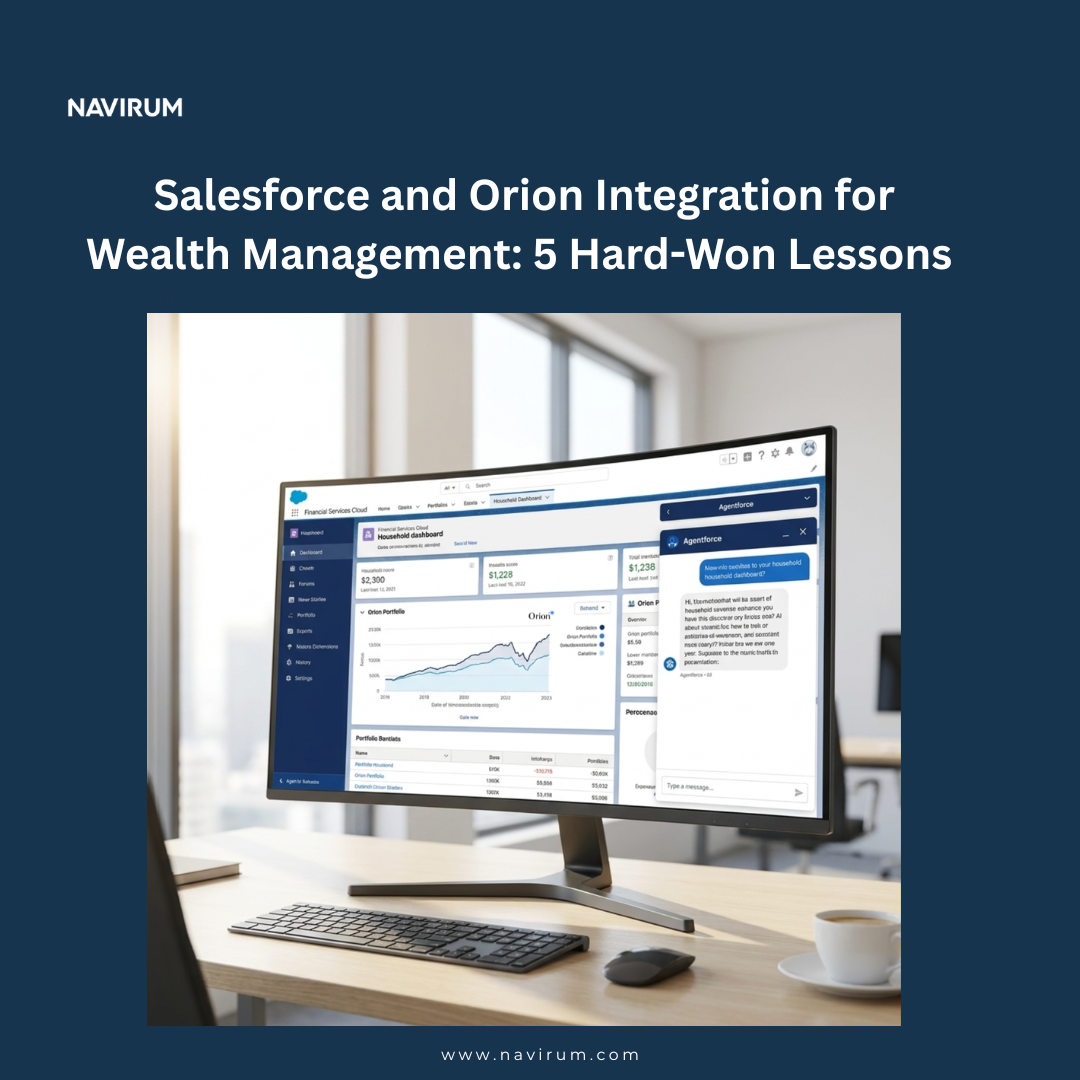
Integrating Orion Advisor Solutions with Salesforce unifies portfolio data, CRM insights, and compliance workflows into a single, scalable ecosystem. With the right strategy and implementation, firms gain a 360° client view, increased advisor productivity, and streamlined operations—turning technology into a true growth driver.
Discover How You Can Elevate Your Financial Strategy With Orion Salesforce Integration!
In today’s increasingly competitive and client-centric financial services environment, disconnected systems are no longer sustainable. Wealth managers, RIAs, family offices, and asset managers must deliver personalized, data-driven advice while navigating growing regulatory pressure and operational complexity.
Integrating Orion Advisor Solutions with Salesforce creates a powerful digital backbone for your firm—bringing together portfolio data, CRM intelligence, reporting, compliance, and advisor workflows into one cohesive ecosystem. The result? A unified client experience, operational clarity, and scalable growth.
Below, we explore in depth why the Orion Salesforce integration has become a strategic priority for forward-thinking firms—and how to maximize its value.
1. Holistic Client Management: From Fragmented Data to a 360° View
Your advisors cannot deliver exceptional advice if critical client information lives in silos.
Orion’s portfolio accounting, performance reporting, and billing capabilities generate rich investment data. Salesforce, particularly Financial Services Cloud, houses relationship intelligence, household structures, referrals, opportunities, and engagement history.
When properly integrated, these platforms create a true 360-degree client view, including:
Portfolio performance and asset allocation
Household relationships and beneficiaries
Risk profiles and investment objectives
Client service history and communications
Financial plans and account details
Revenue and fee data
Anticipate client needs before meetings
Identify cross-sell and upsell opportunities
Personalize outreach based on portfolio events
Deliver proactive advice during market volatility
Strengthen multigenerational relationships
Instead of toggling between systems, advisors operate within a connected environment that supports intelligent, client-first conversations.
2. Streamlined Operational Efficiency: Automate What Slows You Down
Manual data entry, reconciliation discrepancies, and redundant workflows consume valuable time—and introduce risk.
A well-architected Orion Salesforce integration can automate:
Account creation and synchronization
Household and contact updates
Performance data flows
Fee and billing reporting
Task generation tied to portfolio events
Compliance-related documentation tracking
This reduces:
Human error
Administrative overhead
Duplicate data management
Onboarding delays
Operational bottlenecks
Compliance Optimization
For firms facing increasing scrutiny around KYC, AML, and onboarding processes, integration enables structured data capture and workflow enforcement within Salesforce while syncing relevant investment data from Orion.
Automation can help:
Trigger compliance reviews when thresholds are met
Maintain consistent audit trails
Reduce rekeying errors that lead to regulatory risk
Accelerate account approvals
The outcome is a more efficient compliance posture—without increasing headcount.
3. Scalable and Adaptable Infrastructure for Growth
Growth creates complexity.
As your firm expands—whether through M&A activity, new service offerings, geographic expansion, or the addition of alternative investments—your systems must scale with you.
Salesforce provides a flexible, configurable platform that adapts to evolving business models. When paired with Orion:
New asset classes can be integrated into reporting structures
Custom dashboards can track AUM growth by segment
Advanced analytics can support executive decision-making
Marketing automation can align with portfolio insights
AI-driven insights can enhance advisor productivity
This integration does not just support today’s workflows—it creates an extensible architecture for tomorrow’s innovation.
Firms leveraging advanced CRM analytics can:
Segment clients by profitability
Identify underserved households
Monitor advisor performance metrics
Forecast revenue with greater precision
Align service tiers to AUM and complexity
Scalability becomes strategic—not reactive.
4. Maximizing Value Through Proper Configuration
While Orion Salesforce integration is popular across the wealth management ecosystem, many firms underutilize its capabilities due to improper implementation.
Common pitfalls include:
Poorly structured data models
Inconsistent household mapping
Incomplete field synchronization
Overly complex automation
Misaligned compliance workflows
Limited dashboard utilization
Without a strategic blueprint, firms risk creating another layer of complexity instead of simplifying operations.
A thoughtful implementation includes:
Clear data governance standards
Defined ownership of fields and objects
Standardized naming conventions
Workflow optimization aligned with advisor behavior
Integration architecture that balances performance and flexibility
When executed correctly, the integration becomes a competitive differentiator—not just a technical connector.
By embedding Orion investment insights into Salesforce workflows, firms empower advisors to:
Prepare faster for client meetings
Access portfolio data within opportunity records
View billing insights alongside relationship data
Track service cases tied to specific accounts
Receive alerts triggered by market or allocation events
This removes friction from daily operations and enables advisors to focus on strategic conversations rather than system navigation.
The integration transforms Salesforce from a static CRM into an active intelligence platform.
6. Data-Driven Decision Making for Leadership
Beyond the advisor level, executive teams benefit significantly from Orion Salesforce connectivity.
Leadership can:
Monitor AUM growth across segments
Track revenue trends by advisor or team
Identify concentration risks
Analyze client acquisition costs
Align marketing campaigns with portfolio analytics
With unified dashboards, decision-makers gain clarity into operational and financial performance—fueling informed strategic planning.
7. Future-Proofing with Innovation and AI
As AI capabilities continue to reshape financial services, integrated ecosystems become even more critical.
When portfolio data and CRM data coexist in a unified environment, firms can:
Leverage predictive analytics for churn prevention
Trigger automated client outreach during volatility
Identify high-propensity cross-sell opportunities
Generate intelligent advisor task prioritization
Enhance segmentation models
Disconnected systems limit AI potential. Integrated platforms unlock it.
Take the Next Step
If your firm is ready to eliminate data silos, enhance advisor productivity, and scale with confidence, Orion Salesforce integration may be the foundation you need.
Explore the Orion connection available on the Salesforce AppExchange and start building a more connected, intelligent financial ecosystem.
Or, connect with Navirum to design a tailored integration strategy that turns your technology stack into a growth engine.
Navirum Recommendation: Turn Your Orion Salesforce Integration into a Strategic Advantage
Integrating Orion Advisor Solutions with Salesforce is not just a technical project—it’s a business transformation initiative. The difference between a basic connection and a high-performing ecosystem lies in the strategy behind the implementation.
At Navirum, we specialize exclusively in Salesforce for financial services firms. We understand the operational, regulatory, and growth challenges facing RIAs, wealth managers, family offices, and asset managers—and we design integrations that solve for them holistically.
Our Approach:
We go beyond configuration. We architect solutions that align technology with business outcomes:
Scalable Data Architecture We design structured, future-proof data models that reflect your household structures, revenue streams, and reporting needs.
Strategic Object Mapping Orion data is mapped thoughtfully into Salesforce to ensure clean synchronization, reporting accuracy, and long-term maintainability.
Advisor-Centric Workflow Design We streamline workflows to enhance productivity, reduce friction, and improve the advisor experience.
Compliance-Aware Automation From onboarding to KYC and AML checkpoints, we reduce compliance friction while maintaining audit integrity.
Right-Sized Automation We optimize processes without overengineering—ensuring your system remains usable, flexible, and scalable.
Budget-Aligned Execution Every integration roadmap is aligned with your firm’s growth stage, operational capacity, and financial objectives.
Collaboration That Drives Results
We work directly with Orion, your internal leadership, operations teams, and compliance stakeholders to ensure your integration reflects real-world workflows—not theoretical system design.
This is not a template deployment. It’s a purpose-built integration strategy designed to:
Increase advisor productivity
Improve client experience
Reduce operational risk
Unlock scalable growth
If you’re ready to move beyond system connectivity and build a fully aligned wealth technology ecosystem, Navirum is your strategic integration partner.
Ready to elevate your firm’s performance with Orion Salesforce integrations?

Book a Consultation Below
Salesforce Orion Integration – FAQs
How complicated is the integration to set up?
The integration between Orion Advisor Solutions and Salesforce is generally straightforward. Orion provides structured support and documentation, and in many cases the base setup can be completed in days—not weeks.
However, while the technical connection is simple, optimizing data structure, workflows, and reporting requires thoughtful planning. With the right implementation partner, the process remains smooth and efficient.
What data can I sync between Orion and Salesforce?
Firms can sync:
Client profiles
Household structures
Account details
Portfolio holdings
Account balances
Performance metrics
This synchronization creates a single source of truth inside Salesforce, empowering advisors with a 360° client view that blends relationship data with portfolio intelligence.
What feedback do companies have about the integration?
Feedback is mixed but generally positive. Many firms report that the integration “gets the job done” and provides strong visibility into financial and client data within Salesforce.
Some users mention technical limitations or configuration constraints, particularly when firms have complex data structures. Despite this, it remains a must-have integration for firms leveraging both Orion and Salesforce.
Wait—doesn’t only Redtail have the Orion integration?
While Orion acquired Redtail Technology, the Salesforce integration remains available and actively supported.
It continues to be listed on the Salesforce AppExchange and is widely used by firms operating within Salesforce environments.
Will the integration work with Salesforce Financial Services Cloud (FSC)?
Yes. The integration works with Salesforce Sales Cloud and Salesforce Financial Services Cloud (FSC).
It functions out of the box but can also be customized to align with your firm’s specific compliance requirements, reporting needs, and advisor workflows.
Do I need specialized expertise to maximize the integration?
The base integration is relatively simple. However, unlocking its full value—especially around reporting, automation, compliance workflows, and advisor experience—requires specialized expertise.
At Navirum, we often assist firms that have completed the initial setup but need deeper process alignment and strategic optimization. In many cases, Salesforce teams refer firms to us for advanced integration refinement.
How long does a full optimization project typically take?
While the technical connection may take days, a full strategic optimization—including workflow automation, reporting dashboards, and compliance alignment—typically takes several weeks depending on firm size and complexity. The timeline depends on data cleanliness, customization needs, and internal stakeholder alignment.
Can the integration support multi-advisor or multi-entity firms?

Yes. With proper data modeling, the integration can support complex structures such as multi-advisor practices, multiple entities, and segmented service tiers. Proper household mapping and role hierarchy configuration are critical to ensuring accurate reporting and revenue attribution.
How does the integration impact reporting and dashboards?

When structured correctly, the integration significantly enhances reporting capabilities. Firms can build dashboards that combine AUM, revenue, advisor performance, client segmentation, and pipeline data—offering leadership actionable insights in real time.
Is the integration secure and compliant?
Yes. Both Orion and Salesforce operate within enterprise-grade security frameworks. However, firms remain responsible for proper configuration, field-level security, permission sets, and data governance policies to ensure compliance with regulatory standards.
What happens if my firm customizes Salesforce heavily?
Customizations do not prevent the integration from working—but they do require careful planning. Poorly aligned custom objects or naming conventions can create reporting inconsistencies. A structured review ensures the integration supports, rather than conflicts with, your existing architecture.
If you’re evaluating or optimizing your Orion Salesforce integration, strategic planning is the difference between “connected systems” and a true growth platform.
How To Transform Advisor Experience with LPL ClientWorks Salesforce Integration?
The LPL ClientWorks Salesforce integration enables advisors to centralize client data, automate workflows, and gain real-time insights. By leveraging AI tools like Jump and Salesforce Financial Services Cloud, firms can improve operational efficiency, deliver personalized advice, and scale their business effectively.
How does LPL ClientWorks -Salesforce Integration work?
In today’s dynamic financial environment, the LPL ClientWorks – Salesforce integrationempowers firms with real-time insights and greater operational efficiency-built specifically for financial professionals. By harnessing the power of Salesforce, this integration delivers comprehensive client management and streamlined processes that reduce complexity and unlock growth.
Holistic Client Management: Consolidate client data in Salesforce with LPL ClientWorks for a unified view of portfolios. This integration enables advisors to deliver personalized advice, proactively address client needs, and nurture strong relationships. Salesforce Financial Services Cloud (FSC) remains the most popular with its rich Advisors functionality.
Streamlined Operational Efficiency: Automate workflows and enhance data synchronization between LPL ClientWorks and Salesforce. By reducing manual tasks and minimizing errors, your team can focus on strategic initiatives that drive growth and value.
Scalable and Adaptable Solutions: Built on Salesforce’s flexible platform, LPL ClientWorks adapts to your firm’s evolving needs -whether you’re expanding service offerings, entering new markets, or adopting innovative technologies. This integration ensures you remain competitive in a rapidly changing landscape.
Empowering Financial Advisors: With intuitive tools and robust reporting capabilities, advisors gain the insights necessary to optimize client engagement and streamline decision-making in real time.
Include the benefits of AI for Firm Growth: Now recently introducing Jump’s AI-driven platform scales alongside your business. The Jump AI App – Whether you’re adding advisors, expanding client segments, or layering on new compliance requirements, Jump integrates seamlessly with Salesforce to keep processes streamlined. This is new AI CRM solution proving to be very popular in the LPL Advisor community.
New To Salesforce? We can get you up on running quickly and easily on the Salesforce Financial Services Cloud from migrating from existing systems to Salesforce. These are popular moves
Navirum Recommendations: Transform Your Advisor Experience with Salesforce & ClientWorks
At Navirum, we specialize in helping financial services firms leverage Salesforce and LPL ClientWorks to maximize efficiency, client engagement, and business growth. With deep expertise in both platforms, we guide firms through every step of the integration process to ensure seamless adoption and measurable results.
Our approach includes:
Ongoing Optimization & Support: Our team provides continuous guidance, monitoring, and enhancement of your Salesforce–ClientWorks integration, ensuring it scales with your firm’s growth and evolving regulatory needs.
Strategic Planning: We assess your firm’s current workflows, technology stack, and business objectives to design an integration that drives operational efficiency and advisor productivity.
Seamless Implementation: Navirum manages data migration, system configuration, and workflow automation, minimizing disruption and ensuring a smooth transition to Salesforce Financial Services Cloud.
Customized Advisor Tools: Dashboards, reports, and client management tools are tailored to your firm’s unique requirements, empowering advisors with real-time insights and actionable data.
Partnering with Navirum gives your firm a trusted advisor with proven expertise in Salesforce and LPL ClientWorks integrations. We help financial services firms enhance advisor productivity, deliver personalized client experiences, and unlock sustainable growth in a competitive landscape
Interested In An LPL ClientWorks Salesforce Integration?
⬇️ Contact Us For a Free Consultation! ⬇️
FAQs : LPL ClientWorks Salesforce Integration
What is LPL ClientWorks, and why integrate it with Salesforce?
LPL ClientWorks is a platform designed for LPL Advisors to manage client portfolios, compliance, and reporting. Integrating it with Salesforce consolidates client data, streamlines workflows, and provides advisors with a unified, real-time view of client relationships
How does Salesforce Financial Services Cloud (FSC) enhance this integration?
FSC adds robust advisor-centric tools, including household management, client lifecycle tracking, and workflow automation. When paired with ClientWorks, it enables personalized advice, improved operational efficiency, and deeper insights into client portfolios.
What types of firms benefit from this integration?
RIAs, independent advisors, credit unions, community banks, private equity firms, and research firms all benefit by reducing manual tasks, improving client engagement, and scaling operations efficiently.
How does this integration improve operational efficiency?
It automates workflows, synchronizes data between ClientWorks and Salesforce, reduces errors, and frees advisors to focus on client-facing and strategic initiatives rather than administrative tasks.
Can the integration scale as my firm grows?
Yes. Salesforce’s flexible platform and the ClientWorks integration can accommodate additional advisors, expanded client segments, new service offerings, and evolving compliance requirements.
How does Jump AI enhance the Salesforce–ClientWorks integration?
Jump AI provides AI-driven insights, automation, and productivity tools that scale alongside your business. It helps advisors manage larger client bases, optimize engagement, and streamline decision-making in real time.
Is it possible to migrate to Salesforce from other CRM systems?
Yes. Navirum can migrate data and workflows from platforms like Maximizer, Redtail, Zendesk, or others, ensuring a smooth transition to Salesforce FSC.
Can Salesforce integrate with other tools alongside ClientWorks?
Absolutely. Salesforce supports integrations with DocuSign, Slack, Microsoft Teams, marketing automation platforms, and other applications to create a unified, efficient tech ecosystem.
What benefits can advisors expect from this integration?
Advisors gain a holistic view of client portfolios, improved data accuracy, streamlined workflows, actionable reporting, and the ability to deliver highly personalized advice efficiently.
How does Navirum support firms with ClientWorks Salesforce integration?
Navirum provides end-to-end guidance, from planning and implementation to ongoing optimization. We ensure integrations align with your business goals, regulatory requirements, and budget, delivering measurable ROI and enhanced client experiences.
SideDrawer streamlines document management for financial services, offering secure storage, collaboration, and compliance features. Advisors and wealth managers can enhance efficiency, protect sensitive data, and deliver a better client experience with a centralized, digital-first platform.
Streamlining Document Management for Financial Professionals
In the fast-paced world of financial services, where security, efficiency, and client confidentiality are paramount, innovative solutions like those proposed by our partner, SideDrawer, are transforming how professionals manage and safeguard critical information. This blog explores the multifaceted benefits of SideDrawer for wealth managers and other financial services professionals, highlighting its role in enhancing productivity, collaboration, and data security.
1. Enhanced Organization and Accessibility:
Challenge: Managing a myriad of documents and client records efficiently is a common hurdle for financial professionals.
Solution: SideDrawer provides a centralized platform for organizing, categorizing, and accessing documents securely from any device.
Benefit: Wealth managers can streamline workflows, reduce administrative overhead, and retrieve information swiftly during client interactions and audits.
2. Secure Document Sharing and Collaboration:
Challenge: Ensuring confidential information remains protected while collaborating with clients and stakeholders.
Solution: SideDrawer employs robust encryption and permission-based access controls, safeguarding sensitive data from unauthorized access.
Benefit: Financial professionals can collaborate seamlessly with clients, legal teams, and other stakeholders, fostering trust and compliance with data protection regulations.
3. Compliance and Regulatory Alignment:
Challenge: Navigating complex regulatory requirements and ensuring adherence to data privacy laws.
Solution: SideDrawer offers compliance features such as audit trails, document versioning, and secure archiving.
Benefit: Professionals in financial services can demonstrate regulatory compliance, mitigate risks, and maintain client trust through transparent and accountable document management practices.
4. Client-Centric Service Delivery:
Challenge: Delivering personalized and responsive client service amidst increasing expectations for convenience and transparency.
Solution: SideDrawer enhances client interactions by providing a user-friendly portal for document sharing, signing, and collaboration.
Benefit: Financial professionals can elevate client satisfaction by offering seamless access to financial reports, contracts, and updates in real-time, thereby strengthening client relationships and loyalty.
SideDrawer: Empowering Financial Professionals Across the Board
SideDrawer stands out as a versatile solution that caters to the diverse needs of professionals in financial services:
1. Integrated Workflow Management:
SideDrawer integrates seamlessly with existing CRM and document management systems, optimizing workflow efficiency and data synchronization.
This integration enables professionals to streamline processes, reduce duplication of efforts, and enhance productivity.
2. Advanced Security and Confidentiality:
SideDrawer employs bank-grade encryption and secure data storage protocols, ensuring the highest levels of data security and confidentiality.
Professionals can confidently manage sensitive financial information while complying with industry standards and regulatory mandates.
3. Scalable and Customizable Solutions:
SideDrawer offers scalable solutions tailored to the specific needs of wealth managers, financial advisors, legal teams, and compliance officers.
This flexibility allows professionals to adapt and expand their document management capabilities as their business grows and evolves.
4. Enhanced Efficiency and Cost Savings:
By reducing reliance on paper-based processes and manual document handling, SideDrawer helps financial professionals optimize operational costs and resource allocation.
Professionals can allocate more time and resources to strategic initiatives, client relationship management, and business development activities.
Embracing Innovation for Future Success
In conclusion, SideDrawer redefines document management in financial services by providing a secure, efficient, and compliant platform for professionals to collaborate, manage, and safeguard critical information. Whether enhancing client service delivery, ensuring regulatory compliance, or optimizing operational efficiency, SideDrawer empowers financial professionals to thrive in a digital-first environment.
For financial services professionals seeking to elevate their document management strategies and uphold the highest standards of security and efficiency, SideDrawer offers a transformative solution. Embrace innovation, streamline workflows, and elevate client trust with SideDrawer.
To discover how SideDrawer can revolutionize your document management practices, contact them today at hello@sidedrawer.com.
This blog post highlights the transformative benefits of SideDrawer for professionals in financial services, emphasizing its role in enhancing efficiency, security, compliance, and client satisfaction. It underscores the advantages of streamlined document management and secure collaboration, positioning SideDrawer as a pivotal tool for modernizing operations and fostering growth in the financial sector.
Navirum Recommendations: Maximize Efficiency and Security with SideDrawer
At Navirum, we specialize in helping financial services firms adopt and optimize technology solutions that enhance efficiency, security, and client service. With deep expertise in Salesforce, document management, and workflow automation, we guide organizations in leveraging SideDrawer to its fullest potential.
Our approach includes:
Ongoing Optimization & Support: Beyond implementation, our team monitors performance, recommends improvements, and provides guidance to ensure SideDrawer continues to deliver secure, efficient, and compliant document management as your firm grows.
Strategic Implementation: We assess your current workflows, regulatory requirements, and operational goals to design a SideDrawer setup that aligns with your business needs.
Seamless Integration: Navirum ensures SideDrawer integrates smoothly with your existing CRM and document management systems, reducing duplication, streamlining processes, and boosting productivity.
Customized Workflows: We tailor document categorization, permissions, and collaboration tools to meet the unique needs of wealth managers, advisors, and compliance teams.
By partnering with Navirum, financial services firms gain more than a technology solution—they gain a trusted advisor with proven experience in driving operational efficiency, maintaining regulatory compliance, and enhancing client satisfaction through secure and modern workflows.
FAQs – SideDrawer
What is SideDrawer, and why is it useful for financial professionals?
SideDrawer is a secure, cloud-based document management and collaboration platform designed for wealth managers, advisors, and financial services teams. It centralizes documents, streamlines workflows, and ensures confidentiality, helping professionals work efficiently while maintaining compliance.
How does SideDrawer improve document organization?
SideDrawer provides a centralized, user-friendly platform to categorize, store, and retrieve documents quickly. Professionals can access client files from any device, reducing time spent searching for information and minimizing administrative overhead.
Is SideDrawer secure for sensitive financial information?
Yes. SideDrawer uses bank-grade encryption, secure data storage, and permission-based access controls to protect client data from unauthorized access while ensuring confidentiality and regulatory compliance.
Can SideDrawer help with compliance and audits?
Absolutely. SideDrawer features audit trails, document versioning, and secure archiving, allowing financial professionals to demonstrate regulatory compliance, maintain accountability, and mitigate operational risk.
How does SideDrawer support client collaboration?
The platform enables secure document sharing, real-time collaboration, and e-signature functionality. Advisors can seamlessly interact with clients, legal teams, and stakeholders while maintaining strict data privacy standards.
Does SideDrawer integrate with existing CRM or document management systems?
Yes. SideDrawer integrates with many CRM platforms and existing document management systems, ensuring smooth workflows, synchronized data, and reduced duplication of effort across teams.
Can SideDrawer scale with a growing financial services firm?
Yes. SideDrawer is customizable and scalable, supporting the needs of individual advisors, wealth management teams, and large financial institutions as they grow and expand operations.
How does SideDrawer enhance operational efficiency?
By digitizing and centralizing documents, automating version control, and streamlining workflows, SideDrawer reduces reliance on manual, paper-based processes. This frees up time for client service, strategic initiatives, and business development.
Can SideDrawer improve client satisfaction?
Yes. By providing secure, real-time access to reports, contracts, and updates, SideDrawer enables faster, more transparent, and personalized interactions, strengthening client trust and loyalty.
What types of financial services professionals benefit most from SideDrawer?
Wealth managers, financial advisors, legal teams, compliance officers, and operational staff all benefit from SideDrawer’s secure, efficient, and compliant document management capabilities.
Looking for new ways of leveraging Salesforce for Financial insight? Business Intelligence Integration is the answer! In today’s data-driven business environment, financial institutions rely on accurate insights to make informed decisions, manage risks, and drive growth. Salesforce, renowned for its robust CRM capabilities, offers a powerful platform to integrate business intelligence (BI) tools and enhance financial insights. This article explores the benefits, strategies, and best practices for leveraging Salesforce for business intelligence integration in financial institutions.
The Importance of Business Intelligence Integration in Financial Institutions
Financial institutions manage vast amounts of data, including client information, transaction records, market trends, and regulatory data. Integrating Salesforce with BI tools enables these institutions to:
Gain Comprehensive Insights: Consolidate data from various sources into Salesforce to create a unified view of clients, financial performance, and market trends.
Improve Decision-Making: Empower decision-makers with real-time analytics, predictive modeling, and forecasting capabilities to identify opportunities and mitigate risks proactively.
Enhance Operational Efficiency: Automate data analysis, reporting, and dashboard creation to streamline operations and reduce manual effort.
Ensure Regulatory Compliance: Utilize BI tools integrated with Salesforce to monitor compliance, analyze regulatory impacts, and maintain transparency.
Key Benefits of Salesforce Business Intelligence Integration
1. Unified Data Platform
360-Degree View of Clients: Integrate Salesforce with BI tools to consolidate client data, interactions, and financial portfolios in one centralized platform. This unified view enables personalized client interactions and targeted marketing strategies.
Holistic Financial Insights: Combine financial performance metrics, market trends, and customer behavior analytics to gain a comprehensive understanding of business performance and market opportunities.
2. Advanced Analytics and Reporting
Real-Time Analytics: Leverage BI tools integrated with Salesforce to perform real-time data analysis, visualize trends, and generate actionable insights for executives, advisors, and operations teams.
Custom Dashboards and Reports: Create custom dashboards and reports within Salesforce to monitor key performance indicators (KPIs), track financial metrics, and measure business outcomes effectively.
3. Predictive Modeling and Forecasting
Predictive Analytics: Utilize Salesforce Einstein Analytics or integrate third-party BI tools for predictive modeling, forecasting future trends, and identifying potential risks and opportunities in the market.
Scenario Planning: Simulate scenarios and evaluate the impact of strategic decisions on financial performance, client retention, and business growth using integrated BI capabilities.
4. Operational Efficiency and Automation
Automated Insights: Implement automated data workflows and alerts within Salesforce to notify stakeholders of critical changes, anomalies, or opportunities based on predefined criteria.
Efficient Resource Allocation: Optimize resource allocation, budgeting, and strategic planning processes by analyzing historical data and performance metrics through integrated BI tools.
Strategies for Successful Salesforce Business Intelligence Integration
1. Assess Integration Needs and Objectives
Needs Assessment: Conduct a thorough analysis of business requirements, data sources, and integration challenges to define clear objectives for BI integration with Salesforce.
Goal Setting: Establish measurable goals such as improving data accuracy, enhancing decision-making capabilities, or reducing reporting cycles through BI integration.
2. Select the Right BI Tools and Salesforce Edition
BI Tool Selection: Choose BI tools that align with your financial institution’s needs, scalability requirements, and compatibility with Salesforce APIs.
Salesforce Edition: Consider Salesforce editions such as Financial Services Cloud or Einstein Analytics to leverage industry-specific features and compliance capabilities.
3. Data Integration and Architecture Design
Data Mapping and Integration: Develop a data integration strategy to map and synchronize data between Salesforce and BI platforms while ensuring data integrity and security.
Integration Architecture: Design a scalable and robust integration architecture that supports real-time data updates, seamless data flows, and efficient query performance for analytics.
4. User Training and Adoption
Training Programs: Provide comprehensive training to users on navigating Salesforce, interpreting BI dashboards, and utilizing integrated tools for data-driven decision-making.
Change Management: Implement a change management strategy to foster adoption, address user resistance, and promote a culture of data-driven insights across the organization.
Integrating Salesforce with business intelligence tools empowers financial institutions to harness data effectively, gain actionable insights, and drive strategic initiatives with confidence. By consolidating data, leveraging advanced analytics, and automating reporting processes, organizations can enhance operational efficiency, improve client satisfaction, and achieve sustainable growth in a competitive market landscape.
As you embark on the journey to integrate business intelligence with Salesforce, consider partnering with experienced Salesforce consulting professionals. They can provide expertise in customization, integration, and training to maximize the value of Salesforce for your financial institution.
Ready to unlock the power of Salesforce for business intelligence integration? Contact our Salesforce consulting team today to explore how we can support your organization in leveraging financial insights to accelerate business success and innovation.
Lavinia PicuExploiter Salesforce pour obtenir des informations financières
PitchBook has developed an integration for Salesforce users that allows them to view and import PitchBook information into Salesforce.
Integrating PitchBook with Salesforce offers financial professionals a comprehensive solution that combines powerful market insights with efficient customer relationship management. While Preqin, CB Insights, FactSet, S&P Capital IQ, and With Intelligence are all popular choices, the marriage of Salesforce and Pitchbook data remains one of the most popular!
Pitchbook and Salesforce combined is a great solution for ventures capital, private equity, and investment banks for host of use cases from deals, to fund raising, compliance and marketing. By integrating these platforms, professionals can seamlessly access PitchBook’s extensive database of financial data, industry trends, and company analyses directly within Salesforce. At Navirum, we’re pros at this .
3 No Brainers To Integrate Salesforce and PitchBook in 2026…
#1 Unified Data Management: Salesforce serves as a powerful CRM platform, enabling organizations to manage customer relationships, track interactions, and streamline sales processes. By integrating with PitchBook, which provides comprehensive financial data and market insights, organizations can enrich their Salesforce database with additional information related to clients, prospects, and investment opportunities. This unified data management approach ensures that sales and relationship management teams have access to a holistic view of their clients and prospects, facilitating more informed decision-making and personalized engagement strategies.
#2 Enhanced Prospect Targeting: PitchBook offers detailed information on companies, including financial metrics, funding history, and industry trends. By integrating PitchBook data into Salesforce, organizations can leverage this rich dataset to identify and target high-potential prospects more effectively. Sales and marketing teams can use PitchBook insights to prioritize leads, tailor their messaging, and develop targeted outreach campaigns. This integration enables organizations to optimize their prospecting efforts, increase conversion rates, and drive revenue growth.
#3 Improved Client Engagement: Integrating Salesforce with PitchBook enables organizations to deliver a more personalized and value-added experience to their clients. Sales and relationship management teams can leverage PitchBook data to gain deeper insights into client portfolios, investment preferences, and market trends. Armed with this information, organizations can proactively engage clients with relevant investment opportunities, strategic recommendations, and timely market updates. This personalized approach to client engagement enhances satisfaction, fosters loyalty, and strengthens long-term relationships.
The integration is considered a “game-changer” for those who rely on both deep financial market data and robust relationship management.
In summary, integrating Salesforce with PitchBook offers advantages such as unified data management, enhanced prospect targeting, and improved client engagement, empowering organizations to drive sales growth and deliver exceptional customer experiences in the financial services industry.
Navirum’s Recommendation
For any financial firm—especially those in Venture Capital, Private Equity, Investment Banking, or Wealth Management—considering the PitchBook and Salesforce integration, we at Navirum strongly recommend proceeding.
As SMEs who have executed numerous such projects, we see this as a foundational move for modern deal-making and client relations. It is a no-brainer because it delivers unified data management, transforming your CRM into a single source of truth; enables enhanced prospect targeting by embedding critical PitchBook financial data directly into your sales workflow; and ensures improved client engagement through personalized, data-driven insights.
Implementation is highly customizable to your unique processes, and while it requires an active PitchBook license, our best-practice approach ensures a secure, compliant, and performance-optimized setup, typically completing the transition in just 2 to 6 weeks. This integration is not just a technology project; it is a strategic step to unlock the full value of your data and accelerate growth.
Pitchbook salesforce integration is a no brain, book a consultation with us now
⬇️ Catch Your Free Consultation ! ⬇️
FAQ: PitchBook × Salesforce Integration for Financial Services
What is the benefit of integrating PitchBook with Salesforce?
Integrating PitchBook with Salesforce empowers your team by bringing together PitchBook’s in-depth financial data and Salesforce’s robust CRM capabilities. This unified view streamlines deal sourcing, fundraising, client engagement, and compliance workflows — all within a single platform.
Who typically benefits from this integration?
This integration is especially valuable for professionals in venture capital, private equity, investment banking, and wealth management. If your team relies on both relationship management and deep financial market data, PitchBook + Salesforce is a game-changer.
What data from PitchBook is available inside Salesforce?
Depending on your configuration, you can access:
Company financials
Investment history
M&A activity
Fund performance
Industry trends
Key executives and contact info
This data can be synced to Salesforce records like Accounts, Contacts, Leads, and Opportunities.
Will this integration slow down our Salesforce org?
Not if it’s done right. At Navirum, we ensure all integrations follow Salesforce best practices and are optimized for performance. Data syncs can be customized to ensure efficiency without overloading your system.
Is the integration secure and compliant?
Yes. We adhere to industry-standard security protocols and ensure that the integration aligns with financial compliance requirements. Custom permissions, user roles, and data-sharing rules can be configured to match your firm’s security needs.
Can we customize the integration to fit our workflow?
Absolutely. No two financial firms are the same. Our team will tailor the integration to match your unique processes — whether it’s for sourcing deals, tracking investor relations, or managing fundraising pipelines.
How long does it take to implement?
Implementation timelines vary depending on your Salesforce setup and the complexity of your PitchBook use. However, most projects take between 2–6 weeks from kickoff to go-live.
Do we need a PitchBook license to use this integration?
Yes. An active PitchBook subscription is required. We help bridge the gap between your PitchBook data and Salesforce, but both systems must be licensed independently.
How do I get started?
Book a free consultation with us to assess your current setup and discuss how we can help you unlock the full value of PitchBook within Salesforce.