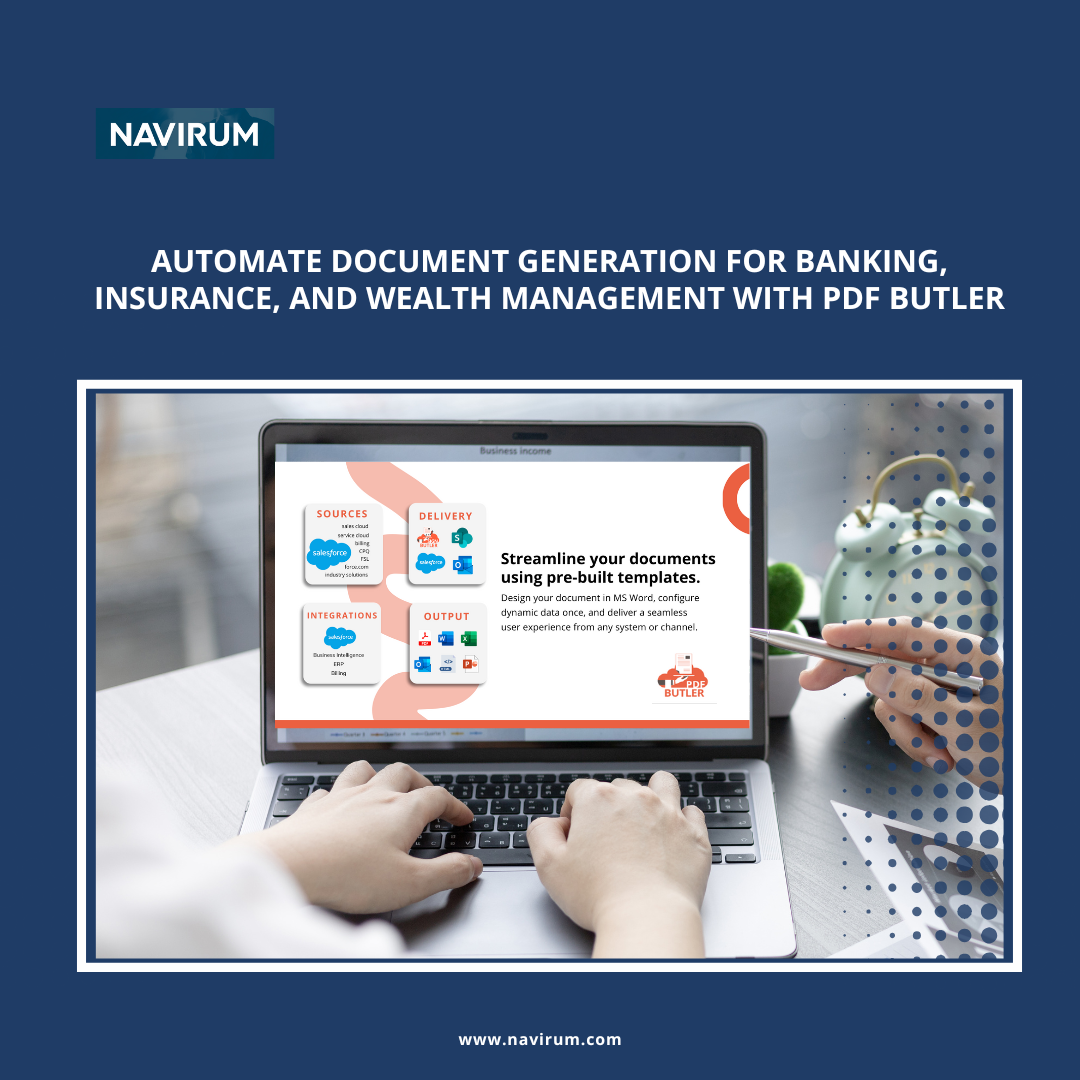
Discover how to automate document generation with PDF Butler is a versatile document automation platform that significantly enhances document generation and workflows within Salesforce. By automating the creation, customization, and distribution of essential documents like contracts, investment reports, and policy summaries, PDF Butler helps companies in wealth management, banking, and insurance overcome one of their biggest inefficiencies. Its seamless Salesforce integration, low cost, and high value make it an ideal solution for firms in Canada and the USA looking to streamline document processes.
Practical Benefits for Salesforce Customers in Wealth Management, Banking, and Insurance
Eliminating Major Inefficiencies in Document Management:
Manual document creation and maintenance are among the most time-consuming tasks in financial services firms. Preparing contracts, financial reports, or policy documents requires significant effort, creating bottlenecks. PDF Butler automates the entire document generation process, from data merging to distribution, drastically reducing these inefficiencies. This not only speeds up document processing but also ensures accuracy, enabling financial services firms to spend more time on client-focused activities.
Seamless Integration with Salesforce Clouds:
PDF Butler integrates effortlessly with Sales Cloud, Service Cloud, and Financial Services Cloud. This integration ensures that wealth managers, bankers, and insurance agents can automate Salesforce document generation, using data directly from CRM records to generate personalized documents quickly and accurately.
PDFButler Demo
Practical Use Cases Across Financial Services:
Wealth Management: Automate client report generation for investment performance and portfolio summaries, pulling data from Salesforce records to create customized client-facing documents.
Banking: Streamline loan agreement generation, account opening forms, and compliance reports by integrating data from Salesforce into pre-designed templates.
Insurance: Automate the creation of policy documents, claims reports, and customer notifications with Salesforce-driven templates, ensuring every document is accurate and tailored to the individual client.
Ease of Setup and Low Maintenance Requirements:
PDF Butler is known for its ease of setup and low maintenance requirements. Firms can quickly deploy the platform with minimal IT involvement, thanks to no-code templates and a user-friendly interface. This makes it easy for financial services companies to automate document workflows and maintain efficient operations without the need for ongoing technical support.
Low Cost and Great Value Compared to Competitors:
PDF Butler offers a cost-effective document automation solution compared to other platforms. With its lower pricing structure and robust features, financial services firms can significantly reduce costs while enjoying powerful Salesforce document generation capabilities. It delivers exceptional value by automating manual document processes and improving overall efficiency at a fraction of the cost of competing solutions.
Automated Document Distribution and E-Signature Integration:
PDF Butler supports automated document distribution and integrates with popular e-signature solutions to streamline the signing and approval of contracts, policies, and agreements. This accelerates document execution for wealth management, banking, and insurance firms, enhancing client communication and satisfaction.
Scalability for Financial Services Firms of All Sizes:
PDF Butler is designed to scale with growing financial services firms, from small advisory practices to large institutions. It handles high volumes of document generation effortlessly, ensuring consistent performance as the business expands. Its deep integration with Salesforce allows firms to maintain seamless document workflows, making it a scalable solution for financial services companies in the USA and Canada.
To Wrap up..
For financial services firms in wealth management, banking, or insurance looking to optimize document generation and automation within Salesforce, contact Navirum for a demo to see how automating document processes with PDF Butler can add significant value to your firm. Navirum specializes in Salesforce consulting and document automation and can help you implement PDF Butler to improve efficiency and reduce costs.
AccountingSeed is a versatile accounting platform built natively on Salesforce, designed specifically for the financial services sector, including banking, wealth management, and insurance. It offers comprehensive financial management, seamless data integration, and automation to streamline accounting processes. With strong adoption in financial centers like Toronto, New York, and San Francisco, AccountingSeed helps firms achieve compliance, drive growth, and maximize return on investment (ROI). It has earned high ratings on G2 and the Salesforce AppExchange, highlighting its effectiveness and customer satisfaction.
Key Features and Benefits
Advanced Financial Reporting and Analytics
Customizable Reports and Dashboards: AccountingSeed provides robust reporting tools that allow financial services firms to create custom financial statements, key performance indicators (KPIs), and dashboards tailored to their specific needs. This enables better financial analysis and informed decision-making.
Real-Time Financial Insights: With real-time data synchronization, firms can access up-to-date financial information, helping them respond quickly to market changes and regulatory requirements. This immediacy is crucial for banking and wealth management firms that need to make timely financial decisions.
Automation of Complex Accounting Processes
Automated Revenue Recognition: The platform automates revenue recognition in compliance with standards like ASC 606 and IFRS 15, reducing manual errors and ensuring accurate financial reporting. This is particularly beneficial for insurance companies managing complex premium and claim calculations.
Multi-Currency and Multi-Entity Support: AccountingSeed handles transactions in multiple currencies and supports consolidated financials for firms with multiple entities, which is essential for global operations and investment firms dealing with international portfolios.
Success Stories and High Customer Satisfaction
Positive Reviews on G2 and AppExchange: AccountingSeed has received high ratings and positive feedback from customers, highlighting its reliability and effectiveness in the financial services sector. Users praise its seamless Salesforce integration and the significant efficiency gains achieved.
Case Studies: Real-world examples demonstrate how firms have improved operational efficiency, reduced costs, and achieved faster ROI by implementing AccountingSeed. For instance, a wealth management firm was able to reduce its month-end closing process by 50% and gained deeper insights into client profitability.
Tailored Solutions for Diverse Financial Services
Banking: Automate loan management processes, interest calculations, and regulatory reporting to enhance operational efficiency. AccountingSeed’s integration with Salesforce allows banks to streamline their financial operations within a unified platform.
Wealth Management: Streamline portfolio accounting, performance tracking, and client billing. Advisors can manage complex investment structures and generate detailed reports for clients, improving transparency and trust.
Insurance: Simplify claims processing, premium tracking, and policy accounting to improve customer service and compliance. AccountingSeed helps insurance firms automate renewals, manage reserves, and comply with regulatory standards.
Additional Highlights
High-Quality Data and Compliance: The platform ensures accurate, real-time financial data, supporting compliance with regulations like IFRS and GAAP. This capability is especially beneficial for industries like insurance and banking, where compliance is essential.
Boosting Salesforce Adoption and Operational Efficiency: By integrating accounting functions directly into Salesforce, AccountingSeed simplifies financial workflows, reduces manual data entry, and lowers operational costs, leading to a faster ROI. Teams can work within a single platform, increasing productivity and user adoption.
User-Friendly Interface and Training Resources: AccountingSeed’s intuitive design reduces the learning curve, enabling teams to adopt the system quickly. Access to training materials, webinars, and dedicated support helps users maximize the platform’s capabilities.
Customizable Workflows for Diverse Financial Needs: The platform supports tailored workflows, automating tasks like loan management, portfolio accounting, and claims processing. Firms can customize processes to match their unique business requirements.
Scalability to Support Growth in Financial Hubs: AccountingSeed scales effortlessly as firms grow, accommodating increased transaction volumes and additional users without sacrificing performance. This scalability supports data needs and efficiency in key financial centers.
Contact Navirum for a Personalized Demo
For banking, wealth management, or insurance firms seeking to enhance accounting efficiency, ensure compliance, and drive growth, contact Navirum today for a demo. Discover how AccountingSeed’s comprehensive financial management solutions, combined with our expert Salesforce consulting services, can transform your financial operations and deliver a faster return on investment.
Lavinia PicuAccountingSeed: A Top Rated Accounting Solution for Financial Services Companies
Vonage is a best-in-class cloud-based communication platform known for enhancing productivity through voice, video, messaging, and contact center solutions. Originally rooted in NewVoiceMedia, which was acquired by Vonage, the platform has a long history of deep integration with Salesforce. Like Salesforce, Vonage is not considered a low-cost option but is valued for its high quality, reliability, and robust features, making it a preferred choice for financial services firms in wealth management, banking, and insurance. Its powerful Salesforce integration helps companies in Canada and the USA optimize communication, streamline workflows, and deliver superior customer experiences.
As a top-tier productivity tool, Vonage offers seamless integration with Sales Cloud, Service Cloud, and Financial Services Cloud. The platform’s deep-rooted connection with Salesforce, originating from NewVoiceMedia, ensures a unified communication experience where voice, messaging, and video interactions are fully embedded within Salesforce workflows. This integration allows financial services professionals to engage with clients across multiple channels while maintaining detailed records within Salesforce.
Enhancing Productivity for Financial Services Firms:
Vonage is more than just a communication platform; it is a productivity tool designed to enhance the efficiency of wealth managers, bankers, and insurance agents. The platform’s features, such as click-to-call, automated SMS, and call recording, automate routine tasks, allowing financial services professionals to focus more on high-value activities like client advisory and relationship management. Real-time access to communication histories within Salesforce ensures that teams have the context needed for personalized and proactive customer interactions.
Not a Low-Cost Option, But Best in Class:
Vonage, like Salesforce, is recognized as a premium solution that delivers exceptional quality and reliability. While it is not considered the cheapest option in the market, its comprehensive feature set, high level of service, and robust integration capabilities justify its cost. Financial services firms choose Vonage because it provides best-in-class communication tools that meet the demanding standards of the industry, ensuring that they are equipped to deliver outstanding customer experiences.
Practical Use Cases Across Wealth Management, Banking, and Insurance:
Wealth Management: Use Vonage’s click-to-call and automated call logging features to maintain detailed records of client conversations about investment strategies and financial planning. Advisors can also use SMS capabilities to send alerts about important market changes or portfolio updates, all logged within Salesforce for compliance and follow-up.
Banking: Optimize customer service by integrating Vonage with Salesforce’s case management. Bank agents can use call recording to ensure a thorough history of customer interactions, which is crucial for compliance with banking regulations, while also accessing customer financial profiles during calls for more effective service.
Insurance: Streamline policy management by using Vonage for automated SMS reminders for renewals and claims updates. Insurance agents can easily record claims discussions to maintain a comprehensive communication history within Salesforce, supporting customer service and regulatory requirements.
Supporting Compliance with Industry Regulations:
Vonage’s Salesforce integration helps financial services firms comply with stringent industry regulations, such as FINRA, SEC, and GDPR. The platform automatically captures and stores all communication records, including call logs, recordings, and SMS messages, within Salesforce. This supports regulatory requirements for record-keeping by providing a clear audit trail, which is essential for financial services firms in wealth management, banking, and insurance.
Scalability for Financial Services Firms of All Sizes:
Designed to scale, Vonage supports the needs of small advisory practices, mid-sized firms, and large financial institutions. The platform can handle high volumes of calls, texts, and customer interactions without compromising performance, making it suitable for firms that anticipate growth. Its deep Salesforce integration ensures that communication workflows remain efficient, regardless of the firm’s size or complexity.
Ease of Setup and Ongoing Maintenance:
Designed to scale, Vonage supports the needs of small advisory practices, mid-sized firms, and large financial institutions. The platform can handle high volumes of calls, texts, and customer interactions without compromising performance, making it suitable for firms that anticipate growth. Its deep Salesforce integration ensures that communication workflows remain efficient, regardless of the firm’s size or complexity.
For financial services firms in wealth management, banking, or insurance looking to leverage the premium features of Vonage and optimize Salesforce communication, contact Navirum for a demo to see how integrating best-in-class telephony solutions can add significant value to your firm. Navirum specializes in Salesforce consulting and communication automation and can help you implement Vonage to boost productivity, ensure compliance, and deliver superior client service. That same ongoing-partnership approach carries through Orbit’s managed services.
Lavinia PicuProven Vonage for Salesforce Communications
Investment firms need timely investor intelligence and a connected CRM to succeed in fundraising.
Dakota Marketplace integrates with Salesforce, allowing firms to access institutional investor data and streamline their workflows.
Connecting Dakota and Salesforce enhances fundraising operations, enabling organizations to identify and prioritize opportunities effectively.
AI adoption can further improve fundraising efficiency by utilizing combined investor intelligence and CRM data.
Navirum offers solutions to optimize Dakota Marketplace and Salesforce integration for better fundraising outcomes.
How Dakota Marketplace Supports Fundraising with Salesforce
For investment firms, successful fundraising depends on more than having a strong investment strategy. In today’s increasingly competitive market, fundraising teams also need timely access to accurate investor intelligence, a clear understanding of institutional relationships, and the ability to act quickly when new opportunities emerge.
Estimated reading time: 20 minutes
However, many financial services organizations still manage these activities across disconnected systems. Investor research may live in one platform, relationship history in Salesforce, market intelligence somewhere else, and critical updates in emails or spreadsheets. As a result, fundraising professionals can spend significant amounts of time searching for information instead of using it to build relationships and generate opportunities.
Dakota is a market intelligence and data platform designed for the financial services industry, with a focus on asset management, wealth management, private equity, venture capital, investment banking, and insurance asset management. The platform provides data, research, and insights that can help firms identify institutional investors, understand investment activity, strengthen relationships, and support fundraising and distribution strategies.
WhenDakota Marketplaceis connected with Salesforce, however, firms can bring investor intelligence closer to the workflows their teams already use. Instead of treating market intelligence and CRM data as separate resources, organizations can create a more connected environment for prospecting, relationship management, pipeline development, reporting, and automation.
In this article, we explore how Dakota Marketplace can support fundraising with Salesforce, the key benefits for financial services organizations, practical use cases across different investment segments, and the opportunities that emerge when investor intelligence becomes part of the CRM workflow.
Why Investor Intelligence Matters for Modern Fundraising
Fundraising has become increasingly data-driven. At the same time, institutional investors are becoming more sophisticated, while investment managers face greater competition for capital.
Investment firms may be competing for attention from pension funds, endowments, foundations, family offices, consultants, and other capital allocators. Meanwhile, investor organizations and priorities are constantly changing.
Contacts move into new roles. Investment strategies evolve. Allocations shift. New RFPs emerge. Institutions announce investment programs. Consultants change coverage. Existing relationships become inactive or develop into new opportunities.
Consequently, fundraising teams need more than a static database of investors. They need timely information that can help them understand what is changing and determine when an account may warrant attention.
For fundraising teams, therefore, timing and context matter.
Having access to investor intelligence is only the first step. More importantly, firms need a practical way to turn that intelligence into action.
Salesforce provides the platform for managing relationships, opportunities, activities, and pipeline. Dakota provides additional institutional investor intelligence. By connecting the two, firms can bring these complementary sources of information together.
As a result, fundraising professionals can spend less time searching across disconnected systems and more time interpreting information, prioritizing opportunities, and building relationships.
10 Key Benefits of Dakota for Fundraising | Navirum
Capital Raising & CRM Sync
10 Key Benefits of Dakota Marketplace for Fundraising
Discover how combining Dakota Marketplace institutional intelligence with Salesforce Financial Services Cloud equips fundraising, sales, and IR teams to scale assets under management.
Intelligence & Prospecting
1. Best-in-Class Market Intelligence
Dakota provides specialized market intelligence relevant to asset management, wealth management, private equity, venture capital, investment banking, and insurance asset management. Combining external Dakota market context with internal Salesforce data creates a complete account picture.
Investment preferences & active asset class searches
✓
Consultant relationships, public plan activity & RFPs
💡 Strategic Distinction: “Salesforce tells you what your firm knows; Dakota tells you what the market knows.”
Workflow & Productivity
2. Connect Investor Intelligence to Salesforce
Bringing Dakota Marketplace directly into Salesforce incorporates institutional market intelligence into your everyday workspace. Users access relevant investor details within their CRM workflow without switching applications.
Eliminates duplicate research and manual data copy-pasting
✓
Bridges the gap between internal history and external intelligence
💡 Strategic Impact: Shifts fundraiser focus from manual data collection to relationship interpretation.
Intelligence & Prospecting
3. Improve Prospecting & Account Prioritization
Fundraising teams have limited time. The challenge is determining which institutional accounts deserve immediate attention. Dakota intelligence inside Salesforce enables structured segmentation and prioritization.
✓
Segment by investment interests, asset class & institutional type
✓
Prioritize targets by geographic fit & active allocation signals
✓
Provide sales leaders with visibility into target account activity
💡 Strategic Impact: Replaces unorganized prospect lists with an actionable, prioritized target matrix.
Workflow & Productivity
4. Identify Changes That Create Opportunities
Institutional investors are dynamic. Role moves, new allocations, RFPs, public plan filings, and consultant coverage shifts represent key signals that trigger proactive fundraising workflows.
✓
Detect decision-maker personnel moves instantly
✓
Capture emerging RFPs & public plan allocation announcements
✓
Automatically create follow-up tasks in Salesforce
💡 Strategic Impact: Transforms market events into automatic CRM task triggers for fundraisers.
Intelligence & Prospecting
5. Build a Complete View of Relationships
Institutional relationships cannot be understood through database records alone. Combining internal CRM interaction history with external Dakota market context provides complete clarity.
✓
Connect past meetings, calls & emails with investor preferences
✓
Identify relationship owners & active pipeline stages
✓
Answer who, what, when, and how to approach each account
💡 Strategic Impact: Makes data useful in the direct context of existing LP relationships.
Pipeline & Marketing
6. Personalize Fundraising & Investor Outreach
Institutional LPs receive high volumes of pitch decks. Generic outreach fails. Accessing combined relationship history and market context enables highly tailored, account-specific engagement.
✓
Align pitches with verified LP asset class priorities
Outdated LP records cause pipeline reports to fail and key opportunities to be missed. Automated synchronization with Dakota keeps Salesforce accounts fresh and reliable.
✓
Eliminate duplicate records & outdated job titles
✓
Ground reporting, forecasting & AI in clean data
✓
Give fundraising leaders trust in C-suite pipeline dashboards
💡 Strategic Impact: Transforms CRM data quality from an administrative headache into an executive asset.
Workflow & Productivity
8. Give Fundraising Teams More Time to Sell
Researching contacts, verifying data, and updating records consume valuable hours. Connecting Dakota intelligence into Salesforce automates administrative tasks.
✓
Maximize time spent on LP meetings & relationship building
Shift the fundraiser role from data gatherer to producer
💡 Strategic Impact: Unlocks advisor capacity for high-value client-facing conversations.
Pipeline & Marketing
9. Strengthen Fundraising Pipeline Management
Pipeline visibility depends on complete account data. Connecting Dakota context gives leaders full transparency into business development performance across all stages.
✓
Identify actively pursued vs. emerging LP opportunities
💡 Strategic Impact: Delivers complete executive clarity into active capital commitments.
Pipeline & Marketing
10. Support ABM & Targeted Marketing
Marketing teams use rich investor intelligence to execute coordinated Account-Based Marketing (ABM), fund launch campaigns, and re-engagement strategies.
✓
Execute Account-Based Marketing on strategic accounts
Dakota Use Cases Across Financial Services | Navirum
Workflows & Sector Alignment
Dakota Use Cases Across Financial Services
Dakota supports distinct fundraising and distribution workflows depending on your firm’s business model. Discover how combining Dakota investor intelligence with Salesforce Financial Services Cloud elevates execution.
Institutional Distribution
1. Asset Management
Asset managers use Dakota’s specialized investor intelligence to identify institutional targets actively searching for allocation strategies. Connecting this intelligence into Salesforce centralizes outreach and pipeline management.
Key Institutional Prospect Targets Identified:
✓
Pension Funds & Public Plan Allocators
✓
University Endowments & Non-Profit Foundations
✓
Single & Multi-Family Offices
✓
Insurance Companies & Institutional Consultants
💡 Salesforce + Dakota Synergy: Track LP relationships, monitor allocation shifts, manage live opportunities, and coordinate team outreach inside a single CRM workspace.
Relationship Development
2. Wealth Management
Wealth management organizations use investor and market intelligence to support relationship development and regional distribution strategies across boutique advisory networks.
For PE and VC firms, fundraising hinges on identifying Limited Partners (LPs) whose asset allocation strategies match a specific fund mandate. Dakota researches LP profiles, while Salesforce manages the active fundraising pipeline.
Connected End-to-End Workflow:
1. Investor Research →
2. LP Identification →
3. Relationship Development →
4. Fundraising Opportunity →
5. Pipeline Management (Closed Commitment)
💡 Salesforce + Dakota Synergy: Gives GPs full C-suite dashboard transparency into capital commitments across all fund closing stages.
Capital Markets & Sales
4. Investment Banking
Investment banks leverage institutional investor intelligence to empower capital markets teams, institutional sales desks, and transaction relationship managers.
✓
Connect external investor intelligence directly with Salesforce deals
✓
Gain clear visibility into complex institutional coverage networks
✓
Coordinate team activities around upcoming transactions & roadshows
💡 Salesforce + Dakota Synergy: Accelerates deal distribution by matching target transactions with active institutional buyers instantly.
Alternative Asset Classes
5. Insurance Asset Management
Insurance asset managers use Dakota intelligence to identify institutional relationships and capital placement opportunities across specialized investment strategies and alternative asset classes.
✓
Salesforce FSC Foundation: Delivers compliant CRM infrastructure for account and deal management.
✓
Dakota Market Intelligence: Provides external allocation signals to drive business development.
✓
Unified Process: Creates a streamlined workflow for identifying, evaluating, and managing asset commitments.
💡 Salesforce + Dakota Synergy: Aligns sales, risk, and portfolio teams around identical, verified institutional targets.
Dakota, Salesforce Automation, and the Future of Fundraising | Navirum
Closed-Loop Intelligence & Automation
Dakota, Salesforce Automation, and the Future of Fundraising
The next stage of CRM transformation is not simply about storing more data. Instead, it is about using connected data to automate decisions and actions.
Once investor intelligence is available within Salesforce, firms can explore increasingly sophisticated automation to power proactive capital raising.
Step 1: External Market Event
1. Data Signal
A relevant investor change occurs in Dakota Marketplace. Rather than waiting for a fundraiser to manually browse a web portal, the event is immediately captured as an actionable market signal.
Example Investor Signals Captured:
✓
Allocation Shifts: LP announces a new private equity or real estate search
✓
Personnel Moves: Chief Investment Officer or key consultant changes firm
✓
RFP Announcements: Public plan or university endowment issues a formal RFP
✓
13F Filings: Portfolio rebalancing and new quarterly filing updates
💡 Strategic Impact: Converts external market events into instant digital triggers before competitors react.
Step 2: Single Source Matching
2. Salesforce Identifies the Account
The corresponding institution or contact in Dakota Marketplace is matched automatically to an existing account or contact record inside Salesforce Financial Services Cloud.
✓
Eliminates duplicate records and manual copy-pasting
✓
Connects Dakota intelligence directly to your internal CRM history
💡 Strategic Impact: Instantly connects “what the market knows” with “what your firm knows.”
Step 3: Automated Opportunity Qualification
3. Business Rules Evaluate the Opportunity
The system determines whether the investor change meets predefined firm criteria to ensure fundraising teams focus only on high-conviction targets.
✓
Asset Class Fit: Verifies LP mandate matches open fund strategy
✓
AUM & Commitment Thresholds: Filters targets by minimum allocation size
✓
Geographic & Relationship Status: Checks territory ownership and active pipeline stages
💡 Strategic Impact: Filters out noise and elevates high-intent opportunities automatically.
Step 4: Proactive Action Generation
4. Workflow is Triggered
When predefined business criteria are satisfied, Salesforce automatically generates a high-priority notification, task, or automated follow-up sequence.
✓
Automatically creates a time-sensitive Salesforce task for the fundraiser
✓
Triggers real-time Slack or Microsoft Teams channel alerts
✓
Pre-populates meeting prep briefs and outreach templates
💡 Strategic Impact: Ensures high-value signals never sit dormant in an unread inbox.
Step 5: High-Touch Execution
5. Fundraiser Responds
The relationship owner takes appropriate, context-rich action—armed with complete relationship history and live Dakota market intelligence.
✓
Initiates warm, highly personalized LP outreach
✓
References verified asset class priorities and recent consultant shifts
✓
Replaces generic pitch decks with tailored value conversations
💡 Strategic Impact: Shifts fundraiser focus from data gathering to high-value LP relationship execution.
Step 6: Continuous Feedback Loop
6. Salesforce Records the Outcome
The fundraiser’s outreach, meeting notes, commitment updates, and pipeline stage progressions become part of the firm’s central relationship history in Salesforce.
✓
Updates live C-suite dashboards and capital raising forecasts
✓
Feeds Agentforce AI models with clean, structured outcome history
✓
Completes the Loop: Continuously enriches future prospecting and rules logic
💡 Strategic Impact: Builds an institutional asset where every interaction makes future fundraising smarter.
The End-to-End Closed-Loop Fundraising Engine
How connected data continuously feeds the fundraising process:
1Data Signal
2Salesforce Match
3Business Rules
4Workflow Trigger
5Fundraiser Action
6Record Outcome ↺
🔄 Core Takeaway: In this way, firms create a closed-loop workflow in which data continuously feeds the fundraising process—transforming static databases into an automated engine for AUM growth.
Preparing for AI-Powered Fundraising
The integration can become even more valuable as financial services organizations adopt AI.
AI tools such as Salesforce Agentforce require access to relevant, reliable, and contextual information to provide useful recommendations and perform tasks effectively.
If investor information remains disconnected from CRM records, AI may only have access to part of the picture.
However, when Dakota intelligence and Salesforce relationship data are connected, firms can begin exploring use cases such as:
Investor account summaries
Prospect prioritization
Meeting preparation
Personalized outreach
Follow-up recommendations
Identification of relevant investor signals
Automated task creation
Opportunity summaries
Relationship intelligence
For example, an AI assistant could potentially help a fundraiser prepare for an investor meeting by bringing together available account information, recent investor developments, previous Salesforce activities, and current opportunity data.
Over time, the opportunity is therefore not simply to make Salesforce a better database.
Rather, firms can work toward a data-driven fundraising platform where intelligence increasingly supports human decision-making and automates repetitive work.
Supporting Compliance, Governance, and Data Accuracy
Financial services firms operate in highly regulated environments. For that reason, data governance should be an important consideration when integrating external data sources with Salesforce.
Organizations should establish clear policies around:
Data ownership
Data synchronization
User permissions
Access controls
Data retention
Record matching
Data quality
Auditability
Security
A well-designed integration should complement the organization’s existing Salesforce governance framework rather than create another disconnected data environment.
Furthermore, accurate investor information supports better reporting and operational consistency.
For firms operating across markets such as the United States and Canada, maintaining reliable CRM data can be particularly important when managing large and distributed fundraising teams.
Scaling Dakota and Salesforce Across the Organization
As an investment firm grows, the complexity of its fundraising operations often increases.
More funds may be launched. More investors may be targeted. Additional fundraisers may join the organization. Marketing and sales operations may become more sophisticated.
As the organization expands, a connected Dakota and Salesforce environment can provide a foundation for scaling these processes.
Instead of creating separate spreadsheets, databases, or manual workflows for every team, organizations can establish common processes within Salesforce.
This can support:
Standardized account management
Consistent investor data
Centralized pipeline visibility
Automated workflows
Shared reporting
Cross-team collaboration
Scalable prospecting processes
For Salesforce administrators and operations teams, moreover, this can reduce the need to build and maintain fragmented processes as the organization expands.
Measuring the Business Impact of Dakota & Salesforce | Navirum
KPIs & Business Outcomes
Measuring the Business Impact
The success of a Dakota Marketplace Salesforce implementation should ultimately be measured by business outcomes, not simply whether the integration has been installed.
Therefore, organizations can establish KPIs around 7 key operational areas:
Core Metric 1
1. Productivity
“How much time do fundraisers spend researching and maintaining investor records?”
Automated synchronization between Dakota Marketplace and Salesforce Financial Services Cloud eliminates administrative friction, giving sales and IR professionals hours back every week.
✓
Reduces hours spent manually searching web portals
✓
Eliminates duplicate copy-pasting of contact details
✓
Shifts time from data entry to high-touch LP interactions
📊 Target Outcome: Higher ratio of client-facing LP meetings vs. administrative research hours.
Core Metric 2
2. Data Quality
“How complete and current are investor accounts and contacts?”
Outdated contact roles cause email bounces, lost relationships, and unreliable C-suite pipeline reporting. Continuous Dakota synchronization keeps accounts fresh and trustworthy.
✓
Automatically updates personnel changes & new roles
✓
Maintains accurate AUM, allocation, and 13F filing details
✓
Ensures board-level pipeline reports rely on clean data
📊 Target Outcome: Zero stale account decay and near-zero email bounce rates across target LPs.
Core Metric 3
3. Prospecting
“How many qualified institutional prospects are identified?”
Rather than building generic, unverified lists, fundraising teams leverage Dakota’s deep market research inside Salesforce to identify high-conviction targets.
✓
Pinpoints LPs actively searching for specific asset strategies
✓
Uncovers pension funds, endowments, and family offices
✓
Categorizes prospects by minimum commitment thresholds
📊 Target Outcome: A steady stream of newly qualified institutional targets added to active coverage.
Core Metric 4
4. Engagement
“How quickly do teams respond to relevant investor signals?”
Speed-to-lead matters in capital raising. When an LP issues an RFP, shifts allocation, or changes key personnel, Salesforce triggers immediate team workflows.
✓
Automated task assignment upon fresh market signals
✓
Real-time Slack or Microsoft Teams channel alerts
✓
Context-rich outreach before competitors initiate contact
📊 Target Outcome: Reduced response lag from market signal detection to personalized LP outreach.
Core Metric 5
5. Pipeline
“How does the quality and visibility of the fundraising pipeline improve?”
Combining Dakota market intelligence with Salesforce FSC opportunity tracking provides full leadership transparency into capital raising performance.
✓
Clear stage-by-stage visibility from Lead to Committed LP
✓
Accurate capital flow projections across all open funds
✓
Early identification of stalled relationships or deal bottlenecks
“Are fundraising professionals using Salesforce consistently?”
CRM systems fail when users view them as administrative burdens. Infusing Salesforce with valuable, ready-to-use Dakota investor intelligence drives natural daily adoption.
✓
Fundraisers log in daily to view fresh investor intelligence
✓
Meeting notes, call logs, and LP preferences captured consistently
✓
Transforms Salesforce into an indispensable daily sales desk tool
📊 Target Outcome: High daily active user (DAU) rates and complete interaction logging.
Core Metric 7
7. Conversion
“Are better-qualified prospects progressing further through the fundraising process?”
Ultimately, capital raising success is judged by closed commitments. Aligning outreach with verified LP mandates increases conversion efficiency at every pipeline stage.
📊 Target Outcome: Increased fund close rates and higher average capital commitment size per LP.
The 7-Pillar Business Impact Scorecard
Key evaluation questions to establish before integration go-live:
KPI 1Productivity
How much time do fundraisers spend researching and maintaining investor records?
KPI 2Data Quality
How complete and current are investor accounts and contacts?
KPI 3Prospecting
How many qualified institutional prospects are identified?
KPI 4Engagement
How quickly do teams respond to relevant investor signals?
KPI 5Pipeline
How does the quality and visibility of the fundraising pipeline improve?
KPI 6Salesforce Adoption
Are fundraising professionals using Salesforce consistently?
KPI 7Conversion
Are better-qualified prospects progressing further through the fundraising process?
📈 Core Implementation Principle: By establishing these measures before implementation, firms can demonstrate the value of the integration and identify areas for continued optimization.
Ease of Use and Premium Value
Technology adoption ultimately depends on whether users find a solution useful and easy to incorporate into their daily workflows.
If fundraisers have to navigate multiple systems to complete routine tasks, adoption can suffer.
By bringing Dakota intelligence into Salesforce, organizations can create a more familiar and connected user experience.
The objective is not to add another system for fundraisers to learn. Instead, it is to make Salesforce more valuable by giving users access to the intelligence they need within the platform they already use to manage their relationships.
In turn, this can help organizations maximize their existing Salesforce investment while making investor intelligence more accessible across the organization.
How Navirum Can Help With Dakota Marketplace Salesforce Integration
Implementing an integration is only the first step.
To maximize its value, financial services organizations need to determine how Dakota data should fit into their Salesforce architecture, which information should be surfaced to users, and how investor intelligence should connect to existing workflows.
Navirum specializes in Salesforce solutions for financial services organizations and can help firms plan, implement, and optimize Dakota Marketplace integrations.
Our services can include:
Salesforce architecture and strategy
Dakota Marketplace integration
Data mapping and configuration
Salesforce object and field strategy
Workflow and process automation
Data quality and governance
Reporting and dashboards
User adoption and enablement
Salesforce optimization
Agentforce and AI readiness
Ongoing Salesforce support
Rather than treating Dakota as a standalone research tool, Navirum can help organizations incorporate investor intelligence into a broader Salesforce strategy.
Ultimately, the goal is to create a connected environment in which data, relationships, workflows, analytics, and AI work together to support fundraising growth.
Turn Investor Intelligence Into Fundraising Action
For investment firms, the value of investor intelligence is ultimately determined by what the organization can do with it.
Dakota provides access to information that can help teams understand institutional investors and identify potential opportunities. Salesforce, meanwhile, provides the infrastructure for managing relationships, activities, opportunities, and fundraising pipelines.
When the two platforms work together, firms can move from disconnected research and manual data entry toward a more integrated fundraising workflow.
As a result, the process can become more efficient:
And as firms introduce more automation and AI, this connected data foundation can become even more valuable.
The future of fundraising is not simply about collecting more investor data.
Instead, it is about turning investor intelligence into timely, actionable insight, and putting that insight directly into the hands of the people responsible for building relationships and raising capital.
Ready to Get More From Dakota and Salesforce? | Navirum
Marketplace & CRM Sync
Ready to Get More From Dakota and Salesforce?
Contact Navirum to discuss how Dakota Marketplace and Salesforce can work together to improve investor intelligence, fundraising workflows, CRM adoption, and business development.
Evaluate Environment
Audit your current Salesforce setup, objects & data readiness.
Plan & Configure
Design custom integration pipelines tailored to fundraising teams.
Automate & Analyze
Automate LP tasks, alerts, and board-level C-suite dashboards.
AI & Agentforce
Ground AI agents in clean Dakota investor data for meeting prep.
Discover how integrating Salesforce with insurance platforms leads to improving policyholder experiences!
In the highly competitive insurance industry, delivering exceptional customer experiences is crucial for retaining policyholders and driving growth. Salesforce, with its robust CRM capabilities and extensive ecosystem of integrations, offers insurance companies a powerful platform to enhance operational efficiency, streamline processes, and provide personalized services. This guide covers Salesforce and insurance system integration, the benefits, strategies, and core systems it connects with, to help you elevate policyholder experiences.
The Salesforce AppExchangeoffers powerful insurance integrations that modernize operations and connect core systems. Applied Epic for Salesforcedelivers seamless, bi-directional sync with the Applied Epic AMS, unifying client and policy data. Vlocity Insurance supports the full policy lifecycle from quoting to claims. Veruna bridges agency and MGA operations directly with Salesforce. AMS360 Connect links Salesforce with AMS360 for consistent data flow. Finally,SIA – Smart Insurance Application provides a flexible insurance data model, giving insurers a strong foundation to build tailored Salesforce solutions and accelerate digital transformation.
The Importance of Integrating Salesforce with Insurance Platforms
Insurance companies manage vast amounts of data, from policy details and claims processing to customer interactions and regulatory compliance. Integrating Salesforce with insurance-specific platforms enhances data visibility, automates workflows, and empowers insurers to deliver seamless experiences throughout the policy lifecycle:
Enhanced Customer Insights: Consolidate policyholder data, interactions, and preferences in Salesforce to gain a 360-degree view of customers. This comprehensive view enables personalized communication, proactive service, and targeted marketing campaigns.
Streamlined Operations: Automate policy management processes, such as policy issuance, renewal, and endorsements, by integrating Salesforce with core insurance systems. This integration reduces manual tasks, accelerates response times, and improves operational efficiency.
Improved Claims Management: Facilitate end-to-end claims processing by integrating claims management systems with Salesforce. This integration enables real-time updates, transparent communication with policyholders, and efficient claims resolution.
Compliance and Regulatory Alignment: Ensure adherence to regulatory requirements by integrating compliance tools and audit trails with Salesforce. Maintain data security and privacy standards while enhancing transparency and trust with policyholders.
Key Benefits of Salesforce Integration for Insurance Companies
1. Personalized Customer Engagement
360-Degree View of Policyholders: Centralize policyholder information, communication history, and preferences in Salesforce to deliver personalized service and targeted offers.
Marketing Automation: Integrate Salesforce with marketing platforms to automate campaigns, nurture leads, and promote relevant insurance products based on policyholder profiles and behavior.
2. Efficient Policy Management
Policy Lifecycle Automation: Automate policy issuance, renewal reminders, and endorsements through Salesforce workflows. Ensure timely communication and proactive engagement with policyholders.
Quote and Underwriting Integration: Integrate underwriting systems with Salesforce to streamline quote generation, risk assessment, and policy binding processes. Provide quick turnaround times and accurate policy information.
3. Enhanced Claims Processing
Claims Management Integration: Integrate claims systems with Salesforce to automate claims submission, processing, and settlement. Provide policyholders with real-time status updates and streamline communication throughout the claims journey.
Fraud Detection and Prevention: Leverage Salesforce analytics to identify suspicious claims patterns and integrate fraud detection tools for proactive risk management.
4. Analytics and Reporting
Data-driven Insights: Utilize Salesforce Einstein Analytics to analyze policyholder data, trends, and performance metrics. Gain actionable insights to optimize business strategies, improve customer retention, and identify cross-selling opportunities.
Operational Dashboards: Create custom dashboards in Salesforce to monitor key performance indicators (KPIs), such as policyholder satisfaction scores, claims turnaround times, and sales performance.
Strategies for Successful Salesforce Integration in Insurance
1. Evaluate Integration Requirements
Needs Assessment: Conduct a thorough assessment of current processes, data structures, and integration requirements across policy management, claims processing, and customer service.
Goal Setting: Define specific integration objectives, such as improving customer satisfaction ratings, reducing claims processing times, or enhancing operational efficiency.
2. Select the Right Salesforce Edition
Insurance-Specific Features: Consider Salesforce Financial Services Cloud or Health Cloud, tailored for insurance, to leverage pre-built functionalities and compliance features.
Customization Potential: Assess customization options to align Salesforce configurations with unique insurance workflows and regulatory requirements.
3. Collaborate and Implement
Cross-functional Collaboration: Involve key stakeholders from IT, operations, claims, and customer service departments to ensure alignment and support throughout the integration process.
Pilot Testing and Deployment: Conduct pilot tests and phased deployments to validate integrations, address any issues, and refine configurations based on user feedback.
4. Training and Adoption
User Training: Provide comprehensive training programs to equip employees with the skills to navigate Salesforce effectively, input data accurately, and utilize integrated systems optimally.
Change Management: Implement a change management strategy to promote adoption, address resistance, and foster a culture of continuous improvement post-integration.
Integrating Salesforce with insurance platforms empowers companies to enhance policyholder experiences, streamline operations, and drive business growth. By consolidating data, automating processes, and leveraging analytics, insurers can deliver personalized service, improve claims management efficiency, and ensure regulatory compliance.
As insurance companies navigate the complexities of digital transformation, Salesforce integration stands out as a strategic initiative to optimize operations and elevate customer satisfaction. Ready to transform your insurance operations with Salesforce integration? Contact our Salesforce consulting experts today to discover how we can support your journey towards operational excellence and superior policyholder experiences. Explore our full insurance industry practice, or read our complete guide to Salesforce for insurers for the full lifecycle picture.
Contact Navirum for Help
Lavinia PicuIntegrating Salesforce with Insurance Platforms: Improving Policyholder Experiences
PipeLaunch is a top-tier data integration and automation platform that excels in Salesforce data enrichment, specifically for the financial services sector. Designed for asset management, wealth management, banking, insurance, and private equity, PipeLaunch simplifies data synchronization and keeps CRM data up to date. It stands out for its ease of use, practicality, and high customer ratings on G2 and the Salesforce AppExchange.
Why PipeLaunch Is Ideal for Financial Services
High-Quality Data and Continuous Updates:
PipeLaunch maintains high-quality data in Salesforce through real-time data enrichment, which is essential for decision-making. The platform’s data sources are constantly updated, ensuring information remains current and reliable. This enhances Salesforce adoption and supports better business outcomes.
More Usable and Practical Than Other LinkedIn Integrations:
Unlike other LinkedIn integrations, PipeLaunch offers more practical features, including the ability to grab contacts directly from a website. This functionality simplifies lead generation and helps teams quickly populate Salesforce with relevant contact information, increasing productivity.
User-Friendly Design and Positive Customer Feedback:
Known for its intuitive interface, PipeLaunch is easy to set up and manage, reducing the learning curve. The platform has received excellent reviews on G2 and the Salesforce AppExchange, with users praising its simplicity, effectiveness, and practical features.PipeLaunch _ Driving Growth and Salesforce Adoption in the Financial Services Industry_ Navirum
Endorsed by SalesforceBen and Validated by the Salesforce Community:
Endorsement from SalesforceBen, a key influencer in the Salesforce ecosystem, adds to PipeLaunch’s credibility as a reliable tool for Salesforce data enrichment and automation, particularly in the financial services industry.
Scalability for Growing Financial Services Firms:
PipeLaunch scales seamlessly with firms of all sizes, supporting dynamic growth and expanding data requirements. This scalability is particularly valuable for firms in competitive financial markets like Wall Street, San Francisco, and Toronto.
Driving Growth in Major Financial Centers:
Firms across financial hubs can leverage PipeLaunch to gain a competitive edge through high-quality data, streamlined data processes, and optimized Salesforce adoption.Pipe
For Financial Services firms seeking to enhance Salesforce data enrichment, improve data quality, and drive growth, contact Navirum for a demo to see how PipeLaunch can transform your data processes and optimize Salesforce usage. Navirum specializes in Salesforce consulting and data automation, helping you integrate PipeLaunch to boost productivity and efficiency.
Vinton.ai is a cutting-edge financial technology platform designed to elevate the functionality of Salesforce for financial services firms in Canada and the USA. The platform uses artificial intelligence (AI) and automation to streamline operations, optimize data management, and deliver personalized client experiences. By revitalizing the Activity Object in Salesforce, Vinton provides practical tools for capturing client interactions, automating administrative tasks, and ensuring compliance with data residency requirements.
Practical Benefits for Salesforce Customers in Financial Services
1. Seamless Integration with Salesforce Clouds:
Vinton integrates seamlessly with Sales Cloud, Service Cloud, and Financial Services Cloud, ensuring that financial services firms can leverage its capabilities across different areas of their business. Whether it’s enhancing sales activities, improving customer service, or streamlining financial services workflows, Vinton helps automate tasks, log interactions, and provide AI-driven insights that drive productivity.
2. Revitalized Activity Management in Salesforce:
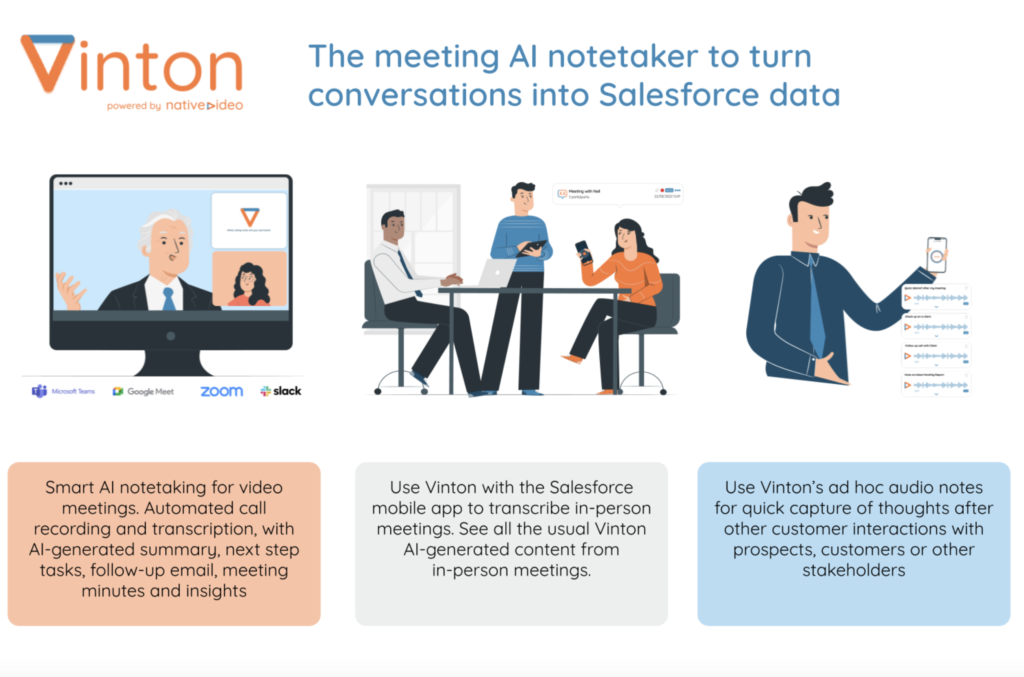
Vinton breathes new life into the Salesforce Activity Object by making it much easier to log various types of client interactions, such as in-person meetings and virtual calls. The platform automatically recognizes participants and associates the meeting with relevant contacts, ensuring accurate records. This enhancement is especially valuable for financial advisors and professionals in wealth management, banking, and insurance who need to automate administrative tasks in financial services to stay efficient.
3. Boosts Efficiency for New Staff and Tenured Professionals:
For new financial advisors, Vinton helps automate routine tasks, enabling them to plan their day more effectively and manage meeting notes. The platform significantly reduces administrative work, allowing experienced professionals to focus on the client rather than data entry. This combination of activity management automation for financial advisors with practical use of AI-driven meeting notes automation makes Vinton an invaluable tool for all experience levels.
Image: courtesy of Vinton.ai
4. Data Residency Compliance and Secure Storage:
Vinton ensures data residency compliance by securely storing all interaction data within Salesforce. For financial services firms in Canada and the USA, addressing data residency and compliance is critical, especially under regulations such as PIPEDA (Personal Information Protection and Electronic Documents Act), CASL (Canada’s Anti-Spam Legislation), or the Gramm-Leach-Bliley Act in the USA. By keeping data within Salesforce, companies can meet these requirements while still benefiting from a seamless user experience.
5. Automated Meeting Notes and Follow-Up Tasks:
The platform leverages AI to automate note-taking during meetings and create follow-up tasks based on discussions, reducing the risk of missed follow-ups. By integrating this practical use directly into Salesforce workflows, Vinton ensures that all client interactions are recorded with precision, providing a reliable source for comprehensive data management in financial services.
6. Scalability for Financial Services Firms of All Sizes:
Whether for small advisory practices or large financial institutions, Vinton’s features support firms at all stages. The platform’s ability to scale as businesses grow ensures continued efficiency even as client bases expand, making it ideal for financial services firms in the USA and Canada.
For financial services firms looking to unlock the full potential of Salesforce and Vinton.ai, contact Navirum for a demo to see how automating administrative tasks and enhancing data management can add significant value to your firm. Navirum specializes in Salesforce consulting and provides the expertise needed to implement Vinton successfully.
Lavinia PicuVinton AI: Revolutionizing Salesforce for Financial Services with AI and Automation
The genie is out of the bottle with AI, and financial advisors are embracing its full potential. At Navirum, we’re seeing AI requirements in virtually every Salesforce project, as advisors shift focus from admin-heavy tasks to delivering better client experiences. With so many AI tools available – like Otter.ai, Pilot, Fireflies, Jump, Vinton, Agentforce and more – advisors have a wide range of options to suit their unique needs. Here’s a comparison of some of the most popular
Here are five ways Canadian financial advisors are using AI to focus more on clients, not admin.
1. Automated Note-Taking and Meeting Summaries
AI tools like Jump and Firefly can automatically transcribe meetings, capture essential insights, and generate summaries. This allows advisors to focus on client engagement without worrying about taking notes. Afterward, AI ensures follow-ups and next steps are captured, creating action plans to keep advisors on track with client requests and reducing manual work.
2. Creation of Action Plans and Post-Meeting Follow-Ups
With tools like Microsoft Copilot, advisors can instantly create personalized action plans after client meetings. AI automates the process of assigning tasks, setting reminders, and tracking deadlines, ensuring that every client request is addressed efficiently. This reduces the burden of admin work and helps maintain a proactive approach, strengthening client relationships.
3. Personalized Investment Recommendations
AI can analyze a client’s financial portfolio, risk profile, and market trends in real-time to provide personalized investment recommendations. With tools like Pilot, advisors can automate this process, delivering data-driven insights and tailored strategies that fit each client’s unique needs. This frees up time for advisors to focus on high-value activities, like deepening client relationships and business growth.
Compliance is a critical aspect for Canadian financial advisors, governed by IIROC and CSA. AI-powered systems help advisors stay compliant by automatically monitoring transactions, flagging potential issues, and generating reports. These tools ensure that advisors meet regulatory requirements without constant manual oversight, reducing compliance risks while allowing them to focus on serving clients. More cautious compliance friendly solutions like Agentforce and Vinton are popular for that reason
5. AI-Enhanced Client Communication
Advisors are increasingly using AI-powered communication tools like chatbots to handle routine client inquiries. AI allows advisors to provide instant responses 24/7, ensuring client satisfaction while freeing up their time for more complex conversations. This leads to improved client service, with AI handling routine tasks so advisors can focus on delivering personalized advice.
Conclusion
AI is now essential for Canadian financial advisors, offering tools that streamline admin work and enhance client service. With options like Agentforce, Jump, Otter Pilot,Vinton, Firefly, and MicrosoftCopilot, there’s an AI solution for every need. At Navirum, we’ve integrated AI into nearly all Salesforce projects. If you’re ready to leverage AI to transform your practice, reach out to Navirum for expert guidance on the best tools and strategies for your business.
Need Help Choosing? Contact Us For Advice
Lavinia PicuHow Canadian Financial Advisors Get The Edge With AI
How Manhattan Private Equity Firms Can Leverage Salesforce and AI
In the fast-paced world of private equity on Wall Street, firms are turning to Salesforce and AI to streamline operations, enhance deal flow, and strengthen investor relationships. With countless AI tools available—like Otter.ai – AI Meeting Note Taker & Real-time AI Transcription , Pilot, Firefly, Microsoft Copilot, and ChatGPT—firms in New York City have a range of solutions tailored to their specific needs. Here’s how Manhattan-based private equity firms are leveraging Salesforce AI solutions for maximum impact.
1. Smarter Deal Management
Salesforce provides a one-stop platform for managing deal flow, and with AI tools like Firefly and Pilot, firms can analyze market trends, previous deals, and competitor activity in real-time. By automating data entry and deal evaluation, AI reduces manual work, giving teams more time to focus on sourcing and closing the next big opportunity, whether it’s a new prospect from Midtown or a lead from downtown.
2. AI-Driven Note-Taking and Follow-Ups
Busy Manhattan firms don’t have time for endless admin. AI tools like Otter.ai – AI Meeting Note Taker & Real-time AI Transcription and Microsoft Copilot take care of meeting notes, automatically transcribing conversations and generating action items during investor or client meetings. These tools help keep your schedule organized, syncing directly with Salesforce to ensure follow-ups and tasks don’t slip through the cracks—whether you’re juggling meetings uptown, downtown, or across the river. This type of Salesforce integration for private equity allows for seamless follow-ups and deal progression.
Why Private Equity Firms Should Leverage Agentforce CTA | Navirum
Private Equity & Autonomous AI
Why Private Equity Firms Should Leverage Agentforce Now
Discover how autonomous AI agents inside Salesforce Financial Services Cloud are revolutionizing deal sourcing, LP communications, and portfolio monitoring for private equity practices.
Private equity thrives on strong investor relations. Salesforce’s CRM capabilities, combined with AI, help firms track investor preferences and interactions. AI can even predict which deals are most likely to attract specific investors. Tools like ChatGPT offer voice solutions, answering routine investor inquiries quickly, keeping communications responsive and tailored to individual needs—whether you’re meeting in a downtown boardroom or catching up over lunch in the Upper East Side. With AI-powered Salesforce solutions, your investor communications stay efficient and personalized.
4. Portfolio Performance and Reporting Made Easy
AI integrated with Salesforce helps firms monitor portfolio companies in real-time. Predictive analytics highlight potential risks and opportunities for growth, while AI-generated reports streamline the compliance process. Whether you’re prepping for a quarterly report or investor meeting, AI ensures everything is accurate and delivered fast, keeping your firm agile and ahead of the game in a city that never sleeps. AI in financial services ensures that reporting and compliance are done with precision and speed.
5. Data-Driven Decision Making
With the speed of New York’s markets, having access to real-time insights is crucial. Combining Salesforce’s data with AI tools like Microsoft Copilot and Firefly gives firms the power to make smarter, faster decisions. Whether you’re dealing with volatility in the market or looking for the next big investment, AI provides the insights you need to act quickly and confidently. The use of AI tools for private equity firms allows for more accurate and data-driven strategies.
Request Your Salesforce Readiness Assessment | Navirum
Integration Assessment
Request Your Salesforce Readiness Assessment
Not sure if your tech stack is integration-ready? We’ll assess your current setup in one conversation. Designed exclusively for financial services firms.
For Manhattan’s private equity firms, AI is a game-changer. With tools like Otter.ai – AI Meeting Note Taker & Real-time AI Transcription , Firefly, Microsoft Copilot, and ChatGPT, firms can streamline operations, enhance investor relationships, and make better, faster decisions. Salesforce consulting for private equity and AI-driven portfolio management give you the edge you need in the fast-paced, high-stakes world of New York finance. Want to learn more? Speak with Navirum today to see how we can help you leverage these powerful tools for your next big win.
Online Resources — Knowledge & Insights | Navirum
Knowledge & Insights
Online Resources
Explore strategic guides for private equity firms leveraging Salesforce FSC, AI-driven deal sourcing, fundraising features, and portfolio monitoring.
Discover real-world outcomes, learn about our collaborative company culture, and meet the financial technology specialists leading your digital transformation.
Proven Results & Impact
Explore Our Success Stories
See how we help financial institutions, wealth managers, and fintechs turn Salesforce and AI into measurable business outcomes and operational growth.
For Bay Street asset managers in Toronto, scaling operations requires smart tools that streamline workflows, enhance client relationships, and ensure compliance with Canadian regulations. By combining Salesforce with AI, asset managers can automate processes, boost productivity, and drive growth. Here’s how firms across Canada can leverage these technologies to scale effectively.
1. Centralized Client and Portfolio Management with AI
Using Salesforce for Canadian asset managers, firms can centralize client data and portfolio updates, ensuring all relevant information is easily accessible. AI automates tasks like portfolio tracking, client segmentation, and performance analysis, giving managers the ability to scale without being bogged down by administrative work. This allows firms in Toronto and across Canada to provide personalized services at scale.
AI-powered tools like Vinton can be integrated with Salesforce to automatically transcribe meeting notes, capture action items, and generate summaries. This helps Bay Street asset managers stay organized without manual effort. AI can also suggest follow-up tasks and actions based on meeting discussions, ensuring nothing falls through the cracks. Automated meeting minutes and action tracking allow managers to focus on client relationships rather than admin tasks.
3. Automated Compliance and Reporting
Compliance is a major concern for asset managers under the regulations of IIROC and the OSC. Salesforce, integrated with AI, automates compliance reporting and tracking, ensuring that all regulatory requirements are met. This takes the administrative burden off Bay Street firms, allowing them to grow confidently while staying compliant. Salesforce compliance tools for Canadian asset managers help scale operations smoothly.
4. Improved Investor Relations with AI-Driven Communication
Salesforce’s CRM capabilities, enhanced by AI, automate personalized communications, allowing asset managers to deliver timely updates to investors. AI can also analyze investor behavior and preferences, predicting the types of opportunities they are most likely to invest in. By using AI for investor relations, managers can maintain stronger relationships and scale their client base across Toronto and Canada more efficiently.
5. AI for Calendar Organization and Task Management
AI-driven tools in Salesforce help asset managers stay organized by automatically scheduling meetings, prioritizing tasks, and managing calendars. With AI-powered calendar organization, asset managers can optimize their schedules, ensuring meetings and important tasks are handled efficiently. This boosts productivity and allows firms to focus on growth instead of getting lost in manual planning.
6. Data-Driven Decision Making with AI Insights
Salesforce analytics for asset managers integrated with AI offers real-time insights into portfolio performance, market trends, and client preferences. AI’s predictive analytics help managers anticipate market changes and adjust investment strategies, ensuring optimal portfolio growth. This enables Bay Street firms to make smarter, faster decisions, critical for scaling operations across Canada.
Conclusion
Bay Street asset managers in Toronto can leverage Salesforce and AI to scale operations by automating note-taking, compliance, investor communications, and task management. These tools not only increase productivity but also enhance client relationships and decision-making. To explore how Salesforce and AI solutions can drive growth for your firm, contact Navirum today for expert guidance on building scalable, AI-powered solutions across Canada.
Book A Consultation
Lavinia Picu5 Ways Bay Street Asset Managers Can Leverage Salesforce and AI to Scale and Grow