What Is The Fidelity Integration with Salesforce?

Fidelity Integration for Salesforce: An In-Depth Guide for Financial Services Firms

This article explores how integrating Fidelity with Salesforce transforms wealth management operations. Learn best practices, technical approaches, ROI measurement, and expert recommendations from Navirum to streamline onboarding, improve compliance, and boost advisor productivity.

Why Integrate Fidelity with Salesforce?

In today’s wealth and asset management landscape, advisors and operations teams cannot afford fragmented systems. Client expectations for speed, transparency, and personalization are higher than ever—while regulatory and compliance pressures continue to intensify. Integrating Fidelity Investments with Salesforce creates a unified ecosystem that connects custodial data, advisor workflows, compliance processes, and client engagement in one intelligent platform.

This in-depth guide explains what Fidelity–Salesforce integration really means, why it matters, how it works technically and operationally, and best practices for financial services firms looking to modernize their tech stack.

For most RIAs, broker-dealers, and wealth management firms, Fidelity and Salesforce already play central roles in daily operations. However, without a seamless integration between the two, teams are often forced to operate across disconnected systems, which limits efficiency and increases risk.

Without proper integration, firms commonly face:

  • Manual data entry between systems
  • Inconsistent client records
  • Delays in account updates
  • Limited reporting visibility
  • Increased compliance risk

A strategic integration eliminates data silos and transforms Salesforce into a true operational command center, while Fidelity remains the authoritative source for custodial data.

What Does Fidelity–Salesforce Integration Include?

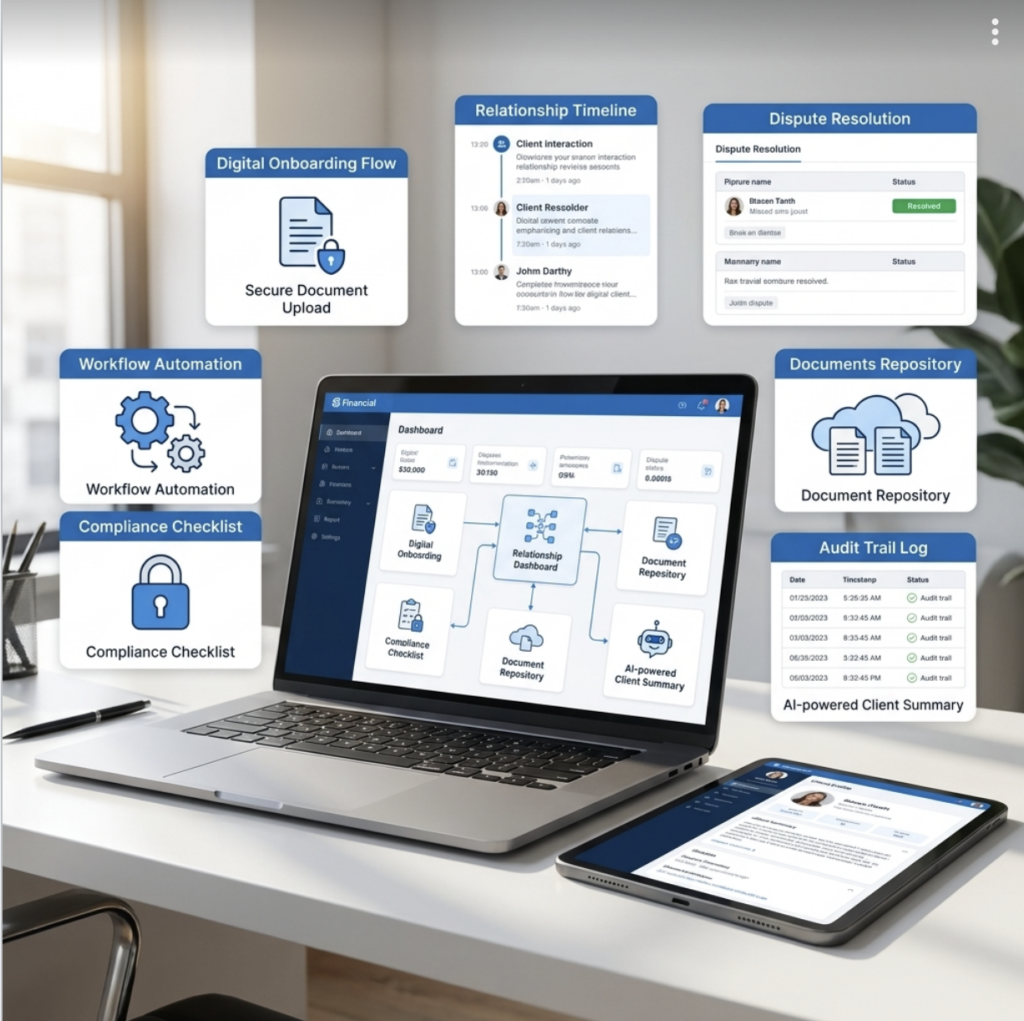
Integration is not simply about syncing balances or importing spreadsheets. A well-designed solution connects core custodial data with business workflows, ensuring that advisors and operations teams can act on information—not just view it.

Fidelity Salesforce Integration_Navirum

1. Client & Household Data Synchronization

Accurate client and household data is the foundation of every advisory relationship. Ensuring that this information flows consistently between systems prevents discrepancies that can impact service and compliance.

  • Account registrations
  • Household structures
  • Beneficiaries
  • Contact details
  • Account status updates

This ensures advisors always work with accurate custodial data directly inside Salesforce.

2. Account & Holdings Data Integration

Advisors rely on up-to-date financial data to deliver timely, relevant advice. Bringing holdings and transaction data into Salesforce turns the CRM into a proactive advisory tool rather than a static database.

  • Account balances
  • Positions and holdings
  • Transaction history
  • Cash movements
  • Performance metrics

With this data integrated, firms can build dynamic dashboards, automate alerts, and trigger client engagement workflows.

3. Digital Onboarding & Account Opening

Onboarding is often the most operationally intensive stage of the client lifecycle. Integrating workflows between Salesforce and Fidelity reduces friction, shortens time-to-funding, and improves the client experience.

  • New account applications
  • Document collection
  • E-signature workflows
  • Compliance review
  • Submission to Fidelity

When Salesforce acts as the workflow engine, onboarding becomes structured, trackable, and scalable.

4. Service & Case Management

Service excellence depends on visibility and accountability. By centralizing service requests and custodial interactions in Salesforce, firms create a transparent and auditable service model.

  • Track service requests
  • Monitor custodial transfers
  • Manage ACATs
  • Automate follow-ups
  • Maintain audit trails

This is critical for maintaining high client satisfaction and regulatory defensibility.

Integration Methods: How It Works Technically

The technical architecture behind integration determines performance, scalability, and security. Choosing the right approach requires balancing current needs with long-term growth plans.

1. API-Based Integration

API-driven integrations provide the most flexibility and scalability for modern firms. They enable secure, structured communication between systems in near real time.

  • Near real-time data sync
  • Greater flexibility
  • Scalable architecture
  • Reduced manual intervention

This approach is often ideal for firms planning to expand or adopt advanced automation.

2. Middleware Integration

Middleware platforms act as orchestration layers between systems. They are especially useful when firms operate within complex ecosystems involving multiple custodians and portfolio management platforms.

  • Orchestrate complex workflows
  • Connect multiple systems simultaneously
  • Transform data formats
  • Implement error-handling protocols

This model supports enterprise-grade scalability and resilience.

3. Batch & File-Based Integration

Some firms continue to use scheduled data feeds or file transfers as an integration method. While this approach can work in stable environments, it lacks the agility required for firms seeking real-time insight.

  • Nightly data feeds
  • SFTP file transfers
  • CSV-based imports

Although functional, batch integrations often introduce reconciliation delays and limit proactive service capabilities.

Key Business Benefits

A properly executed Fidelity–Salesforce integration delivers measurable operational and strategic value. Beyond efficiency, it creates a platform for growth, insight, and improved client engagement.

Fidelity Salesforce Integration_Key Business Benefits_Navirum

1. A True 360° Client View

Client relationships are complex and multi-dimensional. Integration consolidates custodial, relationship, and service data into a single interface, empowering advisors with comprehensive insight.

  • Total assets
  • Account types
  • Recent transactions
  • Service cases
  • Household relationships

This eliminates swivel-chair workflows and enhances advisor confidence.

2. Improved Compliance & Audit Readiness

Regulatory scrutiny continues to intensify across financial services. Integrated systems provide structured documentation and transparent activity tracking that supports audit readiness.

  • Automated documentation
  • Workflow approvals
  • Activity tracking
  • Timestamped client communications

This significantly reduces operational and regulatory risk.

3. Operational Efficiency & Cost Reduction

Manual processes increase both cost and error rates. Integration reduces redundant tasks and allows operations teams to focus on higher-value initiatives.

  • Reduced back-office workload
  • Fewer reconciliation errors
  • Accelerated onboarding
  • Improved data accuracy

Over time, these efficiencies produce measurable ROI.

4. Better Advisor Productivity

Advisors perform best when systems support, rather than slow down, their work. Integrated dashboards and alerts transform data into actionable intelligence.

  • Automated client alerts
  • Trigger-based outreach
  • Service routing
  • Opportunity identification

This directly contributes to stronger client relationships and revenue growth.

Common Integration Challenges

While the benefits are substantial, integration projects require thoughtful planning and execution. Understanding common obstacles helps firms mitigate risk early in the process.

Fidelity Salesforce Integration_Common Integration Challenges_Navirum

Data Mapping Complexity

Custodial and CRM data structures rarely align perfectly. Proper object modeling and transformation logic are essential to prevent inconsistencies.

Security & Compliance Concerns

Financial data must be protected through encryption, role-based access controls, and governance frameworks. Security should be embedded in the architecture from day one.

Change Management

Even the most sophisticated integration will fail without user adoption. Clear communication, stakeholder alignment, and structured training are critical.

Scalability

Firms must design integrations that accommodate acquisitions, new custodians, and expanding advisor teams without requiring constant rework.

Best Practices for Fidelity–Salesforce Integration

A structured approach ensures that integration supports long-term strategy rather than creating technical debt. These best practices help align technology with business goals.

1. Start with a Clear Data Strategy

Define data ownership, synchronization frequency, and workflow triggers before development begins. Governance prevents downstream complications.

2. Design Around Business Processes—Not Just Technology

Integration should mirror real advisor and operations workflows. When technology reflects actual business processes, adoption and ROI increase significantly.

3. Prioritize Automation

Automation transforms static custodial data into meaningful action. Alerts, reminders, and triggered communications drive proactive client engagement.

4. Build Executive-Level Reporting

Leadership requires visibility into AUM, advisor productivity, and service metrics. Integrated dashboards provide real-time performance insight that supports strategic decision-making.

Use Cases by Firm Type

Different firm structures require tailored integration strategies. Aligning architecture with business model ensures maximum impact.

Fidelity Salesforce Integration_Use Cases by Firm Type_Navirum

Independent RIAs

For growing RIAs, integration centralizes household data and reduces administrative overhead. This enables lean teams to scale without adding unnecessary operational complexity.

Broker-Dealers

Broker-dealers benefit from standardized workflows and multi-advisor oversight. Integration supports consistent compliance monitoring across teams.

Enterprise Wealth Managers

Large enterprises require scalable, multi-custodian orchestration. Advanced analytics and segmentation become possible when data flows seamlessly across systems.

Measuring ROI from Integration

A Fidelity–Salesforce integration should never be evaluated as a purely technical upgrade. It is a strategic investment that impacts revenue growth, operational efficiency, compliance posture, and client experience. To accurately measure return on investment (ROI), firms must define baseline metrics before implementation and track performance consistently after go-live.

Below are the core areas where ROI becomes measurable and meaningful.

1. Reduction in Onboarding Time

Client onboarding is one of the most resource-intensive processes in wealth management. By automating data flow between Fidelity Investments and Salesforce, firms eliminate manual rekeying, reduce documentation errors, and streamline compliance reviews.

Many firms see onboarding timelines decrease by 25–50%, which accelerates time-to-funding and revenue recognition. Faster onboarding also improves client satisfaction during the critical first impression phase.

2. Decrease in Manual Processing Hours

Operations teams often spend hours reconciling data, updating CRM records, and cross-checking custodial information. Integration reduces or eliminates these repetitive tasks, freeing staff to focus on higher-value activities such as proactive client service and exception management.

Firms can calculate ROI by measuring:

  • Hours saved per week
  • Reduction in data-entry errors
  • Lower overtime costs
  • Increased operational capacity without hiring

Over time, these efficiency gains compound into significant cost savings.

3. Improved Advisor Productivity & Revenue Growth

When advisors have real-time access to custodial data within Salesforce, they spend less time navigating systems and more time engaging clients. Automated alerts, balance changes, and life-event triggers create natural opportunities for outreach.

Key measurable impacts include:

  • Increased client touchpoints
  • Higher cross-sell and upsell rates
  • Improved asset retention
  • Faster response times to client requests

Even a modest increase in assets under management (AUM) per advisor can dramatically outweigh integration costs.

4. Compliance Risk Reduction

Compliance penalties, remediation costs, and reputational damage can be expensive. Integrated systems reduce risk by ensuring workflows are standardized, documentation is centralized, and audit trails are automatically maintained.

ROI in this area can be measured through:

  • Reduction in compliance exceptions
  • Fewer manual audit findings
  • Decreased time spent preparing for regulatory reviews
  • Improved supervisory oversight

While harder to quantify than operational savings, risk mitigation provides long-term financial protection.

Fidelity Salesforce Integration_Measure ROI_Navirum

5. Enhanced Data Accuracy & Reporting

Data inconsistencies often lead to reporting inaccuracies, strategic blind spots, and inefficient decision-making. Integration ensures that leadership dashboards reflect real custodial data rather than outdated or manually updated figures.

Executives can track ROI by measuring:

  • Reporting time reduction
  • Improved forecasting accuracy
  • Better pipeline visibility
  • Real-time AUM and revenue dashboards

Better data leads to better decisions—and better decisions drive growth.

6. Enhanced Data Accuracy & Reportingics

Client satisfaction is increasingly tied to responsiveness and transparency. When service requests, transfers, and account updates are tracked within Salesforce, firms can resolve issues faster and communicate more effectively.

Measurable improvements may include:

  • Higher CSAT or NPS scores
  • Faster case resolution times
  • Reduced client complaints
  • Increased retention rates

Retaining even a small percentage of high-value clients can justify the investment alone.

7. Scalability Without Linear Cost Growth

One of the most powerful ROI drivers is scalability. As firms grow—whether organically or through acquisition—integrated systems allow them to add advisors and clients without proportionally increasing operational headcount.

This means:

  • Higher revenue per operations employee
  • Standardized processes across teams
  • Faster integration of acquired books of business

Over time, this operational leverage becomes a strategic advantage.

Establishing a Clear ROI Framework

To maximize measurable impact, firms should:

  1. Define baseline metrics before implementation
  2. Set 6-, 12-, and 24-month performance targets
  3. Track both quantitative (cost savings, revenue growth) and qualitative (advisor satisfaction, client experience) improvements
  4. Conduct post-implementation reviews to identify optimization opportunities

When approached strategically, integration between Fidelity and Salesforce often delivers positive ROI within 12–24 months—while continuing to generate value for years beyond initial deployment.

Future-Proofing: AI & Intelligent Workflows

Integration lays the groundwork for intelligent automation and predictive analytics. Once custodial data lives inside Salesforce, firms can leverage AI to enhance decision-making.

Potential use cases include:

  • Predicting client churn
  • Identifying cross-sell opportunities
  • Automating portfolio review reminders
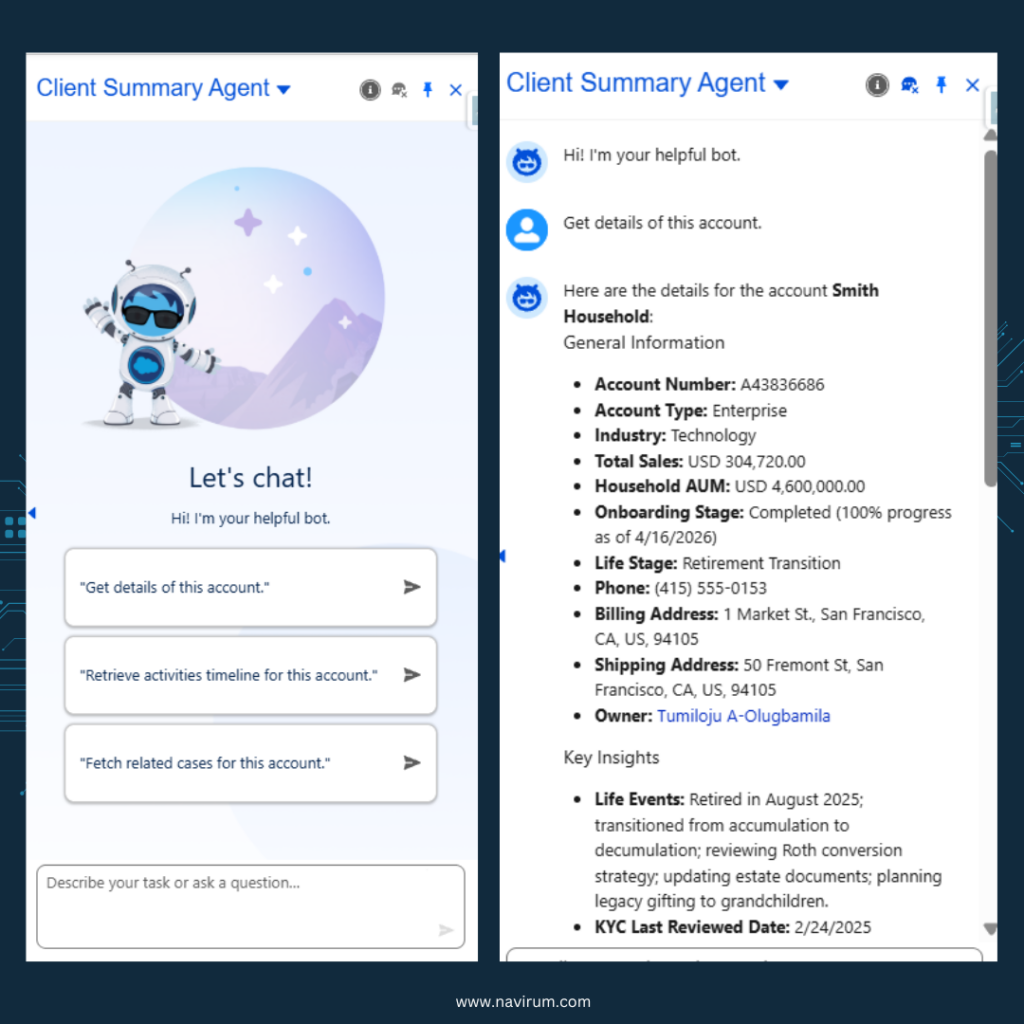
  • Generating AI-driven client summaries

This transforms Salesforce from a system of record into a system of intelligence.

Why Work with a Specialized Salesforce Consulting Partner?

Custodial integrations require deep financial services expertise. Technical skill alone is not enough—industry knowledge and compliance awareness are equally critical.

A specialized partner ensures the architecture is scalable, secure, and aligned with long-term growth objectives.

Navirum Recommendations

At Navirum, we do not approach a Fidelity–Salesforce integration as a simple technical connector between Fidelity Investments and Salesforce. We approach it as a business transformation initiative that impacts advisor productivity, compliance oversight, operations efficiency, and long-term scalability. As a Salesforce consulting firm specialized exclusively in financial services, we understand that custodial integrations must align with regulatory realities, advisor workflows, and growth objectives—not just data architecture.

Below is the framework we recommend based on our experience working with wealth managers, RIAs, and financial institutions.

Navirum Recommendations for Fidelity Salesforce Integration

1. Start with Process, Not Technology

Many firms make the mistake of beginning with APIs and field mappings. We begin with discovery workshops that map your current-state advisor, operations, and compliance workflows.

This includes:

  • Client onboarding journey mapping
  • Service request lifecycle analysis
  • Compliance approval checkpoints
  • Reporting and supervisory requirements

By identifying inefficiencies and risk exposure before building the integration, we ensure Salesforce becomes an operational command center—not just a data repository.

2. Design a Scalable Data Architecture

Custodial data structures rarely align perfectly with CRM object models. Our team designs a normalized data architecture inside Salesforce that supports:

  • Household-level relationship modeling
  • Multi-account hierarchies
  • Beneficiary and trust structures
  • Historical transaction tracking
  • Multi-custodian expansion readiness

We architect with the future in mind—whether that means acquisitions, adding custodians, or expanding advisor teams. Scalability is built in from day one.

3. Prioritize Security & Compliance by Design

Financial services integrations demand enterprise-grade security. Navirum embeds compliance controls directly into the solution through:

  • Role-based access control frameworks
  • Field-level security modeling
  • Approval process automation
  • Full audit trail configuration
  • Secure API authentication and encryption standards

We work closely with compliance and supervisory stakeholders to ensure the solution meets internal policies and regulatory expectations.

4. Build Intelligent Automation Layers

Integration alone does not create competitive advantage—automation does. We design Salesforce workflows that convert custodial data into actionable triggers, including:

  • Balance change alerts
  • Inactivity monitoring
  • Review scheduling automation
  • Service-level agreement (SLA) tracking
  • Automated task routing

This ensures your advisors and operations teams operate proactively rather than reactively.

5. Deliver Executive Visibility & KPI Dashboards

Leadership teams require real-time insight into firm performance. We configure executive dashboards that provide:

  • Assets under management (AUM) by advisor and segment
  • Revenue tracking and forecasting
  • Onboarding pipeline visibility
  • Service case metrics
  • Compliance oversight dashboards

This transforms Salesforce into a strategic intelligence platform—not just an operational tool.

6. Implement in Phases to Accelerate Time-to-Value

Rather than attempting a “big bang” deployment, we typically recommend phased implementation:

Phase 1: Core account and balance integration
Phase 2: Onboarding and workflow automation
Phase 3: Advanced reporting and AI-driven enhancements

This approach minimizes disruption, accelerates ROI, and allows for iterative optimization.

7. Drive Adoption Through Structured Change Management

Even the most sophisticated integration will fail without user adoption. Navirum provides:

  • Role-based training programs
  • Executive alignment sessions
  • Post-launch optimization reviews
  • Continuous improvement roadmaps

We measure adoption metrics and gather user feedback to ensure the platform evolves alongside your business.

Why Navirum as Your Integration Partner?

Our specialization in financial services gives us a unique perspective that generalist Salesforce consultancies often lack. We understand:

  • Custodial data structures
  • RIA and broker-dealer compliance workflows
  • Advisor compensation models
  • Regulatory documentation requirements
  • Multi-custodian operating environments

Because we focus on financial services, we design solutions that reflect real-world advisory operations—not generic CRM best practices.

Navirum Salesforce Partner since 2018
  • Custodial data structures
  • RIA and broker-dealer compliance workflows
  • Advisor compensation models
  • Regulatory documentation requirements
  • Multi-custodian operating environments

The Outcome: More Than Integration

When executed properly, a Fidelity–Salesforce integration should deliver:

  • Increased advisor capacity
  • Reduced operational overhead
  • Strengthened compliance posture
  • Improved client satisfaction
  • A scalable foundation for growth

At Navirum, our goal is not simply to connect systems—it is to help you build a modern, intelligent wealth management platform that supports sustainable expansion and long-term competitive advantage.

Final Thoughts

Integrating Fidelity with Salesforce is a foundational step toward operational excellence and scalable growth. When executed strategically, it enhances advisor productivity, strengthens compliance posture, and elevates the client experience.

For financial services firms seeking to modernize their technology ecosystem, a well-designed integration transforms custodial data into strategic intelligence—creating a true competitive advantage.

Frequently Asked Questions (FAQ)

To address common concerns in more depth, here are expanded answers to the most frequently asked questions about integrating Fidelity Investments with Salesforce.

1. Can Salesforce directly connect to Fidelity?

Yes, Salesforce can connect to Fidelity through secure APIs or via middleware platforms, depending on your firm’s technical architecture and integration strategy. API-based integrations allow structured, secure data exchange between systems and are typically the preferred approach for firms seeking scalability and automation. The exact configuration depends on your data requirements, compliance standards, and whether you are integrating additional custodians or platforms.

2. Is real-time syncing possible?

In most modern implementations, near real-time syncing is achievable using API-driven integrations. This allows account balances, holdings, transactions, and status updates to flow into Salesforce quickly, enabling advisors to act on current data. However, the frequency of updates can be configured based on business needs, performance considerations, and compliance policies.

3. How secure is the integration?

Security is a foundational component of any custodial integration. Properly implemented integrations use encryption in transit and at rest, secure authentication protocols (such as OAuth), and strict role-based access controls within Salesforce. Additionally, audit logging and monitoring tools ensure that data access and changes are fully traceable for compliance purposes.

4. Does integration replace Fidelity’s platform?

No, integration does not replace Fidelity’s custodial platform. Fidelity remains the system of record for assets, transactions, and account administration, while Salesforce serves as the relationship and workflow management layer. The goal is to enhance operational visibility and advisor productivity—not to duplicate custodial functionality.

5. How long does implementation take?

Implementation timelines typically range from three to six months, depending on scope, customization requirements, and data complexity. Firms with multiple custodians, legacy systems, or advanced workflow automation may require additional time for architecture design and testing. A phased rollout approach can accelerate time-to-value while minimizing operational disruption.

6. Can we integrate multiple custodians?

Yes, Salesforce can support multi-custodian integration when designed with a scalable architecture. Middleware solutions or well-structured API frameworks can orchestrate data flows from multiple custodians into a unified data model within Salesforce. This is particularly valuable for enterprises or broker-dealers managing diverse advisory teams and asset platforms.

7. What Salesforce products are typically used?

Most firms leverage Sales Cloud and Service Cloud as core components of their integration, often combined with industry-specific capabilities from Financial Services Cloud. These products enable relationship modeling, case management, automation, and advanced reporting. The final configuration depends on your firm’s size, regulatory complexity, and service model.

8. Will this reduce compliance risk?

Yes, a properly designed integration can significantly reduce compliance risk by centralizing documentation, approvals, and communication records. Automated workflows ensure required steps are completed before account submissions or changes are finalized. In addition, comprehensive audit trails provide defensibility during regulatory reviews or internal audits.

9. Can we automate account reviews?

Absolutely. Once custodial data is integrated into Salesforce, firms can configure automated triggers based on time intervals, balance thresholds, life events, or portfolio changes. These triggers can create tasks, notify advisors, or initiate review workflows—ensuring consistent client engagement and reducing reliance on manual reminders.

10. Is this suitable for small RIAs?

Yes, integration is often especially valuable for small and mid-sized RIAs looking to scale efficiently. By reducing manual administrative work and centralizing client data, smaller firms can operate with the sophistication of larger enterprises. A properly scoped implementation ensures the solution aligns with both budget and growth objectives.

⭐⭐⭐ DISCOVER NAVIRUM ⭐⭐⭐

Lavinia PicuWhat Is The Fidelity Integration with Salesforce?

Agentforce for Investors – How To Unlock Strategic Value & Competitive Advantage

What is Agentforce for Investors?

Agentforce is a Salesforce-native automation platform that helps companies streamline workflows, reduce operational costs, and improve data accuracy. This blog explains how investors can evaluate its value, track measurable KPIs, and assess adoption impact. It highlights revenue growth, scalability, and customer experience improvements, provides real-world use cases, discusses risks and market positioning, and shares NAVIRUM recommendations for maximizing ROI through strategic implementation and expert Salesforce consulting.

Unlocking Strategic Value & Competitive Advantage

In today’s digital economy, investors are constantly evaluating technology platforms that drive growth, efficiency, and measurable ROI. Agentforce is one such platform gaining attention—not because it’s just another tool, but because it delivers transformative results for organizations leveraging Salesforce and automation at scale. For investors, understanding the strategic value of Agentforce adoption can reveal opportunities to support companies that are not only modernizing operations but also generating measurable financial impact.

This deep-dive guide explains why investors should care about Agentforce, how it creates value, and what its adoption means for long-term growth prospects. We’ll cover:

  • What Agentforce is and why it matters
  • The problem it solves
  • Key benefits for investors
  • Real-world performance indicators
  • Market potential and competitive positioning
  • Risks and mitigation factors
  • What investors should ask before backing an Agentforce adoption
  • Why Salesforce consulting expertise matters

What Is Agentforce?

Agentforce is a Salesforce-native automation and workflow platform designed to streamline business operations. More than just another software tool, it provides companies with a single environment to automate complex tasks, orchestrate workflows, and enhance productivity—all without heavy custom coding. Built to integrate seamlessly with Salesforce CRM, Agentforce empowers organizations to leverage their existing systems while accelerating digital transformation, giving them an edge in competitive markets.

Unlike traditional automation tools, Agentforce operates directly within Salesforce, unlocking unified data, compliance tracking, and real-time insights that investors should see as strong indicators of scalable, high-value operations.

Agentforce Success Story – Prudential Wealth Management

Why Agents (and Their Organizations) Need Agentforce

Organizations often face challenges that directly impact profitability and growth: inefficient manual processes, siloed data, and rising customer expectations. Investors need to understand that these operational bottlenecks are costly in time, money, and market opportunity. Agentforce addresses these issues by providing a structured way to automate and optimize workflows, enabling agents and teams to focus on value-driven work instead of repetitive administrative tasks.

Some of the specific ways Agentforce addresses these challenges include:

  • Automating repetitive tasks
  • Routing work intelligently
  • Connecting Salesforce to external systems
  • Scaling processes without code

By tackling these inefficiencies, Agentforce allows businesses to deliver faster, more accurate results, which ultimately translates into stronger financial performance and competitive advantage.

Key Value Drivers of Agentforce for Investors

Investors evaluate technologies not on features alone, but on how they drive measurable value. Agentforce is compelling because it creates direct business impact in ways that are visible in both operational and financial metrics. From boosting productivity to improving data quality, the platform enhances processes that investors can monitor and quantify.

Here are the primary ways Agentforce drives value:

Key Value Drivers of Agentforce for investors_Navirum

1. Revenue Growth Through Increased Productivity

One of the clearest benefits of Agentforce is its ability to free teams from time-consuming manual work, allowing them to focus on revenue-generating activities. By automating routine tasks, agents can close deals faster, handle more clients, and reduce errors that slow business processes.

  • Faster deal cycles
  • Higher throughput per agent
  • Fewer human errors

These improvements directly increase revenue per employee, a key metric investors watch for scalable businesses.

2. Reduced Operational Costs

Operational inefficiencies are a hidden drain on profit margins. By automating processes, Agentforce reduces the need for oversight and manual intervention, helping companies spend less on administrative labor and avoid costly mistakes.

  • Automating task routing and approvals
  • Eliminating redundant work
  • Minimizing system maintenance

Lower operational costs mean higher profitability, which is a critical factor in investor evaluations.

3. Improved Data Quality and Visibility

High-quality data is the backbone of informed decision-making. Many organizations struggle with siloed systems and inconsistent records, which can mislead management and slow growth. Agentforce ensures that data is accurate, integrated, and accessible, empowering leaders to make faster, data-backed decisions.

  • Data flows automatically between touchpoints
  • Reporting becomes real-time and accurate
  • Dashboards reflect true performance metrics

For investors, this translates into more reliable performance metrics and confidence in the company’s growth story.

4. Scalability Without Heavy Engineering

Traditional custom-coded solutions are slow, expensive, and difficult to maintain. Agentforce offers a low-code solution that scales with the business, enabling companies to deploy new workflows quickly without overloading engineering teams.

  • Reduces reliance on engineering teams
  • Enables faster deployment of use cases
  • Supports rapid business pivots

Scalable, maintainable technology is a strong signal of sustainable growth potential for investors.

5. Customer Experience Differentiation

Customer experience is a direct driver of loyalty, retention, and long-term revenue. Companies that fail to respond quickly or accurately risk losing clients. Agentforce improves CX by automating responses, routing escalations intelligently, and personalizing workflows, which can set organizations apart from competitors.

  • Ensures timely responses
  • Automates service escalations
  • Generates personalized workflows

Better customer experience results in higher retention and lifetime value, metrics that investors closely monitor.

Strategic Indicators For Investors

Investors considering Agentforce adoption need measurable signals to assess performance. Rather than relying on marketing claims, focus on metrics that show operational impact, scalability, and financial outcomes.

Some key indicators include productivity gains, time to value, customer retention, data accuracy, cost savings, user adoption. Tracking these KPIs helps investors determine whether a company is realizing the promised benefits of Agentforce.

Market Demand and Competitive Positioning

Agentforce occupies a growing market niche at the intersection of low-code automation, workflow orchestration, and Salesforce-native solutions. The platform’s adoption potential is amplified by strong market demand for flexible automation tools, particularly in organizations struggling with system fragmentation and operational inefficiency.

High Demand for Low-Code Platforms

Low-code solutions are growing because businesses need agility without relying on scarce technical talent. Investors should note that Agentforce aligns with broader digital transformation trends, making it a forward-looking investment opportunity.

Integration with Salesforce Ecosystem

Being Salesforce-native is a key differentiator. Agentforce can leverage existing Salesforce data, reduce friction in adoption, and unify workflows—advantages that competitors outside the Salesforce ecosystem cannot easily replicate.

Competitive Landscape

Agentforce competes conceptually with RPA tools, custom code, and other automation platforms. Its Salesforce-native design gives it an edge in ease of use, integration, and scalability, which can translate to higher ROI for companies.

Risks Investors Should Consider

No technology adoption is risk-free. Investors should understand the potential challenges of Agentforce deployments and the mitigation strategies companies employ.

Market Adoption & Awareness

Some organizations may underutilize Agentforce if they do not fully understand its capabilities. Without strong leadership buy-in and change management, adoption may lag.

Mitigation: Focus on proven verticals and showcase quantifiable ROI cases.

Competitive Pressure

Automation platforms are evolving rapidly. Agentforce must continually differentiate itself from RPA tools and low-code competitors.

Mitigation: Maintain a strong product roadmap and Salesforce integration strategy.

Dependency on Salesforce Ecosystem

Being tied to Salesforce is a strength, but it also creates dependency. Changes in Salesforce strategy or pricing could impact Agentforce adoption.

Mitigation: Maintain strategic alignment with Salesforce updates and policies.

Agentforce Use Cases

Real-world applications help investors visualize how Agentforce drives operational efficiency, customer satisfaction, and financial performance.

Use Case 1: Automated Incident Escalation

Manual incident management causes delays and poor service quality. Agentforce can automate routing based on predefined criteria, ensuring issues are addressed quickly and efficiently, which boosts client satisfaction and reduces churn.

Use Case 2: Quote to Cash Automation

Sales and finance teams often face bottlenecks during deal approval and invoicing. Agentforce orchestrates these workflows automatically, reducing cycle times and increasing predictability in cash flows.

Use Case 3: Compliance & Audit Trail

Highly regulated industries require meticulous record-keeping. Agentforce automatically logs decisions, timestamps, and audit events directly in Salesforce, minimizing compliance risk and supporting governance transparency.

Agenforce Use cases for investors_Navirum

What Investors Should Ask Before Backing an Agentforce Deployment

Investors need to assess whether a company is strategically leveraging Agentforce rather than using it as a superficial technology investment. Questions should probe adoption, KPIs, and real business outcomes:

  1. What baseline efficiencies existed prior to Agentforce?
  2. What KPIs does leadership monitor post-adoption?
  3. How fast are workflows iterated and who owns the process?
  4. Is user adoption measured and encouraged?
  5. Can executives tie automation directly to financial results?

High-quality answers indicate mature operations and effective use of automation, making the company a more attractive investment.

Why Salesforce Consulting Expertise Matters

Agentforce delivers the most value when paired with deep Salesforce consulting expertise. Many organizations struggle to realize ROI because they lack the strategy, configuration, and adoption planning necessary for success.

Agentforce for investors_Salesforce Expertise matters_Navirum

Technical Alignment

Expert consultants ensure that Agentforce is configured for scalability, security, and performance, reducing technical debt and maximizing efficiency.

Process Optimization

Consultants help organizations align workflows with business objectives, establish KPIs, and manage change across teams, ensuring sustainable benefits.

Ongoing Support and Expansion

Agentforce requires monitoring, tuning, and ongoing expansion into new business units. Salesforce consulting partners provide the guidance needed to continuously drive operational improvements and ROI.

Final Thoughts: Why Agentforce Matters to Investors

Agentforce is more than an automation tool—it’s a strategic enabler. Investors should focus on measurable benefits like increased revenue, reduced costs, enhanced customer experience, and scalable operations. Companies using Agentforce effectively signal operational maturity, strategic thinking, and forward-looking leadership, all key qualities for sustainable growth and long-term investment potential.

If you want to evaluate a company’s Agentforce adoption or accelerate ROI through expert Salesforce consulting, our team can help turn automation into a measurable competitive advantage.

Frequently Asked Questions (FAQ) About Agentforce for Investors

What is Agentforce, and why should investors care?

Agentforce is a Salesforce-native workflow automation platform that streamlines processes, reduces manual work, and improves data accuracy. Investors should care because it enables companies to scale efficiently, cut operational costs, and enhance customer experience, all of which translate into stronger financial performance.

How does Agentforce create measurable value?

Agentforce drives revenue growth, cost savings, and productivity improvements by automating tasks, improving workflow efficiency, and enhancing data quality. Investors can track KPIs like reduced cycle times, operational cost declines, and increased revenue per agent to measure impact.

Can Agentforce integrate with existing Salesforce systems?

Yes. Agentforce is designed to operate natively within Salesforce, providing seamless integration with existing CRM data, dashboards, and processes. This minimizes implementation risk and allows organizations to leverage their current technology stack.

What types of companies benefit most from Agentforce?

Organizations with complex workflows, high customer interaction volumes, or regulatory requirements tend to benefit most. Industries such as finance, insurance, and professional services see strong ROI due to operational efficiencies and improved customer experience.

How quickly can a company see results after implementing Agentforce?

Many companies begin to see measurable improvements within weeks to a few months, depending on workflow complexity and user adoption. Metrics like task automation rates, reduced manual errors, and faster approval cycles are early indicators of ROI.

What are the main risks associated with Agentforce adoption?

Risks include low user adoption, overreliance on Salesforce ecosystem changes, and competitive pressure from alternative automation tools. These risks are typically mitigated through strong leadership support, effective change management, and consulting expertise.

How does Agentforce improve customer experience?

By automating service escalations, routing tasks intelligently, and personalizing workflows, Agentforce ensures timely and accurate responses to customer inquiries. This leads to higher retention rates and increased lifetime value, which investors view favorably.

Does Agentforce require a technical team to manage?

While Agentforce is low-code, organizations often benefit from Salesforce consulting expertise for configuration, optimization, and expansion. Consultants help align the platform with business objectives, ensuring maximum ROI.

How can investors evaluate a company’s success with Agentforce?

Investors should monitor KPIs such as:

  • Data quality and reporting accuracy
    These metrics demonstrate real, quantifiable benefits from the platform.
  • Productivity gains per agent
  • Operational cost reductions
  • Customer retention and satisfaction

Is Agentforce a long-term strategic investment?

Yes. Companies that implement Agentforce effectively gain scalable processes, better data visibility, and improved operational efficiency, which supports sustainable growth. For investors, this indicates a mature, forward-thinking organization capable of delivering long-term returns.

NAVIRUM Recommendations for Investors and Companies Using Agentforce

Maximizing the value of Agentforce requires more than simply deploying the platform—it’s about strategic implementation, continuous optimization, and alignment with business goals. As a Salesforce consulting partner with deep experience in financial services, Navirum offers several recommendations for investors and organizations looking to leverage Agentforce effectively:

Navirum Salesforce Partner since 2018

1. Prioritize Clear ROI Metrics. Before implementing Agentforce, define quantifiable KPIs that matter most to the business. This could include task automation rates, operational cost reductions, customer satisfaction scores, or revenue per agent. Establishing metrics upfront ensures investors can track performance and value creation over time.

2. Align Workflows With Strategic Objectives. Agentforce adoption should go beyond automating existing processes. Navirum recommends redesigning workflows to eliminate inefficiencies and support business priorities, ensuring that automation drives both operational excellence and strategic growth.

3. Leverage Salesforce Integration Expertise. Seamless integration with Salesforce is critical for success. Navirum advises engaging experienced consultants to configure the platform, synchronize data across systems, and maintain real-time reporting. This minimizes technical risk and maximizes the platform’s full potential.

4. Monitor Adoption and Change Management. Technology adoption is only as effective as its users. Navirum suggests tracking adoption rates and providing training to ensure agents and teams fully utilize Agentforce. This improves productivity, increases ROI, and reassures investors that the platform is delivering tangible benefits.

5. Plan for Continuous Optimization. Business needs evolve, and so should your automation strategy. Navirum recommends regularly reviewing workflows, reporting, and KPIs to identify new opportunities for efficiency, scalability, and competitive advantage.

⭐⭐⭐ DISCOVER NAVIRUM ⭐⭐⭐

Lavinia PicuAgentforce for Investors – How To Unlock Strategic Value & Competitive Advantage

How RightCapital Salesforce Integration Helps Financial Advisors?

RightCapital Salesforce Integration helps financial advisors

This article explores RightCapital and its Salesforce integration, highlighting benefits like improved data accuracy, faster onboarding, smarter financial advice, enhanced client engagement, and compliance readiness. It also provides Navirum’s expert recommendations for strategic, scalable integration, making your advisory firm more efficient and client-centric.

How Financial Advisors Unlock Client Insights and Financial Planning Efficiency

In today’s competitive advisory landscape, financial advisors are under pressure to deliver more personalized advice, faster service, and measurable value — all while maintaining compliance and operational efficiency. Financial planning technology plays a central role in achieving this balance. One platform that has gained significant traction among advisors is RightCapital.

But while RightCapital is powerful on its own, its true strategic value emerges when integrated with Salesforce — the world’s leading CRM platform. Together, these systems create a unified ecosystem that aligns client planning, relationship management, reporting, and automation.

This in-depth guide explores:

  • What RightCapital is
  • Why advisors use it
  • The strategic value of RightCapital Salesforce integration
  • Business benefits and measurable outcomes
  • Implementation considerations
  • Best practices for advisory firms

What Is RightCapital?

RightCapital is a modern, cloud-based financial planning platform designed to help advisors build interactive, goal-based financial plans that are visually engaging and easy for clients to understand. Unlike legacy planning software that often feels static or overly technical, RightCapital focuses on clarity, collaboration, and real-time scenario modeling.

At its core, RightCapital enables advisors to deliver comprehensive planning services across multiple financial domains, including:

  • Retirement income planning
  • Tax-efficient withdrawal strategies
  • Estate and legacy planning
  • Cash flow analysis
  • Insurance needs analysis
  • Education funding
  • Social Security optimization
RightCapital Salesforce_Navirum

What differentiates RightCapital is its emphasis on client engagement. The platform includes intuitive dashboards and client portals that encourage collaboration rather than one-directional reporting. Advisors can adjust assumptions live during meetings, making planning sessions interactive and impactful.

However, RightCapital is not a CRM. It is purpose-built for planning. That’s where Salesforce comes in.

Why Integrate RightCapital with Salesforce?

While RightCapital excels at financial modeling, Salesforce serves as the operational backbone of advisory firms — managing client records, communication history, opportunities, compliance workflows, and reporting. When these two systems operate separately, firms often face data silos, duplicate data entry, and fragmented insights.

Integrating RightCapital with Salesforce creates a connected ecosystem where planning data and relationship data work together seamlessly.

At a strategic level, integration allows firms to:

  • Centralize client data into a single source of truth
  • Automate workflows triggered by planning milestones
  • Enhance reporting and analytics
  • Improve advisor responsiveness
  • Strengthen compliance documentation

Rather than switching between disconnected systems, advisors gain a 360-degree view of each client — financial goals, assets, engagement history, service needs, and lifecycle stage — all within Salesforce.

Key Benefits of RightCapital Salesforce Integration

1. Improved Data Accuracy and Operational Efficiency

Manual data entry between systems is one of the biggest hidden costs in advisory operations. Without integration, advisors and support staff often re-enter client information across platforms, increasing the risk of errors and inconsistencies.

A well-designed integration ensures that critical client information remains synchronized between RightCapital and Salesforce, reducing administrative burden and improving data reliability.

This typically includes:

  • Automatic syncing of client demographics
  • Household structure alignment
  • Financial assumptions and goal tracking updates
  • Real-time updates to relevant Salesforce records

The result is cleaner data, reduced compliance risk, and significant time savings for advisors and operations teams.

2. Faster and More Structured Client Onboarding

Client onboarding sets the tone for the advisory relationship. However, many firms struggle with inefficiencies during this phase, particularly when systems are disconnected.

When RightCapital and Salesforce are integrated, onboarding becomes streamlined and scalable.

For example:

  • A new client created in Salesforce automatically generates a planning profile in RightCapital
  • Standardized onboarding workflows trigger tasks for planning setup
  • Required documentation and milestones are tracked centrally
  • Advisors can begin financial modeling without redundant data input

This structured automation reduces friction, accelerates time-to-value, and improves the overall client experience.

RightCapital Salesforce Integration Key benefits_Navirum

3. Enhanced Client Engagement and Proactive Service

Modern clients expect proactive advice — not reactive responses. Integration allows advisory firms to build engagement workflows that respond dynamically to client planning activity.

When RightCapital events flow into Salesforce, firms can:

  • Trigger advisor alerts when clients update goals
  • Create follow-up tasks automatically
  • Send personalized communications based on planning milestones
  • Track engagement metrics within Salesforce dashboards

This level of automation ensures advisors remain proactive, improving client retention and long-term loyalty.

4. Smarter Advice Through Contextual Insights

RightCapital contains rich financial modeling data, while Salesforce contains detailed relationship intelligence. When these data sets remain separate, advisors miss valuable context.

Integration enables advisors to combine:

  • Planning projections
  • Historical communications
  • Opportunity stages
  • Service records
  • Asset data
  • Client lifecycle information

With this combined view, advisors can deliver advice that reflects both financial goals and relationship history. For example, if a client adjusts retirement assumptions, Salesforce can immediately highlight past discussions or upcoming service reviews, prompting informed outreach.

5. Stronger Compliance and Audit Readiness

Regulatory oversight requires accurate documentation of client interactions and financial planning decisions. Disconnected systems make audits more complicated and time-consuming.

A Salesforce integration ensures that planning updates and milestones are logged within a centralized CRM environment, supporting compliance and audit requirements.

This may include:

  • Timestamped planning updates
  • Activity logs tied to client records
  • Automated documentation workflows
  • Clear historical visibility into advice delivery

By consolidating these records, firms strengthen operational resilience and regulatory preparedness.

Common Integration Use Cases

Automated Planning Triggers

Integration allows firms to automate planning workflows based on Salesforce events. For instance, when a prospect moves to a “Client” stage, Salesforce can automatically initiate the creation of a RightCapital planning file.

This ensures:

  • Process consistency
  • Reduced administrative oversight
  • Faster advisor action
RightCapital Salesforce Common Integration Use Cases_Navirum

Financial Data Sync to Salesforce Dashboards

Many advisory firms rely heavily on Salesforce reporting for executive decision-making. Integrating key planning metrics into Salesforce custom objects allows firms to build performance dashboards that incorporate financial planning insights.

This supports:

  • Revenue forecasting
  • Client segmentation analysis
  • Service tier tracking
  • Goal completion metrics

Client Scenario Alerts

When a client runs a new scenario within RightCapital — such as adjusting retirement age — the integration can notify advisors immediately.

This enables:

  • Timely follow-up
  • Proactive consultation
  • Stronger client engagement

Implementation Best Practices

A successful RightCapital Salesforce integration requires strategic planning, not just technical execution. Firms that approach integration thoughtfully see better adoption and long-term ROI.

Establish Data Governance Early

Before building integrations, firms must determine:

  • Which system is the primary data owner
  • Which fields sync bi-directionally
  • How conflicts are resolved
  • How often synchronization occurs

Clear governance prevents data inconsistencies and technical debt.

Map Business Processes First

Technology should support business processes — not dictate them. Before implementing integration, firms should document:

  • Onboarding workflows
  • Planning lifecycle stages
  • Compliance checkpoints
  • Advisor service models

Mapping these workflows ensures the integration aligns with real-world operations.

Leverage Middleware When Appropriate

Depending on complexity, firms may use middleware platforms to enable scalable, secure integrations. These tools provide monitoring, error handling, and advanced transformation capabilities.

An experienced Salesforce consulting partner can recommend the right architecture for your firm’s size and growth strategy.

Invest in Change Management

Even the best integration fails without user adoption. Firms should provide:

  • Role-based training
  • Clear documentation
  • Ongoing support
  • Feedback loops for continuous improvement

Adoption ensures your technology investment translates into measurable outcomes.

Measurable Business Outcomes

Advisory firms that implement a strategic RightCapital Salesforce integration often see tangible operational and financial benefits.

Common results include:

  • 60–80% reduction in manual data entry
  • 30–50% faster onboarding cycles
  • Higher client portal engagement rates
  • Improved compliance documentation
  • Better advisor productivity
  • Increased cross-sell opportunities

When planning and CRM systems operate in harmony, advisors spend less time on administration and more time delivering value.

Why Work With a Salesforce Consulting Partner?

Integrating financial planning software with Salesforce requires deep understanding of CRM architecture, financial services workflows, and data governance.

A specialized Salesforce consulting partner can provide:

  • Financial Services Cloud expertise
  • Custom object design
  • API integration strategy
  • Workflow automation configuration
  • Scalable system architecture
  • Ongoing optimization support

Rather than implementing a basic data sync, a strategic partner helps you design an ecosystem that drives growth, efficiency, and client satisfaction.

Final Thoughts

The integration of RightCapital and Salesforce represents more than a technical upgrade — it’s a transformation in how advisory firms operate.

By connecting financial planning data with relationship intelligence, firms eliminate silos, enhance compliance, improve engagement, and unlock smarter insights.

In a digital-first advisory environment, integration is no longer optional. It is foundational.

If your firm is evaluating a RightCapital Salesforce integration — or looking to optimize an existing setup — working with an experienced Salesforce consulting team ensures your technology strategy aligns with your business goals.

Your CRM and planning software should work together. When they do, your entire advisory practice operates at a higher level.


Navirum Recommendations

At Navirum, we see a RightCapital–Salesforce integration as more than a technical connection — it’s a strategic tool to enhance efficiency, client engagement, and growth.

Navirum Salesforce Partner since 2018
  • Align with Your Service Model. Design workflows that reflect your advisory philosophy and client tiers, ensuring automation and touchpoints reinforce how you serve clients.
  • Make Salesforce the Intelligence Hub.
    RightCapital provides planning insights, but Salesforce should centralize, contextualize, and operationalize them. Dashboards, alerts, and milestone tracking turn data into actionable decisions.
  • Prioritize Security and Compliance. Embed role-based access, field-level controls, and audit logs from day one to reduce regulatory risk and protect sensitive financial data.
  • Treat Integration as a Living System.Review workflows, dashboards, and adoption regularly. Continuous refinement ensures the integration scales with your firm and delivers lasting value.

With this approach, firms move beyond basic data sync, leveraging RightCapital and Salesforce together to drive smarter decisions and stronger client relationships.

Frequently Asked Questions (FAQ)

What is RightCapital?

RightCapital is a modern financial planning platform that helps advisors create interactive, goal-based plans covering retirement, cash flow, estate, tax, and Social Security planning.

Can RightCapital be integrated with Salesforce?

Yes, RightCapital can integrate with Salesforce to sync client data, automate workflows, and provide a unified view of financial plans alongside CRM data.

What are the benefits of integrating RightCapital with Salesforce?

Integration improves data accuracy, streamlines onboarding, enhances client engagement, enables smarter advice, and strengthens compliance reporting.

Does the integration require coding?

Depending on your setup, integration can be configured using APIs or middleware tools, sometimes with minimal coding. A certified Salesforce partner can simplify the process.

Will client data automatically sync between RightCapital and Salesforce?

Yes, key client information, financial assumptions, and plan milestones can be synced automatically to keep both systems up-to-date.

How does the integration improve client engagement?

Advisors receive alerts when clients update goals, and automated tasks and communications can be triggered from Salesforce to maintain proactive relationships.

Is the integration secure and compliant?

When implemented properly, the integration can include role-based access, field-level security, and audit logs to ensure regulatory compliance and data protection.

Can I view RightCapital planning data within Salesforce dashboards?

Yes, integrated data can be displayed in Salesforce dashboards, providing advisors and leadership with actionable insights and business intelligence.

How long does it take to implement the integration?


Implementation timelines vary by firm size and complexity, but with the right planning and partner support, it can typically be done in days to a few weeks.

Why should I work with a Salesforce consulting partner for this integration?

A partner ensures best practices, proper data governance, automation, security, and ongoing optimization — maximizing ROI and making the integration strategic rather than just technical.

⭐⭐⭐ DISCOVER NAVIRUM ⭐⭐⭐

Lavinia PicuHow RightCapital Salesforce Integration Helps Financial Advisors?

Why Succession Planning Matters in Financial Services?

Why Succession Planning Matters?

Succession planning for financial advisors and RIAs is critical to protecting client relationships, preserving enterprise value, and ensuring long-term business continuity. Our free ebook, “30 Succession Planning Tips for Advisors, RIAs & Wealth Managers,” delivers actionable guidance on building a structured succession strategy, improving advisory firm valuation, strengthening continuity planning, and aligning CRM and operational systems for a smooth ownership transition. Designed for wealth management firms and growth-focused RIAs, this resource helps leadership teams move from informal planning to a documented, valuation-ready succession roadmap.

Guide to Succession Planning for Financial Advisors, RIAs & Wealth Managers

Succession planning for financial advisors is one of the most important — and most delayed — strategic decisions facing RIAs and wealth management firms today.

Whether you’re planning for retirement, preparing for internal succession, exploring external sale options, or building a long-term continuity plan, a structured RIA succession strategy protects your clients, strengthens firm valuation, and ensures business continuity.

Our free ebook, “30 Succession Planning Tips for Advisors, RIAs & Wealth Managers,” provides practical, actionable guidance to help you design and execute a succession plan that aligns with your growth strategy.

E-book: 30 Succession Planning Tips for Advisors, RIAs & Wealth Managers

Download Your FREE Copy of 30 Succession Planning Tips for Advisors, RIAs & Wealth Managers

Name
Name
First
Last

Why Succession Planning Is Critical for RIAs and Wealth Management Firms

In today’s competitive advisory landscape:

  • Aging advisor demographics are accelerating transition timelines
  • Clients expect continuity and stability
  • Firm valuations depend heavily on operational maturity and CRM data quality
  • Buyers demand structured processes and documented succession plans
  • Regulators expect formal continuity planning

Without a defined succession strategy, advisory firms risk revenue disruption, client attrition, and reduced enterprise value.

A proactive wealth management succession plan gives you control over timing, valuation, and legacy.

What You’ll Learn in This Succession Planning Guide

This ebook delivers 30 focused insights covering:

Strategic Succession Planning

  • When to start succession planning for financial advisors
  • Internal vs. external succession options
  • Equity structuring and phased transitions
  • Preparing your firm for acquisition

RIA Continuity & Risk Management

  • Business continuity planning best practices
  • Protecting client relationships during advisor transitions
  • Communication strategies for succession events

Advisory Firm Valuation & Growth

  • How succession planning impacts firm valuation
  • Operational maturity and scalability
  • Building transferable enterprise value

Technology & CRM Readiness

  • Why clean, structured CRM data increases valuation
  • How Salesforce and modern systems support transition planning
  • Creating a centralized client data strategy

Each tip is designed to help advisors and RIA leadership teams move from informal planning to a documented, executable succession roadmap.

Who Should Download This Succession Planning Ebook?

This guide is ideal for:

  • Financial advisors within 5–10 years of retirement
  • RIAs exploring internal buyouts or external acquisition
  • Multi-advisor wealth management firms
  • Firms modernizing operations and CRM infrastructure
  • Executive teams focused on long-term enterprise value

If you are thinking about advisory firm continuity, ownership transition, or growth through acquisition, this resource was built for you.

Navirum Recommendation:

At Navirum, we specialize in digital transformation and Salesforce strategy for financial services firms. Through our work with RIAs, wealth managers, and financial institutions, we’ve seen how succession planning directly impacts:

Navirum Salesforce Partner since 2018
  • CRM architecture
  • Data governance
  • Client lifecycle visibility
  • Operational scalability
  • Firm valuation during M&A

Too often, succession planning discussions happen without considering technology readiness. A strong CRM foundation — particularly within Salesforce Financial Services Cloud — can significantly enhance transferability, reporting clarity, and buyer confidence.

This ebook bridges strategy and execution by combining business planning principles with operational best practices.

Secure Your Legacy. Strengthen Your Firm’s Future.

Effective succession planning for financial advisors is about more than retirement — it’s about building a durable, transferable enterprise.

The earlier you start, the more strategic options you create.

Download the Free Ebook: 30 Succession Planning Tips for Advisors, RIAs & Wealth Managers

Take the first step toward a structured, scalable, and valuation-ready succession strategy today.

Lavinia PicuWhy Succession Planning Matters in Financial Services?

30 Succession Planning Tips for Advisors, RIAs & Wealth Managers: How to prepare for a smooth transition

The Definitive Guide to Succession Planning for Financial Advisors, RIAs & Wealth Managers

Protect Your Firm’s Legacy and Ensure Business Continuity

The future of your financial advisory firm or Registered Investment Advisor (RIA) is not guaranteed; it must be planned. In an industry defined by trust and long-term client relationships, the transition of leadership—whether due to retirement, partnership changes, or strategic acquisition—is the single most critical event that determines your firm’s enduring value.

Don’t let succession planning be a one-time, reactive event. This guide written by Navirum’s consultants offers a proactive, strategic approach. Our comprehensive ebook, “30 Succession Planning Tips for Advisors, RIAs & Wealth Managers,” provides the actionable framework your firm needs to navigate these complex transitions with confidence. This guide is built to protect your client relationships, secure your Assets Under Management (AUM), and ensure seamless operational continuity.

Why we created this Succession Planning guide?

At Navirum, we work closely with advisors, RIAs, and wealth managers every day. We’ve seen how challenging succession planning can be—from protecting client relationships to ensuring a smooth transition for teams. This ebook was created to share practical, actionable tips based on our experience helping firms like yours plan for the future, preserve their legacy, and unlock opportunities for growth.

Inside, you’ll find strategies to:

  • Plan a smooth transition for your clients and team
  • Protect your firm’s legacy and value
  • Avoid common succession planning pitfalls
  • Identify opportunities for growth during succession

We hope this guide helps you confidently plan for the future of your firm.

Here’s a glimpse into our FREE ebook, your complete guide to succession planning for advisors, RIAs, and wealth managers. Inside, you’ll find carefully curated strategies, real-world tips, and actionable insights designed to help you navigate every step of the succession process—from protecting your client relationships to ensuring a smooth transition for your team. These excerpts give you a taste of what’s inside, but to explore all 30 expert tips and gain the full roadmap for securing your firm’s future, be sure to download the complete ebook today.


Chapter 1: Team Preparation for a Seamless Transition

A successful succession plan starts and ends with your people. Preparation builds resilience, reduces confusion during the transition phase, and safeguards client confidence. You can’t transfer a business built on personal relationships without meticulously preparing your team.Tip #1: Assign a Dedicated Succession Planning Lead

Why it Matters: Succession planning is a “living strategy,” not a checklist item to be sidelined by daily client demands. Without a central owner, accountability evaporates. McKinsey research indicates that firms with clearly defined leadership roles during strategic transitions are demonstrably more resilient. This role is the hub for momentum and oversight.

How to Implement: The lead, often a Chief Operating Officer (COO), senior advisor, or rising next-gen leader, must have cross-functional visibility and the authority to coordinate between departments.

  • Key Responsibilities: Managing timelines, facilitating stakeholder alignment (Compliance, HR, Client Service), tracking internal successors, and ensuring all key policies are documented and accessible.
  • Pro Tip: Reinforce the role’s importance by tying a portion of the lead’s compensation or Key Performance Indicators (KPIs) directly to the progress of the succession plan.
Why Succession Planning Counts in Financial Services _ Navirum

Tip #4: Develop a Leadership Shadowing Program

Why it Matters: Succession is a transfer of confidence as much as a transfer of credentials. Technical knowledge is necessary, but the soft skills of high-level decision-making—negotiating, crisis management, and empathetic client interaction—can only be absorbed through direct exposure. This high-impact, low-cost method prepares the next generation by letting them absorb the demeanor of great leadership.

How to Implement: Design a structured 3–6 month mentorship.

  • Focus on High-Value Interactions: Schedule observation time during strategic client meetings, internal planning sessions, and difficult conversations.
  • Phase Engagement: Start with passive observation, then gradually move the junior advisor to contributing input and leading smaller parts of the agenda.
  • Reassure Clients: Inform clients about the shadowing, framing it as part of your firm’s commitment to long-term service and continuity.

Chapter 2: Client Relationship Continuity in Succession Planning

Your client base is your core asset. The way you manage communication and continuity during a transition directly impacts client retention and protects your Assets Under Management (AUM)

Tip #7: Cross-Train a Secondary Advisor Early

Why it Matters: Trust doesn’t happen overnight. Clients are significantly more likely to stay with your firm if they already know and trust the incoming advisor. Co-advising at least 12–24 months before a planned transition is highlighted by Investopedia as a best practice for smoothing transitions, especially for High-Net-Worth (HNW) and multi-generational accounts.

How to Implement: Integrate the successor into the relationship, not just the client file.

  • Phased Approach: Introduce the secondary advisor in meetings (Months 0–6), share responsibilities for follow-ups and prep (Months 6–12), and gradually shift the lead role (Months 12–24).
  • Focus on Fit: Select a successor whose personality and communication style aligns well with the specific client segment they will inherit.
  • Encourage Informal Touchpoints: Trust builds through casual interactions. Encourage the successor to handle small touchpoints like birthday calls or personal check-ins.

Tip #11: Schedule Overlapping Client Reviews

Why it Matters: For high-net-worth clients who expect highly personalized service, joint meetings with both the outgoing and incoming advisors are essential. The Kitces Report emphasizes that these dual-attendance meetings allow the successor to absorb relationship nuances and investment history firsthand, building client confidence in the partnership and ensuring a shared understanding of the client’s long-term goals.

How to Implement: Conduct 1-2 joint reviews per client, ideally 6–12 months out from the transition date.

  • Coordinated Agenda: The outgoing advisor provides context and relationship history, while the incoming advisor focuses on future strategy and goals.
  • Active Engagement: The incoming advisor should ask thoughtful, probing questions to demonstrate their engagement and quickly build a personal connection.
  • Demonstrate Unity: Seeing the advisors work in partnership reassures the client that the change is a collaborative evolution, not a disruptive handoff.

Chapter 3: IT & CRM Systems for Succession Planning in Wealth Management

Your digital infrastructure is the unsung hero of operational continuity. Inadequate system preparation can create compliance gaps, cause operational downtime, and lead to client friction. Your CRM for Succession is the foundation.Tip #13: Centralize Client Data in a Cloud-Based CRM

Why it Matters: Client data is your lifeblood, encompassing not just portfolio holdings, but every note, preference, and compliance document. When this data is scattered across email inboxes, local drives, or personal spreadsheets, your firm is exposed to significant risk during an advisor exit. Forbes identifies a cloud-based CRM as a foundational investment for succession scalability. It ensures a single source of truth accessible anytime, anywhere, by authorized personnel.

How to Implement:

  • Migrate and Audit: Implement a clear data migration plan, including a thorough audit to clean and consolidate outdated or duplicated files.
  • Ensure Adoption: Train all advisors and support staff on consistent, high-quality data entry, enforcing the CRM as the primary hub for all client interactions.
  • Benefits: Real-time updates, security features, and compliance-ready audit trails are critical for regulatory reviews during personnel shifts.

Tip #15: Set Tiered Access Permissions for Sensitive Client Data

Why it Matters: Data security and compliance are paramount, especially during the onboarding of new team members or successors. Role-Based Access Controls (RBAC) are a FINRA best practice for preventing insider threats and limiting data exposure. Not every team member requires—or should have—full access to all client data. Properly tiered permissions safeguard sensitive, confidential client information and maintain client trust.

How to Implement:

  • Define Roles: Clearly define tiered roles (e.g., Advisor, Support Staff, Compliance, Operations) and map their minimum necessary access levels to client files, historical data, and privileged documents.
  • Audit Logs: Ensure your CRM and document management system maintains detailed audit logs of who accessed what and when, which is critical for compliance reporting.
  • Review: Access levels must be reviewed and adjusted immediately when roles change, ensuring former employees or those in transitioning roles are appropriately restricted.

Your Future is Calling. Are You Ready?

Succession planning is the ultimate expression of long-term strategic vision. It is how you ensure that the firm you built not only survives but thrives for generations to come. This e-book compiles the most essential steps—from team development and soft skill transfer to IT system resilience—into a single, easy-to-follow guide.

E-book: 30 Succession Planning Tips for Advisors, RIAs & Wealth Managers

Download Your FREE Copy of 30 Succession Planning Tips for Advisors, RIAs & Wealth Managers

Name
Name
First
Last

Lavinia Picu30 Succession Planning Tips for Advisors, RIAs & Wealth Managers: How to prepare for a smooth transition

What is the Charles Schwab Salesforce Integration

What is the Charles Schwab Salesforce Integration?

Charles Schwab Salesforce integration allows RIAs, wealth management firms, and broker-dealers to synchronize custodial data with Salesforce Financial Services Cloud (FSC). By connecting Schwab Advisor Center with Salesforce, firms can centralize client records, automate account opening, enhance compliance oversight, and improve advisor productivity. This guide explains integration options, architecture considerations, business benefits, compliance implications, and best practices for financial services organizations seeking scalable digital transformation.

Why Integration Is No Longer Optional?

In today’s wealth management environment, technology fragmentation is one of the biggest barriers to scale.

Most independent advisors and wealth management firms rely on Charles Schwab as custodian while using Salesforce as their CRM platform — often Salesforce Financial Services Cloud (FSC). Both systems are powerful. However, when they operate independently, inefficiencies quickly surface:

  • Advisors toggling between systems during client meetings
  • Manual entry of account data into Salesforce
  • Reconciliation delays
  • Inconsistent reporting across leadership teams
  • Increased compliance exposure

As firms grow, these inefficiencies multiply.

A thoughtful Charles Schwab Salesforce integration eliminates these silos by connecting custodial data directly into Salesforce. The result is a unified client view, automated workflows, and stronger operational control.

For firms aiming to scale assets under management (AUM) while maintaining compliance and service excellence, integration becomes a strategic initiative — not just a technical enhancement.

Understanding the Strategic Value of Schwab–Salesforce Integration

At its core, integration solves one fundamental problem: disconnected data.

In many firms today:

  • Client relationship details live in Salesforce
  • Account balances and holdings live in Schwab Advisor Center
  • Planning data lives in a third system
  • Reporting tools pull data independently

This creates friction.

When Schwab and Salesforce are integrated properly, Salesforce becomes the operational command center, while Schwab remains the custodial system of record for investment data.

Instead of advisors working across systems, the system works for the advisor.

What Data Is Typically Integrated?

A mature Charles Schwab Salesforce integration does more than import account balances. It enables structured, ongoing synchronization of multiple data layers.

Schwab Salesforce Data Integration_Navirum

1. Client and Household Information

Client identity and relationship modeling are critical in wealth management. Integration can synchronize:

  • Account holder names
  • Contact details
  • Household relationships
  • Beneficiaries and trustees
  • Joint account ownership structures

When aligned with Salesforce Financial Services Cloud, this information enhances household modeling and relationship mapping — two critical FSC capabilities.

2. Account and Custodial Data

Custodial data typically includes:

  • Account numbers and types
  • Tax status (IRA, trust, taxable, etc.)
  • Positions and holdings
  • Market values
  • Cash balances
  • Transaction history

When mapped properly to FSC Financial Account objects, this data feeds dashboards, client reviews, and compliance monitoring workflows.

3. Account Opening and Transfer Status

One of the most impactful areas of integration involves onboarding workflows. By connecting Schwab account opening processes to Salesforce:

  • Forms can be pre-populated
  • Status updates can sync automatically
  • Advisors can track ACAT transfers
  • Operations teams gain visibility without leaving Salesforce

This reduces onboarding friction and shortens time-to-funding.

Integration Architecture: How It Works in Practice

There is no single way to implement Charles Schwab Salesforce integration. The right architecture depends on firm size, growth trajectory, and long-term technology strategy.

Direct API Integration

Schwab offers APIs that allow firms to retrieve custodial data programmatically.

This approach offers flexibility and near real-time synchronization, but it requires technical expertise and ongoing maintenance. Firms pursuing this route typically:

  • Have internal development teams
  • Work with a Salesforce consulting partner
  • Require custom workflows beyond standard connectors

While powerful, API-based integrations must account for version changes, authentication management, and API limits.

Middleware-Based Integration

For firms with a multi-system ecosystem, middleware often provides the most scalable architecture.

Middleware solutions can:

  • Transform and normalize data
  • Handle error monitoring
  • Manage retries and synchronization schedules
  • Support additional integrations beyond Schwab

This approach reduces dependency on direct system-to-system connections and supports long-term scalability.

Pre-Built Accelerators

Many Salesforce consulting firms specializing in financial services offer pre-built accelerators for Schwab integration.

These solutions typically include:

  • Pre-mapped FSC data structures
  • Standardized field mapping
  • Proven onboarding workflows
  • Reduced implementation timelines

For growing RIAs, this approach balances speed and customization.

How Does the Salesforce Charles Schwab Integration Connection Process Work?

At Navirum, we’ve implemented countless Schwab Salesforce integrations across wealth management firms. While the connection between Salesforce Financial Services Cloud (FSC) and the Charles Schwab CRM ecosystem is well-supported, it does require hands-on experience with Salesforce to complete successfully.

Schwab provides guided support throughout the process, working directly with the Salesforce owner to configure the connection. In our experience, their team is highly responsive, patient, and ensures the setup is completed correctly – particularly when enabling key Charles Schwab banking integration features such as account data synchronization, onboarding status tracking, and custodial data visibility.

The setup involves configuring a number of Salesforce components, including fields, roles, profiles, and permissions, followed by structured testing and validation. The full process typically takes a few days to complete, including initial configuration and data synchronization.

Given the level of detail involved, this is best handled by a Salesforce Administrator or someone highly comfortable with system configuration and your firm’s data model.

Recommended Approach:
We strongly recommend completing the setup collaboratively with:

  • Schwab’s integration team
  • The internal project lead at your firm
  • Your Salesforce consultant

Having all parties aligned on the same calls ensures faster setup, fewer errors, and a smoother path to go-live.

Business Impact: Beyond Technical Efficiency

Integration is not just about moving data. It fundamentally changes how advisors and operations teams work.

Schwab Salesforce Integration_Business Impact_Navirum

Centralized 360-Degree Client View

When Schwab data flows into Salesforce, advisors gain immediate access to:

  • Current account values
  • Asset allocation
  • Household net worth
  • Recent transactions
  • Relationship history

During client meetings, advisors can prepare faster and deliver more personalized advice.

The ability to see relationship history alongside custodial data significantly enhances client experience.

Accelerated Onboarding

Manual account onboarding is one of the most resource-intensive processes in wealth management.

Without integration:

  • Advisors fill forms manually
  • Operations re-enter data
  • Status updates require email follow-ups

With integration:

  • Client data pre-populates forms
  • Salesforce workflows manage approvals
  • Status changes sync automatically

This shortens onboarding cycles and reduces operational bottlenecks.

Increased Advisor Productivity

Every hour spent reconciling data is an hour not spent advising clients.

Integration reduces:

  • Duplicate data entry
  • Manual reconciliation
  • System switching

Advisors can focus on:

  • Financial planning
  • Prospecting
  • Deepening client relationships

For firms scaling AUM, advisor productivity improvements directly impact revenue.

Stronger Compliance Oversight

Regulatory scrutiny in financial services continues to increase. Integration helps firms maintain compliance through:

  • Centralized documentation
  • Automated audit trails
  • Controlled approval workflows
  • Data consistency across systems

Compliance officers gain better visibility without depending on manual reporting.

Salesforce Financial Services Cloud: Why It Matters

While Schwab can integrate with standard Salesforce Sales Cloud, Financial Services Cloud (FSC) provides structural advantages for wealth management firms.

FSC includes:

  • Household data modeling
  • Financial Account objects
  • Relationship maps
  • Action plans
  • Client lifecycle tracking

When Schwab custodial data maps directly into FSC Financial Accounts, firms unlock structured reporting and automation that generic CRM configurations cannot easily replicate.

For firms planning long-term digital transformation, FSC alignment is critical.

Data Governance and Security Considerations

Financial data is highly sensitive. A Schwab–Salesforce integration must prioritize governance from day one.

Establish Clear Data Ownership

Firms must determine:

  • Which system is the system of record for each data element
  • How conflicts are resolved
  • How often synchronization occurs
  • Who has authority to modify records

Without clear governance, integration can create confusion rather than clarity.

Implement Strong Security Controls

Best practices include:

  • Encryption in transit and at rest
  • Role-based access controls
  • Field-level security in Salesforce
  • Detailed audit logging
  • Regular security reviews

Security architecture should align with SEC and FINRA requirements, as well as internal compliance frameworks.

Common Pitfalls to Avoid

Even well-intentioned integration projects can face challenges.

Over-Customization

Excessive custom objects or logic increases maintenance complexity. Whenever possible, leverage standard FSC structures.

Inadequate Data Cleanup

Migrating inconsistent or incomplete data into Salesforce undermines reporting accuracy. Data normalization should precede integration.

Lack of User Adoption

Technology alone does not create efficiency. Training, documentation, and phased rollout are essential.

Measuring Return on Investment

Integration ROI should be measured across operational and revenue metrics.

Common indicators include:

  • Reduced manual data entry time
  • Faster account funding cycles
  • Increased advisor capacity
  • Improved compliance reporting
  • Enhanced client retention

Firms often see operational savings within months of go-live, especially when onboarding automation is included.

Who Benefits Most from Charles Schwab Salesforce Integration?

While any Schwab-custodied firm can benefit, integration delivers the greatest value to:

  • Growing RIAs scaling beyond 3–5 advisors
  • Multi-location wealth management firms
  • Broker-dealers centralizing reporting
  • Firms implementing Salesforce Financial Services Cloud
  • Organizations transitioning from legacy CRMs

At scale, manual processes become operational risks. Integration reduces that risk while enabling sustainable growth.

The Future of Wealth Management Is Connected

Digital transformation in financial services is accelerating. Clients expect seamless onboarding, real-time visibility, and personalized advice. Advisors expect intuitive systems that reduce administrative burden.

Charles Schwab Salesforce integration supports both.

By aligning custodial data with CRM workflows, firms create a connected ecosystem that supports:

  • Data-driven insights
  • Operational scalability
  • Regulatory compliance
  • Superior client experience

For firms serious about modernization, integration is not simply an IT project — it is a strategic growth initiative.

Takeaway

Charles Schwab Salesforce integration empowers financial services firms to unify custodial intelligence with CRM workflows. When implemented strategically, it enhances advisor productivity, accelerates onboarding, strengthens compliance oversight, and provides leadership with actionable reporting.

As wealth management firms compete in an increasingly digital marketplace, integrated systems become foundational to long-term success.

For RIAs, broker-dealers, and wealth management organizations leveraging Schwab and Salesforce, integration is no longer optional — it is the infrastructure for scalable growth.

Integrating Charles Schwab with Salesforce isn’t just a technical project — it’s a strategic opportunity to boost advisor productivity, streamline operations, and ensure compliance. Firms often attempt integration without specialized guidance, resulting in delays, duplicated data, or poor adoption.

Navirum Salesforce Partner since 2018

Navirum’s approach ensures integration drives real business outcomes:

Reduce Compliance Risk: Embed audit trails, approval workflows, and role-based access from day one, minimizing regulatory exposure.

Start with Outcomes, Not APIs: Identify advisor pain points, onboarding bottlenecks, and reporting gaps first. The technology should solve problems, not just move data.

Design for Advisors: Present curated dashboards, automated workflows, and structured data to simplify daily operations and improve adoption.

Plan for Growth: Build a scalable architecture that supports multi-custodian environments, advanced analytics, and future expansion.

Why Navirum? We specialize exclusively in Salesforce for financial services. That means we understand Schwab data, advisor workflows, and regulatory requirements — and we know how to turn integration into measurable ROI.

Next Step: Don’t let your integration become a manual burden. Schedule a free strategic assessment with Navirum to evaluate your Schwab–Salesforce readiness, uncover operational bottlenecks, and build a roadmap for faster advisor adoption and scalable growth.

FAQ: Charles Schwab Salesforce Integration

Can Charles Schwab integration work with any Salesforce edition?

While technically possible with Salesforce Sales Cloud, Financial Services Cloud (FSC) provides pre-built objects, household modeling, and financial account structures optimized for wealth management. Integration is smoother and more scalable with FSC.

How long does a typical integration project take?


Project duration varies based on complexity, firm size, and workflow requirements. Small RIAs may complete integration in 8–12 weeks, while multi-advisor firms with custom workflows may require 3–6 months.

Do I need middleware to connect Schwab to Salesforce?

Middleware is recommended for scalability, data transformation, and error monitoring, but smaller firms with limited data complexity may integrate directly via Schwab APIs or pre-built connectors.

Will integration impact compliance reporting?

When designed properly, integration enhances compliance by centralizing custodial data, creating audit trails, and ensuring structured approval workflows. It reduces manual reporting errors rather than creating new compliance burdens.

Can advisors access Schwab data from Salesforce on mobile devices?

Yes. Salesforce mobile apps allow advisors to view integrated account data, balances, and workflows securely, enabling real-time client discussions even when remote.

How is data security managed in this integration?

Security best practices include encryption in transit and at rest, role-based access, field-level security, and audit logging. Compliance with FINRA, SEC, and internal governance policies is essential.

Can this integration automate account opening processes?

Yes. Integrating Schwab with Salesforce allows pre-population of forms, workflow-driven approvals, and status tracking, significantly reducing account opening time and errors.

How do I maintain data accuracy over time?

Regular data audits, defined system-of-record rules, and clear sync schedules ensure ongoing accuracy. Middleware or automated reconciliation processes further reduce the risk of duplicate or outdated records.

Can I integrate multiple custodians in addition to Schwab?


Absolutely. A scalable architecture can accommodate additional custodians, enabling multi-custodian visibility and reporting from a single Salesforce instance.

What are the signs my firm needs this integration?

Typical indicators include:

  • Repetitive manual data entry
  • Advisors toggling between systems frequently
  • Delayed or inconsistent reporting
  • Compliance inefficiencies
  • Difficulty scaling operations without adding headcount

If you see these patterns, integration can deliver measurable ROI and operational efficiency.

Lavinia PicuWhat is the Charles Schwab Salesforce Integration

The Ultimate Redtail Migration Guide: Boost Your Practice with Salesforce FSC and Agentforce

Migrating from Redtail to Salesforce Financial Services Cloud enables wealth management firms to scale with structured financial data, advanced analytics, and integrated compliance. When enhanced with Agentforce, firms gain AI-driven automation that improves advisor productivity, streamlines operations, and elevates client experience.

The shift is not just a CRM upgrade—it’s a strategic move toward long-term growth and digital transformation.

Redtail Migration

In today’s fast-evolving financial services landscape, the expectations placed on wealth management firms are higher than ever. Clients demand personalized, timely, and insightful advice, while regulatory requirements and operational complexity continue to grow. For many advisory firms, Redtail has long served as a reliable CRM, helping teams manage client relationships and streamline basic operations. Yet as firms scale and strive for digital excellence, the limitations of legacy systems become increasingly apparent.

Migrating from Redtail to Salesforce Financial Services Cloud (FSC) offers a pathway to not only modernize CRM infrastructure but also transform the way your firm operates. When paired with Agentforce, an intelligent automation layer, FSC evolves from a simple database into a dynamic platform that drives operational efficiency, enhances client experience, and supports sustainable growth.

This guide explores the strategic, operational, and technical considerations of Redtail migration, illustrating how integrating Agentforce with Salesforce FSC can position your firm for long-term success.
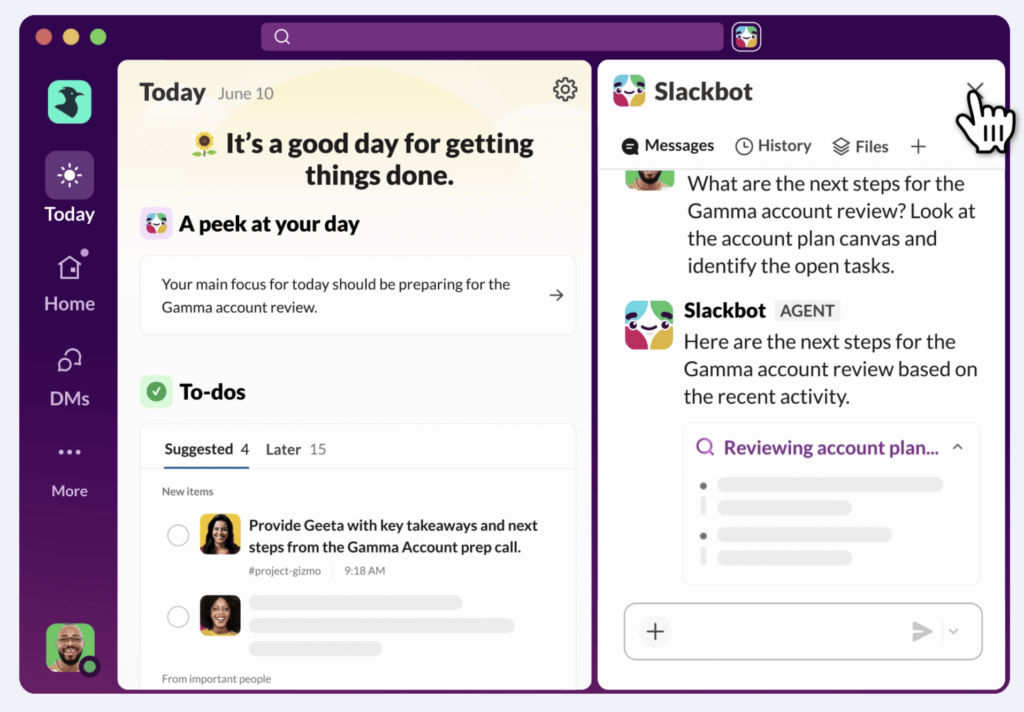
Why Modern CRMs Matter in Wealth Management

The wealth management industry has transformed dramatically over the past decade. Gone are the days when clients relied solely on in-person meetings and phone calls. Today, clients expect instant access to insights about their portfolios, proactive guidance from their advisors, and digital tools that make managing their wealth simple.

The Advisor’s Perspective

Advisors need a CRM that does more than store contact information—it must unify client profiles, track financial goals, manage household relationships, and provide actionable insights in real time. Legacy platforms, including Redtail, often fall short in supporting these evolving needs. Limited automation, constrained analytics, and fragmented integrations can slow operations and hinder client engagement.

The FSC Advantage

Salesforce FSC addresses these challenges head-on. Designed specifically for financial institutions and advisory practices, FSC offers a robust, scalable architecture that captures client data in structured, meaningful ways. Household and relationship mapping allows advisors to see the full picture of their clients’ financial lives, while integrated compliance features ensure that regulatory obligations are consistently met. Analytics dashboards provide actionable insights, helping managers make informed decisions and track firm performance.

The Role of Agentforce in CRM Modernization

Integrating Agentforce on top of FSC elevates the platform further. Agentforce orchestrates workflows, automates repetitive tasks, and introduces AI-driven intelligence that empowers advisors to work smarter. By automating data collection, alerts, and task management, advisors can focus on what matters most: building relationships and delivering high-quality financial guidance.

Practical Examples

Consider a scenario where an advisor is preparing for quarterly client reviews. Instead of manually compiling account balances, activity logs, and notes, Agentforce can automatically gather all relevant data from FSC and present it in a structured, easy-to-digest view. Alerts can notify advisors about upcoming goals or risk exposures, and automated workflows ensure compliance checks are completed without extra effort.

Preparing for a Successful Migration

Preparation is the most critical phase of any migration initiative. Firms must align stakeholders, understand the scope of existing data, and map current workflows. This stage ensures that the migration is not just a technical exercise but a strategic initiative aligned with business objectives.

Data Assessment and Cleansing

A detailed assessment of Redtail data, including contacts, households, historical interactions, and custom fields, lays the foundation for a smooth transition. Data quality is paramount. Firms should cleanse and normalize client records, remove duplicates, and validate historical interactions. Agentforce can support large-scale validation, reducing errors and improving data usability post-migration.

Integration Planning

Migration architecture should encompass the FSC core platform, the Agentforce automation layer, middleware for integrations, and monitoring tools. Many firms rely on additional systems such as portfolio management, document storage, financial planning software, and marketing automation. Ensuring seamless integration preserves workflow continuity and minimizes disruption.

Executing the Migration

A phased approach minimizes business risk. Starting with a pilot dataset allows teams to test mappings, validate data, and gather user feedback. Incremental rollouts by business unit or team reduce risk and allow for adjustments before full-scale deployment. Agentforce’s automation capabilities accelerate these phases, ensuring that tasks such as data import, verification, and workflow activation are completed efficiently.

Post-Migration Optimization

Migration is not complete at go-live. FSC and Agentforce provide tools to refine workflows, create role-specific dashboards, and continuously monitor system performance. Advisors benefit from intelligent alerts, consolidated client profiles, and automated reporting, which streamline daily activities and free up time for strategic engagement. Firms gain centralized oversight, enabling managers to track performance, monitor compliance, and identify areas for improvement.

Enhancing Advisor Productivity

Integrated platforms empower advisors to work more effectively. Unified client profiles, intelligent alerts, automated follow-ups, and streamlined pipeline management reduce administrative burden, allowing advisors to focus on strategic client engagement.

Transforming Client Experience

Automated workflows ensure client communications are timely, personalized, and relevant. Alerts for goal progress, portfolio changes, or life-event milestones help advisors proactively engage with clients. Multi-channel capabilities—email, SMS, portal notifications—provide a consistent experience across touchpoints, fostering trust and loyalty.

Leveraging AI and Intelligent Automation

Predictive analytics identify high-potential opportunities or risks. AI-powered workflows prioritize tasks and flag compliance concerns. Advisors can provide proactive, informed advice rather than reacting to client requests, positioning the firm as a trusted strategic partner.

Operational Excellence Through Integration

Integrating FSC with Agentforce standardizes workflows, reduces manual intervention, and enhances governance. Firms gain visibility into processes across departments, ensuring consistency and accountability. Centralized dashboards provide real-time insight into client activity, advisor performance, and operational metrics.

Platform Management and Governance

Long-term success requires robust platform governance: release management, security administration, change control, and ongoing training programs. Establishing a CRM center of excellence helps institutionalize best practices and ensure continuous improvement.

Measuring ROI and Performance

Key performance indicators include migration completion rates, data accuracy, advisor efficiency, client engagement, compliance adherence, and overall firm performance. Dashboards enable managers to monitor these metrics and make informed decisions.

Compliance, Security, and Risk Management

Financial services firms operate in highly regulated environments. Salesforce FSC’s robust security architecture, combined with Agentforce governance, ensures that sensitive client data is protected and compliance obligations are consistently met.

Change Management and Adoption

Technology delivers value only if it is adopted. Structured training, hands-on workshops, and ongoing support help advisors and operations teams leverage the platform’s full capabilities. Agentforce-guided workflows assist new users in learning processes in context, reducing adoption friction and accelerating productivity.

Avoiding Common Pitfalls

Organizations often face challenges such as underestimating data complexity, insufficient testing, weak stakeholder engagement, and inadequate training. Proactive governance and experienced partners help mitigate these risks.

Future-Proofing Your CRM Platform

The financial services industry continues to evolve with AI-driven advisory models, embedded financial services, open banking integrations, and advanced analytics. FSC and Agentforce provide the flexibility to adapt to these trends while maintaining operational resilience.

TakeAway

Redtail migration is more than a technical upgrade—it is a strategic opportunity. Integrating Agentforce with Salesforce FSC enables firms to unlock efficiency, strengthen client relationships, and gain a competitive edge. By approaching migration as a business transformation initiative, wealth management organizations can deliver exceptional client experiences, empower advisors, and achieve sustainable growth in an increasingly competitive industry.
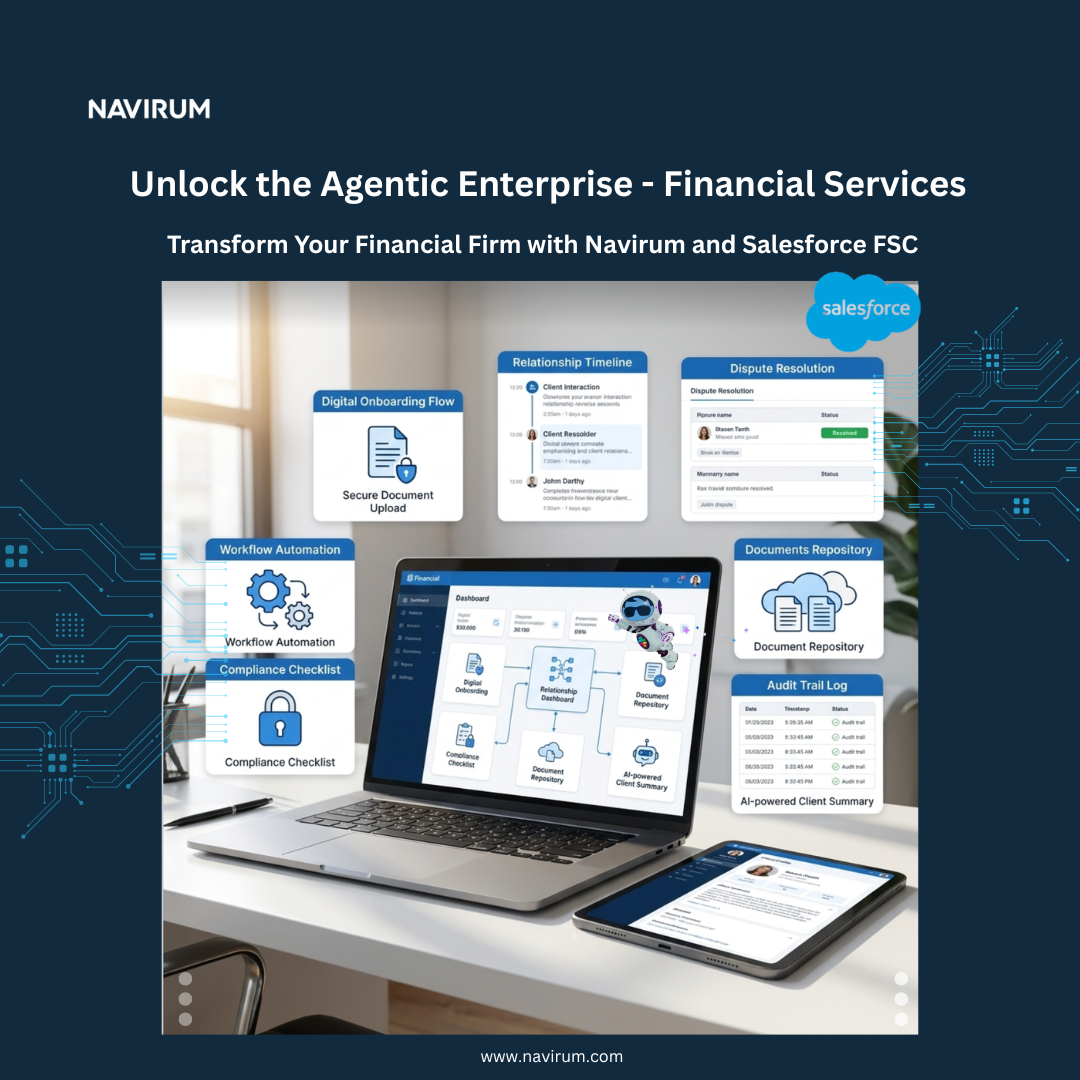
Navirum Recommendations: Strategic Guidance

Navirum Salesforce Ridge Partner

At Navirum, we advise firms to treat Redtail-to-Salesforce Financial Services Cloud migration as a business transformation, not just a system upgrade. Before rebuilding in FSC, firms should redesign workflows, define a minimum viable data model, and embed automation that generates actionable intelligence—such as proactive client engagement, cross-sell opportunities, and compliance triggers. Segmentation by advisor type and role-based dashboards ensures adoption and maximizes productivity.

Long-term success requires strong governance and executive sponsorship. Establish an internal CRM board, track adoption KPIs, and align metrics with firm growth and valuation drivers. By combining intelligent platform architecture with cultural alignment, firms can leverage FSC and Agentforce to drive operational efficiency, advisor excellence, and sustainable competitive advantage.


Frequently Asked Questions

When does it make strategic sense to migrate from Redtail to Salesforce Financial Services Cloud?

Migration becomes strategic—not just technical—when growth exposes operational constraints. Indicators include multi-advisor scaling challenges, inconsistent workflows, increasing compliance complexity, limited automation, and difficulty integrating portfolio, planning, or marketing systems. Firms preparing for M&A, expanding into multi-entity structures, or targeting enterprise-grade reporting often reach this inflection point.

How does FSC’s data model differ structurally from Redtail’s architecture?

FSC uses a financial services–specific data model built around households, relationships, financial accounts, and goals. It enables multidimensional relationship mapping across individuals, trusts, businesses, and beneficiaries. This structured model supports deeper analytics, regulatory traceability, and cross-functional visibility that legacy CRMs typically struggle to deliver.

What role does Agentforce play in a migration strategy?

Agentforce acts as an orchestration and automation layer on top of FSC. It standardizes workflows, automates task routing, triggers compliance checks, and surfaces AI-driven alerts. Rather than simply moving data, firms redesign processes to reduce manual intervention and embed intelligence into daily advisor operations.

How should firms approach data governance during migration?

Migration is an opportunity to redesign governance frameworks. This includes defining data ownership, implementing validation rules, enforcing naming conventions, and establishing lifecycle management policies. Firms that treat migration as a governance reset—not just a data transfer—realize significantly higher long-term ROI.

What integration complexities should firms anticipate?

Most advisory firms rely on portfolio management systems, financial planning tools, custodial feeds, document storage, and marketing automation. Integration strategy must address API compatibility, middleware architecture, data synchronization logic, and latency considerations. A poorly planned integration layer can undermine even the most robust CRM implementation.

How does migration impact compliance and audit readiness?

FSC offers structured activity tracking, role-based access controls, field-level security, and comprehensive audit trails. When properly configured, workflows can enforce compliance checkpoints automatically. Migration provides an opportunity to standardize documentation practices and reduce regulatory exposure through embedded controls.

What are the most common causes of Redtail-to-FSC migration failure?

Frequent pitfalls include underestimating data complexity, inadequate stakeholder alignment, insufficient testing, and weak change management. Another critical risk is replicating legacy processes instead of redesigning them for automation and scalability.

How should firms measure ROI post-migration?

Strategic KPIs may include:

  • Advisor time reallocated to client-facing activities
  • Reduction in manual administrative workload
  • Increased client engagement rates
  • Improved compliance tracking accuracy
  • Enhanced pipeline visibility and forecasting

ROI is typically realized through operational efficiency and improved client retention rather than direct cost reduction alone.

How does FSC support long-term scalability and M&A growth?

FSC’s scalable architecture accommodates multi-team structures, segmented reporting, and standardized workflows across offices. For firms pursuing acquisitions, the platform simplifies onboarding new advisors and consolidating disparate data environments into a centralized system.

What organizational changes are required to maximize platform value?

Successful firms establish a CRM center of excellence, define release management processes, invest in structured training programs, and appoint internal platform champions. Technology transformation must be paired with cultural alignment to ensure sustained adoption and continuous optimization.

⭐⭐⭐ DISCOVER NAVIRUM ⭐⭐⭐

Lavinia PicuThe Ultimate Redtail Migration Guide: Boost Your Practice with Salesforce FSC and Agentforce

Navirum Orbit FAQs – Frequently Asked Questions

Discover Navirum Orbit FAQs: A General Overview

What is Navirum Orbit?

Navirum Orbit is a comprehensive Salesforce enablement program and managed services platform. Described as a “Salesforce Concierge,” it provides personalized, on-demand consulting and support designed specifically for financial services companies. Orbit is not just a post-project support model; it is a full-lifecycle partner that embeds into a client’s Salesforce journey from day one, acting as the system of record and institutional memory for the entire environment. The service combines managed services, roadmap development, and on-demand consulting into a single, integrated partnership.
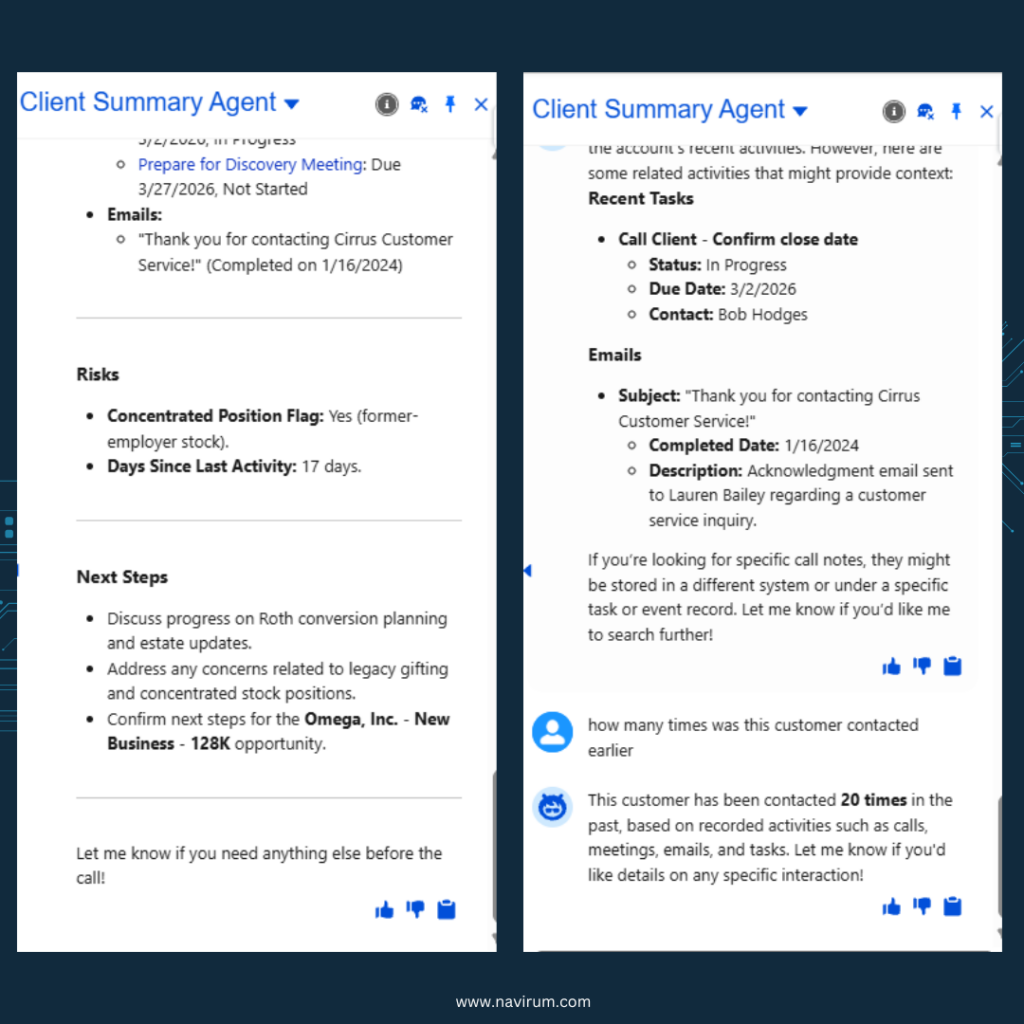
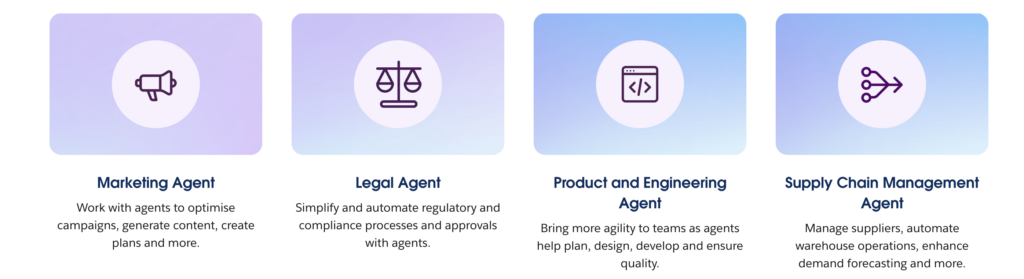
What makes Orbit different from traditional Salesforce support services?
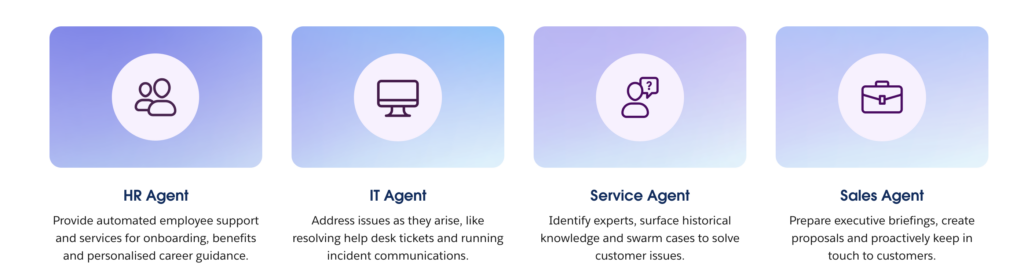
Orbit distinguishes itself by being a complete Salesforce enablement program rather than a simple support service. Key differentiators include:

  • Integrated Partnership: It combines managed services, strategic roadmap development, and on-demand consulting.
  • Proactive Approach: Orbit focuses on proactive system care, performance optimization, and strategic alignment with business goals, rather than just reacting to issues.
  • Full Lifecycle Support: Support begins at the project’s inception (Orbit Project Assist) and continues after deployment (Orbit Post Go-Live), ensuring continuity.
  • Dedicated Resources: Clients receive a dedicated Account Manager, direct Slack access for 1:1 communication, and a personalized portal.
  • Institutional Memory: The Orbit portal centralizes all project history, design rationale, decisions, and files, preserving knowledge through staff changes and system evolution.
  • Accountability: Navirum takes accountability for outcomes, ensuring Salesforce and all connected systems scale with the business.
Navirum Orbit_Salesforce enablement program
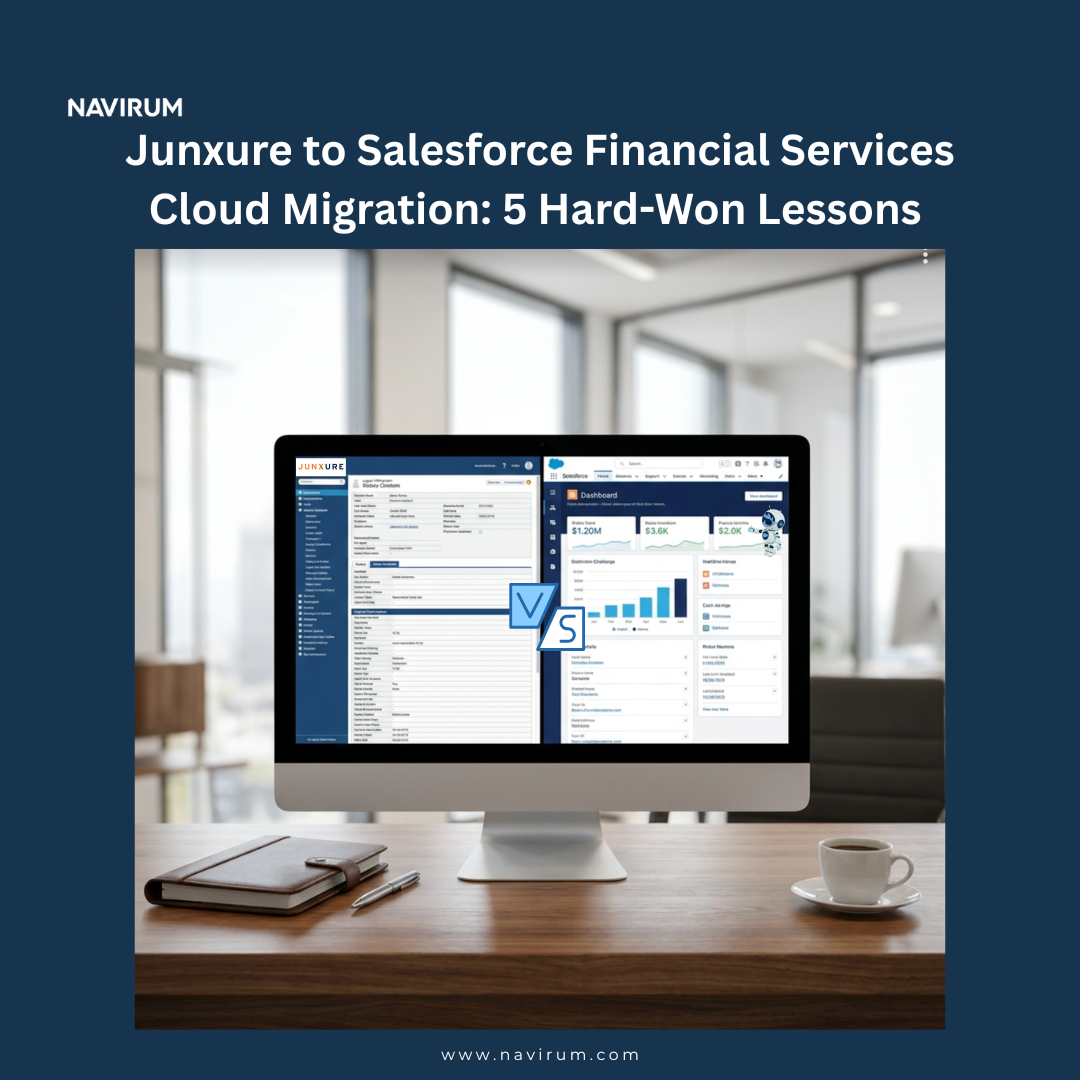
Who is Orbit for?

Orbit is designed for a range of clients with varying needs:

  • New Implementers: Companies implementing Salesforce for the first time.

  • Existing Customers: Organizations with an existing Salesforce instance that need ongoing assistance.

  • Post-Project Clients: Teams that have just finished a Salesforce project and require support after go-live.

  • Small, Fast-Growing Companies: Businesses requiring significant ongoing customization that cannot commit to an expensive one-time project or hire a full-time expert.
  • Mid-Market & Enterprise Companies: Organizations with 1-2 year Salesforce roadmaps and multi-cloud requirements that need a specialized, high-availability partner.

When does the Orbit service start?

Orbit support begins immediately from the start of any project or support engagement. This provides continuous and structured support throughout the entire Salesforce lifecycle.

  • Orbit Project Assist: This phase runs during the implementation of a project.
  • Orbit Post Go-Live: This phase begins immediately after a project goes live to ensure a seamless transition and ongoing optimization.

Value Proposition & Key Benefits

What are the core value levers of the Orbit support model?

Orbit delivers value through eight distinct levers that typical support models cannot match.

The 8 Value Levers: How Orbit Delivers Measurable ROI

Value LeverDescriptionValue Created
Institutional MemoryCaptures and preserves project history, design rationales, and decisions, acting as a stable memory layer amidst staff turnover.Faster enhancements, fewer errors, lower onboarding costs, consistent governance.
Lower Cost of OwnershipEliminates re-discovery and re-analysis costs by maintaining deep knowledge of the org, systems, and business context.More output per dollar, predictable budgeting, less dependency on expensive consultants.
Communication EfficiencyCentralizes files, notes, decisions, and media in a single hub, moving communication away from inefficient email threads.Faster decisions, clear accountability, reduction in misalignment, shorter delivery timelines.
Release ReadinessMonitors Salesforce’s three major annual releases and continuous rollouts, protecting the org and ensuring new features are utilized.Stronger platform stability, better use of licenses, reduced risk from breaking changes.
GovernanceContinuously validates and maintains data, integration, and compliance pathways for financial services firms.Stronger audit posture, cleaner data, reduced regulator risk, higher business trust.
AI & Agentforce EnablementMaintains a clean, well-structured Salesforce environment, providing the necessary foundation for adopting AI and Agentforce.Readiness for AI-driven efficiency, cleaner automations, faster adoption of innovations.
Flexible Commercial ModelAdjusts with business seasonality, allowing support to scale up or down predictably without long-term lock-ins.Better cash flow, no long-term lock-ins, predictable scaling of support.
Relationship CapitalCreates a long-term partnership with compounding technical, commercial, and cultural understanding.Zero time wasted re-explaining the business, partnership-level trust, faster problem-solving.

How does Orbit help businesses that are struggling with Salesforce?

Orbit is specifically designed to address common challenges that prevent companies from realizing the full value of their Salesforce investment.

Can Orbit help reduce the cost of Salesforce maintenance?

Yes. An experienced Salesforce Administrator can cost over $100,000 per year. Orbit provides access to a multidisciplinary team of experienced consultants for as little as 10 hours a month. This fractional model allows businesses to pay only for the expertise they need, significantly reducing maintenance costs compared to hiring a full-time, potentially underutilized, internal resource.

Services & Features

What specific services are included in Navirum Orbit?

Orbit is a multi-faceted service that provides a range of capabilities under one umbrella:

  • Managed Services: Continuous support and proactive system care, including scheduled maintenance, upgrades, and performance optimizations.
  • Roadmap Development: Partnership to build a clear, actionable roadmap that aligns Salesforce capabilities with business goals, including milestone definition and progress tracking.
  • On-Demand Expertise: Access to seasoned Salesforce consultants for focused, high-impact work in manageable sprints.
  • Technical Support: 24/7 monitoring, rapid issue resolution, and a zero-tolerance policy for downtime.
  • Salesforce Accelerators: Use of Navirum’s proven code, configurations, and intellectual property to fast-track solutions.
  • Ongoing Salesforce Training: Customized training and support to help teams work smarter.
  • Compliance & Privacy Solutions: Ensuring the system meets strict regulatory requirements.

What is the Orbit Portal and what can clients do with it?

The Orbit Portal is the central communication hub and single source of truth for all project-related activities. It is designed to eliminate the ambiguity and inefficiency of email.

Navirum Orbit Portal

Key Portal Features:

  • Submit Requests: Users can easily submit requests through a simple, intuitive interface for various needs like general inquiries, project assistance, enhancements, or bug reports.
  • Track Ticket Statuses: The portal provides real-time updates and information on the status of all submitted tickets.
  • Centralized Collaboration: Teams can collaborate using text, images, videos, files, and embedded media, all timestamped, organized, and searchable.
  • Secure File Uploads: Clients can securely upload files, screenshots, and screen recordings directly to relevant tasks.
  • Integrated Knowledge Base: The portal is integrated with a knowledge base to help users find answers to common questions faster.
  • Ticket Escalation: Users have the ability to escalate tickets when necessary.

How does Orbit keep my Salesforce system optimized and up-to-date?

Orbit ensures system optimization through continuous, proactive care. The team delivers scheduled maintenance, performs necessary upgrades, and provides constant performance tuning across the entire Salesforce ecosystem. This includes not just the core CRM but also connected apps, data flows, and integrations. Orbit also monitors Salesforce’s three major annual releases and continuous Agentforce rollouts to protect the org from breaking changes and ensure clients can leverage new features.

What are Salesforce Accelerators?

Salesforce Accelerators are ready-to-deploy solutions built from Navirum’s proprietary intellectual property, codebase, and best practices gathered from dozens of successful financial services implementations. They are designed to fast-track delivery, improve productivity, and drive user adoption, helping businesses achieve results in weeks instead of months.

Can Orbit help with poor Salesforce adoption or a legacy CRM migration?

  • Poor Adoption: Yes, emphatically. Orbit provides targeted coaching, support, and training resources to enhance team performance and motivation, addressing the common challenge of low user adoption.
  • Legacy CRM Migration: Yes, Orbit is perfect for straightforward migrations, such as a data export from a legacy system like ACT.

Commercial Model & Practicalities

What are the available Orbit Support Plans?

Orbit offers flexible plans to suit different business needs:

  • Orbit Standard Plan: 2 hours of support per month, ideal for small businesses with straightforward needs.
  • Orbit Flex Plan: 10-15 hours of monthly support, providing flexibility for growing teams with evolving requirements.
  • Tailored High-Touch Service: A customized plan to ensure clients receive personalized service aligned with their unique business operations and goals.

What is included in a monthly Orbit subscription?

Every Orbit subscription includes:

  • A Dedicated Account Manager
  • Access to the Orbit Portal for services and support
  • A Monthly Project Status Report
  • Real-time status updates on all raised tickets
  • A clear Budget Status update

How does the Orbit commercial model work?

The model is designed for flexibility and long-term financial fit, especially for regulated businesses.

  • Seasonally Adjustable: The service can scale up during heavy months and down during light months.
  • No Lock-in: Clients are not tied to long-term contracts and can cancel with their Account Manager.
  • Predictable Budgeting: The model offers more predictable budgeting compared to hiring short-term consultants or full-time staff.

Can Orbit provide support outside of standard business hours?

Yes. For enterprise clients, the Orbit team works flexibly across multiple time zones, including evenings, early mornings, and extended hours. With proper planning, the team can also staff work over weekends, public holidays, and bank holidays (e.g., Christmas, New Year’s), ensuring continuous delivery on mission-critical projects.

Technical Expertise & Integrations

What technical and industry expertise does the Navirum team hold?

Navirum’s team consists of trained engineers, computer scientists, business analysts, and project managers. They hold certifications across a wide range of Salesforce products and other technologies:

  • Salesforce Clouds: Sales, Service, Financial Services, Marketing, Experience, Data Cloud, and AI solutions.
  • Salesforce Platforms: Agentforce, OmniStudio, Tableau, Pardot.
  • Other Technologies: AWS, DocuSign.
  • Professional Skills: Project management and business analysis.
  • Industry Expertise: Deep specialization in Financial Services (Wealth Management, Asset Management, Lending, etc.), along with experience in Healthcare, Technology, Government, and Manufacturing.

How does Orbit handle integrations and third-party apps?

Orbit supports the entire connected Salesforce ecosystem, not just the core platform. The team manages and optimizes apps, APIs, and data integrations to ensure they work together seamlessly. This prevents data silos and downtime. Navirum has partnerships and integration experience with a wide array of platforms, including:

  • Financial Systems: NDEX, D1G1T, Croesus, LPL, Schwab, Fidelity, MoneyGuidePro, Addepar.
  • AppExchange Tools: Intercom, TaskRay, DocuSign, Conga Composer, Box, OwnBackup.
  • Cloud Platforms: AWS.

How does Orbit prepare organizations for AI and Agentforce?

Orbit acts as the foundational layer for a company’s AI roadmap. Most organizations cannot adopt AI effectively because their data and automations are messy. Orbit focuses on maintaining a clean, well-structured, and well-documented Salesforce environment. This ensures that advanced platforms like Agentforce have the high-quality data and clean automations they need to perform effectively, enabling faster and more successful adoption of new Salesforce innovations.

How does Orbit address security and compliance?

For financial services firms operating under strict requirements, Orbit provides continuous governance. The team validates and maintains critical pathways for systems like Financial Services Cloud (FSC), Portfolio Management Systems (PMS), and accounting/compliance systems. To further enhance security, Navirum partners with the world’s leading Salesforce security firm to ensure client data and systems are fully protected beyond standard best practices.

Read more about Orbit:

Book a free Salesforce Health Check to see how your platform can become a greater engine for business value.

Lavinia PicuNavirum Orbit FAQs – Frequently Asked Questions

What Are Orbit Enterprise Managed Services?

Discover Orbit Enterprise Managed Services

High-Performance Salesforce Support for Medium to Large Companies

Medium and enterprise organizations operate Salesforce at a different scale—multiple clouds, multiple teams, complex integrations, compliance requirements, high user volume, and constant delivery pressure. Orbit, Navirum’s enterprise managed services platform, is designed specifically for companies that need a highly specialized, deeply experienced, always-available Salesforce partner.

Orbit gives enterprises the ability to tap into a multidisciplinary team of Salesforce experts, covering the full stack: Sales Cloud, Service Cloud, Financial Services Cloud, Experience Cloud, Marketing Cloud, MuleSoft, OmniStudio, Tableau, Data Cloud, and the expanding Agentforce AI ecosystem. Our team brings expertise across hundreds of AppExchange tools and modern integration technologies—Microsoft, Google, AWS, Vinton, FormAssembly, DocuSign, and financial systems like LPL, Schwab, Fidelity, MoneyGuidePro, Addepar, eMoney, and more. This breadth is rare, and it reduces the need for multiple vendors, accelerates delivery, and ensures architectural consistency end-to-end.

Orbit Benefits

For enterprises with ongoing project demands, Orbit provides three critical advantages:
project delivery acceleration, team augmentation, and flexible, high-availability support. Our consultants can join existing workstreams to increase velocity, lead complex implementations, or provide niche expertise your internal team may not have. This is especially valuable during peak periods—product launches, compliance cycles, integrations, seasonal workloads, and quarter-end pushes.

Orbit is designed around enterprise operational realities. Our team works flexibly across multiple time zones, including evenings, early mornings, and extended hours when required. We can also staff work over weekends, public holidays, and bank holidays, enabling continuous delivery even when internal teams are unavailable. This is particularly valuable during North American downtime such as Christmas, New Year’s, or August vacation periods. With proper planning, Orbit keeps mission-critical projects on track while your staff rests.

Our pricing model is structured for enterprises: fair during quiet periods, scalable during spikes, and always aligned to value, not volume. You are not locked into rigid headcount or unused retainers. Instead, Orbit adapts to your operating rhythm—supporting heavy periods of innovation, lighter periods of maintenance, and everything in between.

The Orbit team invests heavily in ongoing skills development. Our consultants pursue continuous Salesforce certifications, AI training, and platform specialization aligned with Salesforce’s seasonal releases. This ensures that enterprises benefit from a team that remains ahead of platform changes, security updates, and emerging best practices. In a rapidly evolving Salesforce ecosystem, this alone can materially reduce risk and technical debt.

Orbit also brings a multinational, multilingual advantage. Our team speaks English, French, Spanish, and additional languages, supporting global or distributed organizations with diverse staff and customer bases. Every team member is a trained engineer, computer scientist, business analyst, or project manager, combining technical depth with strong delivery discipline. Beyond financial services, our expertise includes healthcare, technology, government, manufacturing, and nonprofit—industries where reliability, security, and compliance matter deeply.

For enterprises, Orbit is more than a managed service. It is a high-performance extension of your Salesforce capability—flexible, specialized, globally aware, and built for continuous delivery in complex environments. Whether you need to stabilize operations, accelerate transformation, or simply keep your Salesforce ecosystem moving during high-demand periods, Orbit delivers the expertise, availability, and consistency your team can depend on.

Read more about Orbit:

Book a free Salesforce Health Check to see how your platform can become a greater engine for business value.

Lavinia PicuWhat Are Orbit Enterprise Managed Services?

What are ACT! to Salesforce Migration Challenges

ACT! to Salesforce Migration Challenges, Compliance, and Security: What Your Firm Must Know

Migrating from ACT! to Salesforce is a strategic move for organizations looking to improve efficiency, automation, scalability, and reporting. However, a successful migration requires more than simply exporting and importing data. Without proper planning, the process can create data inconsistencies, relationship issues, and compliance risks—especially for financial services, wealth management firms, and other regulated industries.

This guide explores the common challenges of ACT! to Salesforce migrations and the key compliance and security considerations you must address to protect your data, users, and organization. Whether you’re a small team upgrading systems or an enterprise executing a complex transition, these insights will help ensure a smooth, secure, and compliant migration.

7 Common Challenges in ACT! to Salesforce Migration (and How to Avoid Them)

Migrating from ACT!—a legacy CRM with unique data structures—to Salesforce’s modern cloud ecosystem can be transformative, but it also presents several pitfalls. Addressing these challenges early improves data quality, minimizes disruption, and ensures users are ready for the new platform.

1. Duplicate or Low-Quality Data

ACT! databases often contain duplicate contacts, outdated records, and inconsistently formatted fields. If not resolved before migration, these issues transfer directly into Salesforce, harming data integrity.

How to Avoid It:

  • Run deduplication early using specialized tools or Excel.
  • Standardize format types (phone, email, address).
  • Clean out old or irrelevant records before export.
  • Apply Salesforce duplicate rules after import.

SEO tip: Clean data ensures your Salesforce CRM becomes a powerful single source of truth—not a messy version of your ACT! database.

2. Incorrect Field and Object Mapping

ACT! and Salesforce organize data differently. Contacts, companies, notes, and activities often don’t map cleanly between the two systems.

How to Avoid It:

  • Build a detailed ACT! → Salesforce mapping document.
  • Identify one-to-one, one-to-many, and many-to-many relationships.
  • Run a small test import before migrating production data.
  • Include subject-matter experts who understand your ACT! fields.

Pro tip: Proper mapping is the backbone of a successful migration.

3. Broken Record Relationships

In ACT!, relationships between contacts, companies, opportunities, and activities may be loosely structured. If these relationships aren’t preserved, Salesforce receives “orphaned” records that lose context.

How to Avoid It:

  • Export data with unique IDs.
  • Use VLOOKUP or ID mapping during transformation.
  • Import Accounts first, then Contacts, then Activities and Notes.
  • Test the hierarchy inside Salesforce before finalizing.

4. Activities, Notes, and Attachments Failing to Import

Complex ACT! fields—especially history items and attachments—don’t always translate cleanly into Salesforce Tasks, Events, or Files.

How to Avoid It:

  • Convert activities into Salesforce-compatible formats.
  • Use tools like Salesforce Data Loader for large imports.
  • Validate attachment formats and file sizes.
  • Store large documents via Salesforce Files or a connected DMS.

5. Over-Customizing Salesforce Too Early

Many firms try to fully customize Salesforce before migrating ACT! data. This increases the risk of validation rule conflicts, errors, and delayed timelines.

How to Avoid It:

  • Create only essential fields and automation before migration.
  • Disable validation rules during import.
  • Adopt a “migration first, optimization second” approach.

6. Low User Adoption After Migration

Switching platforms is a major change—especially for teams that have used ACT! for years. Even the best migration fails without user adoption.

How to Avoid It:

  • Provide early communication about the benefits of Salesforce.
  • Offer role-based training sessions.
  • Create dashboards that deliver immediate value to users.
  • Build quick-reference guides and internal FAQ documents.

SEO takeaway: A successful ACT! to Salesforce migration is as much about users as it is about data.

7. Underestimating Time and Resource Requirements

ACT! systems vary widely in structure and completeness. Many firms underestimate the time needed for data cleansing, mapping, testing, and user training.

How to Avoid It:

  • Build a realistic project timeline.
  • Assign internal owners for data prep, testing, and training.
  • Work with a migration partner if needed.
  • Add buffer time for unexpected complexities.

Compliance & Security Considerations for ACT! to Salesforce Migration

Migrating sensitive customer information requires strict compliance, governance, and data protection. This is especially true for financial advisors, wealth managers, healthcare providers, and other regulated industries. Failure to plan properly can lead to regulatory violations, breaches, and reputational damage.

Below are the key compliance and security considerations your organization must address.

1. Aligning With Regulatory Frameworks

Your ACT! to Salesforce migration must follow all relevant data protection and industry regulations, including:

  • SEC and FINRA communication and retention rules
  • GDPR (for EU clients)
  • CCPA and state-level privacy laws
  • Corporate data governance policies

Best Practices:

  • Understand what must be retained, what can be deleted, and what must be archived.
  • Document consent and data-handling procedures.
  • Maintain audit logs of data transformations and migrations.

2. Securing Data Transfers

Exporting and transferring data poses significant security risks if not handled correctly.

Best Practices:

  • Encrypt data files at rest and in transit.
  • Use secure transfer methods (SFTP, VPN, encrypted cloud).
  • Restrict access to migration files to essential personnel only.
  • Delete temporary files after verification.

3. Proper Salesforce Security Configuration

Salesforce offers robust security features—but only if properly configured.

Key areas include:

  • Profiles, roles, and permission sets
  • Field-level security (FLS)
  • Data encryption (via Salesforce Shield, if needed)
  • MFA for all users
  • IP and session restrictions

Recommendation: Follow the principle of least privilege—grant users only the access required for their roles.

4. Communication and Recordkeeping Compliance

Financial services firms must ensure notes, communications, and activity histories remain compliant after migration.

Best Practices:

  • Make sure imported activity timelines include dates and authors.
  • Integrate Salesforce with compliant email/communication archiving tools.
  • Ensure notes and attachments remain searchable for audits.

5. Data Retention and Archiving

Not all ACT! data belongs in Salesforce. Some should be archived securely.

Best Practices:

  • Determine regulatory retention periods.
  • Store archived ACT! data in encrypted, secure locations.
  • Document where archives are stored for future audit readiness.

6. Post-Migration Compliance Review

After import, verify that Salesforce is fully aligned with compliance rules.

Checklist:

  • Are all required records present and correct?
  • Are record permissions accurate and secure?
  • Do automations follow compliance standards?
  • Is the migration fully documented for auditors?

7. Vendor and Tool Risk Management

If you use third-party migration tools or consultants:

  • Ensure vendors meet your compliance standards.
  • Request SOC 2 or ISO 27001 certification if handling sensitive data.
  • Revoke vendor access immediately after project completion.

Final Thoughts: A Secure, Clean Migration Sets Salesforce Up for Success

Migrating from ACT! to Salesforce can dramatically improve your CRM capabilities—from automation and reporting to scalability and user experience. But the migration must be executed thoughtfully, with a strong focus on data quality, user adoption, compliance, and security.

By identifying common challenges early and following compliance best practices, your organization will transition smoothly and unlock the full power of Salesforce as your new CRM foundation.

Lavinia PicuWhat are ACT! to Salesforce Migration Challenges