AccountingSeed is a versatile accounting platform built natively on Salesforce, designed specifically for the financial services sector, including banking, wealth management, and insurance. It offers comprehensive financial management, seamless data integration, and automation to streamline accounting processes. With strong adoption in financial centers like Toronto, New York, and San Francisco, AccountingSeed helps firms achieve compliance, drive growth, and maximize return on investment (ROI). It has earned high ratings on G2 and the Salesforce AppExchange, highlighting its effectiveness and customer satisfaction.
Key Features and Benefits
Advanced Financial Reporting and Analytics
Customizable Reports and Dashboards: AccountingSeed provides robust reporting tools that allow financial services firms to create custom financial statements, key performance indicators (KPIs), and dashboards tailored to their specific needs. This enables better financial analysis and informed decision-making.
Real-Time Financial Insights: With real-time data synchronization, firms can access up-to-date financial information, helping them respond quickly to market changes and regulatory requirements. This immediacy is crucial for banking and wealth management firms that need to make timely financial decisions.
Automation of Complex Accounting Processes
Automated Revenue Recognition: The platform automates revenue recognition in compliance with standards like ASC 606 and IFRS 15, reducing manual errors and ensuring accurate financial reporting. This is particularly beneficial for insurance companies managing complex premium and claim calculations.
Multi-Currency and Multi-Entity Support: AccountingSeed handles transactions in multiple currencies and supports consolidated financials for firms with multiple entities, which is essential for global operations and investment firms dealing with international portfolios.
Success Stories and High Customer Satisfaction
Positive Reviews on G2 and AppExchange: AccountingSeed has received high ratings and positive feedback from customers, highlighting its reliability and effectiveness in the financial services sector. Users praise its seamless Salesforce integration and the significant efficiency gains achieved.
Case Studies: Real-world examples demonstrate how firms have improved operational efficiency, reduced costs, and achieved faster ROI by implementing AccountingSeed. For instance, a wealth management firm was able to reduce its month-end closing process by 50% and gained deeper insights into client profitability.
Tailored Solutions for Diverse Financial Services
Banking: Automate loan management processes, interest calculations, and regulatory reporting to enhance operational efficiency. AccountingSeed’s integration with Salesforce allows banks to streamline their financial operations within a unified platform.
Wealth Management: Streamline portfolio accounting, performance tracking, and client billing. Advisors can manage complex investment structures and generate detailed reports for clients, improving transparency and trust.
Insurance: Simplify claims processing, premium tracking, and policy accounting to improve customer service and compliance. AccountingSeed helps insurance firms automate renewals, manage reserves, and comply with regulatory standards.
Additional Highlights
High-Quality Data and Compliance: The platform ensures accurate, real-time financial data, supporting compliance with regulations like IFRS and GAAP. This capability is especially beneficial for industries like insurance and banking, where compliance is essential.
Boosting Salesforce Adoption and Operational Efficiency: By integrating accounting functions directly into Salesforce, AccountingSeed simplifies financial workflows, reduces manual data entry, and lowers operational costs, leading to a faster ROI. Teams can work within a single platform, increasing productivity and user adoption.
User-Friendly Interface and Training Resources: AccountingSeed’s intuitive design reduces the learning curve, enabling teams to adopt the system quickly. Access to training materials, webinars, and dedicated support helps users maximize the platform’s capabilities.
Customizable Workflows for Diverse Financial Needs: The platform supports tailored workflows, automating tasks like loan management, portfolio accounting, and claims processing. Firms can customize processes to match their unique business requirements.
Scalability to Support Growth in Financial Hubs: AccountingSeed scales effortlessly as firms grow, accommodating increased transaction volumes and additional users without sacrificing performance. This scalability supports data needs and efficiency in key financial centers.
Contact Navirum for a Personalized Demo
For banking, wealth management, or insurance firms seeking to enhance accounting efficiency, ensure compliance, and drive growth, contact Navirum today for a demo. Discover how AccountingSeed’s comprehensive financial management solutions, combined with our expert Salesforce consulting services, can transform your financial operations and deliver a faster return on investment.
Lavinia PicuAccountingSeed: A Top Rated Accounting Solution for Financial Services Companies
Discover how integrating Salesforce with insurance platforms leads to improving policyholder experiences!
In the highly competitive insurance industry, delivering exceptional customer experiences is crucial for retaining policyholders and driving growth. Salesforce, with its robust CRM capabilities and extensive ecosystem of integrations, offers insurance companies a powerful platform to enhance operational efficiency, streamline processes, and provide personalized services. This guide covers Salesforce and insurance system integration, the benefits, strategies, and core systems it connects with, to help you elevate policyholder experiences.
The Salesforce AppExchangeoffers powerful insurance integrations that modernize operations and connect core systems. Applied Epic for Salesforcedelivers seamless, bi-directional sync with the Applied Epic AMS, unifying client and policy data. Vlocity Insurance supports the full policy lifecycle from quoting to claims. Veruna bridges agency and MGA operations directly with Salesforce. AMS360 Connect links Salesforce with AMS360 for consistent data flow. Finally,SIA – Smart Insurance Application provides a flexible insurance data model, giving insurers a strong foundation to build tailored Salesforce solutions and accelerate digital transformation.
The Importance of Integrating Salesforce with Insurance Platforms
Insurance companies manage vast amounts of data, from policy details and claims processing to customer interactions and regulatory compliance. Integrating Salesforce with insurance-specific platforms enhances data visibility, automates workflows, and empowers insurers to deliver seamless experiences throughout the policy lifecycle:
Enhanced Customer Insights: Consolidate policyholder data, interactions, and preferences in Salesforce to gain a 360-degree view of customers. This comprehensive view enables personalized communication, proactive service, and targeted marketing campaigns.
Streamlined Operations: Automate policy management processes, such as policy issuance, renewal, and endorsements, by integrating Salesforce with core insurance systems. This integration reduces manual tasks, accelerates response times, and improves operational efficiency.
Improved Claims Management: Facilitate end-to-end claims processing by integrating claims management systems with Salesforce. This integration enables real-time updates, transparent communication with policyholders, and efficient claims resolution.
Compliance and Regulatory Alignment: Ensure adherence to regulatory requirements by integrating compliance tools and audit trails with Salesforce. Maintain data security and privacy standards while enhancing transparency and trust with policyholders.
Key Benefits of Salesforce Integration for Insurance Companies
1. Personalized Customer Engagement
360-Degree View of Policyholders: Centralize policyholder information, communication history, and preferences in Salesforce to deliver personalized service and targeted offers.
Marketing Automation: Integrate Salesforce with marketing platforms to automate campaigns, nurture leads, and promote relevant insurance products based on policyholder profiles and behavior.
2. Efficient Policy Management
Policy Lifecycle Automation: Automate policy issuance, renewal reminders, and endorsements through Salesforce workflows. Ensure timely communication and proactive engagement with policyholders.
Quote and Underwriting Integration: Integrate underwriting systems with Salesforce to streamline quote generation, risk assessment, and policy binding processes. Provide quick turnaround times and accurate policy information.
3. Enhanced Claims Processing
Claims Management Integration: Integrate claims systems with Salesforce to automate claims submission, processing, and settlement. Provide policyholders with real-time status updates and streamline communication throughout the claims journey.
Fraud Detection and Prevention: Leverage Salesforce analytics to identify suspicious claims patterns and integrate fraud detection tools for proactive risk management.
4. Analytics and Reporting
Data-driven Insights: Utilize Salesforce Einstein Analytics to analyze policyholder data, trends, and performance metrics. Gain actionable insights to optimize business strategies, improve customer retention, and identify cross-selling opportunities.
Operational Dashboards: Create custom dashboards in Salesforce to monitor key performance indicators (KPIs), such as policyholder satisfaction scores, claims turnaround times, and sales performance.
Strategies for Successful Salesforce Integration in Insurance
1. Evaluate Integration Requirements
Needs Assessment: Conduct a thorough assessment of current processes, data structures, and integration requirements across policy management, claims processing, and customer service.
Goal Setting: Define specific integration objectives, such as improving customer satisfaction ratings, reducing claims processing times, or enhancing operational efficiency.
2. Select the Right Salesforce Edition
Insurance-Specific Features: Consider Salesforce Financial Services Cloud or Health Cloud, tailored for insurance, to leverage pre-built functionalities and compliance features.
Customization Potential: Assess customization options to align Salesforce configurations with unique insurance workflows and regulatory requirements.
3. Collaborate and Implement
Cross-functional Collaboration: Involve key stakeholders from IT, operations, claims, and customer service departments to ensure alignment and support throughout the integration process.
Pilot Testing and Deployment: Conduct pilot tests and phased deployments to validate integrations, address any issues, and refine configurations based on user feedback.
4. Training and Adoption
User Training: Provide comprehensive training programs to equip employees with the skills to navigate Salesforce effectively, input data accurately, and utilize integrated systems optimally.
Change Management: Implement a change management strategy to promote adoption, address resistance, and foster a culture of continuous improvement post-integration.
Integrating Salesforce with insurance platforms empowers companies to enhance policyholder experiences, streamline operations, and drive business growth. By consolidating data, automating processes, and leveraging analytics, insurers can deliver personalized service, improve claims management efficiency, and ensure regulatory compliance.
As insurance companies navigate the complexities of digital transformation, Salesforce integration stands out as a strategic initiative to optimize operations and elevate customer satisfaction. Ready to transform your insurance operations with Salesforce integration? Contact our Salesforce consulting experts today to discover how we can support your journey towards operational excellence and superior policyholder experiences. Explore our full insurance industry practice, or read our complete guide to Salesforce for insurers for the full lifecycle picture.
Contact Navirum for Help
Lavinia PicuIntegrating Salesforce with Insurance Platforms: Improving Policyholder Experiences
How Manhattan Private Equity Firms Can Leverage Salesforce and AI
In the fast-paced world of private equity on Wall Street, firms are turning to Salesforce and AI to streamline operations, enhance deal flow, and strengthen investor relationships. With countless AI tools available—like Otter.ai – AI Meeting Note Taker & Real-time AI Transcription , Pilot, Firefly, Microsoft Copilot, and ChatGPT—firms in New York City have a range of solutions tailored to their specific needs. Here’s how Manhattan-based private equity firms are leveraging Salesforce AI solutions for maximum impact.
1. Smarter Deal Management
Salesforce provides a one-stop platform for managing deal flow, and with AI tools like Firefly and Pilot, firms can analyze market trends, previous deals, and competitor activity in real-time. By automating data entry and deal evaluation, AI reduces manual work, giving teams more time to focus on sourcing and closing the next big opportunity, whether it’s a new prospect from Midtown or a lead from downtown.
2. AI-Driven Note-Taking and Follow-Ups
Busy Manhattan firms don’t have time for endless admin. AI tools like Otter.ai – AI Meeting Note Taker & Real-time AI Transcription and Microsoft Copilot take care of meeting notes, automatically transcribing conversations and generating action items during investor or client meetings. These tools help keep your schedule organized, syncing directly with Salesforce to ensure follow-ups and tasks don’t slip through the cracks—whether you’re juggling meetings uptown, downtown, or across the river. This type of Salesforce integration for private equity allows for seamless follow-ups and deal progression.
Why Private Equity Firms Should Leverage Agentforce CTA | Navirum
Private Equity & Autonomous AI
Why Private Equity Firms Should Leverage Agentforce Now
Discover how autonomous AI agents inside Salesforce Financial Services Cloud are revolutionizing deal sourcing, LP communications, and portfolio monitoring for private equity practices.
Private equity thrives on strong investor relations. Salesforce’s CRM capabilities, combined with AI, help firms track investor preferences and interactions. AI can even predict which deals are most likely to attract specific investors. Tools like ChatGPT offer voice solutions, answering routine investor inquiries quickly, keeping communications responsive and tailored to individual needs—whether you’re meeting in a downtown boardroom or catching up over lunch in the Upper East Side. With AI-powered Salesforce solutions, your investor communications stay efficient and personalized.
4. Portfolio Performance and Reporting Made Easy
AI integrated with Salesforce helps firms monitor portfolio companies in real-time. Predictive analytics highlight potential risks and opportunities for growth, while AI-generated reports streamline the compliance process. Whether you’re prepping for a quarterly report or investor meeting, AI ensures everything is accurate and delivered fast, keeping your firm agile and ahead of the game in a city that never sleeps. AI in financial services ensures that reporting and compliance are done with precision and speed.
5. Data-Driven Decision Making
With the speed of New York’s markets, having access to real-time insights is crucial. Combining Salesforce’s data with AI tools like Microsoft Copilot and Firefly gives firms the power to make smarter, faster decisions. Whether you’re dealing with volatility in the market or looking for the next big investment, AI provides the insights you need to act quickly and confidently. The use of AI tools for private equity firms allows for more accurate and data-driven strategies.
Request Your Salesforce Readiness Assessment | Navirum
Integration Assessment
Request Your Salesforce Readiness Assessment
Not sure if your tech stack is integration-ready? We’ll assess your current setup in one conversation. Designed exclusively for financial services firms.
For Manhattan’s private equity firms, AI is a game-changer. With tools like Otter.ai – AI Meeting Note Taker & Real-time AI Transcription , Firefly, Microsoft Copilot, and ChatGPT, firms can streamline operations, enhance investor relationships, and make better, faster decisions. Salesforce consulting for private equity and AI-driven portfolio management give you the edge you need in the fast-paced, high-stakes world of New York finance. Want to learn more? Speak with Navirum today to see how we can help you leverage these powerful tools for your next big win.
Online Resources — Knowledge & Insights | Navirum
Knowledge & Insights
Online Resources
Explore strategic guides for private equity firms leveraging Salesforce FSC, AI-driven deal sourcing, fundraising features, and portfolio monitoring.
Discover real-world outcomes, learn about our collaborative company culture, and meet the financial technology specialists leading your digital transformation.
Proven Results & Impact
Explore Our Success Stories
See how we help financial institutions, wealth managers, and fintechs turn Salesforce and AI into measurable business outcomes and operational growth.
For Bay Street asset managers in Toronto, scaling operations requires smart tools that streamline workflows, enhance client relationships, and ensure compliance with Canadian regulations. By combining Salesforce with AI, asset managers can automate processes, boost productivity, and drive growth. Here’s how firms across Canada can leverage these technologies to scale effectively.
1. Centralized Client and Portfolio Management with AI
Using Salesforce for Canadian asset managers, firms can centralize client data and portfolio updates, ensuring all relevant information is easily accessible. AI automates tasks like portfolio tracking, client segmentation, and performance analysis, giving managers the ability to scale without being bogged down by administrative work. This allows firms in Toronto and across Canada to provide personalized services at scale.
AI-powered tools like Vinton can be integrated with Salesforce to automatically transcribe meeting notes, capture action items, and generate summaries. This helps Bay Street asset managers stay organized without manual effort. AI can also suggest follow-up tasks and actions based on meeting discussions, ensuring nothing falls through the cracks. Automated meeting minutes and action tracking allow managers to focus on client relationships rather than admin tasks.
3. Automated Compliance and Reporting
Compliance is a major concern for asset managers under the regulations of IIROC and the OSC. Salesforce, integrated with AI, automates compliance reporting and tracking, ensuring that all regulatory requirements are met. This takes the administrative burden off Bay Street firms, allowing them to grow confidently while staying compliant. Salesforce compliance tools for Canadian asset managers help scale operations smoothly.
4. Improved Investor Relations with AI-Driven Communication
Salesforce’s CRM capabilities, enhanced by AI, automate personalized communications, allowing asset managers to deliver timely updates to investors. AI can also analyze investor behavior and preferences, predicting the types of opportunities they are most likely to invest in. By using AI for investor relations, managers can maintain stronger relationships and scale their client base across Toronto and Canada more efficiently.
5. AI for Calendar Organization and Task Management
AI-driven tools in Salesforce help asset managers stay organized by automatically scheduling meetings, prioritizing tasks, and managing calendars. With AI-powered calendar organization, asset managers can optimize their schedules, ensuring meetings and important tasks are handled efficiently. This boosts productivity and allows firms to focus on growth instead of getting lost in manual planning.
6. Data-Driven Decision Making with AI Insights
Salesforce analytics for asset managers integrated with AI offers real-time insights into portfolio performance, market trends, and client preferences. AI’s predictive analytics help managers anticipate market changes and adjust investment strategies, ensuring optimal portfolio growth. This enables Bay Street firms to make smarter, faster decisions, critical for scaling operations across Canada.
Conclusion
Bay Street asset managers in Toronto can leverage Salesforce and AI to scale operations by automating note-taking, compliance, investor communications, and task management. These tools not only increase productivity but also enhance client relationships and decision-making. To explore how Salesforce and AI solutions can drive growth for your firm, contact Navirum today for expert guidance on building scalable, AI-powered solutions across Canada.
Book A Consultation
Lavinia Picu5 Ways Bay Street Asset Managers Can Leverage Salesforce and AI to Scale and Grow
If you’re in financial services and haven’t yet embraced Salesforce, you’re missing out on a game-changer. Salesforce has become the premier Customer Relationship Management (CRM) platformfor financial service companies – from wealth management to insurance firms. With Navirum as your trusted Salesforce consulting partner, you’ll unlock the full potential of Salesforce to elevate your firm’s operations.
The Big 12 Are..
Here’s why financial services firms choose Salesforce—and how Navirum can help you make the most of it.
1. Purpose-Built for Financial Services
Salesforce’s Financial Services Cloud is specifically designed for financial service firms. From client data management to compliance tracking and portfolio monitoring, this platform is tailored to help you streamline your operations. At Navirum, we specialize in customizing Salesforce to fit the exact needs of your financial services firm, ensuring everything runs seamlessly.
2. 20+ Years of Industry Leadership
For over two decades, Salesforce has been the dominant force in CRM—trusted by industry giants like Bank of America, RBC, and FCA in the UK. Financial services firms were some of the first to adopt Salesforce during the .com era, and today, it continues to lead the market with innovative features designed to empower your business. With Navirum, you’re in good company, leveraging the same platform trusted by the biggest names in finance.
3. Unmatched Focus on Trust and Security
Trust is the foundation of Salesforce’s relationship with its clients, especially in the financial services sector. Salesforce’s commitment to data security is second to none, with built-in encryption, two-factor authentication, and comprehensive user permissions. Salesforce is fully compliant with industry standards like SOC 2 and GDPR, ensuring your clients’ data is protected at all times. At Navirum, we help ensure your Salesforce implementation follows the highest security standards, so your firm’s data remains safe and compliant.
4. Constant Innovation: AI-Driven and Always Improving
Salesforce is known for its relentless focus on innovation. With Salesforce Einstein AI, firms can tap into predictive analytics, personalized client insights, and automation that takes decision-making to the next level. And with three major releases a year, Salesforce ensures your CRM is constantly improving, giving you access to the latest features without costly upgrades. At Navirum, we help you stay on top of these updates so your Salesforce system is always at its best.
Salesforce offers more than just a CRM—it offers an entire ecosystem. With thousands of certified professionals, consultants, and developers in the Salesforce community, you’ll always have access to the best talent to build and maintain your Salesforce org. On top of that, Salesforce’s AppExchange offers a vast marketplace of plugins and integrations, allowing you to extend your CRM with industry-specific solutions like portfolio management systems (PMS), trading tools, document management, and more. At Navirum, we ensure you make the most of this ecosystem, tailoring Salesforce with the best add-ons and solutions for your business.
6. Deep and Seamless Integration with Your Entire Tech Stack
Salesforce excels at integrating with virtually any system your financial services firm relies on. Whether it’s connecting with custodians, back-office systems, portfolio management systems (PMS), trading platforms, or compliance software, Salesforce can integrate it all into one seamless flow. These integrations ensure that data moves effortlessly across systems, eliminating silos and providing your team with a unified view of every client’s financial journey. Navirum specializes in creating custom integrations that tie Salesforce into every part of your operation, so you can leverage data more efficiently and make smarter decisions faster.
7. Streamline Compliance
Compliance is a headache for every financial services firm, but Salesforce simplifies the process. With built-in tools for managing Know Your Customer (KYC), auditing, and regulatory tracking, Salesforce ensures you stay compliant while reducing the administrative burden. Navirum helps set up compliance workflows and automations, so your firm is always prepared for audits and evolving regulations.
8. Automate Routine Tasks and Boost Efficiency
Salesforce saves time by automating the repetitive tasks that slow down your team. From client onboarding to follow-ups and report generation, Salesforce’s automation tools ensure nothing gets overlooked. With Navirum’s CRM consulting, we’ll tailor automation features to fit your firm’s specific needs, giving you and your team more time to focus on high-value activities like client relationship management.
9. 360-Degree Client View for Personalized Service
In financial services, relationships are everything. Salesforce gives you a 360-degree view of your clients, tracking every interaction, financial product, and preference in one centralized platform. This holistic view allows you to deliver highly personalized service, anticipate client needs, and deepen your relationships. Navirum helps you fully leverage this client data, ensuring your firm delivers exceptional client experiences at every touchpoint.
10. Scalable for Growth
Salesforce grows as your firm grows. Whether you’re adding new services, expanding into new markets, or onboarding more clients, Salesforce’s cloud-based architecture ensures your CRM scales effortlessly. Navirum works with financial services firms of all sizes, helping you implement Salesforce in a way that can scale alongside your business, without skipping a beat.
11. Unrivaled Data Security and Trust
When dealing with sensitive financial data, trust and security are non-negotiable. Salesforce’s data security features are designed to protect your firm’s and your clients’ information at the highest level. With encryption, role-based access controls, and robust compliance protocols, Salesforce ensures your data is always secure. At Navirum, we fine-tune these security measures to protect your firm’s data while staying compliant with regulatory standards.
12. Integration with Every Tool You Use
Salesforce doesn’t just integrate with your email platform; it integrates with everything. Whether it’s portfolio management systems, trading platforms, financial planning tools, or compliance software, Salesforce brings them all into one unified system. This ensures data flows seamlessly between departments and across platforms, eliminating silos and giving your team access to real-time, actionable data. Navirum helps you integrate Salesforce into every corner of your firm, from custodians to back-office systems, ensuring smooth operations and better decision-making.
Why Financial Services Firms Choose Salesforce with Navirum
Financial services companies choose Salesforce because it’s powerful, secure, and built for constant innovation. They choose Navirum because we help you unlock the full potential of Salesforce—whether that’s through customization, integration, or leveraging AI to drive smarter decisions. Our team of experts ensures your Salesforce setup not only meets your needs today but grows with your firm in the future.
Ready to Get Started with Salesforce?
Contact Navirum today and see how we can help your financial services firm implement and maximize Salesforce. From better client relationships to streamlined compliance and seamless integration, Navirumhas the expertise to transform your operations and drive your success.
What is Salesforce Financial Services Cloud, and how is it different from regular Salesforce?
Salesforce Financial Services Cloud is a version of Salesforce specifically tailored to meet the needs of financial services firms. It includes features like client householding, relationship mapping, compliance workflows, and financial goal tracking—making it far more suitable for wealth managers, banks, and insurance companies than the standard Salesforce platform.
How long does it take to implement Salesforce for a financial services firm?
The implementation timeline can vary depending on your firm’s size, complexity, and goals. A typical Salesforce implementation can take anywhere from 6 to 12 weeks, but more complex integrations and customizations may extend that. Navirum will work with your team to scope the project and set a realistic, transparent timeline.
Can Salesforce integrate with my existing portfolio management or trading systems?
Yes. Salesforce offers deep integration capabilities with virtually any system through APIs, middleware, and AppExchange tools. Navirum specializes in integrating Salesforce with your PMS, trading platforms, compliance tools, and custodians to ensure smooth data flow and minimize disruption.
Is Salesforce secure enough for sensitive financial data?
Absolutely. Salesforce adheres to top-tier security standards, including SOC 2, GDPR, and ISO 27001. It offers built-in encryption, role-based access controls, and multi-factor authentication. Navirum ensures your implementation is fully aligned with these best practices and regulatory requirements.
How does Salesforce help with regulatory compliance?
Salesforce includes tools for tracking KYC (Know Your Customer), audit logs, consent management, and regulatory workflows. Navirum can customize these features to align with your specific compliance obligations, making audits easier and reducing manual paperwork.
What ongoing support does Navirum offer after implementation?
Navirum offers ongoing support, training, system optimization, and Salesforce maintenance. Whether you need help adopting new features, troubleshooting, or scaling as your firm grows, our team stays with you long after go-live.
What types of financial services firms do you work with?
Navirum works with a broad range of financial firms, including: * Wealth Management & Financial Advisory Firms * Investment Firms & Asset Managers * Insurance Providers * Mortgage & Lending Companies * Retail & Commercial Banks No matter your size or specialty, we tailor Salesforce to fit your exact needs.
Do I need in-house Salesforce experts to manage the system?
Not necessarily. While having in-house admins can be helpful, many firms rely on Navirum’s managed services for ongoing system administration, optimization, and support. We can train your team or act as your outsourced Salesforce experts.
How customizable is Salesforce for financial services?
Highly customizable. With point-and-click tools, automation flows, AI integration, and AppExchange add-ons, Salesforce can be molded to match your unique workflows, client engagement strategy, and business goals. Navirum specializes in tailoring Salesforce to maximize its value for your firm.
How does Salesforce help improve client relationships?
Salesforce provides a 360-degree view of every client, including communication history, financial goals, accounts, and preferences. This enables more personalized service, timely follow-ups, and proactive engagement, which ultimately strengthens client trust and loyalty.
Can I start small and scale Salesforce later?
Yes. One of Salesforce’s strengths is scalability. You can start with core CRM functionality and scale as your needs grow—adding automation, AI, integrations, or additional clouds when you’re ready. Navirum ensures your setup is future-proof and built to grow with your business.
How do I get started with Navirum and Salesforce?
Getting started is easy. Simply contact Navirum to schedule a free consultation. We’ll assess your needs, demo Salesforce if needed, and map out a custom implementation plan designed for your firm’s goals.
Lavinia Picu12 Reasons Why Financial Service Companies Choose Salesforce
How Salesforce Integration for Financial Services Delivers Big Benefits
For financial advisors in North America, efficiently managing portfolios while staying compliant is as critical as keeping your coffee strong on a Monday morning. Integrating your portfolio management systems (PMS) with Salesforce—whether through Financial Services Cloud, Sales Cloud, or both—can streamline your operations faster than a drive-thru line during rush hour. Here’s a look at eight benefits this Salesforce integration for financial services firms can bring, and yes, they’re smoother than your favorite iced latte.
#1. A Real 360-Degree View of Your Client
Integrating PMS like Addepar, Orion, NDEX, D1G1T, Harmony, or Croesus with Salesforce gives you a view of your clients as clear as a sunny day on the open road. With real-time access to portfolio data, you can offer client interactions that are more personal and efficient, cutting down on manual work and giving you more time to focus on what really matters—growing your business. Custom Salesforce solutions for wealth management firms allow you to scale effortlessly. A well-planned Salesforce integration for financial services keeps that client data accurate and always up to date.
# 2. Streamlined Compliance and Reporting
In financial services, regulations are no joke. Whether you’re dealing with Canadian Securities Administrators (CSA), IIROC, or guidance from the Portfolio Management Association of Canada (PMAC), staying compliant is a must. Salesforce Financial Services Cloud integrates with your PMS to automate compliance tracking and reporting, ensuring your audits run smoother than your favorite road trip playlist.Salesforce compliance solutions for Canadian financial services can make this process even more streamlined.
#3. Improved Productivity Through Workflow Automation
Automating tasks like data entry and reporting is like setting your car on cruise control—it makes the ride a whole lot easier. Whether you’re using Financial Services Cloud or Sales Cloud, automation frees up your time to focus on the bigger picture: client strategy and portfolio growth. Think of it as putting your productivity into overdrive. For those looking for financial advisor productivity tools with Salesforce integration, automation is key.
With Salesforce, you can bring all your client data into one dashboard—no more juggling apps like you’re trying to merge onto the highway at rush hour. Whether it’s through Financial Services Cloud or Sales Cloud, consolidated data lets you analyze trends and make decisions with the confidence of someone who’s just found the perfect parking spot. Best Salesforce consultants for asset management firms can help you make the most of these data-driven insights.
#5. Enhanced Communication and Collaboration
Teamwork makes the dream work, right? Salesforce integration makes it easy for your team to stay on the same page, whether they’re sharing client reports or collaborating on portfolio strategies. Better communication leads to better results, and when your team is operating smoothly, it’s like a well-oiled machine on a cross-country road trip—everyone’s in sync. How to integrate portfolio management systems with Salesforce becomes crucial for firms looking to optimize their operations.
#6. Better Risk Management
Managing portfolio risks in real time? That’s like having a built-in GPS for your investments. Salesforce integration lets you track portfolio risks and set up alerts for potential issues before they become major detours. With Financial Services Cloud, you can manage risks with the precision of a driver avoiding potholes on a long stretch of highway. Expert Salesforce consultants for portfolio management system integration can help you stay ahead of the curve.
#7. Secure Data Storage and Compliance
When it comes to client data, security is everything. Salesforce’s data storage is as locked down as your favorite streaming service password (but easier to recover if you forget it). Fully compliant with North American privacy laws like PIPEDA, and ready for the federal government’s Open Banking integration with Salesforce for Canadian financial institutions, Salesforce ensures your client data is protected and audit-ready at any time.
#8. Scalability for Growth
Salesforce is built to grow with you, just like your need for extra cupholders on a road trip. Whether you’re managing a small firm or expanding across cities, Financial Services Cloud and Sales Cloud let you scale effortlessly. With Salesforce, you’ll be ready for growth as smooth as a freeway on Sunday morning—no traffic, just wide-open possibilities. Salesforce data integration for multiple custodians and data feeds ensures that firms can scale while managing complex data needs.
Navigating the Complexity of Salesforce Integration for Financial Services
Integrating a PMS with Salesforce isn’t always a straight shot down the interstate. Each firm has its own unique mix of custodians, data feeds, and even insurance products. Think of it like navigating a complex highway system: no two routes are the same, and sometimes you need a little help finding the best way forward. To find out more on the topic of
That’s where Navirum comes in. As experts in Salesforce integrations for financial services, we know the ins and outs of these systems like a GPS that’s always rerouting you to the fastest option. That is exactly the role Orbit’s managed services play once the integration is live. Whether your integration requires a direct API connection or a more customized approach, Navirum is here to guide you through the process, ensuring your systems are integrated seamlessly. So sit back, relax, and let us handle the technical details—you’ve got clients to impress and portfolios to grow.
Why Financial Service Companies Need a CRM (And Why You Shouldn’t Be Using a Rolodex in 2024)
Alright, financial service firms, let’s have a chat. It’s 2024, and if your idea of client management still involves a Rolodex or a color-coded spreadsheet, we need to talk. Yes, the Rolodex had its glory days. It was great. But now, it’s gathering dust, and your clients deserve better. Enter: the CRM (Customer Relationship Management system). If you’re still on the fence about why you need one, let me break it down for you in a way that’ll have you wondering how you ever survived without it.
1. Client Management, Not Client Chaos
Let’s be real—managing clients in financial services is like juggling flaming torches, except the torches are client meetings, compliance checks, portfolio updates, and a thousand emails. Without a CRM, that juggling act is going to drop right on your foot. A CRM is your magic trick to keep all those torches in the air. It tracks every interaction, every email, and every update so you don’t have to search through 15 inbox folders just to find that one time Mr. Jenkins asked about his bond portfolio.
2. Follow-Ups: Because Clients Love to Be Remembered
Let’s be honest: no one wants to be “that guy” who forgets to follow up with a client. (You know who you are.) Your client just told you about their big financial goals, and two weeks later you’re staring at your screen thinking, “Wait, what was that about?” A CRM sends you friendly reminders—like a personal assistant you don’t have to feed or pay—so you can stay on top of things and look like the all-knowing financial wizard you are.
3. Stop Wrestling with Compliance
You know that sinking feeling when you’re deep into paperwork, trying to remember if you’ve checked every compliance box, filed every report, and kept a perfect trail of everything you did? Yeah, we see you. A CRM makes compliance way easier. It keeps track of all the important info, generates reports, and helps you sleep better at night knowing your regulator won’t be knocking down your door.
4. Efficiency: Because You Didn’t Go Into Finance to File Paperwork
Look, you got into financial services to help people build wealth, plan for the future, and maybe wear a power suit or two. But somehow, all your time is getting eaten up by paperwork, client emails, and searching for that one sticky note with “urgent” written on it. A CRM automates a ton of those mundane tasks—client follow-ups, data entry, reporting—so you can get back to doing what you actually like: working with clients (and maybe wearing that power suit).
5. Personalization: Because No One Wants a “Dear Valued Client” Email
Let’s face it, sending the same generic email to 200 clients is a surefire way to make them feel like just another number. A CRM stores all that juicy client data—birthdays, financial goals, favorite coffee order—so you can send emails that are actually personal. Imagine your clients getting messages that show you remember their needs, their preferences, and even that one time they ranted about the market. It’s a level of personalization that’ll make your clients think, “Wow, they really get me.”
6. The “I Can’t Believe I Didn’t Do This Sooner” Moment
If you’re still managing clients with spreadsheets, sticky notes, or—heaven forbid—your memory, the moment you switch to a CRM will feel like the clouds parting and angels singing. Suddenly, everything is in one place. You know where your clients are in their financial journey, you have a bird’s-eye view of your business pipeline, and your team isn’t frantically texting each other for updates on Client X’s latest request.
7. It’s 2024: Time to Level Up
It’s 2024, and the financial services industry isn’t slowing down. Between growing competition, increasing client expectations, and more complex regulations, you need every tool at your disposal to keep up. A CRM is your secret weapon—it’s like giving your team superpowers (minus the capes). Not only will you be able to manage more clients with less effort, but you’ll also give each one of them the attention and care they deserve.
So, Why Haven’t You Made the Switch Yet?
Maybe you’re thinking, “But I’ve got my system—spreadsheets, emails, post-it notes, and a great memory!” Well, sure, but at what cost? Think of all the hours you could save, the clients you could impress, and the stress you could avoid by letting a CRM handle the heavy lifting. It’s like hiring a digital assistant that never sleeps, never forgets, and always has the answers at its fingertips.
Don’t wait for a sticky note to get lost, or a client to slip through the cracks. It’s time to ditch the Rolodex and join the CRM revolution. Your clients (and your sanity) will thank you.
navirum_adminWhy Financial Service Companies Need a CRM
In the dynamic world of wealth management, access to reliable and timely financial data is indispensable. Our partner,NDEX Systems, emerges as a game-changer, revolutionizing how financial professionals gather, analyze, and utilize data to drive informed investment decisions. This blog explores NDEX Systems’ transformative impact in the wealth management industry, highlighting its ability to provide unparalleled access to trustworthy financial data.
The Importance of Trustworthy Financial Data in Wealth Management
1. Data Accuracy and Reliability:
Challenge: Making sound investment decisions hinges on accurate and reliable financial data.
Solution: NDEX Systems aggregates data from multiple reliable sources, ensuring integrity and minimizing inaccuracies that can lead to costly decisions.
2. Comprehensive Market Insights:
Challenge: Staying ahead in competitive markets requires timely access to comprehensive insights.
Solution: NDEX Systems offers real-time updates and in-depth analytics, empowering wealth managers to identify trends, opportunities, and risks promptly.
3. Regulatory Compliance and Transparency:
Challenge: Adhering to stringent regulatory requirements demands transparent data sourcing and reporting.
Solution: NDEX Systems integrates compliance features, providing audit trails and ensuring adherence to regulatory frameworks such as GDPR and SEC guidelines as well as to the Independent Book of Record (IBOR) stipulations of the Ontario Securities Commission (OSC) in Canada.’’
4. Client Trust and Satisfaction:
Challenge: Building and maintaining client trust necessitates transparent and accurate financial reporting.
Solution: With NDEX Systems, wealth managers enhance client satisfaction by delivering clear, data-driven insights and demonstrating a commitment to transparency and accountability.
NDEX Systems: Empowering Wealth Managers with Reliable Financial Data
NDEX Systems stands at the forefront of transforming wealth management practices by offering robust features and capabilities:
1. Advanced Data Aggregation and Integration:
NDEX Systems aggregates data from diverse sources, including market exchanges, financial institutions, and proprietary databases.
This comprehensive approach ensures wealth managers access a holistic view of financial markets and asset classes.
2. Real-time Analytics and Predictive Modeling:
Leveraging advanced analytics and AI-driven algorithms, NDEX Systems provides predictive insights into market trends and investment opportunities.
Wealth managers can make informed decisions based on data-driven forecasts and scenario analyses.
3. Secure and Scalable Infrastructure:
NDEX Systems prioritizes data security with robust encryption protocols and scalable infrastructure.
This ensures data integrity and availability, safeguarding sensitive client information and maintaining operational resilience.
4. Seamless Integration with Wealth Management Platforms:
NDEX Systems integrates seamlessly with leading wealth management platforms, enhancing operational efficiency and data interoperability.
Wealth managers benefit from streamlined workflows and synchronized data management, optimizing client service and portfolio management.
Embracing Innovation for Enhanced Wealth Management
In conclusion, NDEX Systems redefines wealth management by providing access to trustworthy financial data that underpins informed decision-making and client-centric strategies. By leveraging NDEX Systems’ advanced capabilities, wealth managers empower themselves to navigate complex markets confidently, foster client trust through transparency, and drive sustainable growth.
For wealth management firms seeking to elevate their data-driven strategies and unlock new opportunities, NDEX Systems offers a transformative pathway forward. Embrace innovation, harness reliable financial data, and unlock the potential for superior client outcomes with NDEX Systems. The same ongoing-optimization mindset applies to the rest of your Salesforce platform — see how Orbit’s managed services keep it that way.
To discover how NDEX Systems can revolutionize your wealth management practices, contact them here.
This blog post underscores NDEX Systems’ transformative impact in the wealth management industry, highlighting its role in providing trustworthy financial data. It emphasizes the benefits of data accuracy, comprehensive insights, regulatory compliance, and client satisfaction through NDEX Systems’ advanced features and capabilities.
Lavinia Picu5 Proven Ways NDEX Systems Deliver Trustworthy Data
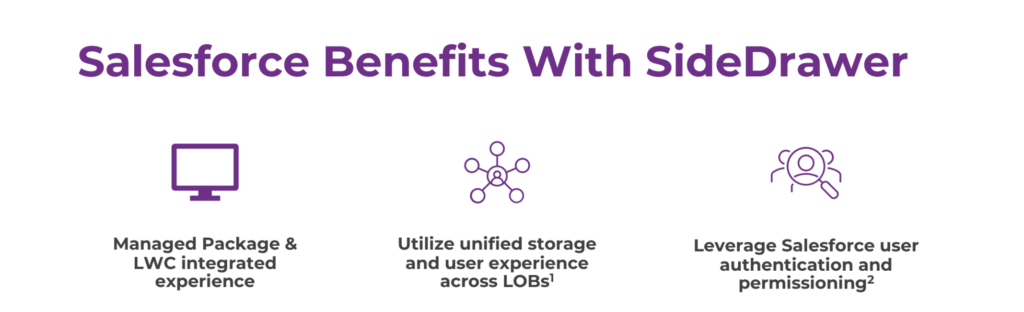
SideDrawer streamlines document management for financial services, offering secure storage, collaboration, and compliance features. Advisors and wealth managers can enhance efficiency, protect sensitive data, and deliver a better client experience with a centralized, digital-first platform.
Streamlining Document Management for Financial Professionals
In the fast-paced world of financial services, where security, efficiency, and client confidentiality are paramount, innovative solutions like those proposed by our partner, SideDrawer, are transforming how professionals manage and safeguard critical information. This blog explores the multifaceted benefits of SideDrawer for wealth managers and other financial services professionals, highlighting its role in enhancing productivity, collaboration, and data security.
1. Enhanced Organization and Accessibility:
Challenge: Managing a myriad of documents and client records efficiently is a common hurdle for financial professionals.
Solution: SideDrawer provides a centralized platform for organizing, categorizing, and accessing documents securely from any device.
Benefit: Wealth managers can streamline workflows, reduce administrative overhead, and retrieve information swiftly during client interactions and audits.
2. Secure Document Sharing and Collaboration:
Challenge: Ensuring confidential information remains protected while collaborating with clients and stakeholders.
Solution: SideDrawer employs robust encryption and permission-based access controls, safeguarding sensitive data from unauthorized access.
Benefit: Financial professionals can collaborate seamlessly with clients, legal teams, and other stakeholders, fostering trust and compliance with data protection regulations.
3. Compliance and Regulatory Alignment:
Challenge: Navigating complex regulatory requirements and ensuring adherence to data privacy laws.
Solution: SideDrawer offers compliance features such as audit trails, document versioning, and secure archiving.
Benefit: Professionals in financial services can demonstrate regulatory compliance, mitigate risks, and maintain client trust through transparent and accountable document management practices.
4. Client-Centric Service Delivery:
Challenge: Delivering personalized and responsive client service amidst increasing expectations for convenience and transparency.
Solution: SideDrawer enhances client interactions by providing a user-friendly portal for document sharing, signing, and collaboration.
Benefit: Financial professionals can elevate client satisfaction by offering seamless access to financial reports, contracts, and updates in real-time, thereby strengthening client relationships and loyalty.
SideDrawer: Empowering Financial Professionals Across the Board
SideDrawer stands out as a versatile solution that caters to the diverse needs of professionals in financial services:
1. Integrated Workflow Management:
SideDrawer integrates seamlessly with existing CRM and document management systems, optimizing workflow efficiency and data synchronization.
This integration enables professionals to streamline processes, reduce duplication of efforts, and enhance productivity.
2. Advanced Security and Confidentiality:
SideDrawer employs bank-grade encryption and secure data storage protocols, ensuring the highest levels of data security and confidentiality.
Professionals can confidently manage sensitive financial information while complying with industry standards and regulatory mandates.
3. Scalable and Customizable Solutions:
SideDrawer offers scalable solutions tailored to the specific needs of wealth managers, financial advisors, legal teams, and compliance officers.
This flexibility allows professionals to adapt and expand their document management capabilities as their business grows and evolves.
4. Enhanced Efficiency and Cost Savings:
By reducing reliance on paper-based processes and manual document handling, SideDrawer helps financial professionals optimize operational costs and resource allocation.
Professionals can allocate more time and resources to strategic initiatives, client relationship management, and business development activities.
Embracing Innovation for Future Success
In conclusion, SideDrawer redefines document management in financial services by providing a secure, efficient, and compliant platform for professionals to collaborate, manage, and safeguard critical information. Whether enhancing client service delivery, ensuring regulatory compliance, or optimizing operational efficiency, SideDrawer empowers financial professionals to thrive in a digital-first environment.
For financial services professionals seeking to elevate their document management strategies and uphold the highest standards of security and efficiency, SideDrawer offers a transformative solution. Embrace innovation, streamline workflows, and elevate client trust with SideDrawer.
To discover how SideDrawer can revolutionize your document management practices, contact them today at hello@sidedrawer.com.
This blog post highlights the transformative benefits of SideDrawer for professionals in financial services, emphasizing its role in enhancing efficiency, security, compliance, and client satisfaction. It underscores the advantages of streamlined document management and secure collaboration, positioning SideDrawer as a pivotal tool for modernizing operations and fostering growth in the financial sector.
Navirum Recommendations: Maximize Efficiency and Security with SideDrawer
At Navirum, we specialize in helping financial services firms adopt and optimize technology solutions that enhance efficiency, security, and client service. With deep expertise in Salesforce, document management, and workflow automation, we guide organizations in leveraging SideDrawer to its fullest potential.
Our approach includes:
Ongoing Optimization & Support: Beyond implementation, our team monitors performance, recommends improvements, and provides guidance to ensure SideDrawer continues to deliver secure, efficient, and compliant document management as your firm grows.
Strategic Implementation: We assess your current workflows, regulatory requirements, and operational goals to design a SideDrawer setup that aligns with your business needs.
Seamless Integration: Navirum ensures SideDrawer integrates smoothly with your existing CRM and document management systems, reducing duplication, streamlining processes, and boosting productivity.
Customized Workflows: We tailor document categorization, permissions, and collaboration tools to meet the unique needs of wealth managers, advisors, and compliance teams.
By partnering with Navirum, financial services firms gain more than a technology solution—they gain a trusted advisor with proven experience in driving operational efficiency, maintaining regulatory compliance, and enhancing client satisfaction through secure and modern workflows.
FAQs – SideDrawer
What is SideDrawer, and why is it useful for financial professionals?
SideDrawer is a secure, cloud-based document management and collaboration platform designed for wealth managers, advisors, and financial services teams. It centralizes documents, streamlines workflows, and ensures confidentiality, helping professionals work efficiently while maintaining compliance.
How does SideDrawer improve document organization?
SideDrawer provides a centralized, user-friendly platform to categorize, store, and retrieve documents quickly. Professionals can access client files from any device, reducing time spent searching for information and minimizing administrative overhead.
Is SideDrawer secure for sensitive financial information?
Yes. SideDrawer uses bank-grade encryption, secure data storage, and permission-based access controls to protect client data from unauthorized access while ensuring confidentiality and regulatory compliance.
Can SideDrawer help with compliance and audits?
Absolutely. SideDrawer features audit trails, document versioning, and secure archiving, allowing financial professionals to demonstrate regulatory compliance, maintain accountability, and mitigate operational risk.
How does SideDrawer support client collaboration?
The platform enables secure document sharing, real-time collaboration, and e-signature functionality. Advisors can seamlessly interact with clients, legal teams, and stakeholders while maintaining strict data privacy standards.
Does SideDrawer integrate with existing CRM or document management systems?
Yes. SideDrawer integrates with many CRM platforms and existing document management systems, ensuring smooth workflows, synchronized data, and reduced duplication of effort across teams.
Can SideDrawer scale with a growing financial services firm?
Yes. SideDrawer is customizable and scalable, supporting the needs of individual advisors, wealth management teams, and large financial institutions as they grow and expand operations.
How does SideDrawer enhance operational efficiency?
By digitizing and centralizing documents, automating version control, and streamlining workflows, SideDrawer reduces reliance on manual, paper-based processes. This frees up time for client service, strategic initiatives, and business development.
Can SideDrawer improve client satisfaction?
Yes. By providing secure, real-time access to reports, contracts, and updates, SideDrawer enables faster, more transparent, and personalized interactions, strengthening client trust and loyalty.
What types of financial services professionals benefit most from SideDrawer?
Wealth managers, financial advisors, legal teams, compliance officers, and operational staff all benefit from SideDrawer’s secure, efficient, and compliant document management capabilities.
Looking for new ways of leveraging Salesforce for Financial insight? Business Intelligence Integration is the answer! In today’s data-driven business environment, financial institutions rely on accurate insights to make informed decisions, manage risks, and drive growth. Salesforce, renowned for its robust CRM capabilities, offers a powerful platform to integrate business intelligence (BI) tools and enhance financial insights. This article explores the benefits, strategies, and best practices for leveraging Salesforce for business intelligence integration in financial institutions.
The Importance of Business Intelligence Integration in Financial Institutions
Financial institutions manage vast amounts of data, including client information, transaction records, market trends, and regulatory data. Integrating Salesforce with BI tools enables these institutions to:
Gain Comprehensive Insights: Consolidate data from various sources into Salesforce to create a unified view of clients, financial performance, and market trends.
Improve Decision-Making: Empower decision-makers with real-time analytics, predictive modeling, and forecasting capabilities to identify opportunities and mitigate risks proactively.
Enhance Operational Efficiency: Automate data analysis, reporting, and dashboard creation to streamline operations and reduce manual effort.
Ensure Regulatory Compliance: Utilize BI tools integrated with Salesforce to monitor compliance, analyze regulatory impacts, and maintain transparency.
Key Benefits of Salesforce Business Intelligence Integration
1. Unified Data Platform
360-Degree View of Clients: Integrate Salesforce with BI tools to consolidate client data, interactions, and financial portfolios in one centralized platform. This unified view enables personalized client interactions and targeted marketing strategies.
Holistic Financial Insights: Combine financial performance metrics, market trends, and customer behavior analytics to gain a comprehensive understanding of business performance and market opportunities.
2. Advanced Analytics and Reporting
Real-Time Analytics: Leverage BI tools integrated with Salesforce to perform real-time data analysis, visualize trends, and generate actionable insights for executives, advisors, and operations teams.
Custom Dashboards and Reports: Create custom dashboards and reports within Salesforce to monitor key performance indicators (KPIs), track financial metrics, and measure business outcomes effectively.
3. Predictive Modeling and Forecasting
Predictive Analytics: Utilize Salesforce Einstein Analytics or integrate third-party BI tools for predictive modeling, forecasting future trends, and identifying potential risks and opportunities in the market.
Scenario Planning: Simulate scenarios and evaluate the impact of strategic decisions on financial performance, client retention, and business growth using integrated BI capabilities.
4. Operational Efficiency and Automation
Automated Insights: Implement automated data workflows and alerts within Salesforce to notify stakeholders of critical changes, anomalies, or opportunities based on predefined criteria.
Efficient Resource Allocation: Optimize resource allocation, budgeting, and strategic planning processes by analyzing historical data and performance metrics through integrated BI tools.
Strategies for Successful Salesforce Business Intelligence Integration
1. Assess Integration Needs and Objectives
Needs Assessment: Conduct a thorough analysis of business requirements, data sources, and integration challenges to define clear objectives for BI integration with Salesforce.
Goal Setting: Establish measurable goals such as improving data accuracy, enhancing decision-making capabilities, or reducing reporting cycles through BI integration.
2. Select the Right BI Tools and Salesforce Edition
BI Tool Selection: Choose BI tools that align with your financial institution’s needs, scalability requirements, and compatibility with Salesforce APIs.
Salesforce Edition: Consider Salesforce editions such as Financial Services Cloud or Einstein Analytics to leverage industry-specific features and compliance capabilities.
3. Data Integration and Architecture Design
Data Mapping and Integration: Develop a data integration strategy to map and synchronize data between Salesforce and BI platforms while ensuring data integrity and security.
Integration Architecture: Design a scalable and robust integration architecture that supports real-time data updates, seamless data flows, and efficient query performance for analytics.
4. User Training and Adoption
Training Programs: Provide comprehensive training to users on navigating Salesforce, interpreting BI dashboards, and utilizing integrated tools for data-driven decision-making.
Change Management: Implement a change management strategy to foster adoption, address user resistance, and promote a culture of data-driven insights across the organization.
Request Your Salesforce Readiness Assessment | Navirum
Integration Assessment
Request Your Salesforce Readiness Assessment
Not sure if your tech stack is integration-ready? We’ll assess your current setup in one conversation. Designed exclusively for financial services firms.
Integrating Salesforce with business intelligence tools empowers financial institutions to harness data effectively, gain actionable insights, and drive strategic initiatives with confidence. By consolidating data, leveraging advanced analytics, and automating reporting processes, organizations can enhance operational efficiency, improve client satisfaction, and achieve sustainable growth in a competitive market landscape.
As you embark on the journey to integrate business intelligence with Salesforce, consider partnering with experienced Salesforce consulting professionals. They can provide expertise in customization, integration, and training to maximize the value of Salesforce for your financial institution.
Ready to unlock the power of Salesforce for business intelligence integration? Contact our Salesforce consulting team today to explore how we can support your organization in leveraging financial insights to accelerate business success and innovation.
Main Navigation CTA Showcase | Navirum
Next Steps & Impact
Explore Navirum Success, Culture & Team
Discover real-world outcomes, learn about our collaborative company culture, and meet the financial technology specialists leading your digital transformation.
Proven Results & Impact
Explore Our Success Stories
See how we help financial institutions, wealth managers, and fintechs turn Salesforce and AI into measurable business outcomes and operational growth.
Whether you are getting to know our team, evaluating our Salesforce and AI offerings, or ready to discuss your firm's growth goals, we are here to guide your journey.
About Navirum
Discover our story, mission, and the experienced financial technology specialists guiding your digital transformation.