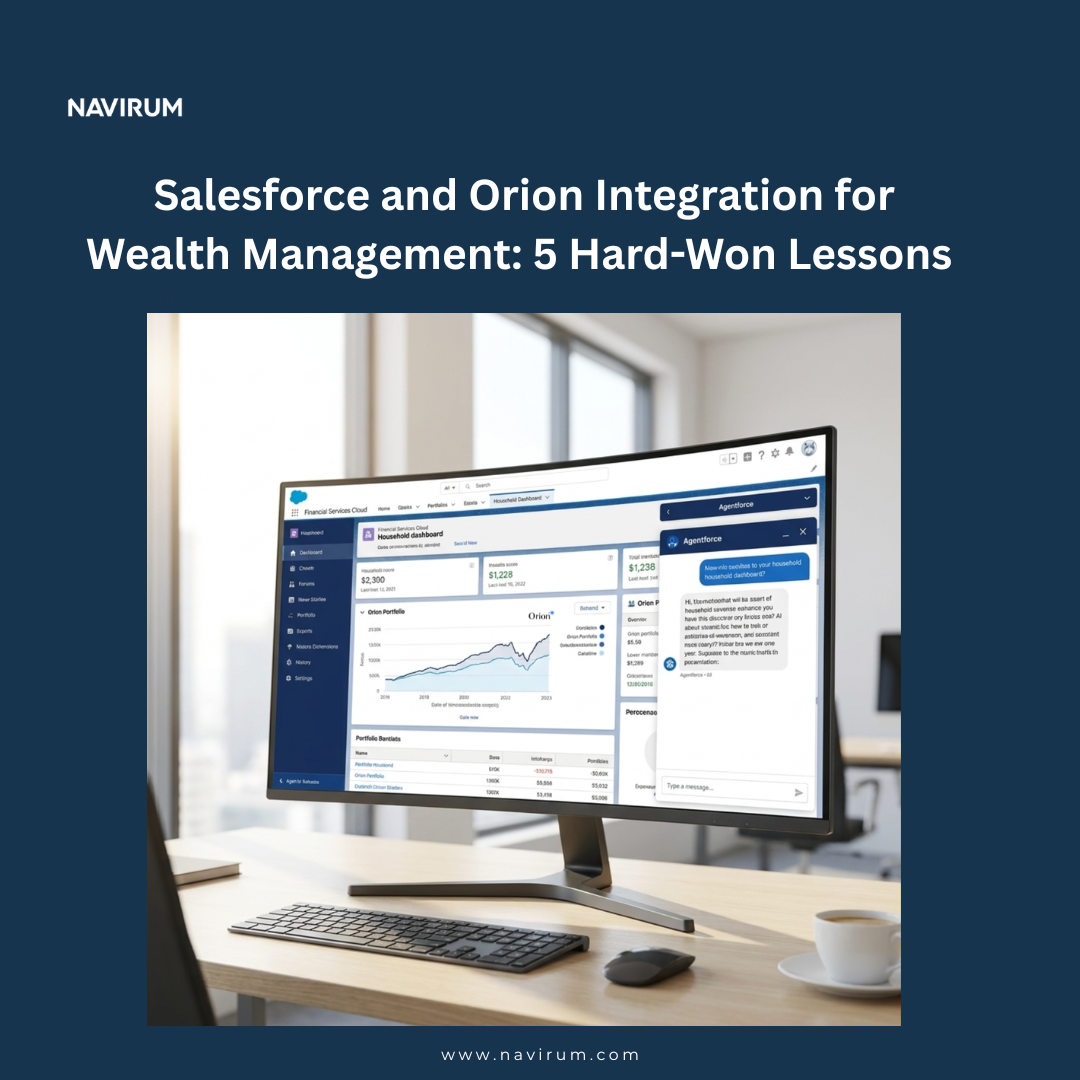
Salesforce and Orion Integration for Wealth Management: 5 Hard-Won Lessons

Salesforce and Orion Integration for Wealth Management: 5 Hard-Won Lessons

Key Takeaways

  • A typical Salesforce + Orion integration takes 30 to 60 days to stand up the core bidirectional sync, and ships with the CRM go-live when paired with a wealth-firm migration.
  • Firms outgrowing Redtail at the 50–150 advisor band are increasingly migrating their CRM to Salesforce Financial Services Cloud while keeping Orion for portfolio management – most just don’t realise this path exists.
  • The cleanest architecture treats Salesforce as the system of record for relationships and workflows, and Orion as the system of record for accounts, positions, performance, and rebalancing – bidirectional sync, with explicit authority per field.
  • Agentforce is rapidly becoming the B2B standard for AI in regulated industries because it runs on your governed Salesforce data with your controls – Orion data exposed through the integration unlocks the most useful agent use cases (meeting prep, advisor research, compliance review).
  • The integration is far more straightforward than most wealth-management leaders assume – Orion’s APIs are well-documented, the architecture pattern is repeatable, and the work compounds across every future Agentforce agent the firm deploys.

Why Wealth Firms Are Integrating Salesforce and Orion in 2026

For most wealth-management firms, the question “what runs the practice?” used to have a simple answer: a CRM (often Redtail), a portfolio system (often Orion), and a stack of point tools bridged by hand. That answer worked at small scale. It stops working between roughly 50 and 150 advisors – the band where firms consistently outgrow Redtail’s configurability ceiling and start needing the next tier of platform. What firms typically migrate toward is Salesforce Financial Services Cloud (FSC), and they do it for four reasons:

Trust and security. Salesforce’s enterprise security model — granular sharing rules, field-level security, encryption, audit trails, and compliance certifications — is what regulated wealth-management firms can defend in front of auditors, custodians, and clients.

Configurability. FSC is built to be reshaped for the way each firm actually works – household models, custom workflows, advisor-specific layouts, role-based dashboards. Redtail’s configurability flattens out at scale; Salesforce’s keeps going.

Integration ceiling. Modern wealth practices touch ten or more systems. FSC’s API surface and ecosystem (AppExchange, MuleSoft, native connectors) clears the integration ceiling that constrains legacy CRMs.

AI strategy and Agentforce. Agentforce is rapidly becoming the B2B standard for AI in regulated industries because it runs natively on governed Salesforce data, with the firm’s existing security model intact. uilding an AI strategy on top of Redtail is fighting the tools; building it on top of FSC is using them.

Navirum Salesforce Ridge Partner

What firms typically don’t want to migrate is Orion. Orion is a strong, deeply-integrated wealth platform – portfolio accounting, performance reporting, rebalancing through ASTRO and Eclipse, custodian connections to Schwab, Fidelity, Pershing, Raymond James, integrated risk analytics through HiddenLevers, and an established advisor experience for the portfolio side of the practice. It works. The win is not replacing Orion — it is integrating Salesforce with Orion so the advisor gets a unified surface and the firm gets the next tier of platform without throwing away what works.

This is the path most firms in the outgrowth band end up choosing once they understand it exists. And in our experience, a meaningful proportion of wealth-management leaders are not yet aware that this is the path — they assume migrating the CRM means rebuilding the portfolio side, or that the integration work is harder than it actually is. Neither is true.

(For firms specifically looking at the Redtail-side migration, see our Complete Guide to Redtail Migration – this article is the integration-side companion.)

Here are five lessons that materially change the outcome of a Salesforce + Orion integration project.

Lesson 1 — The Bidirectional Sync Pattern: Define Authority Per Field, Not Per System

The most common architecture mistake is treating one system as the “master” for everything. It feels clean on the diagram and breaks every time real data flows.

The Bidirectional Sync Pattern treats Salesforce and Orion as co-equal systems of record, with explicit authority defined per data domain:

  • Salesforce is authoritative for: relationships, households, contacts, advisor workflows, tasks, opportunities, marketing engagement, document linkage, compliance workflows, communication history.
  • Orion is authoritative for: accounts, registrations, positions, holdings, transactions, performance returns, rebalancing instructions, custodian connections, billing.
  • Boundary fields (lives in both): addresses, phones, emails, beneficiaries, risk profile. One side writes; the other reads. Pick which.

Once authority is declared, the sync architecture becomes simple. Orion pushes account, position, and performance data into Salesforce on a scheduled cadence (typically nightly with selective intra-day updates for trade-driven changes). Salesforce pushes relationship and demographic updates back to Orion on a similar cadence. Boundary fields flow one direction only — drift is impossible by design.

Across our wealth-management integrations, the firms that get this right ship a stable production integration in 30 to 60 days. The firms that try to make one system the master for everything spend six months and never quite get it stable.

Lesson 2 — The Account-Household Mapping Workshop: Reconcile the Two Models Before Build

Orion’s account hierarchy and FSC’s household model are both rich, but they don’t natively mirror each other. Orion thinks in registrations, accounts, and groupings; FSC thinks in households, individuals, and entities. Between them sits the question that has to be answered before any code is written: how does an Orion account roll up to a Salesforce household?

The cases that need explicit mapping decisions:

  • Joint accounts – one Orion registration, two FSC contacts, one household
  • Trust accounts – one Orion registration, one FSC entity, one household relationship
  • Business / entity accounts – distinct from individual households
  • IRAs and retirement accounts – typically tied to one individual, rolling up to a household
  • Multi-generational households – multiple Orion accounts across multiple individuals, all rolling up to one FSC household
  • Split engagements – divorced or separating clients with shared accounts in transition
  • Closed accounts – keep linked? Detach? Archive?

The Account-Household Mapping Workshop is a structured pre-build session with your operations team, lead advisors, and (ideally) compliance. Walk through every accounttype-to-household scenario your firm encounters. Document the mapping rules. Get signoff in writing.

This is the same playbook we run for Junxure migrations and Redtail migrations — the workshop typically takes one afternoon and saves four to six weeks of late-stage rework. Skip it and you will be rebuilding the household model in production while advisors are trying to use it.

Lesson 3 — The Single-Source-of-Truth Boundary: Drift Is the Compliance Problem

For any data field that exists in both Salesforce and Orion — client address, phone number, email, beneficiary, risk tolerance, KYC status — declare authority and lock the direction of write.

The Single-Source-of-Truth Boundary is the compliance-grade discipline that separates well-architected integrations from those that trigger audit findings. Without it, an advisor updates a client address in Salesforce, an operations user updates the same address in Orion an hour later, and overnight the sync overwrites one of them. Now the records disagree. Three months later, a custodian sends statements to the wrong address, and the firm is explaining to a regulator why client demographic data is inconsistent across systems of record.

The fix is mechanical: pick one authoritative source per field, lock the other system to read-only for that field, and document the matrix. We typically end up with something like:

  • Address, phone, email- authoritative in Salesforce; Orion reads.
  • Risk tolerance and KYC- authoritative in Salesforce; Orion reads. – Beneficiaries authoritative in Salesforce; Orion reads (with custodian as the system of legal record).
  • Account number, registration type, performance, balances –authoritative in Orion; Salesforce reads.
  • Trade history –authoritative in Orion; Salesforce reads.

Done well, this becomes invisible to advisors — they edit in the right place and it just works. Done badly, this becomes the single biggest source of operational and compliance friction in the post-go-live period.

Lesson 4 — The Custodian-Through-Orion Architecture: Don’t DualSource

Orion already has battle-tested connections to Schwab Institutional, Fidelity Institutional, Pershing, Raymond James, and the long tail of broker-dealer custodial platforms. These connections are core to what Orion does, and they handle the messy reconciliation, transaction-type normalisation, and corporate-actions edge cases that take years of platform investment to get right.

The Custodian-Through-Orion Architecture keeps Orion as the single ingress point for custodian data. Salesforce reads positions, balances, and transactions from Orion — not directly from the custodians. One pipe, one reconciliation surface, one source of truth for portfolio numbers.

The temptation, especially for firms with Salesforce-savvy in-house teams, is to build direct Salesforce-to-custodian connections in parallel — the thinking being “more is better.” It is not. Dual-sourcing custodian data into two different systems creates two different versions of the same numbers, and reconciling them costs more than the integration ever saves. Let Orion do what Orion is good at, and let Salesforce read the answer.

If a use case genuinely needs intra-day custodian data that Orion does not yet expose, the right answer is to push Orion to expose it (they often will), or to subscribe to a real-time custodian feed and route it through Orion — not to bypass.

Lesson 5 — The Agentforce-on-Unified-Data Strategy: The AI Layer Lives Above the Integration

Once Salesforce and Orion are integrated, the natural next move is Agentforce. This is where the integration earns its return many times over — and it is also why Agentforce is becoming the B2B standard for AI in regulated industries. Agents that work on your unified, governed, audited data with your existing security model are usable in production. Agents that work on dirty, fragmented data behind a chatbot facade are not.

The agents wealth firms typically deploy first on top of a Salesforce + Orion integration:

  • Meeting prep agent – pulls household composition, relationship history, and goals from Salesforce; current positions, performance, and rebalancing flags from Orion (via Salesforce); planning context from eMoney or MoneyGuidePro. Produces a structured advisor briefing pack in seconds.
  • Advisor research agent – surfaces life events, anomalies, and “next-best action” suggestions across the unified household record.
  • Compliance review agent – scans for review-due triggers across both relationship and account data, generates tasks, documents the audit trail.
  • Quarterly review prep agent – assembles the client-facing review pack from Salesforce + Orion + planning data.
  • Long-tail care agent – birthdays, seasonal touches, life-event nudges, renewalwindow prompts.

The Agentforce-on-Unified-Data Strategy is what turns the integration from a technical project into a strategic asset. Each agent is narrow, defined, and runs against the structured, governed data the integration created. Agentforce inherits Salesforce’s security model — sharing rules, field-level security, audit trails, encryption — which is what makes it deployable in regulated wealth-management environments where most generic AI tools cannot pass procurement.

The order matters: integration first, agents second. Agents on top of integrated, governed data are remarkable. Agents on top of fragmented data produce confident nonsense.

Salesforce vs Orion vs Salesforce + Orion Integrated: Capability Comparison

CapabilityOrion aloneSalesforce FSC aloneSalesforce + Orion Integrated
Client / household relationship
modelling
Limited (account
centric)
Rich, multi
generational, entity
aware
+ unified across
both systems
Portfolio accounting
+ performance
Native, deepLimited to custom
data
+ Orion data
surfaced inside FSC
Custodian data
ingestion
Native (Schwab,
Fidelity, Pershing,
RJ)
Possible but not
Orion’s strength
+ Orion remains the
ingress; FSC reads
Rebalancing (ASTRO
/ Eclipse)
NativeNoneTriggered from FSC
workflows where
appropriate
Advisor experiencePortfolio-focusedRelationship-focusedUnified single surface
Compliance workflowsAccount-levelRich, configurable+ Account-level signals flowing into FSC
Ai/Agentforce capabilityNone nativeFull Agentforce platformAgents work across unified data
ConfigurabilityConstrainedHighInherited from FSC
Marketing automation / engagementLimitedNative + ecosystemUnified to portfolio data for segmentation
Total cost of ownership trajectoryStable but ceiling-bound for advisor experienceHigher initial; scalableHighest initial;
lowest TCO at scale
+ AI-ready

Frequently Asked Questions

Why are wealth firms migrating their CRM from Redtail to Salesforce in 2026?

Firms typically outgrow Redtail in the 50–150 advisor band. They migrate to Salesforce Financial Services Cloud for four reasons: trust and enterprise security, configurability that scales beyond Redtail’s ceiling, the integration surface needed for a modern wealth-tech stack, and an AI strategy built on Agentforce. Both Redtail and Orion are part of the Orion family, so it is possible to migrate the CRM seat to Salesforce while keeping Orion as the portfolio platform.

Can I keep Orion when I move my CRM to Salesforce?

Yes – and this is the recommended path for most firms outgrowing Redtail. The pattern is: migrate the CRM to Salesforce Financial Services Cloud, keep Orion for portfolio accounting, performance reporting, rebalancing, and custodian connections, and integrate the two so advisors get a unified surface.

How does the Salesforce and Orion integration work technically?

The integration uses Orion’s APIs for account, position, performance, and household-grouping data, and Salesforce’s named credentials, custom objects, and queueable / scheduled processing for the sync layer. The cleanest architecture is bidirectional with explicit per-field authority — Salesforce as the system of record for relationships and workflows, Orion for accounts, positions, performance, and rebalancing.

Is the Salesforce and Orion integration bidirectional?

Yes. The Bidirectional Sync Pattern flows account, position, and performance data from Orion into Salesforce on a scheduled cadence, and flows relationship and demographic updates from Salesforce back to Orion. Boundary fields that exist in both systems flow one direction only, with authority declared explicitly to prevent drift.

What is the typical timeline for a Salesforce and Orion integration?

A core Salesforce + Orion integration typically takes 30 to 60 days to stand up the bidirectional sync. When paired with a CRM migration (Redtail or Junxure to Salesforce FSC), the integration ships with the go-live and adds approximately four to six weeks to the overall project plan.

How does Agentforce work with Orion data?

Once the Salesforce + Orion integration is in place, Agentforce agents run on the unified data set with Salesforce’s existing security model. Typical first agents include meeting prep, advisor research, compliance review, quarterly review prep, and long-tail care. Agentforce inherits Salesforce’s sharing rules, field-level security, and audit trails — which is what makes it deployable in regulated wealth-management environments.

Should custodian data flow through Salesforce or Orion?

Through Orion. Orion already has battle-tested connections to Schwab Institutional, Fidelity Institutional, Pershing, and Raymond James, and handles the custodial reconciliation that takes years of platform investment to get right. Salesforce should read custodian-derived data from Orion, not source it directly. This is The Custodian-Through-Orion Architecture.

What are the typical pain points with Redtail at scale?

Configurability ceiling, security and compliance limits, integration surface, mobile experience, and AI / agentic capability. Firms in the 50–150 advisor band consistently report that Redtail “still works” for individual advisors but does not scale to the firm-level workflows, audit, and AI strategy a growing wealth practice needs.

Do I need to be a Salesforce Ridge Partner to do this integration?

No, but working with one materially reduces project risk. A Ridge Partner has demonstrated repeated successful FSC and Agentforce delivery in the relevant industry. Navirum is a Salesforce Ridge Partner specialising in wealth management.

Can the Salesforce + Orion integration be done in parallel with the Redtail-to
Salesforce CRM migration?

Yes, and we recommend it. The Parallel Migration Pattern brings the CRM migration and the Orion integration into a single project — one cut-over weekend, one training cycle, one moment of advisor change. Sequencing them adds time, cost, and disruption without improving the result.

Glossary

  • Orion (Orion Advisor Solutions) – Wealth-management technology platform providing portfolio accounting, performance reporting, rebalancing (ASTRO, Eclipse), risk analytics (HiddenLevers), and CRM (Redtail, acquired in 2022).
  • Redtail – CRM software historically popular with U.S. wealth-management advisors. Owned by Orion since 2022.
  • Salesforce Financial Services Cloud (FSC) – Salesforce’s industry-specific platform for wealth management, banking, and insurance, with native household, financial account, goal, and asset/liability objects.
  • Agentforce – Salesforce’s enterprise AI agent platform, designed to deploy specialised AI agents on top of governed Salesforce data with the existing security model intact.
  • Bidirectional Sync Pattern – Integration architecture where two systems exchange data both directions, with authority declared per field rather than per system.
  • Single-Source-of-Truth Boundary – The explicit declaration of which system is authoritative for any given data field that exists in both.
  • Custodian-Through-Orion Architecture – Pattern where custodian data ingress remains in Orion and Salesforce reads from Orion rather than dual-sourcing.
  • Account-Household Mapping – The set of rules defining how Orion’s account hierarchy rolls up to Salesforce FSC’s household model.
  • Salesforce Ridge Partner – Salesforce’s partner-tier designation indicating demonstrated repeated successful delivery in a specialised cloud or industry.
  • Orbit Managed Services – Navirum’s predictable, retainer-based post-go-live support offering for Salesforce wealth-management implementations and integrations.

About the author

Rory Galvin_Navirum

Rory Galvin is the founder and CEO of Navirum, a boutique Salesforce, Agentforce, and AI consultancy focused exclusively on wealth management and financial services. Navirum is a Salesforce Ridge Partner and has delivered Financial Services Cloud migrations and Agentforce implementations to wealth advisors across North America for over seven years. Connect with Rory on LinkedIn or read more at navirum.com/blog.

Related reading

Rory GalvinSalesforce and Orion Integration for Wealth Management: 5 Hard-Won Lessons

Salesforce Slack Integration? 6 Powerful Reasons To Connect

6 Powerful Reasons To Connect

#1 – Faster Deal Cycles with Real-Time Alerts

When you integrate Slack with Salesforce, updates on new leads, opportunity stage changes, or deal approvals show up instantly in Slack channels. Instead of refreshing dashboards, sales teams respond in real time—shortening the path from prospect to closed deal.

#2 – Streamlined Collaboration Across Teams

With Slack and Salesforce connected, every account, opportunity, or case can have its own dedicated Slack channel. This keeps conversations, files, and context together. Whether you’re in sales, service, or marketing, the integration eliminates silos and helps everyone stay aligned.

What is Slack Anyway?

#3 – Automated Workflows That Save Time

The Salesforce app for Slack allows you to automate routine tasks—such as escalating cases, reminding reps of follow-ups, or assigning handoffs. Notifications arrive directly in Slack, ensuring that nothing slips through the cracks.

#4 – Smarter Decisions with Data on Demand

Leaders no longer have to wait for weekly reports. With sales force and Slack connected, pipeline metrics, forecasts, and service dashboards can be pulled into Slack with a quick command. This provides decision-makers with live data to act faster.

#5 – Enhanced Customer Support

Service Cloud users can set up Salesforce to Slack integration so high-priority cases trigger immediate alerts. Support teams can then swarm the issue in Slack, loop in subject matter experts, and resolve it quickly—boosting customer satisfaction.

#6 – A Unified Platform for Growth

From slack sales force notifications to executive-level snapshots, the integration brings CRM data into Slack where people are already working. The connect Slack to Salesforce setup creates transparency, accountability, and better alignment across the business.

Salesforce Slack Demo (Credits to Salesforce Ben)

No Slacking, The Summary

Investing in Salesforce Slack integration is more than just a technical upgrade. It’s about creating a unified digital workspace where deals move faster, support becomes proactive, and teams stay aligned.

With Salesforce continuing to enhance its ecosystem – including the fast-growing Salesforce app for Slack – organizations that adopt early gain a competitive edge.

Contact Us for Salesforce Slack Integration Consultation Today

Contact Us
First

Navirum Client Success Stories

Salesforce Slack Integration FAQ

Where can I get the integration?

On the Salesforce AppExchange here

How long does the integration take to setup?


For a Salesforce professional, about 2-4 hours with testing. This doesn’t include template design, workflows, approvals. A proper implementation can be any from 20 to 50 hours so the RoI needs to start up!

What is a Salesforce partner?


A Salesforce partner is a company or organization that has been officially recognized by Salesforce for its expertise in delivering Salesforce-related services, solutions, or products. Salesforce partners may provide consulting, implementation, customization, integration, or third-party applications (AppExchange apps) to help clients maximize the value of the Salesforce platform. They are part of the Salesforce Partner Program, have access to specialized training and resources, and are recognized for meeting Salesforce’s standards for quality, technical capability, and customer success. Navirum is a certified Salesforce partner.

How do financial advisors use Slack within Salesforce?

Financial advisors use Slack integrated with Salesforce to collaborate in real time, coordinate client tasks across teams, and receive automated updates on deals and accounts. This streamlines workflows, reduces email traffic, and ensures faster, more efficient client service by keeping conversations and Salesforce data in one place.

How does the integration improve compliance?


The integration provides automated audit trails, status tracking, and secure storage of signed documents within Salesforce, ensuring that regulatory requirements are consistently met and easily verifiable.3

Thanks for reading!

Rory GalvinSalesforce Slack Integration? 6 Powerful Reasons To Connect

5 Key Benefits of Salesforce DocuSign Integration for Financial Services

Discover The Power of Salesforce Integration with DocuSign!

Are you evaluating the best way to streamline your organization’s document workflows? Here’s why choosing Salesforce and DocuSign integration stands out among leading document management solutions:

Salesforce DocuSign Integration – Credits to Salesforce Ben

1. Superior Efficiency Compared to Manual or Other Tools

Integrating DocuSign with Salesforce eliminates the need to print, sign, scan, or email documents back and forth. Unlike standalone e-signature tools or traditional methods, this integration lets users send, sign, and manage documents entirely within Salesforce. The result: shorter turnaround times and major productivity gains versus competing processes.

2. Best-In-Class Collaboration and User Experience

Salesforce and DocuSign enable multiple stakeholders—sales, legal, operations—to review, edit, and sign contracts or NDAs right from your CRM. This is much more efficient than file-based approaches or endless email threads. With real-time notifications and activity tracking, everyone stays aligned and projects move forward faster.

3. Unmatched Visibility and Real-Time Document Tracking

Unlike generic document platforms, DocuSign Salesforce integration gives users full transparency: track every document’s status (sent, signed, returned) directly in Salesforce. This live dashboard approach helps you spot delays, identify bottlenecks, and keep deals on track—advantages you won’t find in disconnected tools.

4. Enterprise-Grade Compliance and Security

DocuSign’s industry-leading security and compliance solutions (including robust audit trails and encryption) are embedded right into Salesforce workflows. This reduces risk compared to less-secure signing tools and supports regulatory requirements in finance, insurance, and other regulated sectors.

5. Seamless Digital Customer Journey

Customers today expect fast, hassle-free digital interactions. Salesforce and DocuSign deliver a seamless, branded experience—whether for onboarding, contracts, or order processing—improving satisfaction and giving your business a competitive edge over slower, less integrated processes.

How Does Salesforce + DocuSign Stack Up?

When compared to alternative document management strategies, Salesforce and DocuSign integration consistently delivers:

  • Faster document turnaround and approval cycles
  • Centralized tracking and transparency
  • Higher security and compliance (vs. email or simple e-signature apps)
  • Improved collaboration across teams and with clients

Ready to see how this integration outperforms other options for your organization? Contact our Salesforce–DocuSign certified consultants today for a personalized assessment and start unlocking the full potential of your business workflows.

Contact Us for Salesforce DocuSign Consultation Today

Contact Us
First

Navirum Client Success Stories

Salesforce DocuSign Integration FAQ

Where can I get the integration?

On the Salesforce AppExchange here

How long does the integration take to setup?


For a Salesforce professional, about 2-4 hours with testing. This doesn’t include template design, workflows, approvals. A proper implementation can be any from 20 to 50 hours so the RoI needs to start up!

Is the DocuSign Salesforce integration secure and compliant with regulatory requirements?


DocuSign provides robust security, encryption, and audit trails for all documents processed through its platform. The integration with Salesforce maintains these standards and helps you comply with industry regulations such as eIDAS, ESIGN Act, and GDPR, depending on your organizational needs.

What is a DocuSign implementation partner


A DocuSign implementation partner is a certified consulting firm or service provider that specializes in helping organizations successfully deploy and integrate DocuSign solutions – such as eSignature or DocuSign CLM – into their existing business systems, including Salesforce. These partners have expertise in configuration, technical integration, workflow customization, user training, and best practices to ensure a smooth and effective rollout of DocuSign products tailored to your organization’s needs.

What is a Salesforce partner?


A Salesforce partner is a company or organization that has been officially recognized by Salesforce for its expertise in delivering Salesforce-related services, solutions, or products. Salesforce partners may provide consulting, implementation, customization, integration, or third-party applications (AppExchange apps) to help clients maximize the value of the Salesforce platform. They are part of the Salesforce Partner Program, have access to specialized training and resources, and are recognized for meeting Salesforce’s standards for quality, technical capability, and customer success.

How do financial advisors use DocuSign within Salesforce?

Financial advisors send, track, and manage client agreements (such as onboarding forms, investment mandates, or compliance documents) for electronic signature directly from Salesforce, streamlining client interactions and accelerating paperwork.

How does the integration improve compliance?


The integration provides automated audit trails, status tracking, and secure storage of signed documents within Salesforce, ensuring that regulatory requirements are consistently met and easily verifiable.

Does the integration support mobile use for advisors and clients?

Absolutely. Both advisors and clients can initiate and complete signature processes from any device, providing the flexibility needed for remote or on-the-go client service.

Thanks for reading!!

Rory Galvin5 Key Benefits of Salesforce DocuSign Integration for Financial Services

For Advisors, Succession Isn’t An Event – It’s a Strategy

At Navirum, we’ve partnered with thousands of advisors across North America, and succession planning consistently stands out as the most important – and most difficult – initiative they face. Not because of markets or products, but because it’s about legacy, clients, and the business built over decades.

Yet, 60% of Financial Advisors have no succession plan, even when they’re within 10 years of retirement? [Ref 1, Ref 2]

Some thoughts on what Advisors can do…

The Strategic Approach

Succession works best when it’s treated as a strategic goal, not an afterthought. Advisors who set a clear retirement horizon and work backwards build firms that are fit for today and resilient for tomorrow. A practical rule of thumb: allow at least one month of preparation for every year your practice has been in business. If your systems and processes are solid, plan to reinvest 1-5% of annual revenue to get succession-ready.

The Personal Reality

At Navirum, we’ve seen how personal these projects are – particularly for advisors nearing retirement, knowing they may be engaging in the last major initiative of their careers. Wealth management is fundamentally a people business. Succession is about building a platform so those client relationships can live on beyond any one advisor. Even when legacy isn’t the stated goal, every step taken is building one. A clear reality check on what you want – whether a clean exit, phased transition, or lasting platform – should guide your priorities and investments.

Capturing Institutional Knowledge

Succession isn’t just about the founder’s expertise. Long-time staff and managers also hold critical knowledge that must be captured and built into a living knowledge base. In many firms, consolidating the founder’s institutional knowledge – along with decades of physical and digital information – is the largest task. But it’s equally important to document the insights of other senior team members. Succession is the opportunity to bring all that knowledge into one central place, integrating it into systems and processes. This is one of the most strategic steps in the entire project

The Valuation Impact

Finally, succession is about valuation. Firms with clean data, documented processes, and modern systems don’t just transition smoothly – they also command higher multiples when buyers step in. Below this article I’ve provided answers to 20 FAQs and common questions I success from Advisors on their succession journey

So succession isn’t about leaving. It’s about what you leave behind – and how strong a foundation you create for the next chapter.

– Rory, Navirum Founder and CEO

Interested in discussing solutions further we would be delighted to help

Succession FAQs

How should an RIA name successors and build a real bench?

Name a primary successor and 1 – 2 deputies by function (lead advisor, ops, compliance), then publish a simple RACI so Day-1 decisions are unambiguous. Example: “Prospects → A, Planning → B, Trading → C.” This clarity cuts execution risk and keeps the team focused.

How do we communicate the change internally without drama?

Write a one-page “why now / what changes / how we’ll win,” attach a timeline, and schedule short touchpoints. Use a lightweight change model (e.g., awareness → adoption → reinforcement). Consistent messaging kills rumors and accelerates adoption.

How should we segment clients by retention risk during succession?

Tier households by risk (e.g., AUM, complexity, multiple relationships) and set outreach cadence by tier. Example: Tier-1 monthly touches, Tier-2 bi-monthly. Proactive communication reduces churn at inflection points.

Why clean the CRM before any hand-off?

Standardize fields, dedupe records, and fix ownership now; publish data standards. Clean data drives adoption and enables automation. It also boosts firm valuation in diligence.

How do we capture “how we do things here”

Build a knowledge base. This is critical! Write short SOPs for onboarding, KYC, trading, billing, complaints, and store them in a searchable hub. Include links, forms, and owners. This preserves institutional memory beyond any single person. Develop playbooks that bring these SOPs and FAQs together into usable tools

What makes a playbook usable in real life?

Keep it to one page with triggers, steps, owners, and “if/then” branches. Add screenshots and the top 3 pitfalls. Short, contextual guidance gets used—long manuals don’t.

Lead Magnet – 30 Succession Planning Tips

Download 30 Succession Planning Tips for Advisors, RIAs and Wealth Managers!

Name
Name
First Name
Last Name
Rory GalvinFor Advisors, Succession Isn’t An Event – It’s a Strategy

Why Your Salesforce Is Quietly Costing You Time and Money

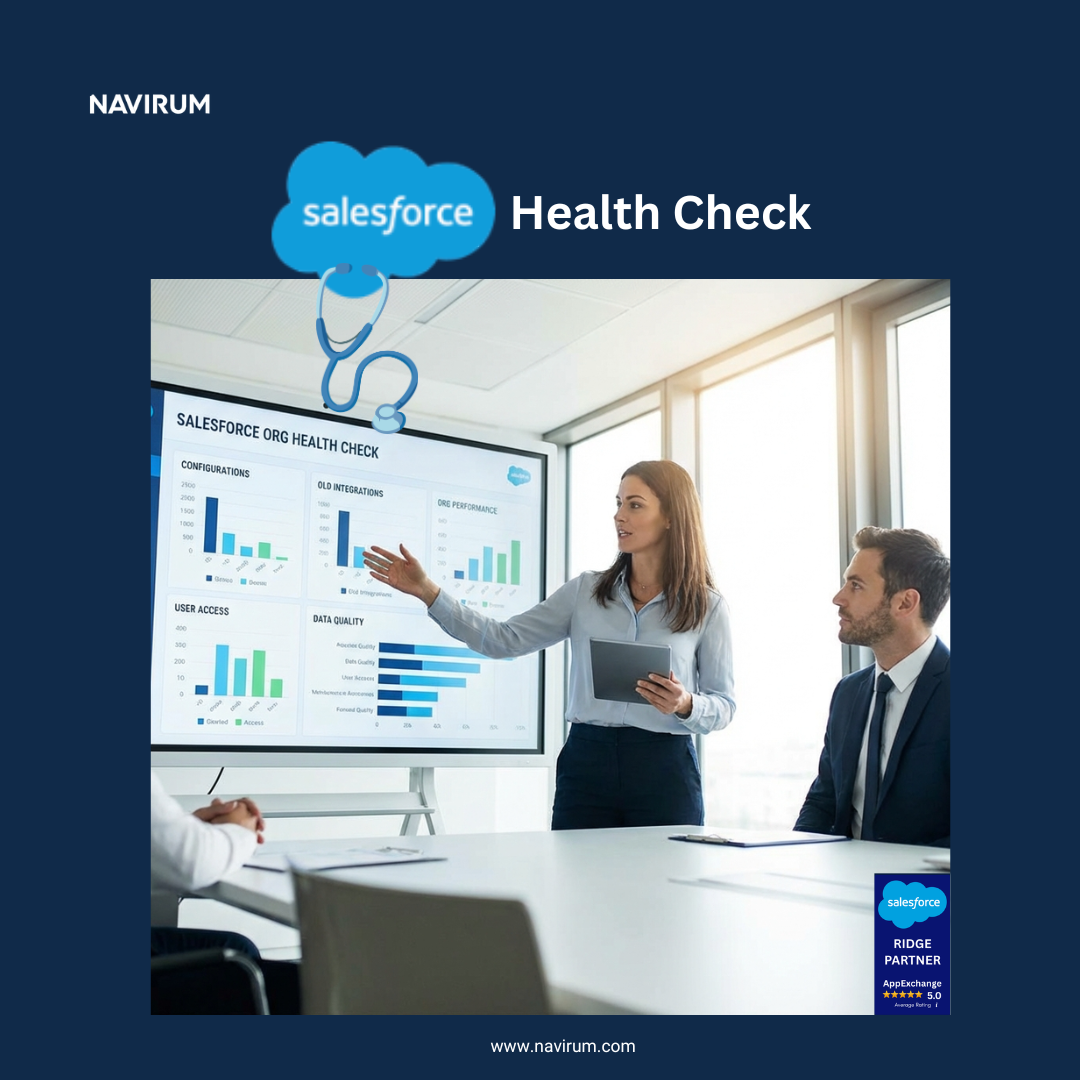
A Salesforce Health Check is a structured audit of your Salesforce org — covering data quality, security, integrations, and AI readiness — delivered by certified consultants. Navirum’s complimentary Health Check is purpose-built for financial services firms including RIAs, broker-dealers, and wealth management companies, and delivers a prioritised roadmap to make Salesforce scalable and Agentforce-ready.

If your Salesforce CRM is messy today, AI and Agentforce won’t fix it, they’ll make it worse.

According to Rory Galvin, CEO of Navirum:

Your Salesforce Is Costing You More Than You Think

Identify risks, reduce costs, and get a clear roadmap to make your CRM scalable—and AI-ready.

You’ve invested in Salesforce.
Added integrations. Rolled out new tools like a financial planning software, a Redtail → Salesforce migration, or connecting Salesforce with Schwab or Fidelity.

But instead of improving efficiency…
you’re seeing more manual work, fragmented data, and rising costs.

And with AI and Agentforce on the horizon, these issues don’t disappear—they multiply.

Why Most Salesforce Initiatives Fall Short

On paper, everything looks right: new integrations, financial planning tools, CRM migrations, custodian connections (Schwab, Fidelity, etc.)

But without the right foundation, they lead to: increasing operational costs, fragmented data, broken processes and low user adoption.

Most Salesforce programs don’t fail because of the technology—they fail because of misalignment. Common issues include:

  • Over-customization → poor usability + high maintenance
  • No strategic roadmap → low ROI
  • Lack of industry context → wrong implementation decisions

AI Won’t Fix a Broken Foundation

Agentforce represents the future of Salesforce: autonomous agents, less manual work, smarter workflows.

But most firms aren’t ready. So instead of reducing work… AI amplifies the chaos and leads to:

  • Compliance risks increase
  • Data isn’t structured
  • Integrations aren’t stable
  • Processes aren’t scalable

How Does A health Check Work?

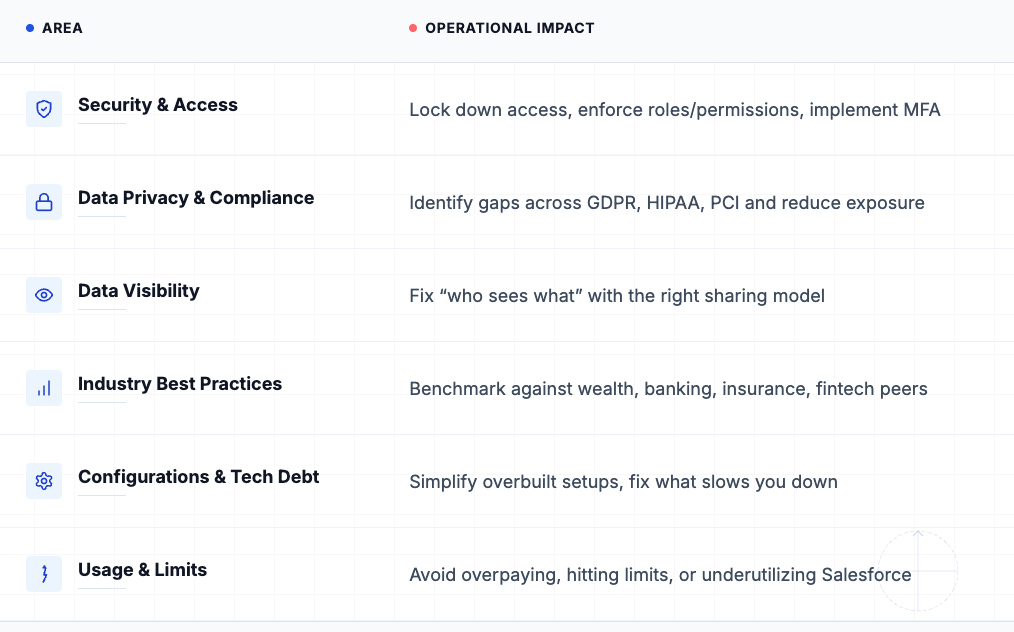
Our certified Salesforce experts perform a comprehensive review of your entire Salesforce org and help you turn your current Salesforce environment into a scalable, high-performing, AI-ready platform.

We assess your entire ecosystem—data, integrations, workflows, and architecture—and give you a clear path forward.

What You Get

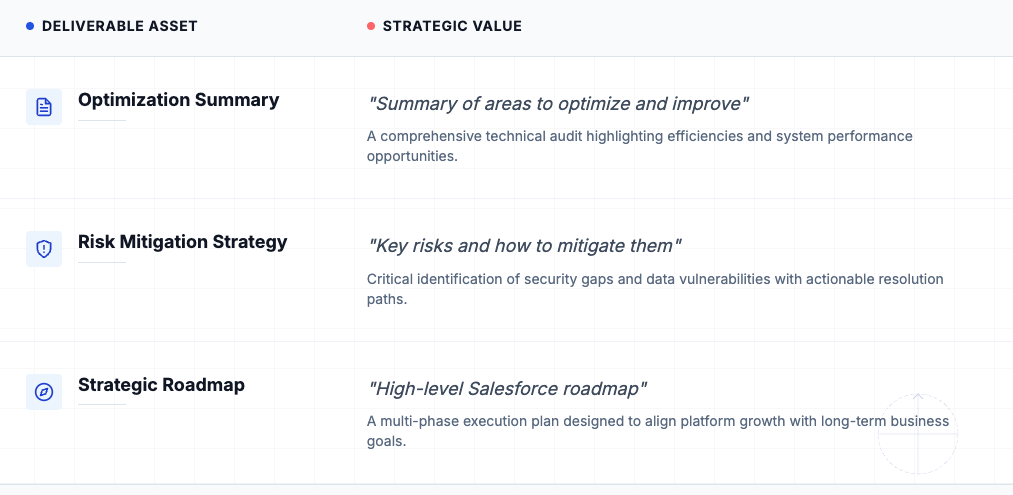
Every Health Check delivers clear, actionable outcomes:

  • ✅ Cost reduction + efficiency opportunities
  • ✅ 30-minute 1:1 session with a Salesforce expert
  • ✅ Detailed audit report
  • ✅ Key risks identified + how to fix them
  • ✅ Prioritized roadmap aligned to your business goals

Our Health Checks are complimentary and no-obligation. If you choose to move forward, Navirum can help you implement the recommendations and transform your Salesforce environment into a scalable, high-performing, AI-ready platform.

Salesforce Ecosystem Health Check_Navirum

How Navirum Gets It Right

We take your existing Salesforce environment — integrations, data, workflows — and turn it into an AI-ready platform where Agentforce can actually deliver value:

  • Less manual work.
  • Stronger compliance.
  • Real scalability
  • Better client experiences
  • Scalable growth
  • AI readiness

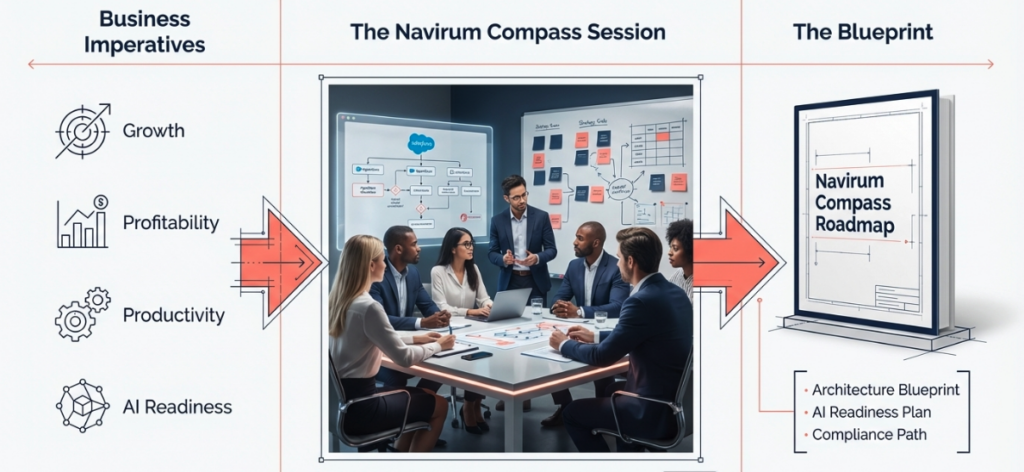
Through our Compass Workshops, we:

  • Identify what’s working vs. what’s not
  • Build a roadmap that delivers measurable outcomes
  • Align Salesforce to your strategic priorities.

What is The Value From A Salesforce Health Check?

Worth $500, in each health check, we look at how you can realign Salesforce with your original business goals and get you back on the path to success. As well as the strategic perspective, we check your Salesforce org security for vulnerabilities, financial industry best practices, ways to cut costs, improve user adoption levels, and much more!

With each free Navirum Salesforce health check, you will get a report including:

  • 30 minute 1:1 session with a highly experienced Salesforce Consultant
  • ✅ Opportunities for improvement report to share with your colleagues
  • A road map for Salesforce Success aligning with your business goals

All of our Salesforce health checks are performed by highly experienced consultants who have worked on hundreds of projects in their career.

How To Book Your Free Salesforce Health Check?

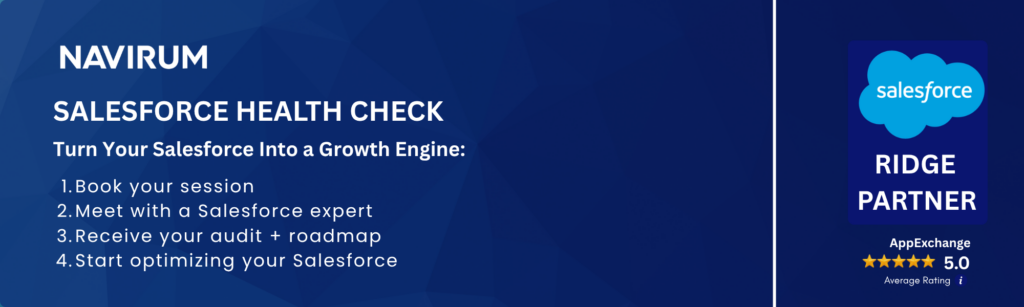
Get clarity on what’s slowing you down—and exactly how to fix it. Click on any of the Book Your Free Salesforce Health Check buttons, or fill out the form below to begin scheduling your free health check. We look forward to hearing from you.

Our Salesforce Health Check starts with your business goals and delivers a clear roadmap to success. We use our compass workshops to plot the right direction
Guided by Compass Workshops, we align Salesforce to your goals — with a clear roadmap for results

Proven Results

Navirum has delivered thousands of Salesforce projects across complex, highly regulated financial environments. This depth of experience allows us to quickly diagnose issues that others miss—from technical debt and over-customization to compliance gaps and data fragmentation.

We embed this expertise into every Health Check, delivering not just insights—but a clear, strategic path forward based on what has consistently driven success across our clients.

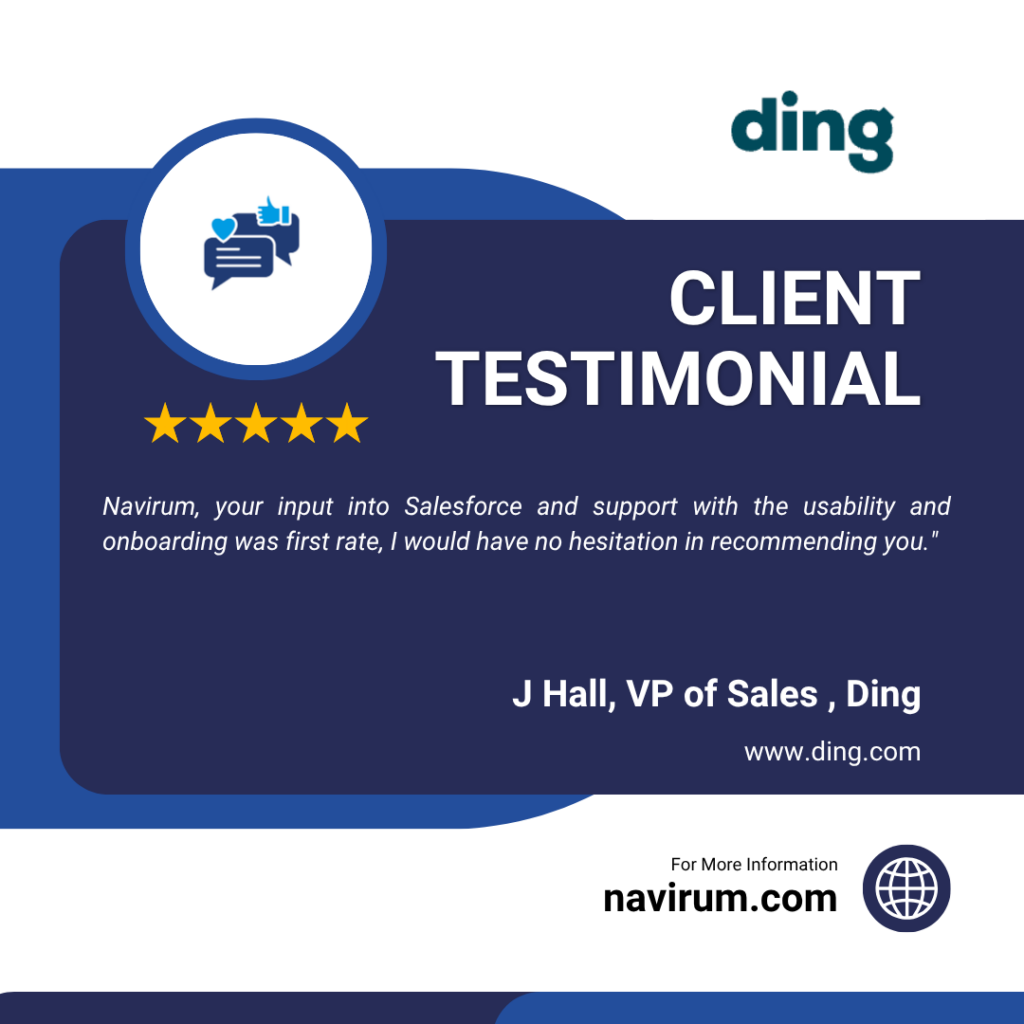
Navirum, your input into Salesforce and support with the usability and onboarding was first rate, I would have no hesitation in recommending you.

– J. Hall, VP of Sales, DING

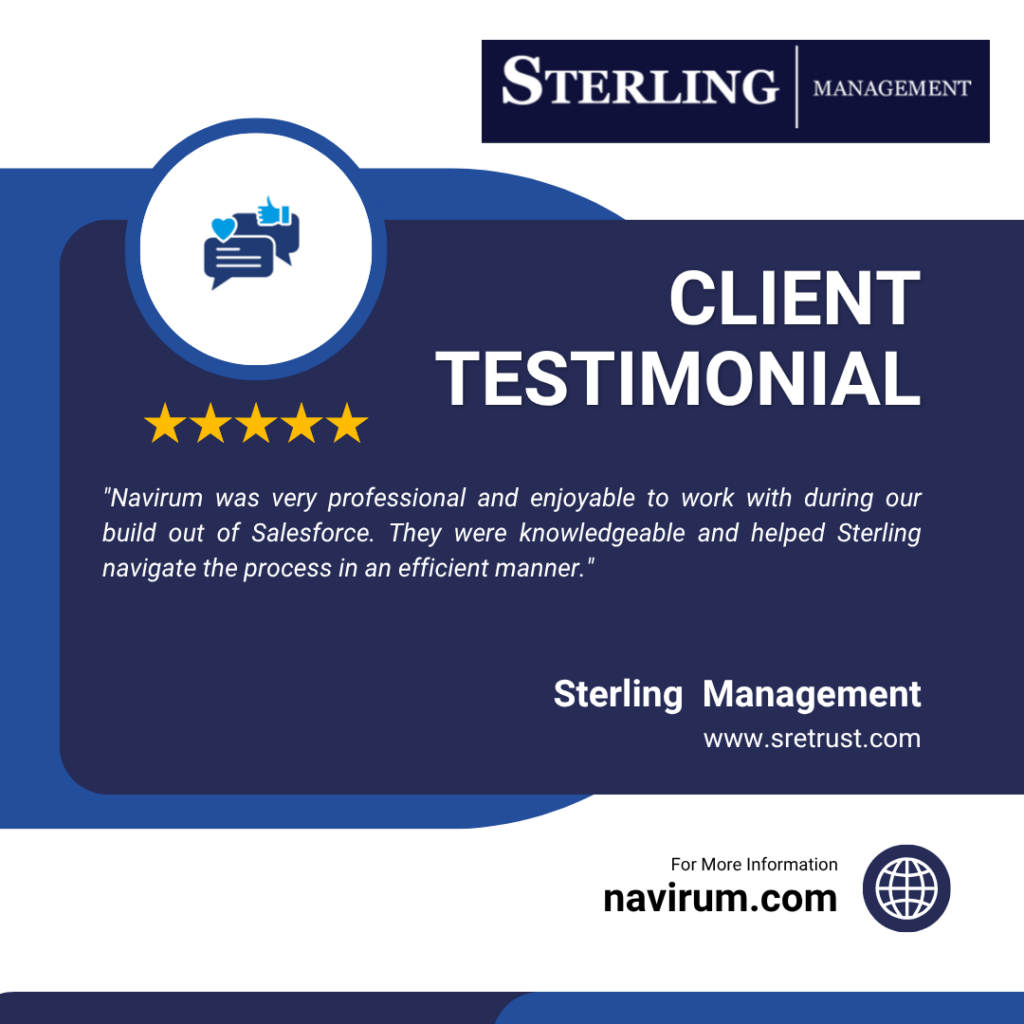
Navirum was very professional and enjoyable to work with during our build out of Salesforce. They were knowledgeable and helped Sterling navigate the process in an efficient manner.

– Erica Chaffee, President and CFO, Sterling Management

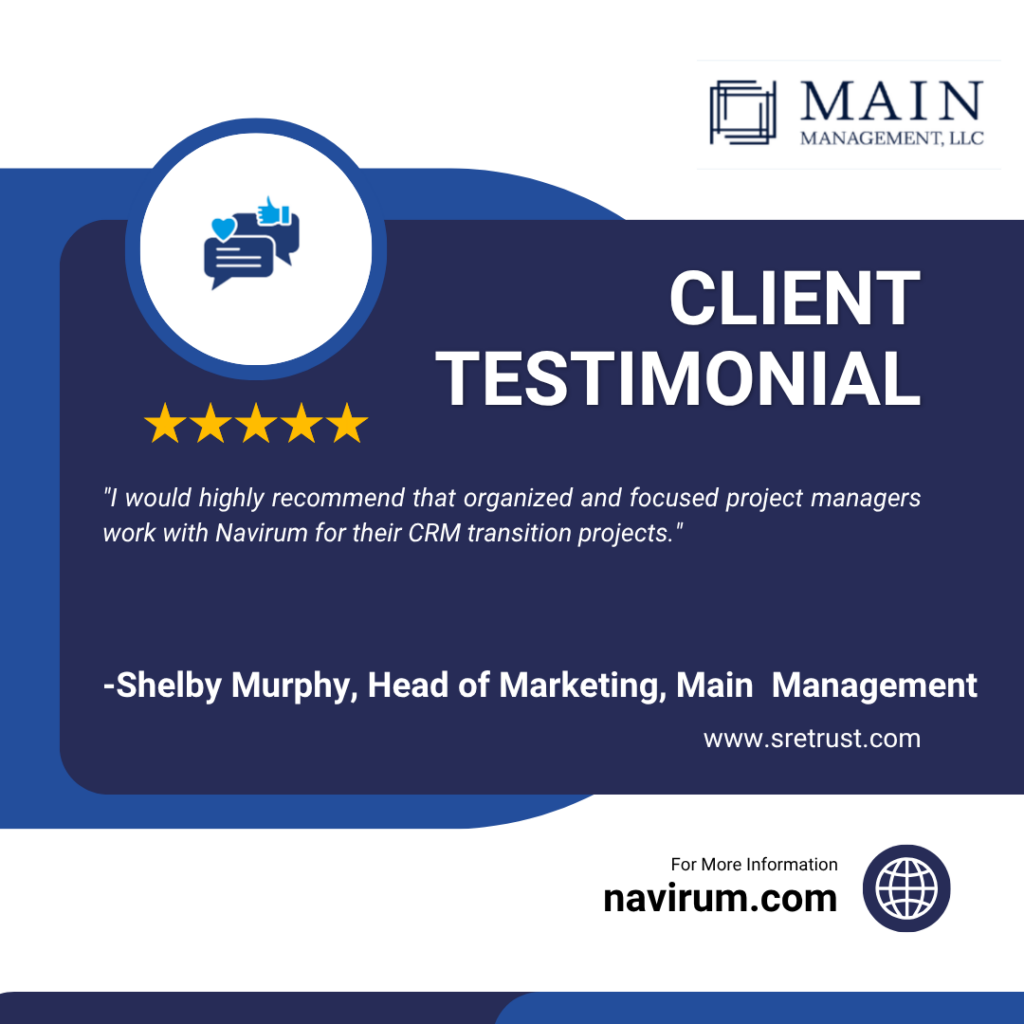
I would highly recommend that organized and focused project managers work with Navirum for their CRM transition projects.

-Shelby Murphy, Head of Marketing, Main Management

Navirum Client Success Stories in Financial Services

If you think a free Salesforce Health Check will give you a clear direction on your Salesforce program, book below👇

Where do Salesforce projects go wrong?

Salesforce implementations go off track for many reasons, including:

  • Over-customization of Salesforce leads to poor usability and high maintenance costs.
  • No plan or strategic roadmap leads to poor value creation over the long term
  • Gaps in industry knowledge to understand the real needs of the business

Yet, the #1 reason programs veer off course is due to a lack of alignment with the company’s overarching business objectives. This is especially true for financial institutions, which often have distinctive strategic goals. Whether it’s managing suitability obligations for Broker-Dealers, deal pipeline management for Private Equity firms, or efficient client onboarding for Financial Advisors

Sounds familiar? Some businesses are super successful with Salesforce? Even a smaller company like PenFed Credit Union

How do we get it right? Well is starts with the right foundation… 👇

Do you need to run a health check for your Salesforce org? Get expert guidance from Navirum.

The certified health-check experts conduct a detailed gap analysis and recommend a roadmap to higher performance and a robust Salesforce ecosystem.

Book Your FREE Health Check Now!

SF Health Check
First
Last

FAQ

What does a Salesforce Health Check include?

A Salesforce Health Check is a comprehensive review of your org’s data quality, system performance, security settings, integrations, and overall configuration. It identifies inefficiencies, risks, and missed opportunities. You’ll receive clear, prioritized recommendations to improve usability, scalability, and ROI.

How long does a Salesforce Health Check take?

Most health checks are completed within 1–2 weeks, depending on the complexity of your Salesforce environment. This includes analysis, stakeholder input, and a final review session. We focus on delivering actionable insights quickly, without disrupting your operations.

Is a Salesforce Health Check really free?

Yes, the health check is completely free and comes with no obligation. It’s designed to provide immediate value by highlighting areas for improvement. If you choose to move forward with recommendations, that’s entirely up to you.

What is the difference between a Health Check and a full Salesforce audit?

A health check is a high-impact, fast assessment focused on identifying key issues and quick wins. A full audit is more in-depth, involving detailed documentation, process mapping, and long-term transformation planning. Think of a health check as a diagnostic, and an audit as a full overhaul strategy.

How do I know if my Salesforce org is AI-ready?

Your org is AI-ready if your data is clean, structured, and consistently used across processes. You also need well-defined workflows, strong governance, and integrated systems. If these foundations aren’t in place, AI tools like Agentforce can amplify inefficiencies instead of solving them.

What makes Navirum different from other Salesforce consultants?

Navirum combines deep Salesforce expertise with real-world financial services experience, ensuring solutions are both technically sound and business-relevant. We focus on outcomes—efficiency, scalability, and growth—not just implementation. Our approach is practical, senior-led, and built on delivering measurable results, not just recommendations.

Rory GalvinWhy Your Salesforce Is Quietly Costing You Time and Money

3 Powerful Ways Broker-Dealers Use Salesforce To Stay Compliant

Listen in depth:

Salesforce for broker dealers discussion

Lets Go!

At Navirum, we are specialists in helping broker-dealers implement Salesforce. Navigating regulatory compliance and growing a business is a challenge. Here are 3 ways Salesforce can help broker deals to streamline and grow without compliance headaches. We’ve included a common FAQs for broker dealers and Salesforce at the end. Enjoy!

#1 Suitability & Segmentation with Broker-Dealer CRM

A modern broker dealer CRM built on Salesforce allows firms to create detailed client profiles based on financial goals, risk tolerance, investment preferences, and regulatory needs. This level of segmentation ensures that every recommendation is suitable and tailored, improving both compliance and client satisfaction.

Unmatched segmentation and suitability

#2 Compliance CRM for Regulatory Confidence


An integrated compliance CRM enables broker-dealers and financial institutions to track disclosures, risk assessments, and suitability documentation. Back office and portfolio management (PMS) systems integrations are possible including multi-custodial integrations (see more here) helping create a 360 degree client view. Salesforce workflows automate compliance checks, making it easier to align product recommendations with FINRA, SEC, and other regulatory requirements.

Massive compliance efficiencies

#3 AI-Enabled CRM for Smarter Recommendations


With an AI enabled CRM, financial advisors and broker-dealers can leverage predictive analytics to recommend products that best align with client objectives. AI-driven alerts and portfolio monitoring ensure that product suitability is continuously reviewed and updated.

AI enabled recommendations

Business Impact

  1. Ensure every financial recommendation is suitable and compliant

  2. Automate compliance workflows and reduce manual risk

  3. Use AI-enabled CRM features to personalize client interactions

  4. Strengthen trust with a single source of truth for compliance and client data

Bottom line: By combining Salesforce with an AI enabled, compliance-focused, financial services CRM, broker-dealers gain the tools to stay compliant, strengthen client relationships, and grow their business confidently.

Are you broker dealer needing Salesforce help? Help is a click away …

Contact Us
First


⭐⭐⭐ DISCOVER NAVIRUM ⭐⭐⭐

CSAT 5/5 – Salesforce AppExchange

Customer Success Stories

Salesforce Expertise


FAQs – Salesforce Broker Dealer – FAQs

How does Salesforce help broker-dealers with regulatory compliance?

Salesforce provides compliance-focused workflows that track disclosures, risk assessments, and suitability documentation. This ensures broker-dealers meet FINRA, SEC, and other regulatory requirements while reducing manual risk.

What is suitability and segmentation in a broker-dealer CRM

Suitability and segmentation allow firms to create detailed client profiles based on goals, risk tolerance, and investment preferences. Salesforce makes it easier to recommend the right products and demonstrate compliance with suitability standards.

Can Salesforce automate compliance workflows for broker-dealers

Yes. Salesforce automates critical compliance steps, such as documentation, product approvals, and portfolio reviews, saving time and minimizing errors.

How does AI improve Salesforce for broker-dealers?

AI-enabled Salesforce features provide predictive analytics and real-time alerts, helping advisors recommend suitable products and continuously monitor client portfolios for compliance.

Why should broker-dealers choose Salesforce over other CRMs?

Salesforce is a trusted financial services CRM that combines compliance tools, AI-powered recommendations, and a single source of truth for client data—helping firms grow while staying compliant.

What business impact can broker-dealers expect from using Salesforce?

Broker-dealers can expect streamlined compliance, reduced operational risk, personalized client interactions, and stronger client trust—all driving sustainable business growth.

How do custodial integrations like Schwab, Pershing, Fidelity, and Raymond James work with Salesforce?

Custodian integrations – such as Schwab Advisor Center, Pershing, Fidelity Wealthscape, and Raymond James—connect account-level data directly into Salesforce Financial Services Cloud. These integrations bring in balances, transactions, positions, RMDs, and alerts, giving broker-dealers and advisors a 360° client view inside their CRM.

Schwab Advisor Center → Daily sync of account balances, positions, RMD history, and money movement with single sign-on.
(Schwab Integration Overview)
Fidelity Wealthscape → Allows advisors to view and manage brokerage accounts within Salesforce, streamlining suitability checks and digital workflows.
(Fidelity Newsroom Release)
Pershing X (Wove) → Deep integration with Salesforce FS Cloud for onboarding, data sharing, and engagement workflows.
(Salesforce + Pershing X Announcement)
Raymond James → Similar to others, Raymond James offers Salesforce API connectivity to sync custodial data, enabling advisors to see real-time account updates and compliance records.

These custodial integrations transform Salesforce into the single source of truth for client financial data – streamlining suitability reviews, reducing compliance risk, and giving advisors more time to focus on clients.

How do Portfolio Management Systems like Addepar, Orion, Black Diamond, Advent/APX, and Tamarac integrate with Salesforce?

Portfolio Management Systems (PMS)- such as Addepar, Orion Advisor Tech, Black Diamond, SS&C Advent/APX, and Envestnet Tamarac—can be integrated with Salesforce to give advisors a real-time view of portfolio performance, holdings, transactions, and reporting directly inside their CRM. This means advisors no longer need to toggle between systems—they can see investment data in the same place they manage client relationships.

Addepar → Integrates with Salesforce to surface performance reporting, portfolio breakdowns, and client-level analytics.
(Addepar Salesforce Integration)
Orion Advisor Tech → Pushes household performance, account balances, and fee billing data into Salesforce, enhancing client review workflows.
(Orion + Salesforce Integration)
Black Diamond (SS&C) → Connects portfolio reporting, account aggregation, and client dashboards into Salesforce, providing a unified advisor workspace.
(Black Diamond Wealth Platform)
SS&C Advent/APX → Delivers institutional-grade portfolio and accounting data into Salesforce for compliance, reporting, and investment analysis.
(SS&C Advent APX)
Envestnet Tamarac → Links Salesforce with portfolio rebalancing, performance reports, and client portals, streamlining advisor-client interactions.
(Envestnet Tamarac Integration)

So PMS integrations ensure Salesforce becomes the hub for both client engagement and investment intelligence, enabling advisors to deliver more personalized service while maintaining compliance and operational efficiency.

Rory Galvin3 Powerful Ways Broker-Dealers Use Salesforce To Stay Compliant

4 Powerful Ways Salesforce Helps Group Benefits Providers in 2025

At Navirum, we are specialists in helping group benefits and retirement companies implement Salesforce. Many companies in this industry struggle with high operational and administrative overhead. A properly implemented Salesforce instance can reduce costs by 50%. If you are moving from an excisting CRM to Salesforoce, you might considering this guide

Quicklinks To Key Sections

The 4 Ways Are

1) Client Onboarding

By Streamlining and automating the client onboarding process through automation, workflows, notifications, and marketing automation, customers have dramatically improved their client onboarding process and cost. The downstream impact is happy customers and employees as well as significant cost savings.

    2) Personalized Relationship Management (CRM):

    Group benefits and retirement companies can use Salesforce’s CRM capabilities to create tailored customer profiles, track interactions, and manage client relationships effectively. By centralizing customer data, including communication history, policy details, and retirement plans, companies can provide personalized services and improve overall customer satisfaction. The Salesforce Financial Service Cloud help deliver all of this. Big insurance companies have been doing this for quite some time with Salesforce. Find out more below

      3) Automated Enrolment Processes:

      Salesforce’s workflow automation tools can help simplify and automate the enrolment process for group benefits and retirement plans. Companies can use Salesforce to manage the enrolment workflow, including document collection, data entry, and communication with employees. Automation can reduce manual errors, improve efficiency, and provide a smoother experience for both employers and employees. The Prudential story is a relevant and exciting one for group benefits and insurance firms. Check out

        Find Out How Prudential leverage Salesforce for Group Benefits and Insurance Excellent

        4) Streamlined Plan Management

        Salesforce can be used to manage and track group benefit plans and retirement accounts efficiently. Companies can set up automated alerts for plan renewals, track plan contributions, and provide real-time updates to employers and employees. Companies can also integrate with carriers to improve performance even further. Think you are ready to make the move to Salesforce? Check out Salesforce readiness checklist to measure how ready you are

          Implementing Salesforce in these ways can help group benefits and retirement companies streamline their operations, deliver exceptional customer experiences, and achieve long-term business success in the industry. To find out how Navirum can help you implement Salesforce Financial Service Cloud successfully, please contact us for a free consultation.

          Book a Consultation Now To Get Guidance and Direction

          Contact Us
          First

          FAQs – Salesforce Group Benefits and Insurance Firms

          What makes Salesforce Financial Services Cloud ideal for group benefits and retirement providers?

          FSC is purpose-built for financial services. It enables personalized relationship management, real-time tracking of client data, and visibility across policies, plans, and interactions. For group benefits firms, this means delivering a tailored client experience that drives retention, satisfaction, and competitive advantage.

          Can I integrate with back office systems like claims, carrier systems, and investments?

          Yes, one of the most common requirements. Each integration is different and requires a consultation to provide direction. Contact us.

          How does Salesforce improve the enrolment process for group plans?

          Salesforce’s workflow automation can eliminate manual steps in group plan enrolment, including form submission, eligibility validation, and communications. This not only improves accuracy but also accelerates the process – helping HR teams and brokers serve clients more efficiently. Prudential’s use case illustrates the scale this can unlock.

          What role does Salesforce play in managing and tracking benefit plans?

          Salesforce can automate alerts for renewals, track contributions, and integrate with carriers – creating one system of truth. This reduces admin costs and allows proactive engagement with clients. Navirum specializes in building Salesforce solutions that align directly to your plan management needs.

          What should I consider before migrating from my current CRM to Salesforce?

          Successful migrations hinge on clear goals, data integrity, and aligning Salesforce features with your business model. Navirum’s readiness checklist helps you assess migration complexity and plan effectively. If you’re moving from an existing CRM, our Strategic Consulting team can guide a seamless transition and de-risk the process. Check out these CRM to Salesforce tips


          What real-world AI features in Salesforce FSC benefit insurers today?

          Group benefits providers and insurers can use Agentforce to boost productivity, predict lapse risk, detect fraud, automate renewals, and personalize coverage recommendations. Navirum configures these tools so your insurance firm can act on insights right away – no extra dev needed. Find out more about Agentforce here

          ⭐⭐⭐ DISCOVER NAVIRUM ⭐⭐⭐

          CSAT 5/5 – Salesforce AppExchange

          Customer Success Stories

          Salesforce Expertise

          Thanks for reading!

          Rory Galvin4 Powerful Ways Salesforce Helps Group Benefits Providers in 2025

          Salesforce Doesn’t Have to Be Hard – Find Your Solution Now!

          Struggling with your Salesforce program? Is your implementation not going well? Having issues supporting Salesforce? Not getting value for your Salesforce investment? You are not alone. Successful Salesforce programs all have the same factors in common include clear business goals, leadership, and expertise in industry and technology. At Navirum, we are experts in Salesforce and helping our clients build long term success on the worlds leading CRM.

          What is a Salesforce Health Check? How can it help my company?

          Where has my Salesforce program gone wrong? Companies and Salesforce evolve over time. With Salesforce, like any asset, it’s essential to maintain your Salesforce instance to ensure you are getting the most from your investment. All health checks are free of charge. In each session, we check your Salesforce security for vulnerabilities, alignment with industry best practices, user adoption levels, and much more! 

          With each Navirum Salesforce health check, you will get:

              • Recommended opportunities for improvement
              • Detailed feedback on how Salesforce is performing
              • Security analysis and recommendations
              • A road map for Salesforce Success via Navirum Orbit


          Book a Health Check Now!


          Rory GalvinSalesforce Doesn’t Have to Be Hard – Find Your Solution Now!